Associate dispensing packages with visit setting version
In IWRS, the dispensing visit and window configurations are version-bound. Such versioning helps you keep track of changes in these configurations applied to all or specific sites or subjects.
Each dispensing visit setting version can be associated with a list of dispensing packages—sets of items to be given to subjects according to their treatment needs. This helps outline a certain treatment model eliminating the unnecessary and unsuited items and simplifying the process of treatment assignment.
-
In the IWRS application header, select the TREATMENT DESIGN tab.
-
From the left pane, select Visit Dispensing and Window.
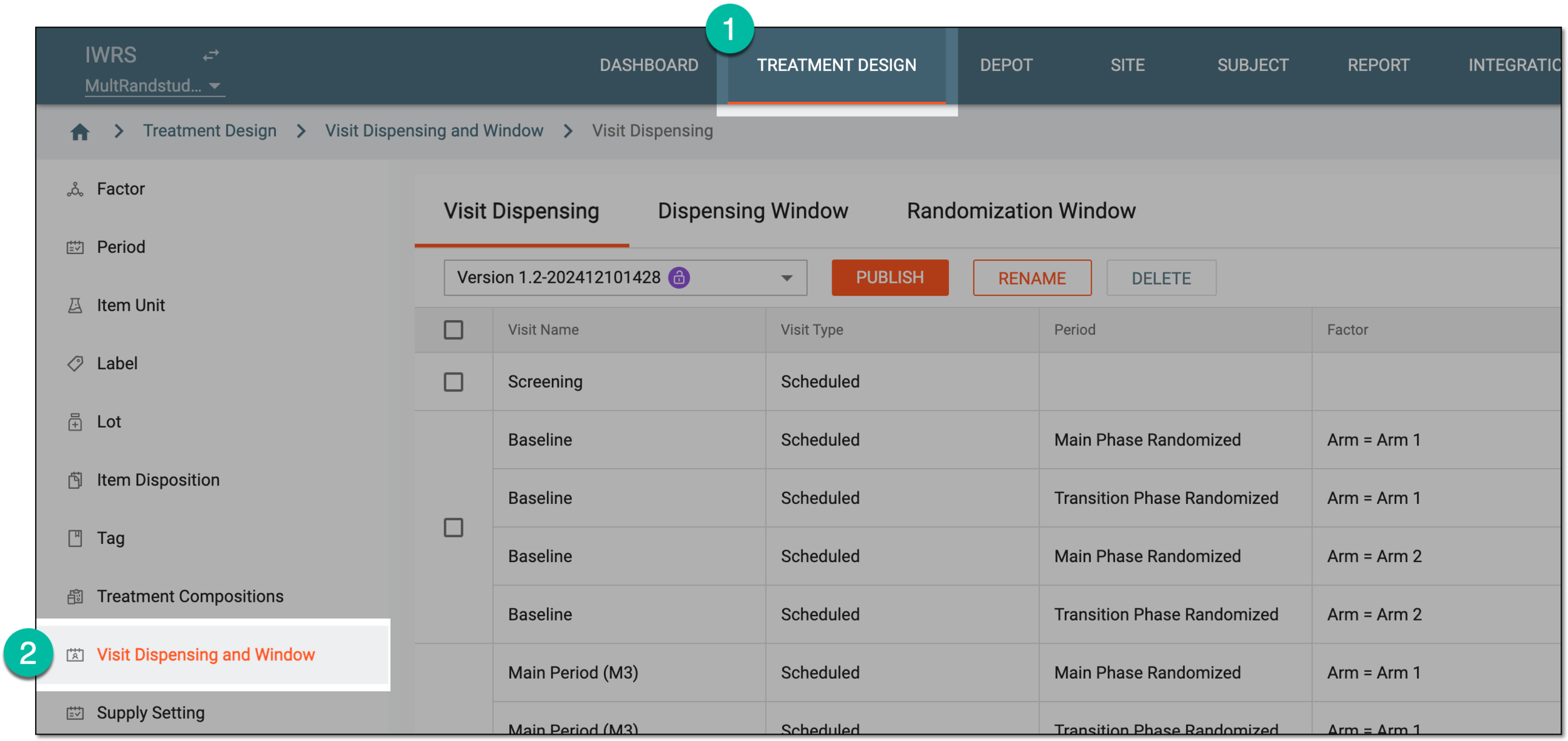 Figure 1. Accessing visit dispensing and window configuration
-
On the page that opens, under the Dispensing Visit tab, select the visit setting version for which you want to manage dispensing package association.
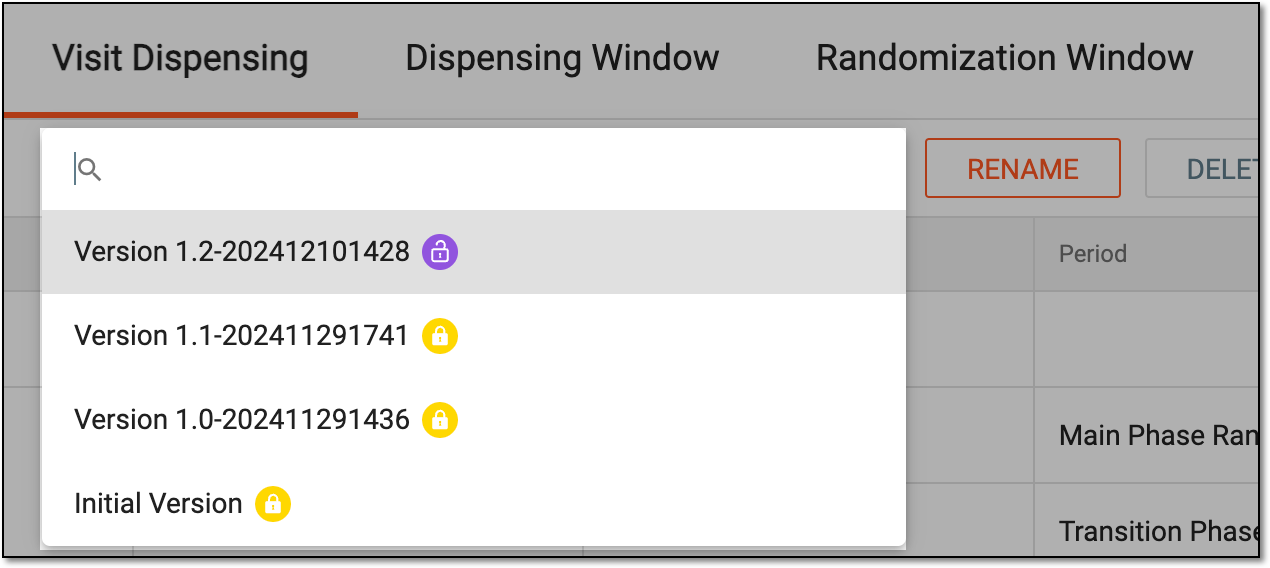 Figure 2. Selecting dispensing visit setting version
-
From the workspace toolbar, select Associated Dispensing Packages
 .
. Figure 3. Accessing dispensing packages association
-
In the Associated Dispensing Packages dialog that appears, select the packages for the current dispensing visit setting version as explained in the following table.
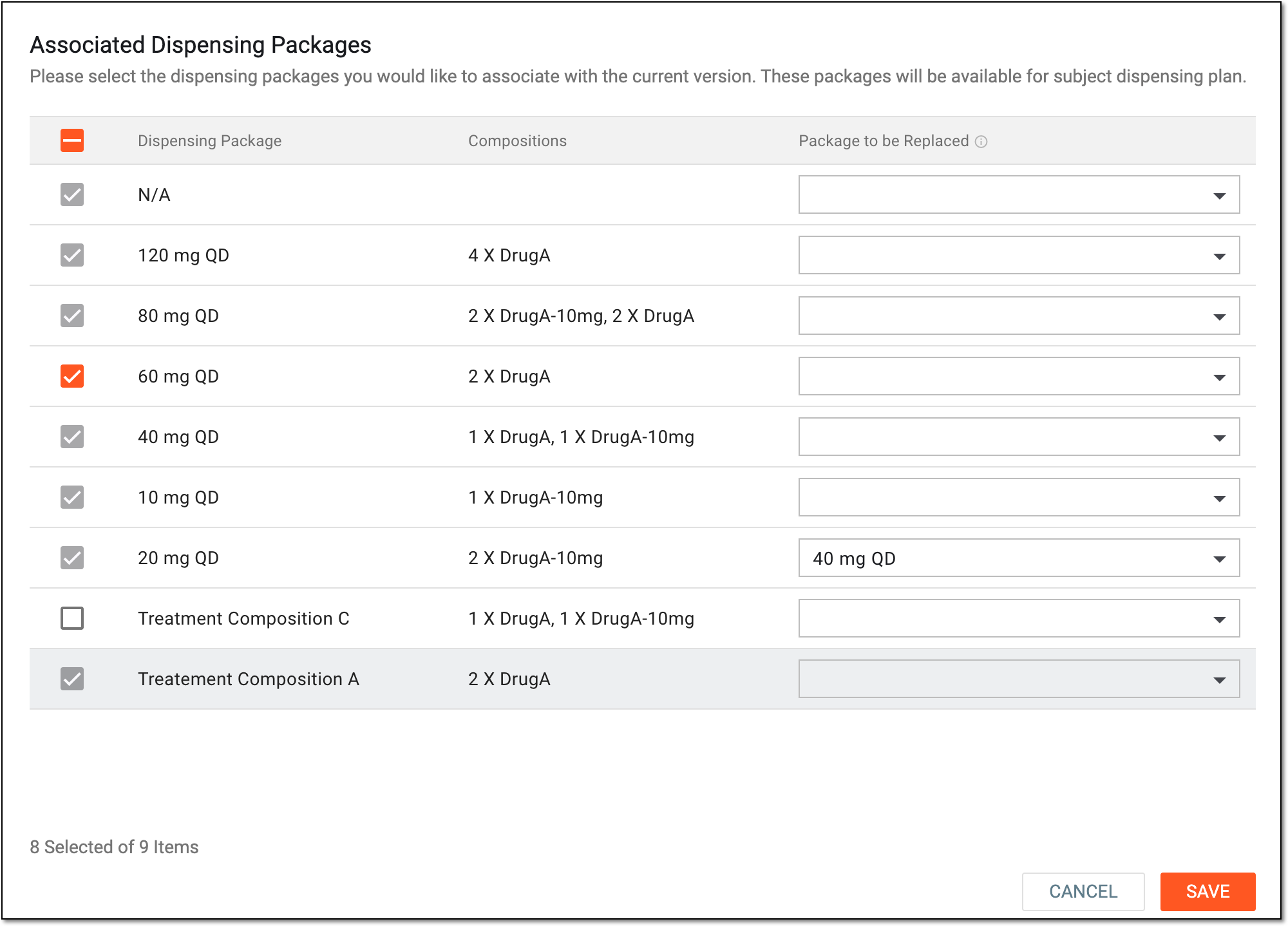 Figure 4. Associating dispensing packages to visit setting version
Element
Details
Multiselect
Select the checkboxes next to the dispensing packages you want to associate with the current dispensing visit setting version. Only the packages associated here can be assigned for subject treatment via their scheduled dispensing plan.
The selection cannot be changed for the packages that are a part of the dispensing plans included in the current dispensing visit setting version. These are selected and cannot be cleared.Dispensing Package
Represents the name of the dispensing package available for association or already associated with the dispensing visit setting version.
Compositions
Represents the details—names and quantities—of the items in the dispensing package.
Package to be Replaced
Select the old dispensing package that you want to be replaced with the new one from the Dispensing Package column once this setting version becomes effective for the subject.
For instance, Subject A receives Package A1 according to their dispensing plan that follows Visit Setting V1.
You create new version Visit Setting V2, for which the package to be replaced is Package A1 and the dispensing package is Package A2.
Once the configuration is saved and Subject A is upgraded to the Visit Setting V2, their dispensing package automatically becomes Package A2.
SAVE
Select
 to implement the dispensing package association.
CANCEL
Select
 to discard your selection without saving and close the dialog.
Upon saving, the dispensing packages are associated with the visit setting version. Once the study, site, or subject are updated to this version, only the associated packages become available for dispensation.