Activate/Deactivate dispensing visit setting version
In IWRS, the dispensing visit and window configurations are version-bound. Such versioning helps you keep track of changes in these configurations applied to all or specific sites or subjects.
In the course of the clinical trial, there might be many versions created, making it harder to navigate between them when upgrading subjects to the needed ones. Thus, to simplify version management, you can deactivate some versions that are no longer in use or need to be temporarily unavailable for site and subject upgrade. However, if the circumstances change, you can activate the version again at any time.
-
In the IWRS application header, select the TREATMENT DESIGN tab.
-
From the left pane, select Visit Dispensing and Window.
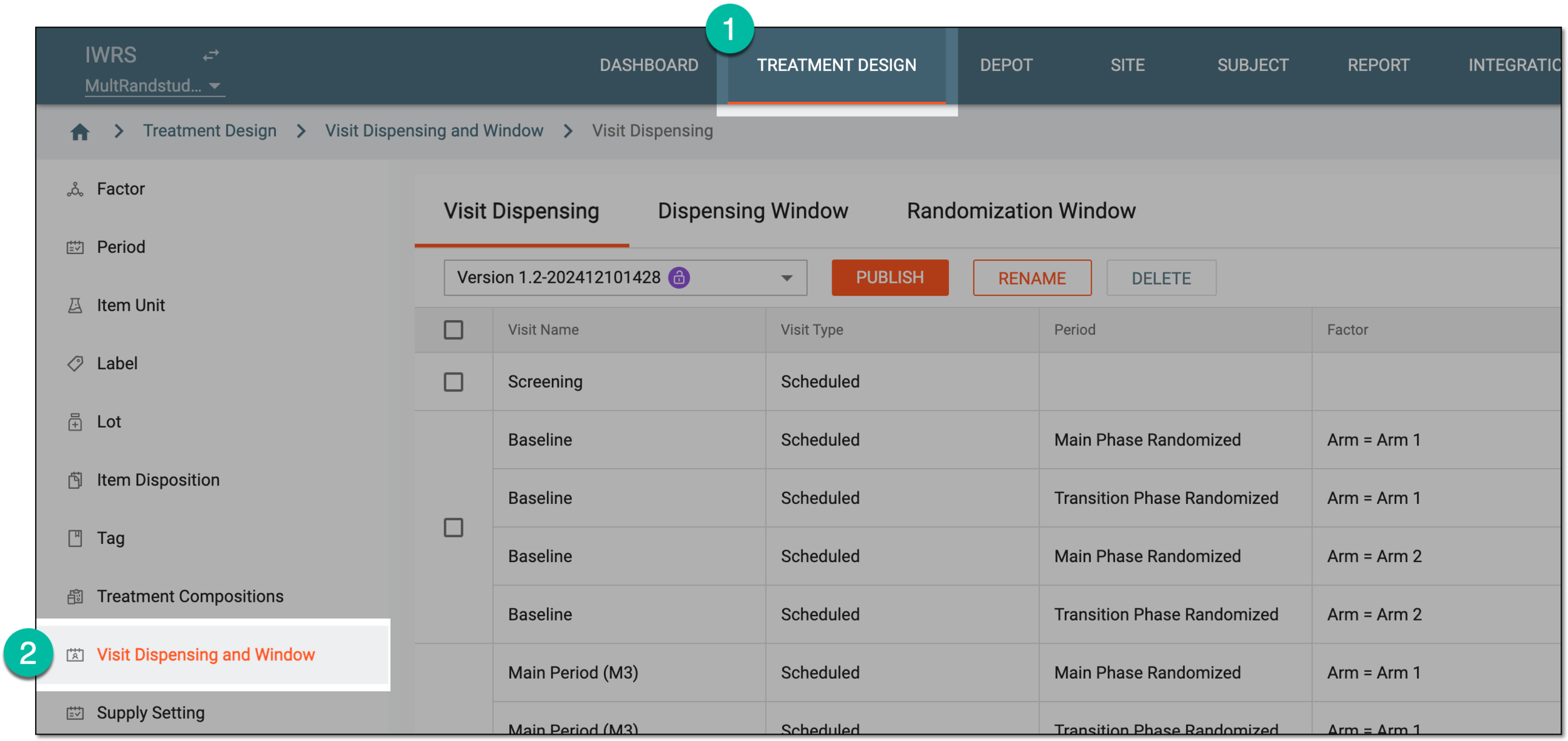 Figure 1. Accessing visit dispensing and window configuration
-
On the page that opens, under the Dispensing Visit tab, perform one of the following actions as needed.
-
Select the visit setting version that you need to deactivate. Then next to it, select
 .
.Important
You can only deactivate the version that is not followed by any site or subject. If deactivation fails for this reason, update the study, site, or subject to another version and try again.
 Figure 2. Inactivating visit setting version
-
In the Inactivate dialog that appears, enter the comment for your action and select
 to
finalize the deactivation.
to
finalize the deactivation.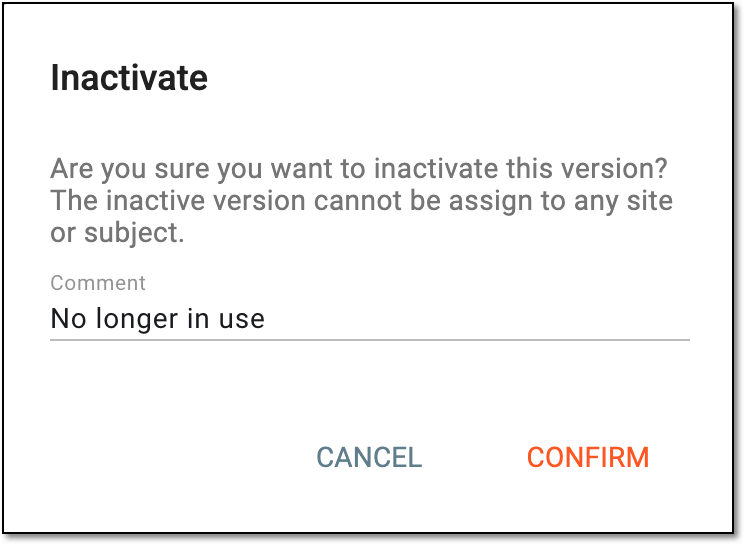 Figure 3. Confirming visit setting version deactivation
-



Once done, the dispensing visit setting version becomes either active or inactive as per your action. Inactive version cannot be used for study, site, or subject upgrade until activated again.