Add new dispensing visit setting version
In IWRS, the dispensing visit and window configurations are version-bound. Such versioning helps you keep track of changes in these configurations applied to all or specific sites or subjects.
Thus, when the study is first configured in IWRS and then each time the changes to the existing configurations are required, you can create a new dispensing visit setting version. This helps maintain change history and satisfies international multisite studies, where different locations and subjects can follow their own dispensation settings.
For instance, Site 01, Site 02, and Site 03 participate in your study and follow the current dispensing visit setting of version 1.0. Site 001 and Site 002 are ready to increase the dosage for their patients, and for Site 003, the approval for the increase is pending. Thus, you can create a new dispensing visit version 2.0 that satisfies the needs of the two sites, and upgrade Site 001 and Site 002 to this version, while leaving Site 003 to follow version 1.0. This way, you have the flexibility to introduce needed changes more efficiently without delaying study progression at sites.
Important
You can add a new version if there are no versions configured for your study yet or if the previous version is published.
When a new site is added to the study, it automatically follows the latest published version of dispensing visit and window settings.
-
In the IWRS application header, select the TREATMENT DESIGN tab.
-
From the left pane, select Visit Dispensing and Window.
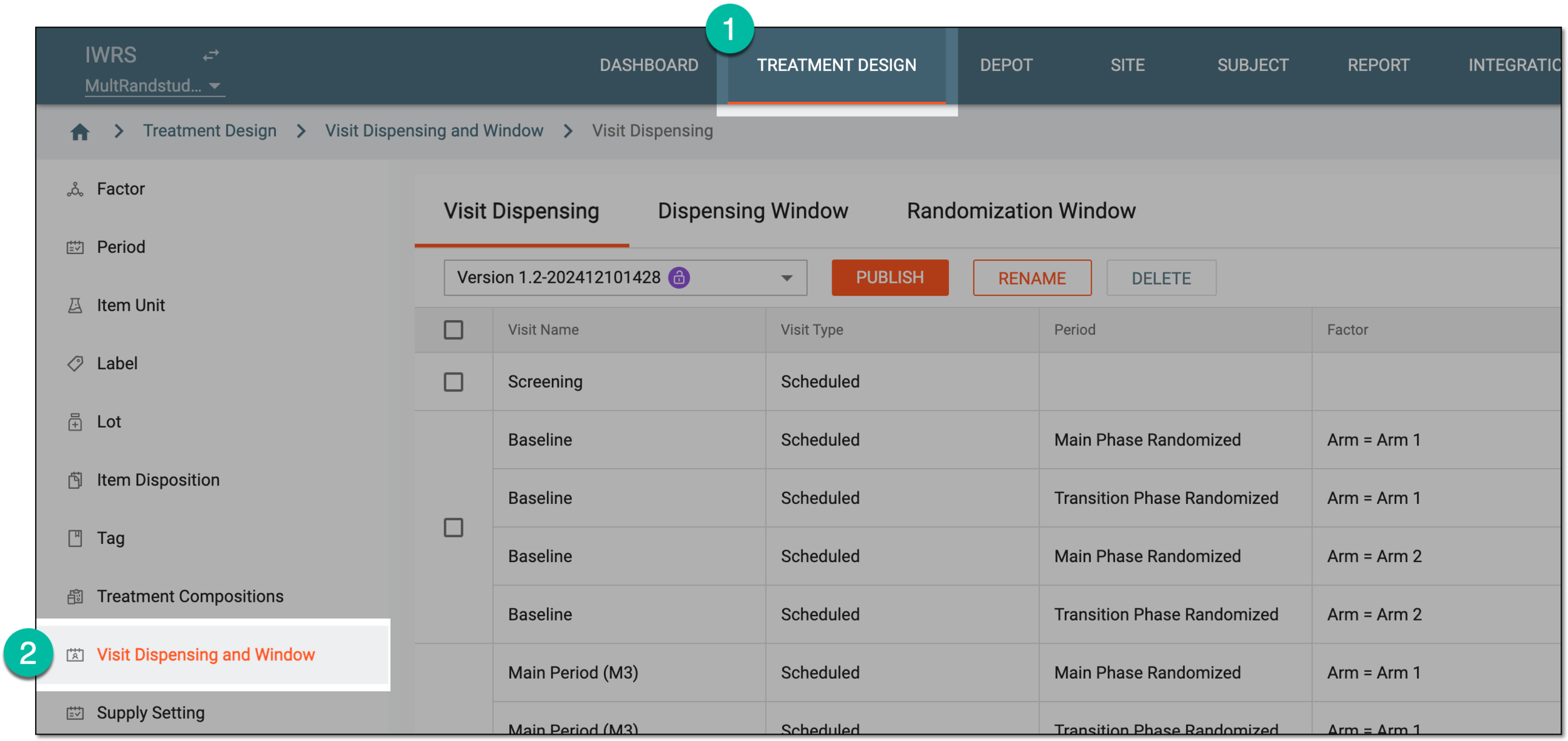 Figure 1. Accessing visit dispensing and window configuration
-
On the page that opens, under the Dispensing Visit or Dispensing Window tab, select
 .
.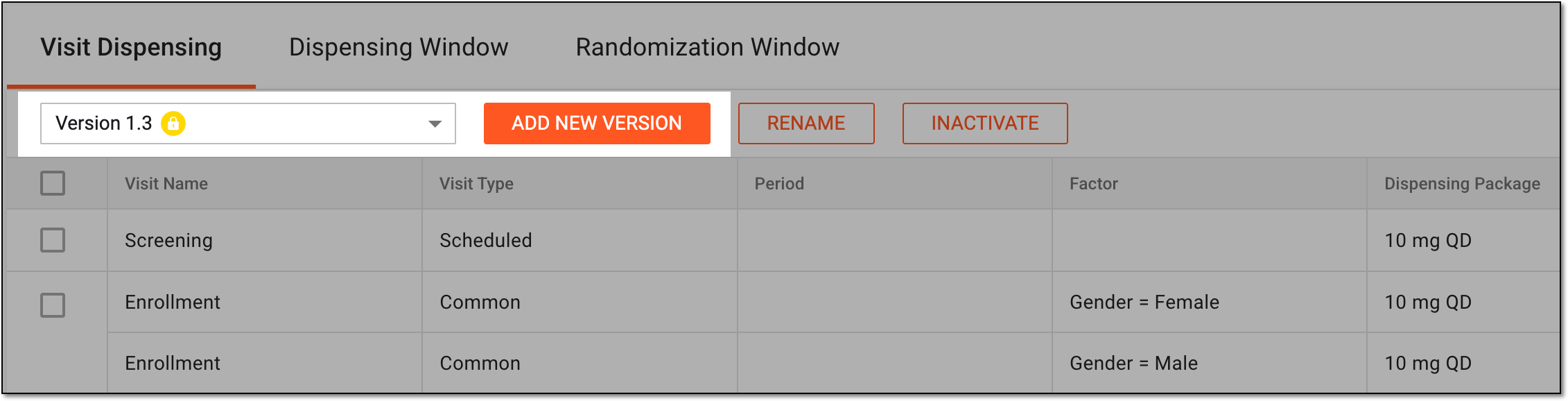 Figure 2. Adding new dispensing visit setting version
-
In the Add New Version dialog that appears, enter the unique distinguishable name for the version being created and select
 .
.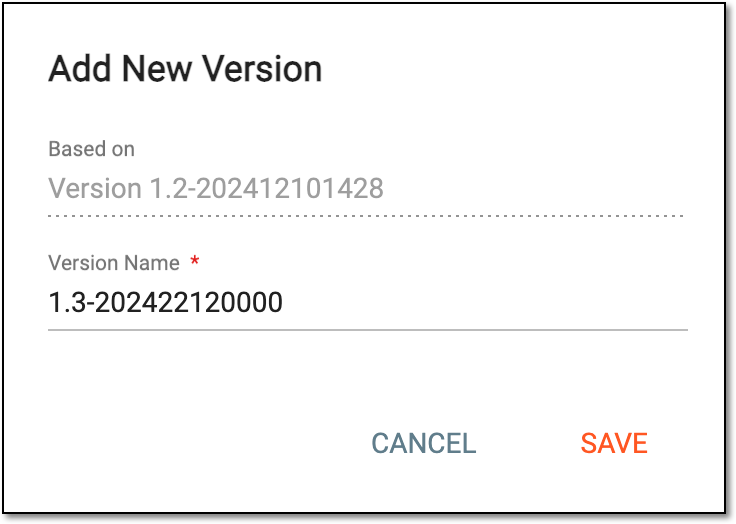 Figure 3. Naming new dispensing visit setting version
Once saved, the new version is created and you can proceed to configure dispensing visits and windows for it. This version remains a draft and can be amended as required until published.