Rename dispensing visit setting version
A dispensing visit is a subject's treatment visit to the site at which they are administered a certain medication—dispensing package.
A dispensing window is a specific time frame during which the dispensing visit can occur so that the dispensing package is administered to the subject timely according to their treatment plan.
In IWRS, the dispensing visit and window configurations are version-bound. This helps satisfy international multisite studies, where different locations and subjects can follow their own dispensation settings.
All versions have their unique names that help IWRS users distinguish between them when, for instance, upgrading sites or subjects. Thus, if the version name must be adjusted to better suit your business needs or protocol requirements, you can do so by renaming the version at any time—when the version is still in a draft state or already published.
-
In the IWRS application header, select the TREATMENT DESIGN tab.
-
From the left pane, select Visit Dispensing and Window.
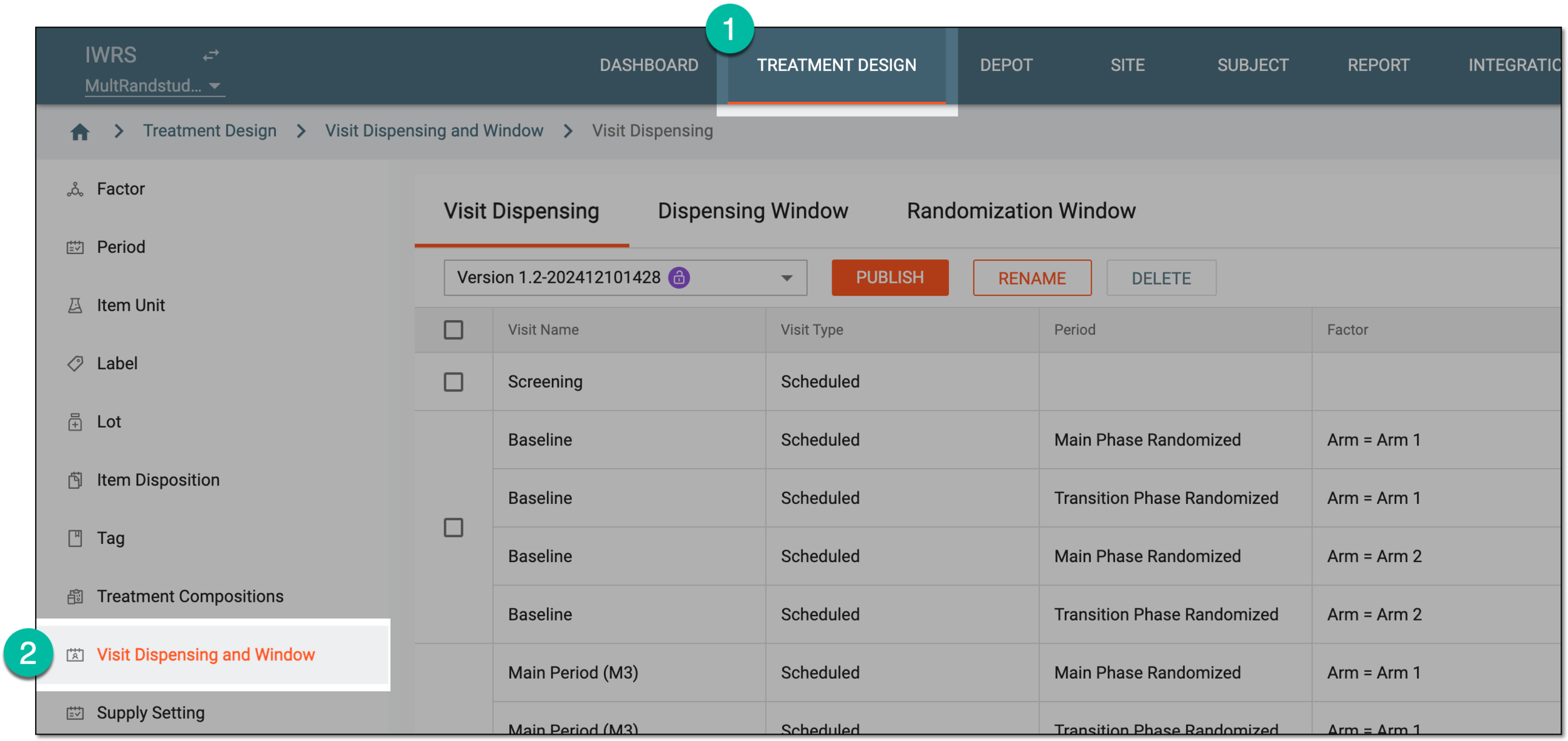 Figure 1. Accessing visit dispensing and window configuration
-
On the page that opens, from the version menu, select the version you want to rename.
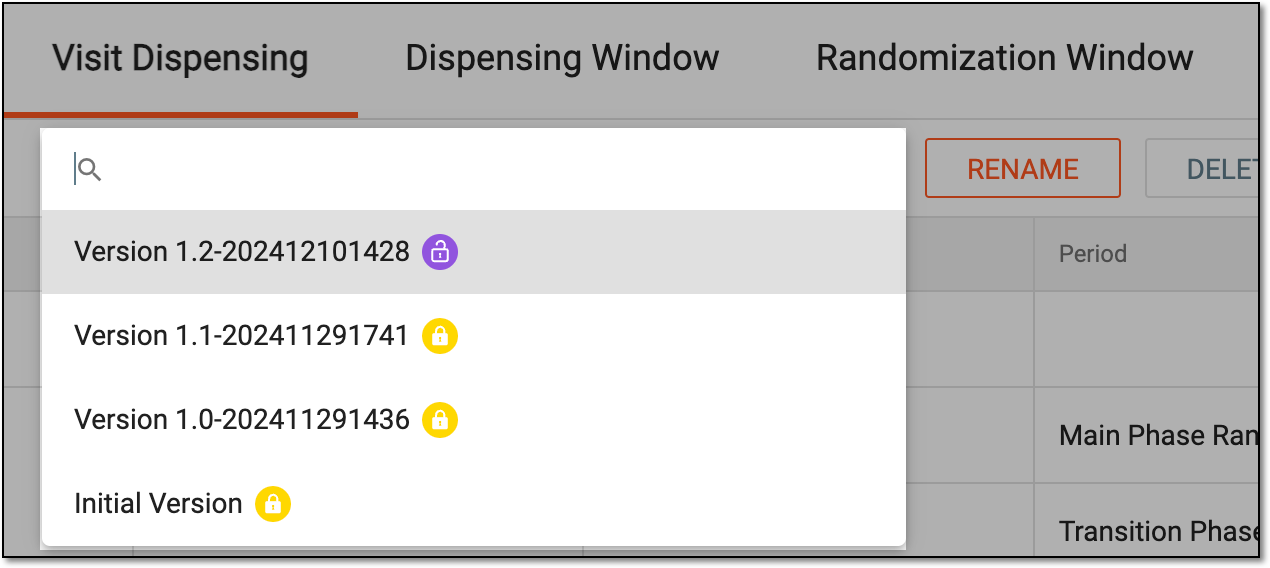 Figure 2. Selecting dispensing visit setting version
-
Under the Dispensing Visit or Dispensing Window tab, select
 .
.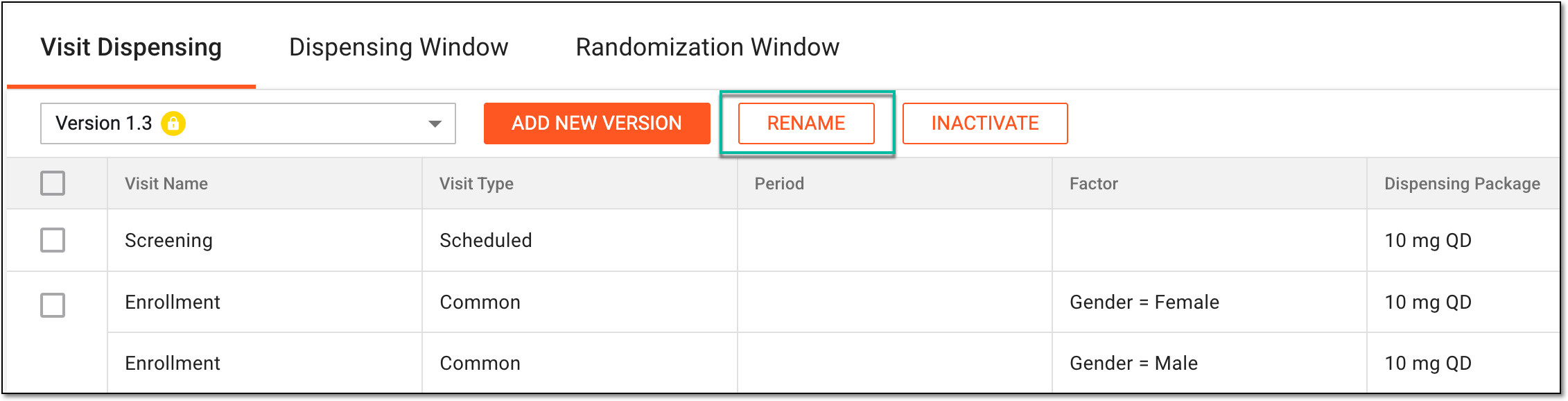 Figure 3. Accessing version renaming
-
In the Rename dialog that opens, enter the name of the version that suits your needs or requirements and select
 .
.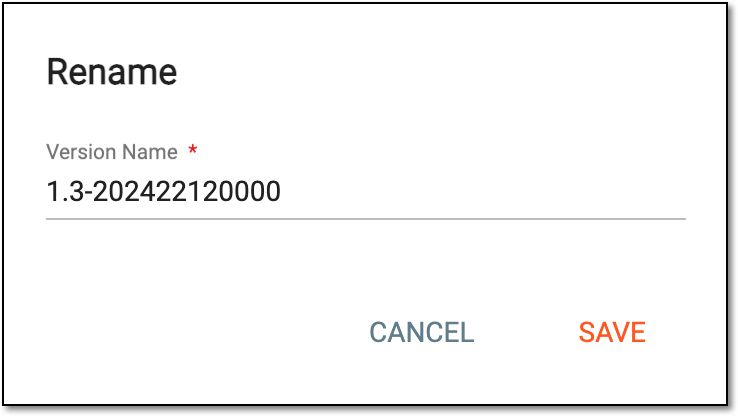 Figure 4. Renaming dispensing visit setting version
Once saved, the draft version name is adjusted and you return to the table of the visit or window list.