Delete dispensing visit setting version
A dispensing visit is a subject's treatment visit to the site at which they are administered a certain medication—dispensing package.
A dispensing window is a specific time frame during which the dispensing visit can occur so that the dispensing package is administered to the subject timely according to their treatment plan.
In IWRS, the dispensing visit and window configuration is version-bound. This helps satisfy international multisite studies, where different locations and subjects can follow their own dispensation settings.
If during the configuration process, it becomes obvious that the draft version in progress becomes irrelevant, you can delete such version to start over.
Important
Note that only the draft version that is not yet published can be deleted.
-
In the IWRS application header, select the TREATMENT DESIGN tab.
-
From the left pane, select Visit Dispensing and Window.
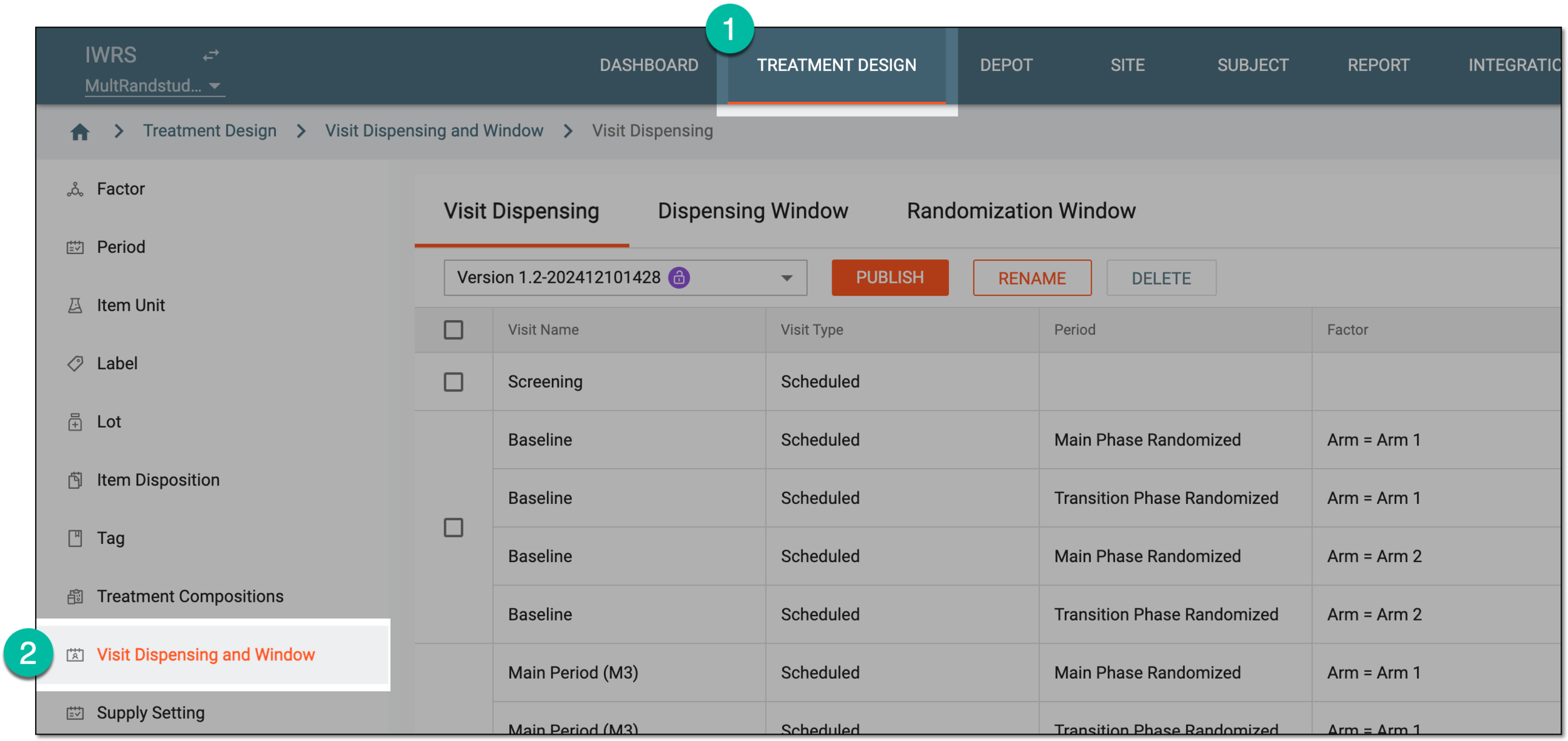 Figure 1. Accessing visit dispensing and window configuration
-
On the page that opens, from the version menu, ensure the unlocked version
 is selected, otherwise, you cannot amend any dispensing visit or window
configurations.
is selected, otherwise, you cannot amend any dispensing visit or window
configurations.If the current version is locked
 , consider adding a new dispensing visit setting version.
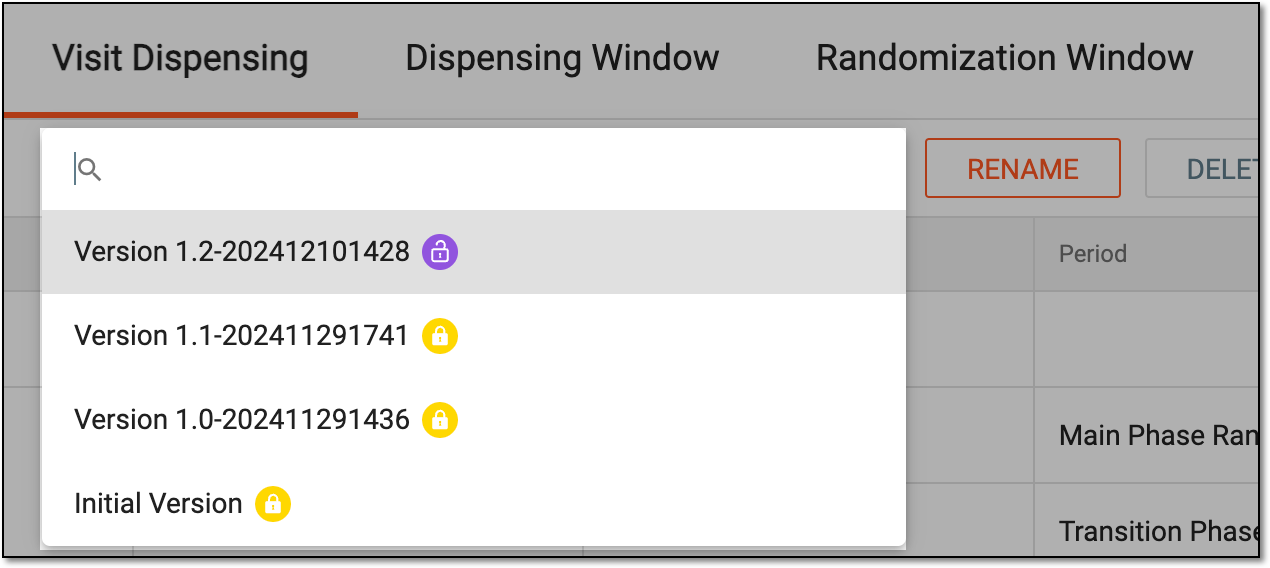 Figure 2. Selecting dispensing visit setting version
-
Under the Dispensing Visit or Dispensing Window tab, select
 .
.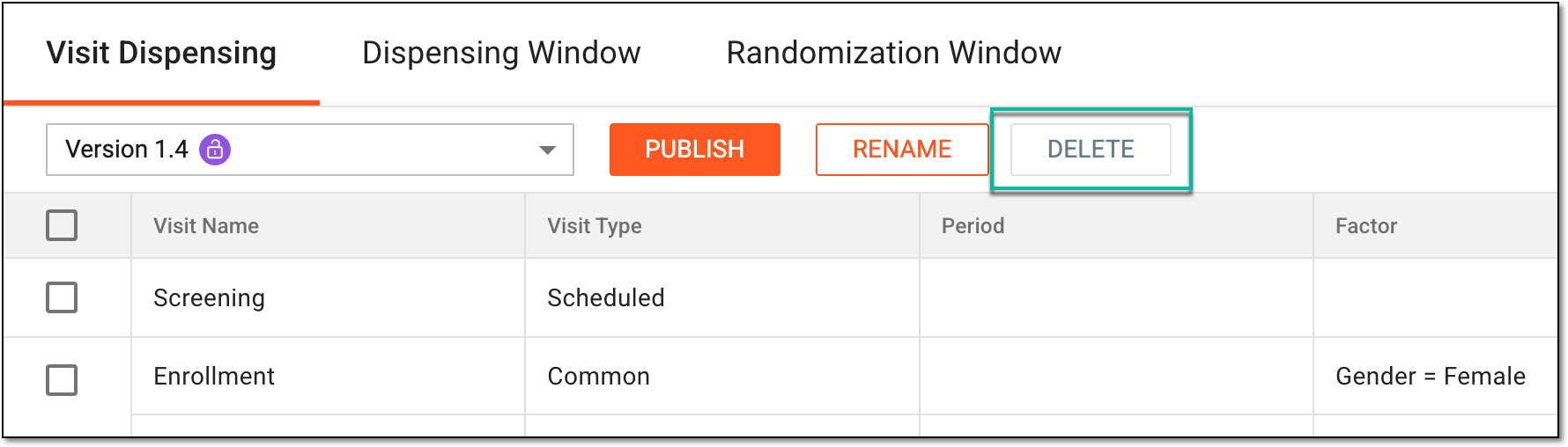 Figure 3. Deleting dispensing visit setting version
-
In the confirmation dialog that opens, select
 to proceed with the version deletion.
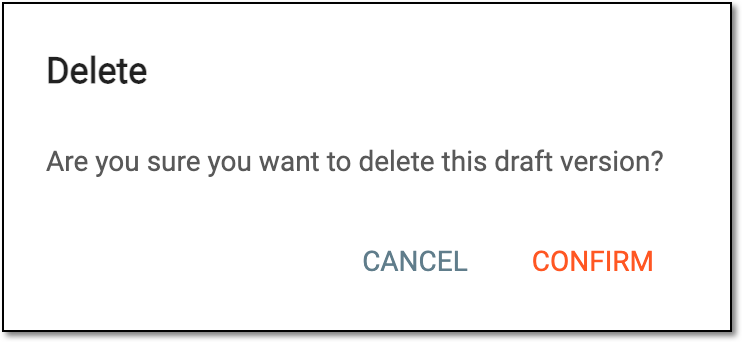 Figure 4. Confirming draft version deletion
Upon confirmation, the draft version is deleted. To proceed with the dispensing visit configuration, add a new draft version.