Publish dispensing visit setting version
In IWRS, the dispensing visit and window configurations are version-bound. This helps satisfy international multisite studies, where different locations and subjects can follow their own dispensation settings.
Publishing a version means saving it and making it available for the study site and subject upgrade. The unpublished version is considered a draft and can be renamed, new visits can be configured, or even deleted from the system. Whereas the published versions are finalized and permanent and cannot be amended or removed.
Important
When a new site is added to the study, it automatically follows the latest published version of dispensing visit and window settings.
-
In the IWRS application header, select the TREATMENT DESIGN tab.
-
From the left pane, select Visit Dispensing and Window.
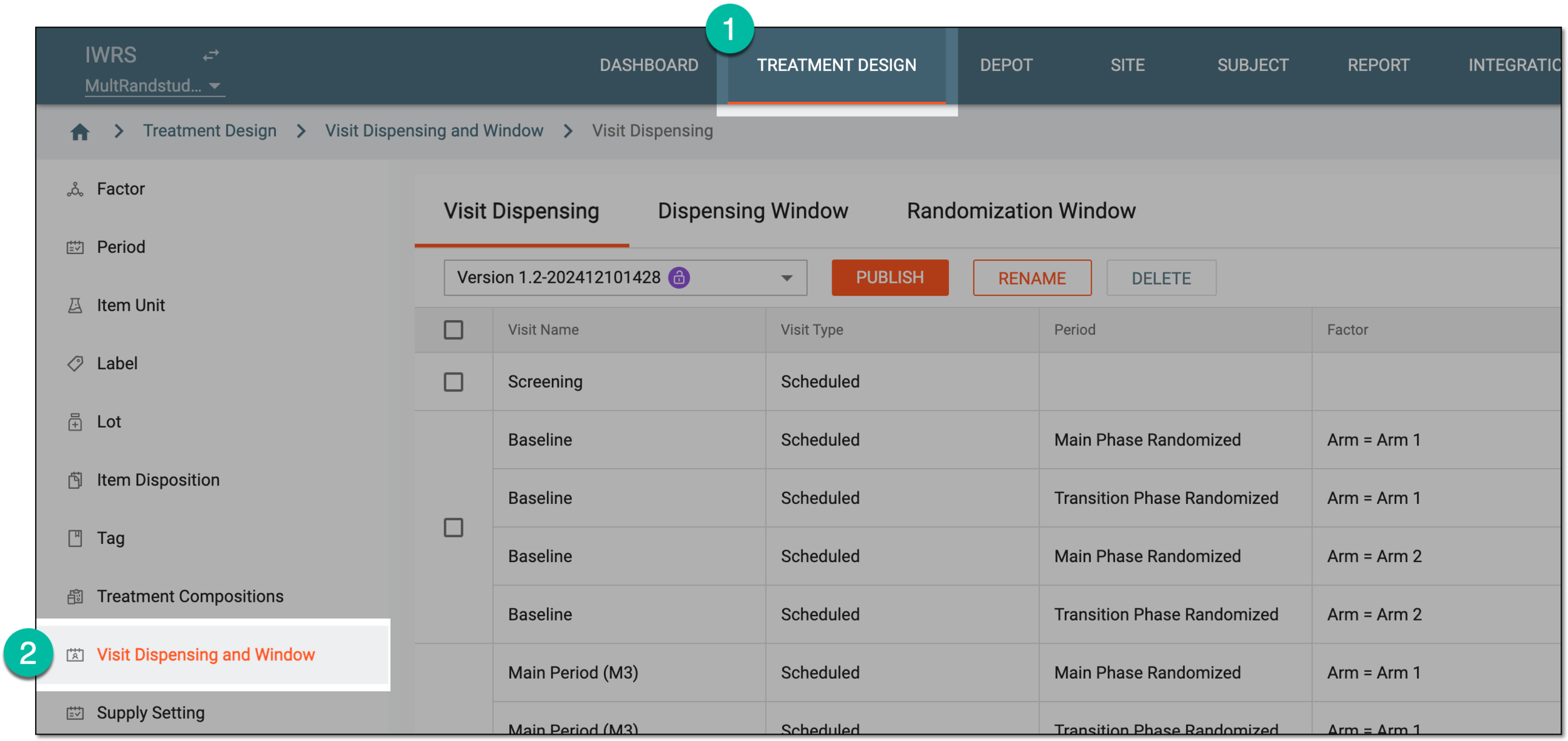 Figure 1. Accessing visit dispensing and window configuration
-
On the page that opens, from the version menu, ensure the unlocked version
 is selected, otherwise, you cannot amend any dispensing visit or window
configurations.
is selected, otherwise, you cannot amend any dispensing visit or window
configurations.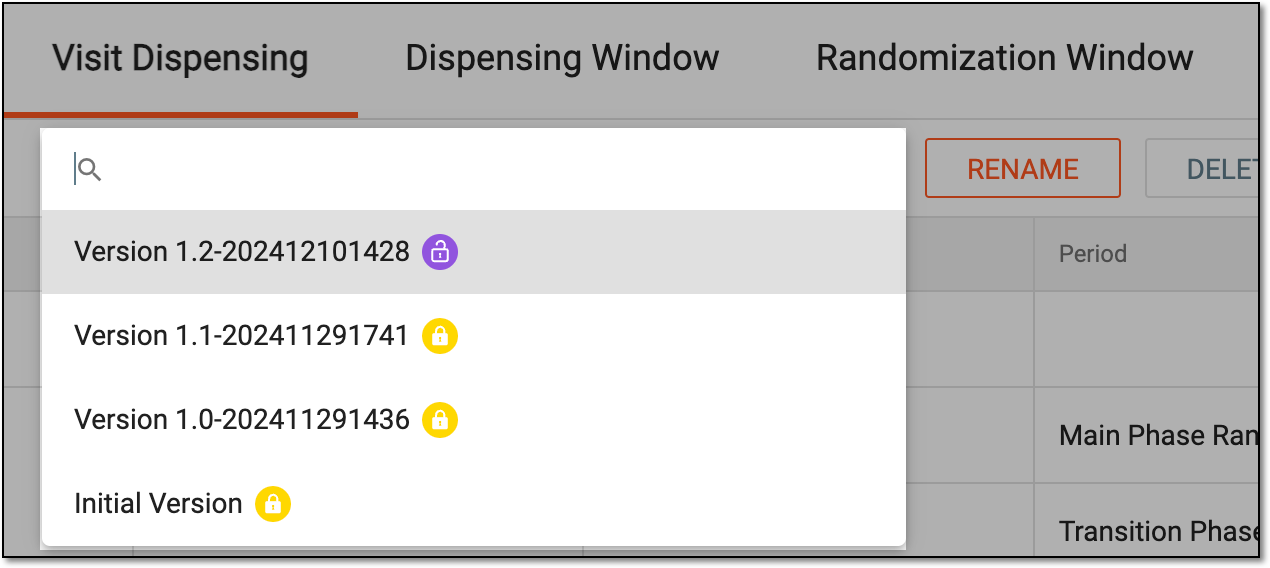 Figure 2. Selecting dispensing visit setting version
-
Under the Dispensing Visit or Dispensing Window tab, select
 .
.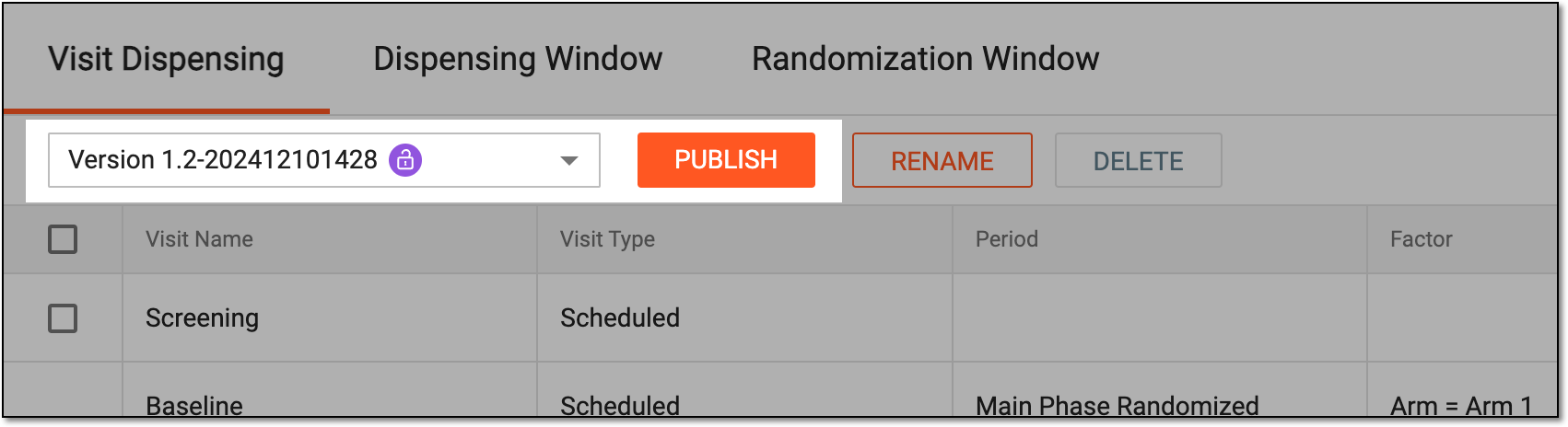 Figure 3. Publishing dispensing visit setting version
-
In the confirmation dialog that appears, enter the comment to support the version publishing. These can be auxiliary details to help other users distinguish and utilize this version.
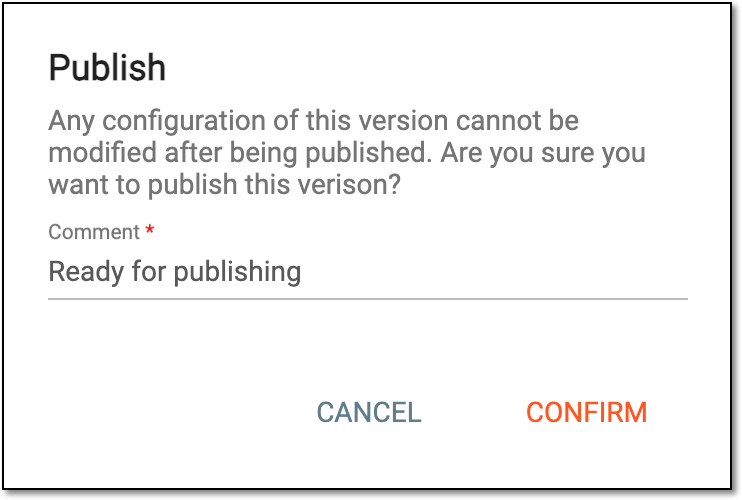 Figure 4. Confirming version publishing
-
Select
 to proceed with publishing.
Upon confirmation, the version is published and becomes available for your study sites and subjects upgrade.