View upgrade history for subject dispensing plan
In IWRS, the subject dispensing plan configurations—namely the dispensing visit and window—are version-bound to help with tracking the change history and satisfying the needs of multisite studies, where different sites and even subjects can adhere to their own dispensing plans.
For each subject, you can upgrade and roll back the dispensing plan version to satisfy the needs and directives of your study. Thus, it is important to record the history of such changes for traceability. From the upgrade history, you can access both version upgrades and rollbacks along with the version rollback functionality.
-
In the IWRS application header, select the SUBJECT tab.
-
From Subject List that opens, select the needed site and subject.
 Figure 1. Selecting site and subject
-
In the left pane of the page that opens, select the Subject Scheduled Dispensing Plan tab.
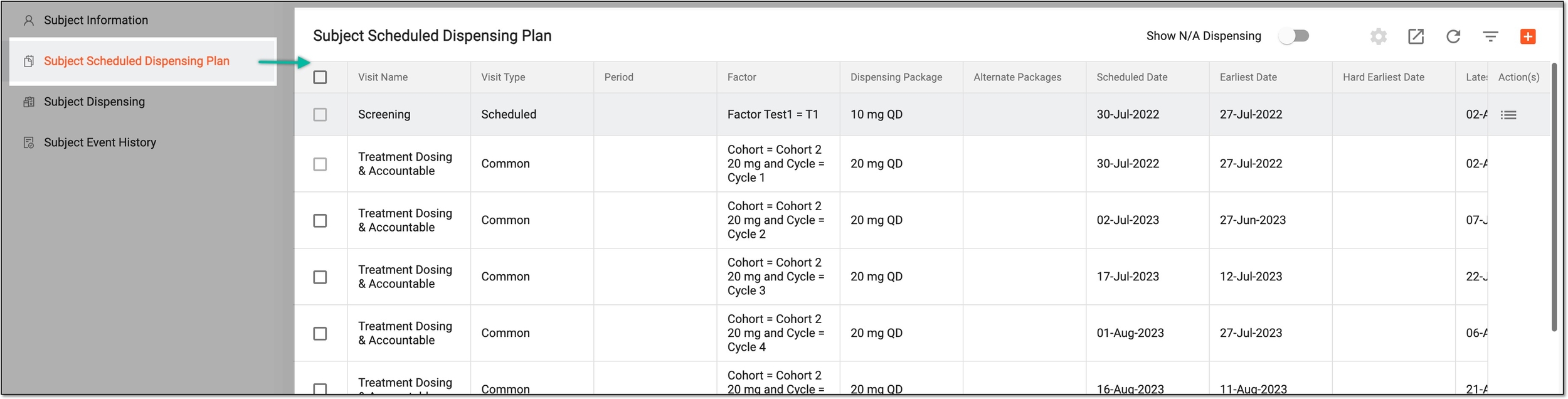 Figure 2. Accessing subject scheduled dispensing plan
-
From the workspace toolbar of the Subject Scheduled Dispensing Plan page, select More
 > History
  .
. Figure 3. Accessing upgrade history for subject dispensing plan
-
In the Upgrade History dialog that appears, view the complete log of all the version upgrades and rollbacks for the subject's dispensing plan, who operated, and when.
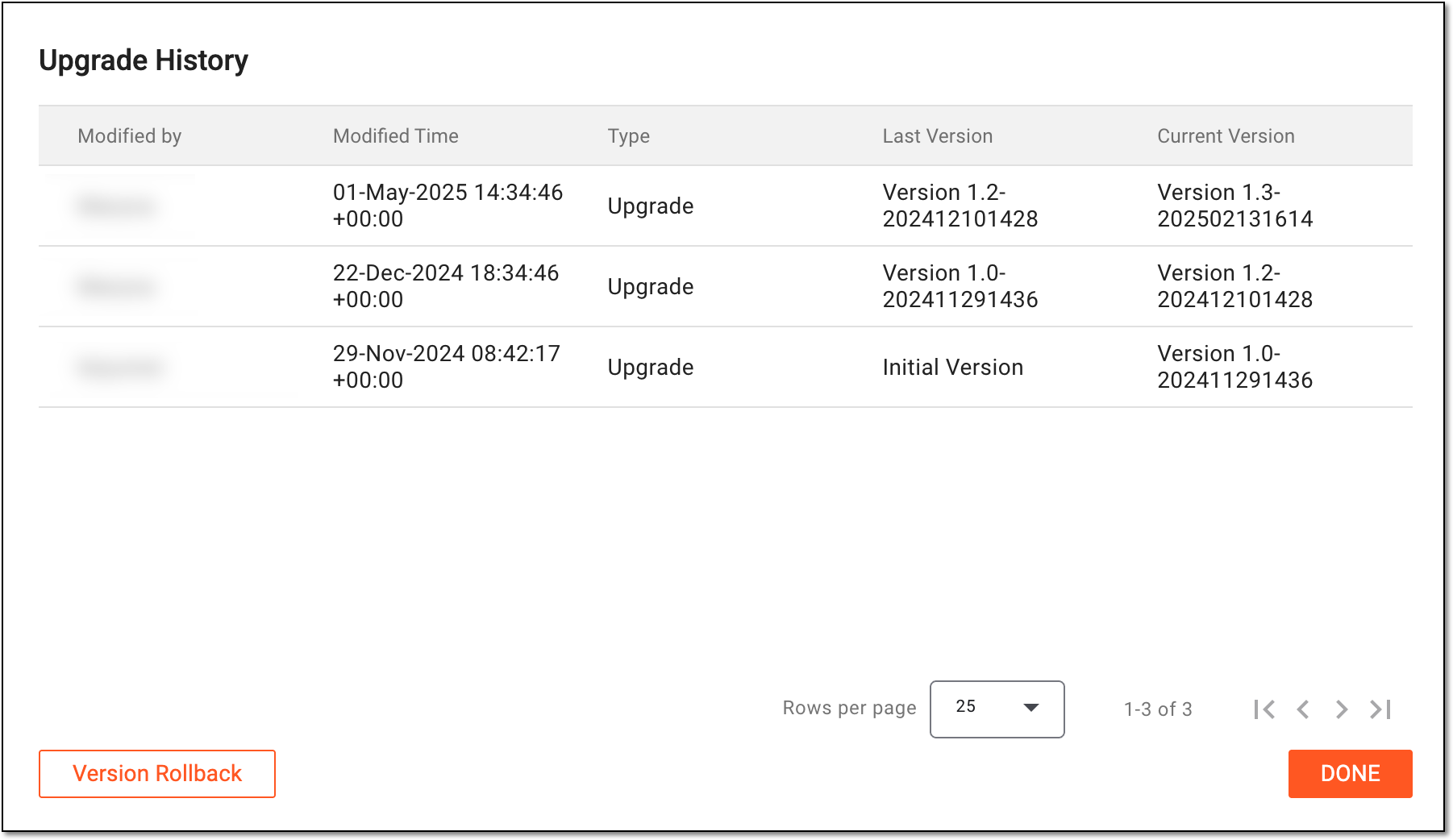 Figure 4. Viewing upgrade history for subject dispensing plan
You have viewed the upgrade history for subject dispensing plan. Select  to close the dialog and return to the Subject Scheduled Dispensing
Plan page.
to close the dialog and return to the Subject Scheduled Dispensing
Plan page.