Export subject dispensing plan
A subject dispensing plan outlines the procedures for administering a particular drug or treatment to human subjects in a clinical trial. You can export the entire dispensing plan with all dispensed drugs per each added visit in an XLSX file so you can view it offline on your computer.
-
In the IWRS application header, select the SUBJECT tab.
-
From Subject List that opens, select the needed site and subject.
 Figure 1. Selecting site and subject
-
In the left pane of the page that opens, select the Subject Scheduled Dispensing Plan tab.
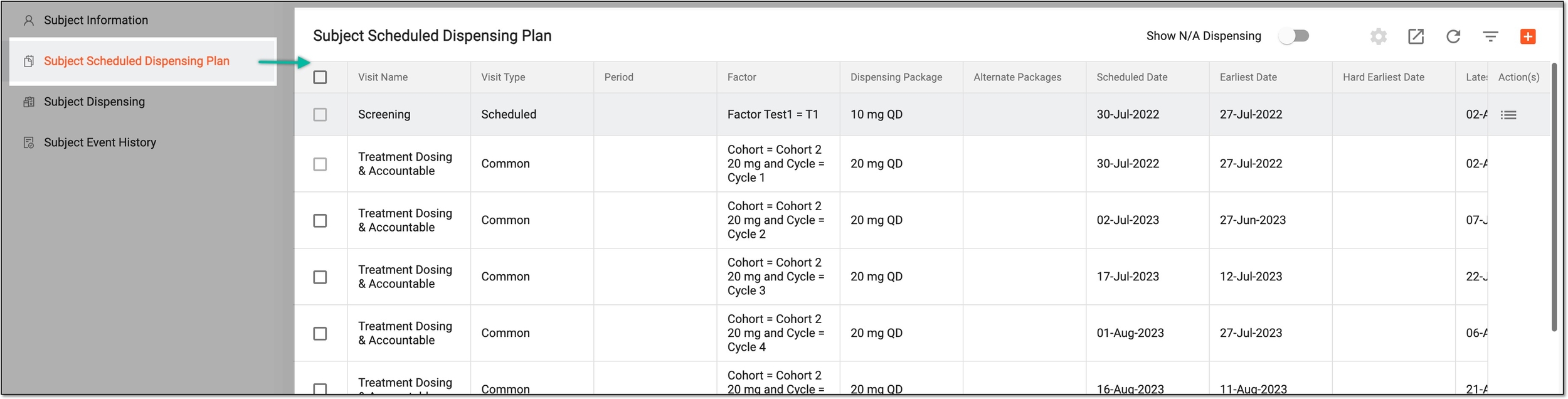 Figure 2. Accessing subject scheduled dispensing plan
-
From the workspace toolbar of the page that opens, select Export
 .
. Figure 3. Exporting subject dispensing plan
-
Once selected, the widget appears displaying your download progress. Select the widget to open the My Downloads dialog.
 Figure 4. Downloads widget
-
In the My Downloads dialog that opens, you can find the following tabs:
-
Preparing: under this tab, you can find all the files whose export is in progress, and they are not yet ready for download.
-
Download is Ready: under this tab, you can find all the files whose export is complete, and they can be downloaded to your computer.
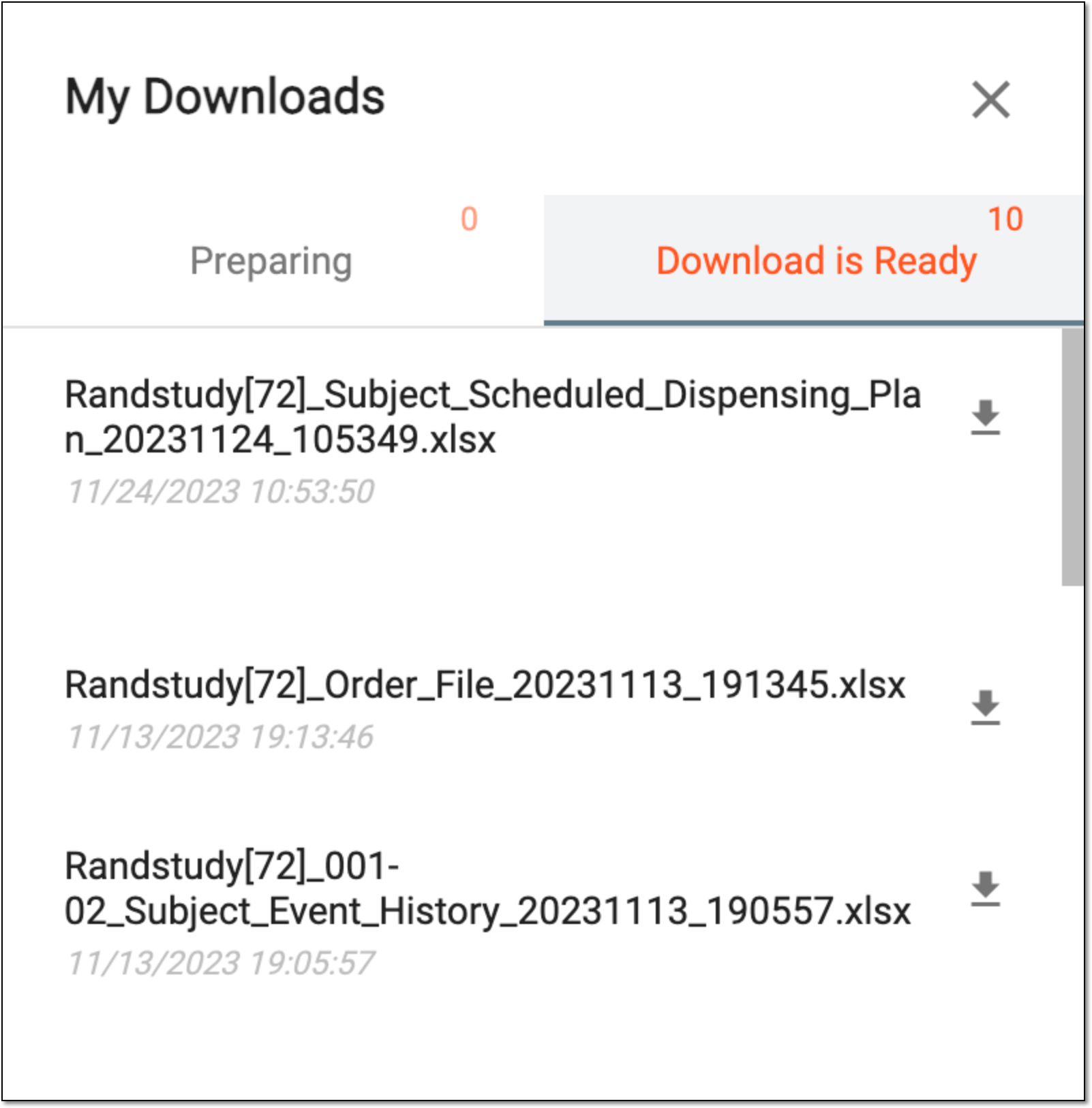 Figure 5. Viewing downloads
-
-
Under the Download is Ready tab, next to the file that you want to download, select
 .
.
Once exported, a subject dispensing plan becomes available on your computer. You can now use it as needed.