Activate/Inactivate dispensing plan visit
A subject dispensing plan outlines the procedures for administering a particular drug or treatment to human subjects in a clinical trial. Some planned visits may be temporarily not required and you need to have new ones added to the dispensing plan and activated. For this reason, you can leave the most recent visits active and the old ones inactive.
Important
You cannot deactivate or activate dispensing plan visits that have already been completed or if the selected subject is in the Enrolled phase.
Note that once you inactivate the dispensing plan visit, its dispensing needs are no longer accounted for in the site's supply plan.
-
In the IWRS application header, select the SUBJECT tab.
-
From Subject List that opens, select the needed site and subject.
 Figure 1. Selecting site and subject
-
In the left pane of the page that opens, select the Subject Scheduled Dispensing Plan tab.
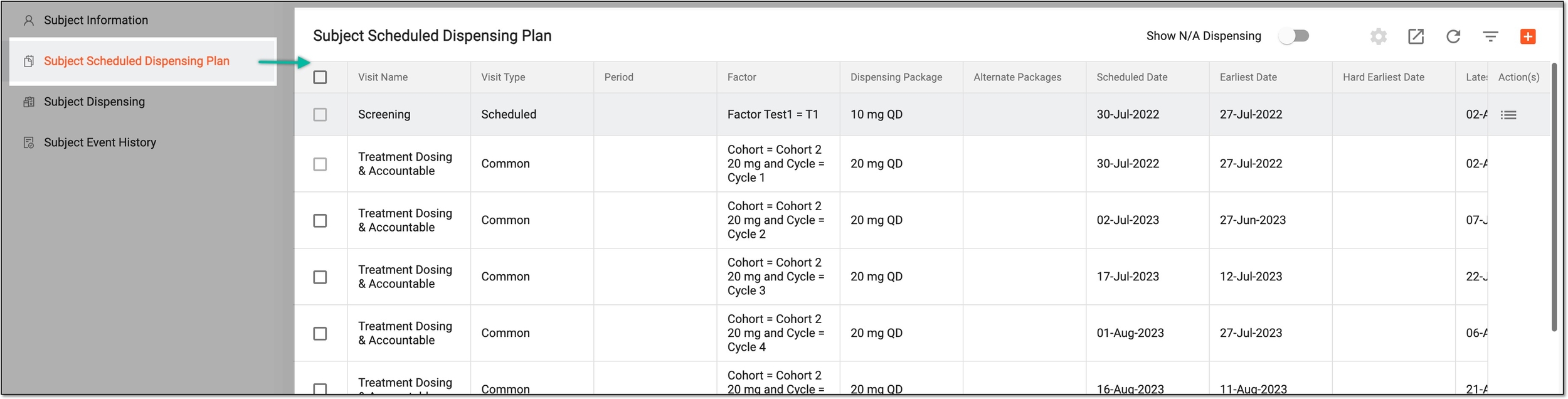 Figure 2. Accessing subject scheduled dispensing plan
-
In the Subject Scheduled Dispensing Plan table that appears, select Inactivate
 next to the active
dispensing plan visit in order to deactivate it. Or select Activate
next to the active
dispensing plan visit in order to deactivate it. Or select Activate  next to the inactive dispensing plan visit in order to
activate it.
next to the inactive dispensing plan visit in order to
activate it. Figure 3. Deactivating/Activating dispensing plan visit
Once selected, a dispensing plan visit is deactivated or activated.