Edit dispensing plan visit
A subject dispensing plan outlines the procedures for administering a particular drug or treatment to human subjects in a clinical trial. A dispensing plan consists of various planned visits during which a drug dispensation occurs. You can update the details of these visits if needed.
Important
You can only edit visits that have been manually added to the subject dispensing plan. The visits that are predefined in the IWRS system cannot be updated for a subject.
-
In the IWRS application header, select the SUBJECT tab.
-
From Subject List that opens, select the needed site and subject.
 Figure 1. Selecting site and subject
-
In the left pane of the page that opens, select the Subject Scheduled Dispensing Plan tab.
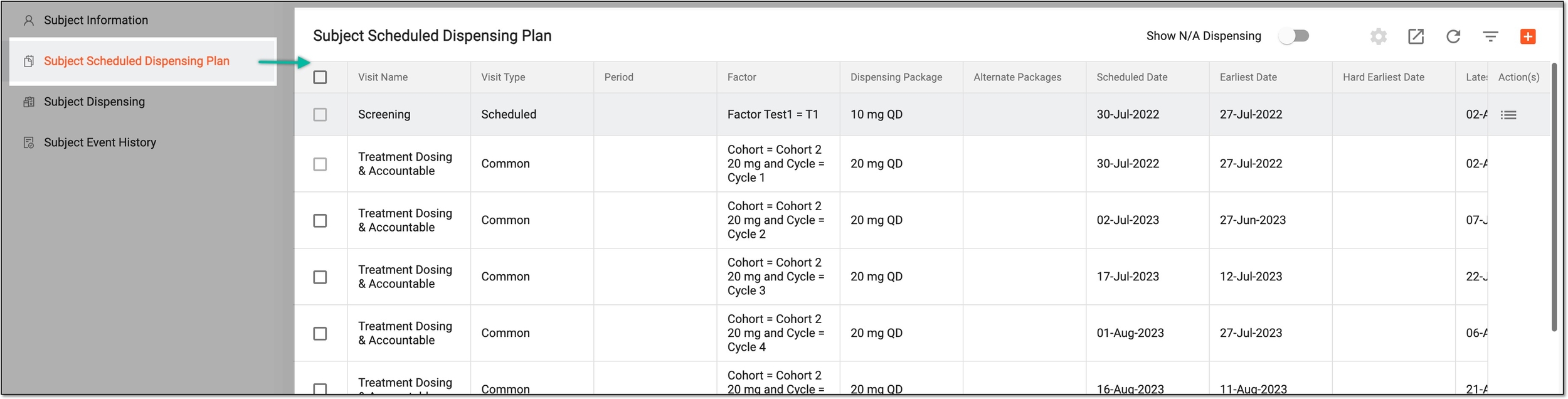 Figure 2. Accessing subject scheduled dispensing plan
-
In the Subject Scheduled Dispensing Plan table that appears, select Edit
 next to the
needed dispensing plan visit.
next to the
needed dispensing plan visit.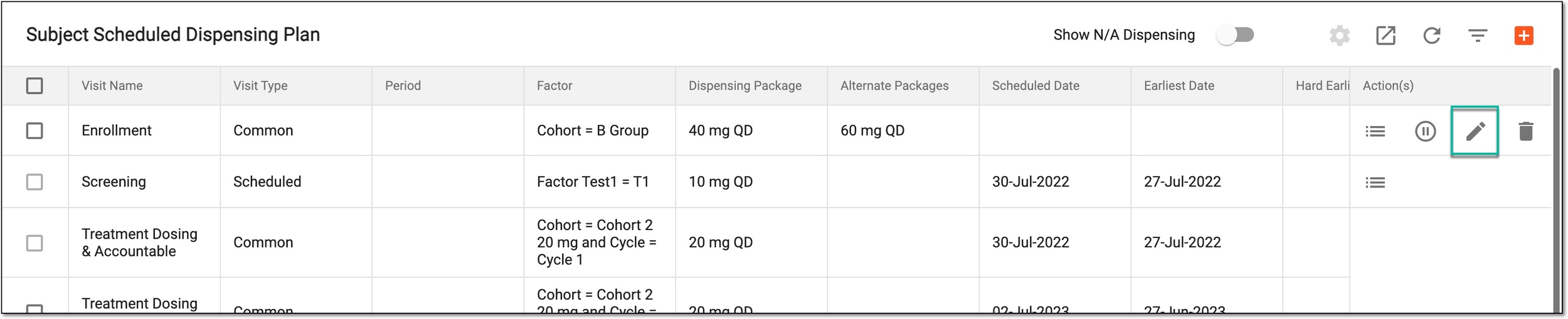 Figure 3. Selecting to edit dispensing plan visit
-
In the form that opens, at the Select Factor stage, choose the factor according to which the subject treatment must occur. Then select
 .
.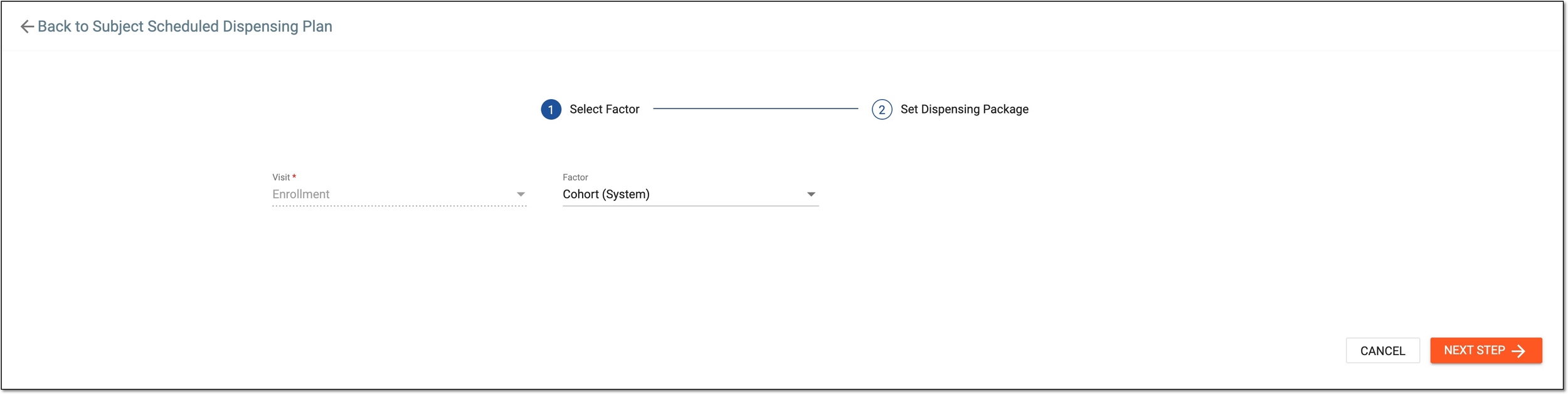 Figure 4. Selecting factor for subject treatment
-
At the Set Dispensing Package stage, define the visit dispensing packages as explained in the following table.
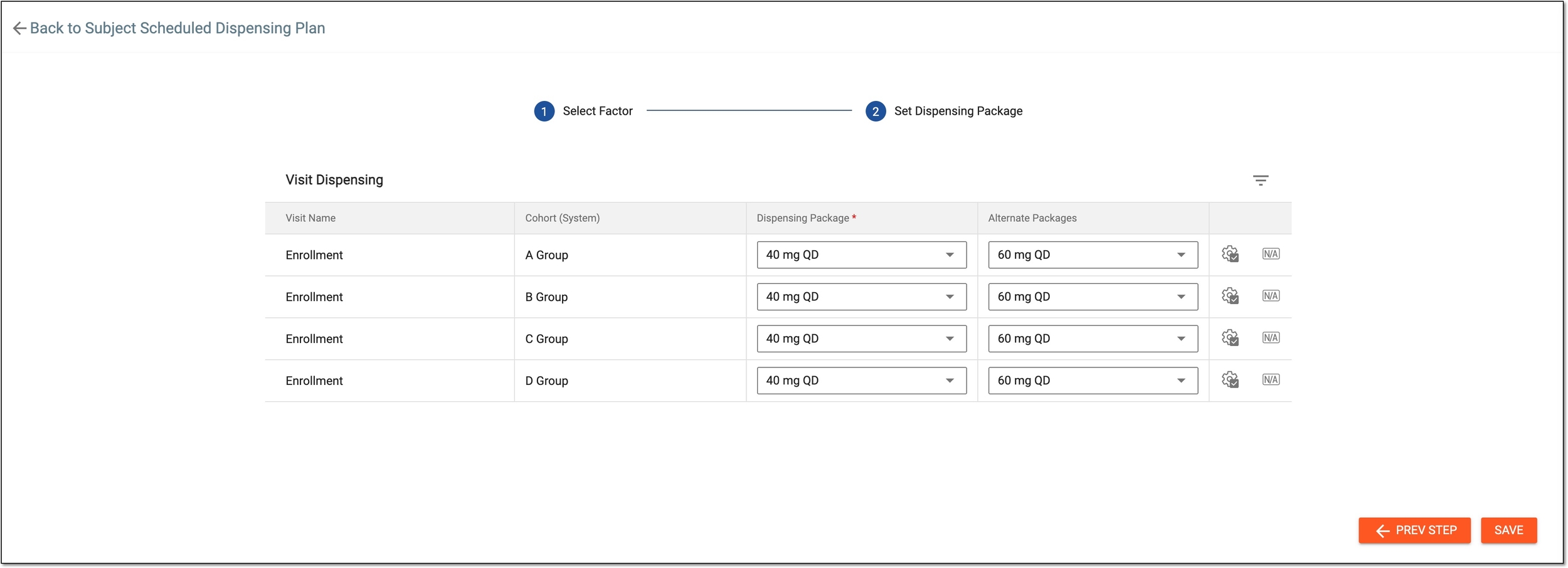 Figure 5. Updating visit dispensing packages
Tip
In the following table, mandatory elements are marked with an asterisk (*).
Element
Details
Visit Name
Represents the visit(s) selected upon adding it to the dispensing plan.
[Factor name]
The title of this column is the factor that has been selected the Select Factor stage.
For example, if you have selected Gender in the Select Factor step, then in the Set Dispensing Package step, the title of this column is Gender and the values of the column are according to the defined factor specifications.
Dispensing Package*
From a dropdown list, select the dispensing package for the corresponding visit and factors.
Alternative Packages
From a dropdown list, select dispensing packages that can be used as an alternative to the main dispensing package for the corresponding visit and factors.

Select this icon to add the selected dispensing package values to all factors displayed in the table.

Select this icon to apply the N/A value to factors displayed in the table.
SAVE
Select
 to save the configured dispensing plan.
PREV STEP
Select
 to go back to the Select Factor stage.
Once saved, a dispensing plan visit is updated.