Analyze eCRF summary details
In EDC Study Analytics, you can view different charts to get an instant insight into the current state of the EDC processes and data elements, such as sites, subjects' phases, opened/answered queries, and so on. The eCRF Summary bar chart is one of such charts provided in the dashboard that displays the total number of electronic case report forms (eCRFs), and the count of forms that currently exist in the following phases: Initial, Tempsaved, Completed, Incomplete, Unreviewed, DM reviewed, Softlocked, and Signed.
Using this functionality, you can view the summary details and get a detailed analysis of the eCRFs and the phases in which the eCRFs currently exist.
-
In the EDC application header, select the DASHBOARD tab.
-
On the page that opens, select the Study Analytics tab.
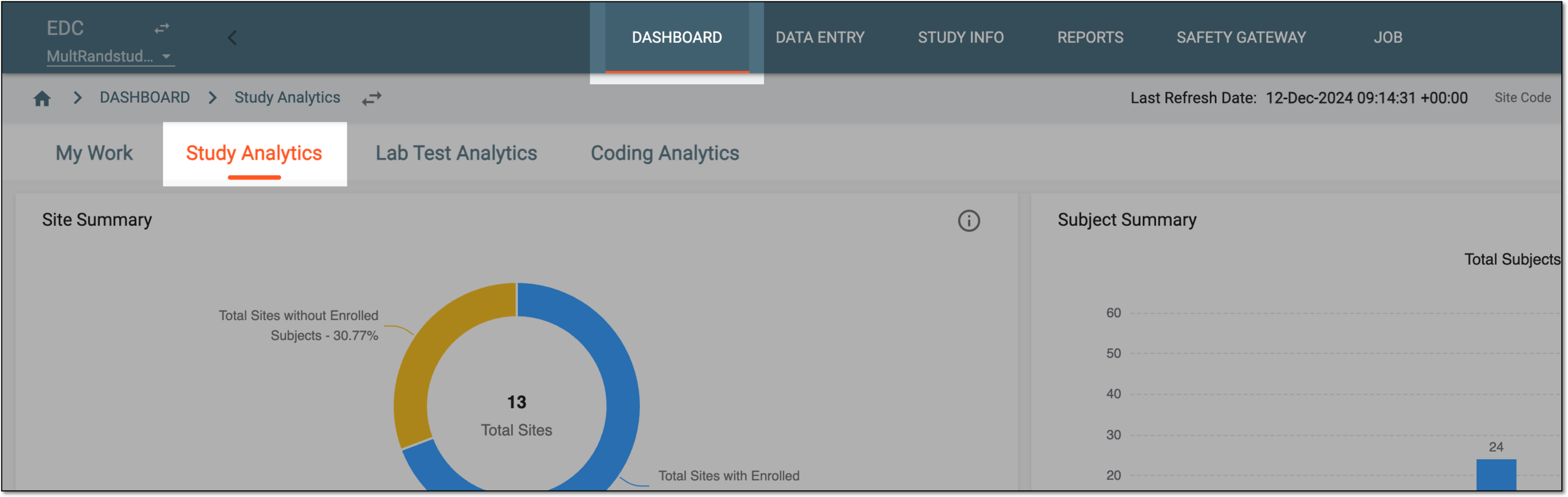 Figure 1. Accessing study analytics
-
From the eCRF Summary bar chart, select Go Details
 .
.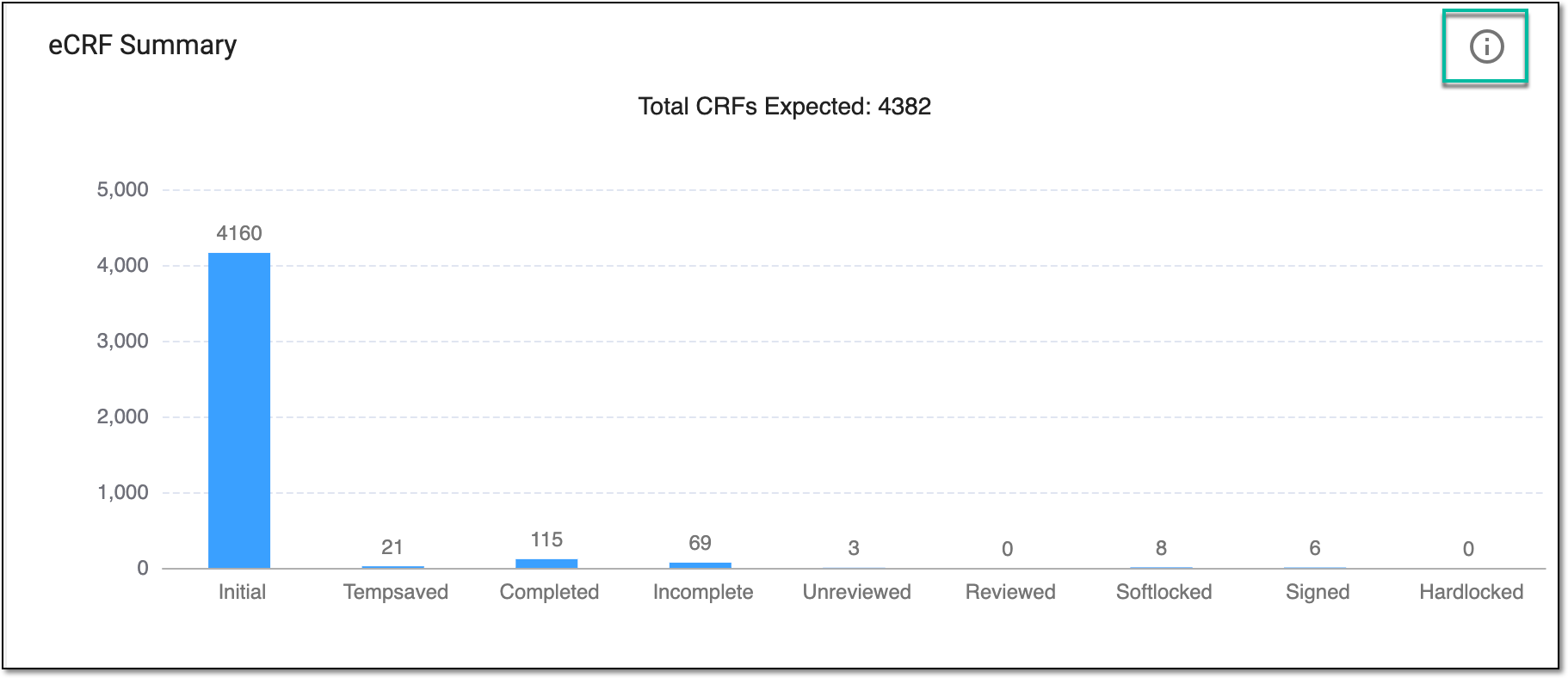 Figure 2. Selecting option to view eCRF summary details
-
On the page that opens, in the eCRF Summary table, analyze the subject details as explained in the following table.
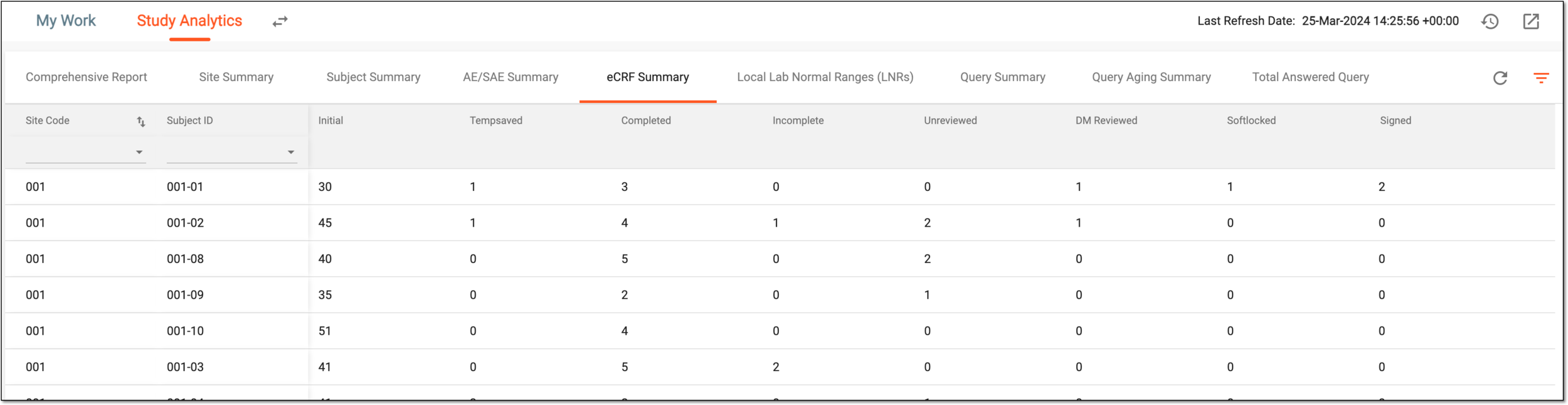 Figure 3. eCRF summary details
Tip
From the page shown in the preceding figure, you can navigate to any of the following tables to view the corresponding elaborative summary of the chart:
Element
Details
Site Code
Represents the site code of the subject for which the eCRF data is defined.
Subject ID
Represents the identification code of the subject for which the eCRF data is defined.
Initial
Represents the count of eCRFs that currently have no data in them.
Tempsaved
Represents the count of eCRFs that are currently saved as Draft.
Completed
Represents the count of eCRFs that are completed.
Incomplete
Represents the count of eCRFs that are incomplete, that is the forms that are partially filled and submitted by a user.
Unreviewed
Represents the count of eCRFs that are complete but require a review from the data manager (DM).
DM reviewed
Represents the count of eCRFs that are completed, reviewed, and approved by DM.
Softlocked
Represents the count of eCRFs that are soft-locked to prevent any changes in the form.
Signed
Represents the count of eCRFs that are completed and signed by the required personnel, most commonly, the principal investigator (PI).
Hardlocked
Represents the count of eCRFs that are completed, signed, and hard-locked by the required personnel.
This column is only available if the hard lock functionality is enabled for the CRFs of your
                                  study.
Once you have analyzed the eCRF summary details, from the workspace toolbar, select  to go back to the Study Analytics page.