Analyze eCRF completion chart data
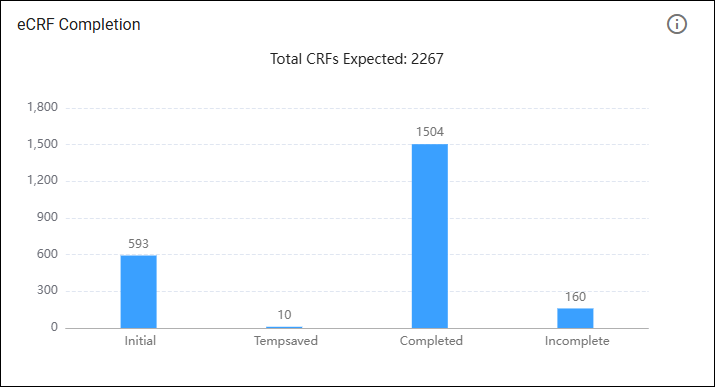
The eCRF (electronic Case Report Form) completion chart is used to monitor the status of data entry for a clinical study, allowing researchers and study coordinators to quickly assess how much of the required information has been completed, is still being worked on, or needs attention.
In the Study Analytics dashboard, the eCRF Completion chart is represented in a bar chart. A bar chart is a graphical representation of data using rectangular bars to show the magnitude of different categories or groups.
-
In the EDC application header, select the DASHBOARD tab.
-
On the page that opens, select the Study Analytics tab.
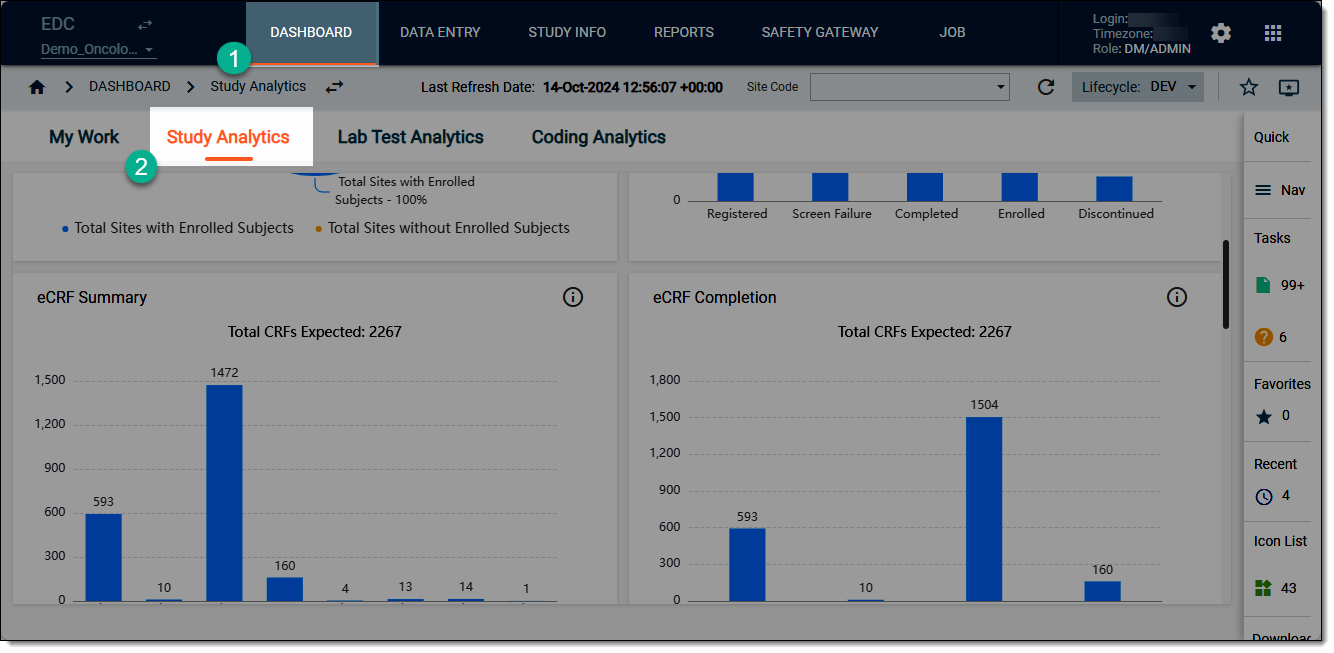 Figure 2. Accessing study analytics dashboard
-
On the Study Analytics dashboard that opens, start analyzing the eCRF Completion chart data. For this hover over the bars to view the tooltips and compare different values for various categories of data where relevant.
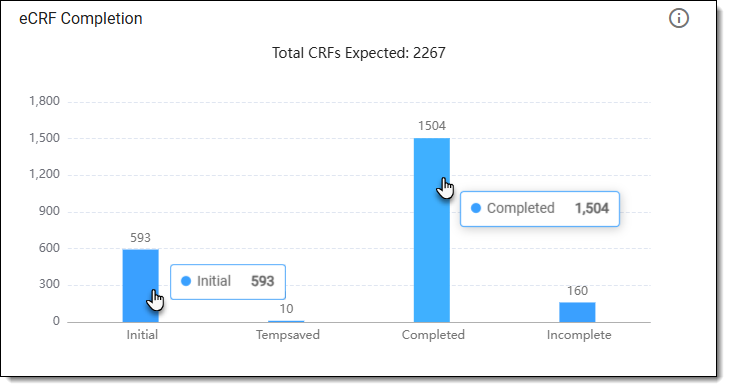 Figure 3. Reviewing eCRF completion chart data
-
Now from the chart, select Go Details
 . In the eCRF Completion tab that opens by default,
view the eCRF completion details as explained in the following table.
. In the eCRF Completion tab that opens by default,
view the eCRF completion details as explained in the following table.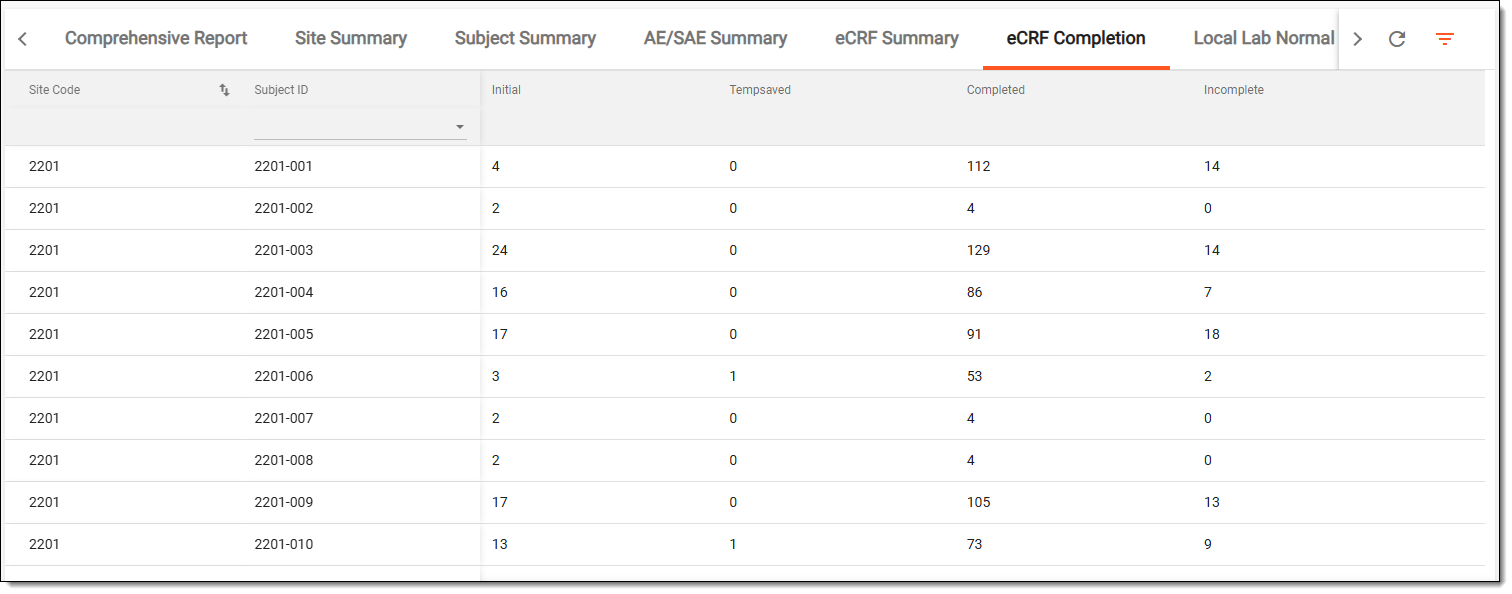 Figure 4. Reviewing eCRF completion chart details
Column
Details
Site Code
Represents the unique identifier assigned to each participating site involved in the study.
Subject ID
Represents the unique identifier assigned to each subject (participant) involved in the study.
Initial
Represents the number of eCRFs that have been initially opened by the data entry personnel. It serves as a baseline for tracking progress, indicating the starting point for each eCRF’s completion status.
Tempsaved
Represents the number of eCRFs that have been temporarily saved. This usually occurs when data entry personnel have started filling out the eCRF but have not yet finished. This status allows users to come back to the eCRF later without losing any entered data.
Completed
Represents the total number of eCRFs that have been fully filled out and finalized. A completed eCRF means that all required fields are filled, and the data can be submitted for analysis. This metric is crucial as it directly impacts the overall progress of the study data collection.
Incomplete
Represents the number of eCRFs that have been started but not completed. Incomplete eCRFs can indicate records that are missing data, potentially requiring follow-up with the data entry personnel or site coordinators to ensure all necessary information is collected.
Once you have analyzed the details of the eCRF Completion chart, from the workspace toolbar, select  to go back to the Study Analytics page.