Email template
An email template is a reusable preconfigured entity that simplifies mailing management in the system. By preparing email templates you save time on specifying mailing details every time you need to configure a system notification for some event.
In CTMS, you can create email templates for various purposes, such as follow-up letters, confirmation emails, trip report reminders, and so on. These email templates can then be used in monitoring visit configuration or workflow settings, where you associate them with email notifications triggered by various events.
For example, at the end of a monitoring visit, if the investigator or reviewer has forgotten or is taking a long time to provide you with their analysis or feedback on the identified issues, then you can send them a follow-up email. To do so, first, you have to create the email template in the LIBRARY > Email Template subtab of CTMS, then associate the follow-up email with the monitoring visit in the STUDY MANAGEMENT tab, and finally, in the same tab, select the user role (such as data manager (DM), principal investigator (PI), or others) or a specific user to whom you want to send the follow-up email.
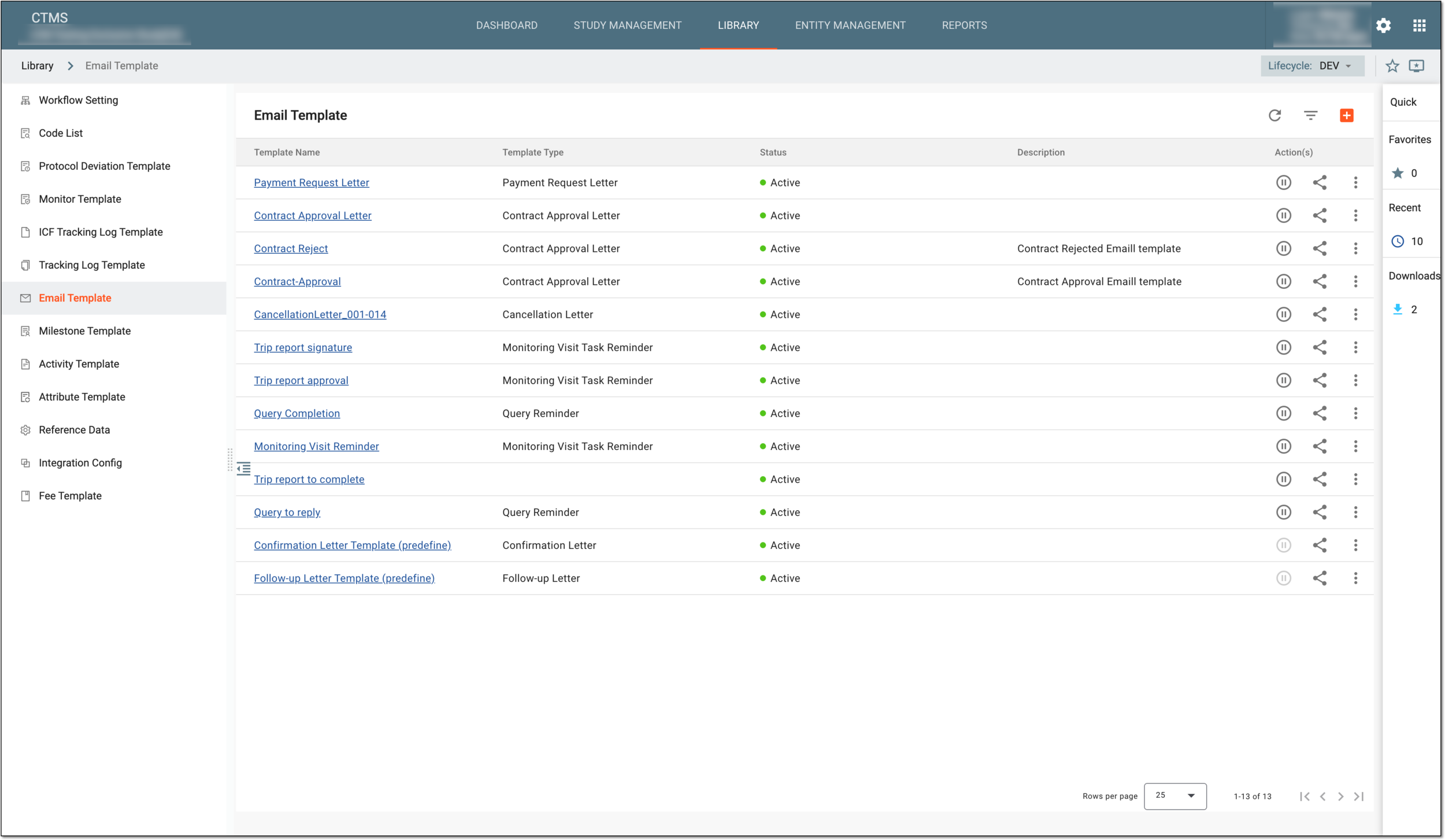
The Email Template table lists all of the email templates created in the systems and their details as explained in the following table.
|
Element |
Details |
|---|---|
|
Template Name |
Represents the name of an email template. |
|
Template Type |
Represents the type of an email. |
|
Status |
Represents the status of an email template which can be active or inactive. Only active templates can be assigned to various instances of CTMS. |
|
Description |
Represents a brief description of an email template informing readers about why the template is created. |
You can manage the email templates as needed as explained in the following sections: