Edit email template
An email template is a reusable preconfigured entity that simplifies mailing management in the system. By preparing email templates you save time on specifying mailing details every time you need to configure a system notification for some event.
In CTMS, you can edit the existing email templates if there is a need to update the list of recipients, letter content, or other details.
Important
You can only edit an email template created manually and not preconfigured from the back end by the system engineers.
-
In the CTMS application header, select the LIBRARY tab.
-
From the left pane of the page that opens, select Email Template.
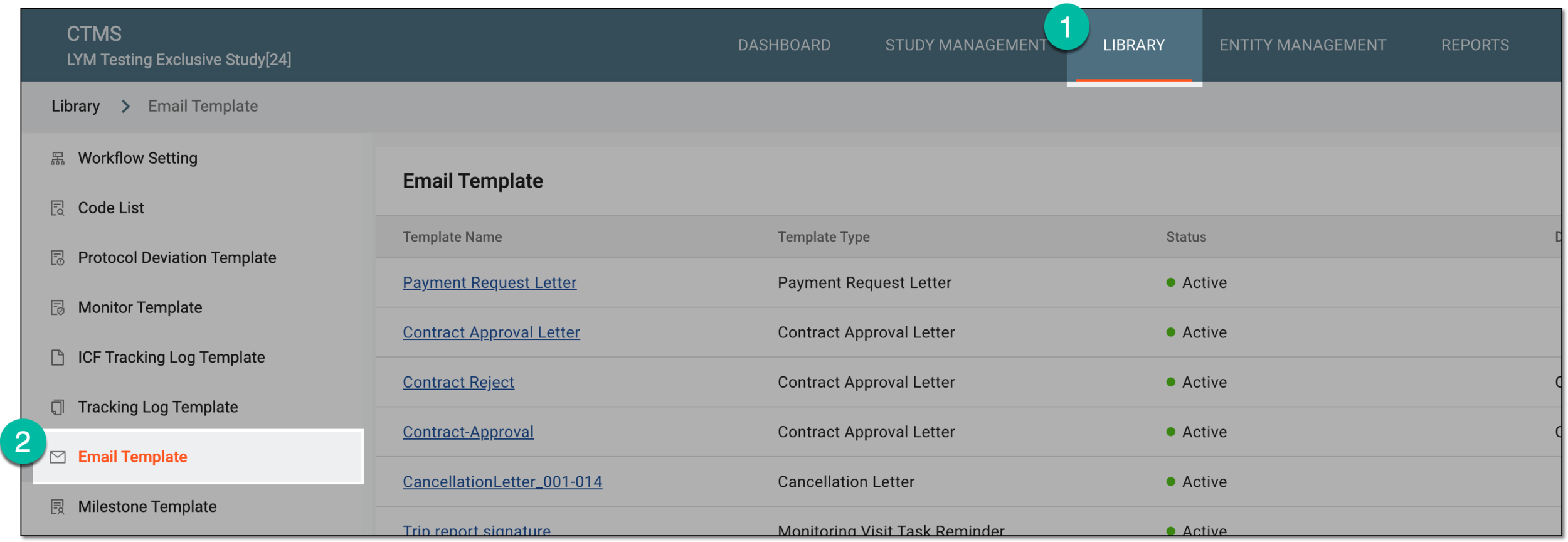 Figure 1. Accessing email templates
-
From the Email Template table, locate the template that you want to edit and next to it, from the Actions column, select More
 > Edit
  .
.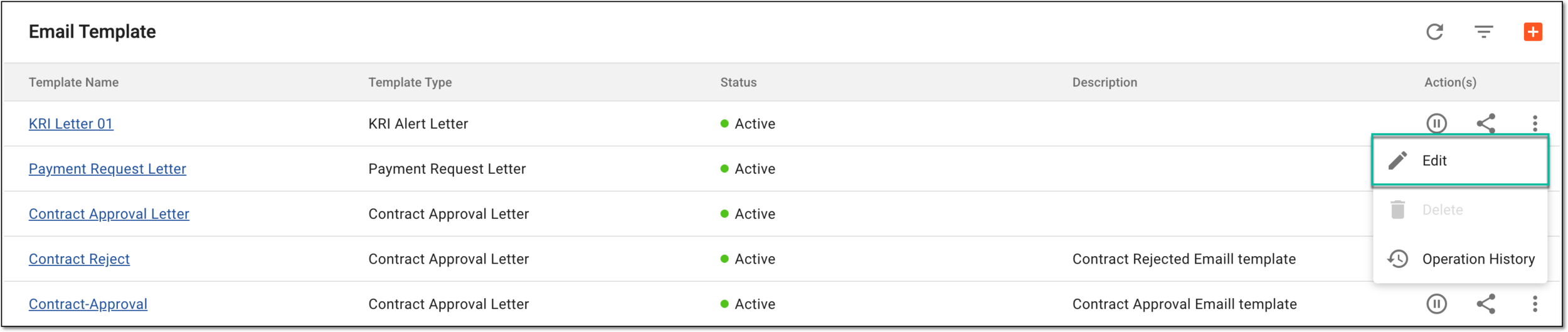 Figure 2. Selecting option to edit email template
-
On the page that opens, modify the needed details. The fields here are identical to those explained in the table of the Create email template section.
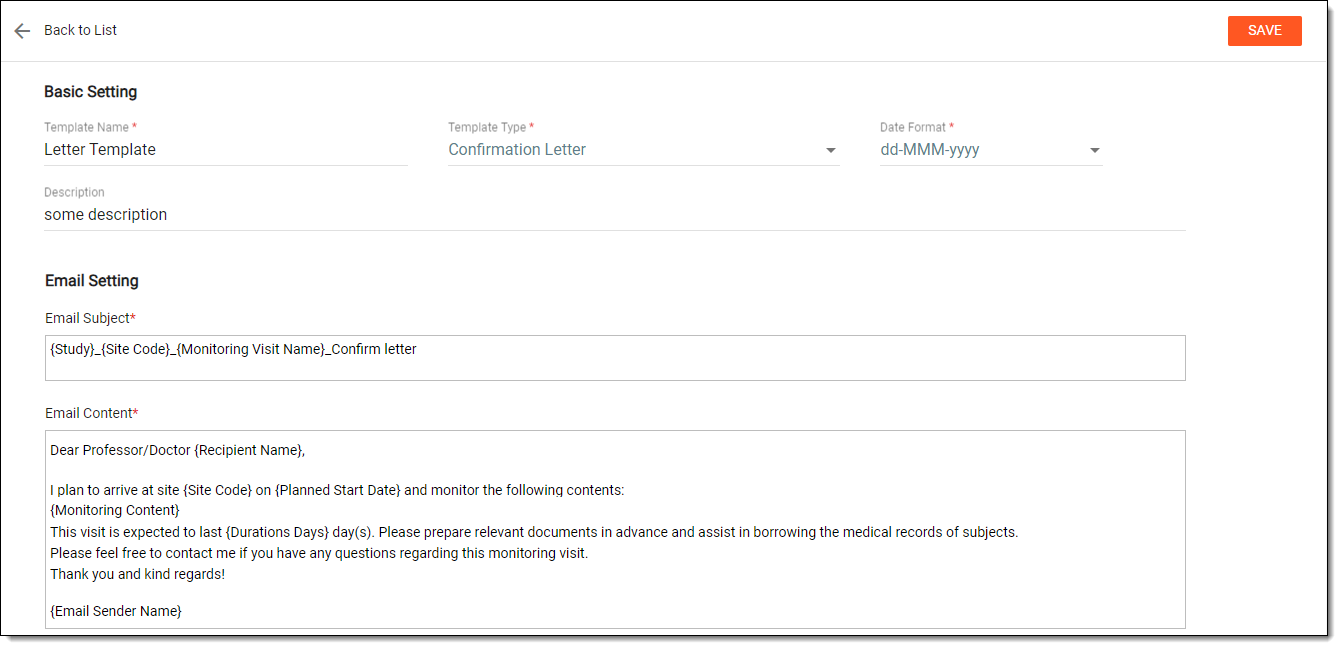 Figure 3. Editing email template
-
Select
 to implement your changes.
Upon saving, the email template is updated.