Export tracking log template
In CTMS, you can create a library of tracking log templates that can be reused throughout your studies. A tracking log template is a form used to collect and manage study-related data for regulatory documents such as Form 1572, financial disclosure form (FDF), and others.
The export feature is most useful when you need to share the template with stakeholders or extract the configured template from the system to further import it into another one or share the template with third parties who have no access to CTMS.
-
In the CTMS application header, select the LIBRARY tab.
-
On the page that opens, from the left pane, select Tracking Log Template.
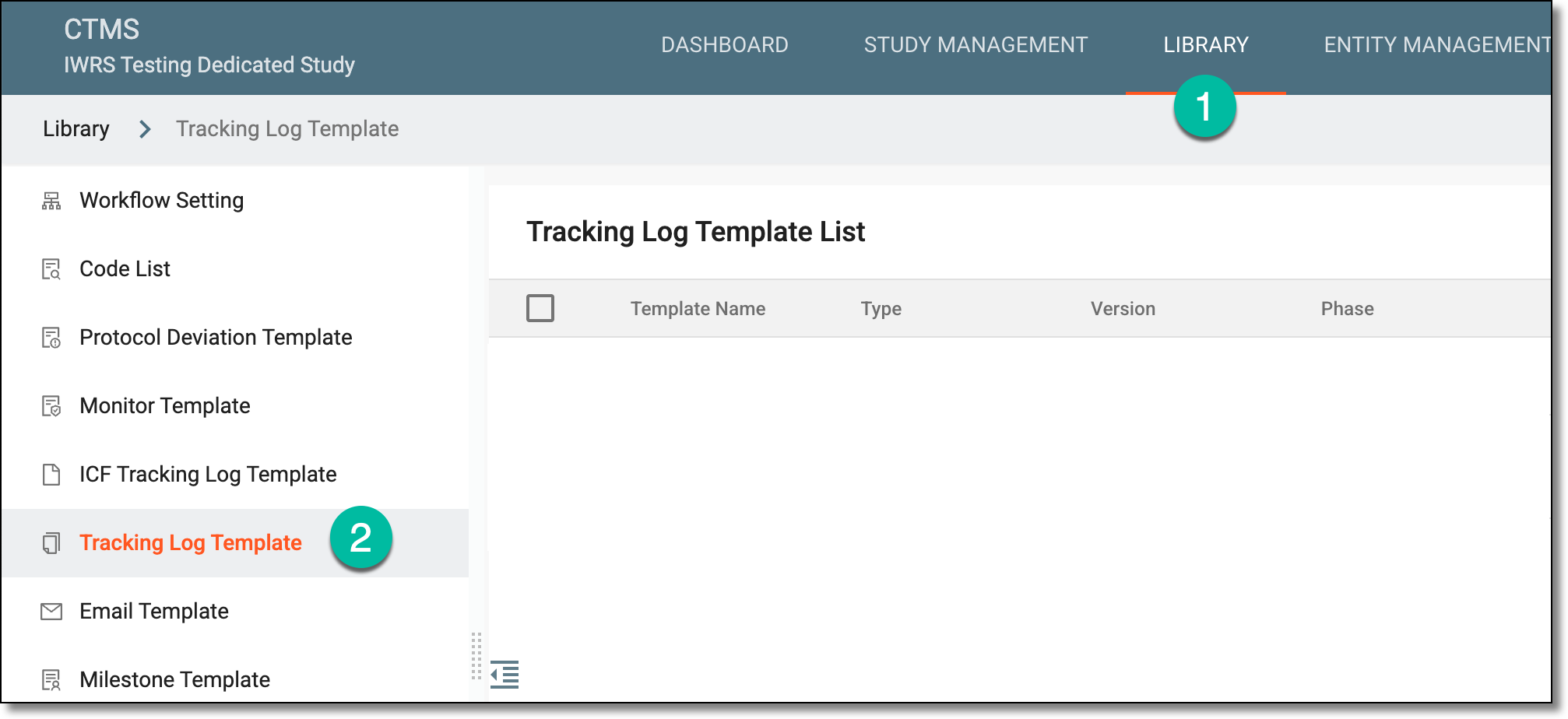 Figure 1. Accessing tracking log template list
-
In the Tracking Log Template List table that appears, select the checkboxes next to the templates you want to export. Then from the workspace toolbar, select Export
 .
.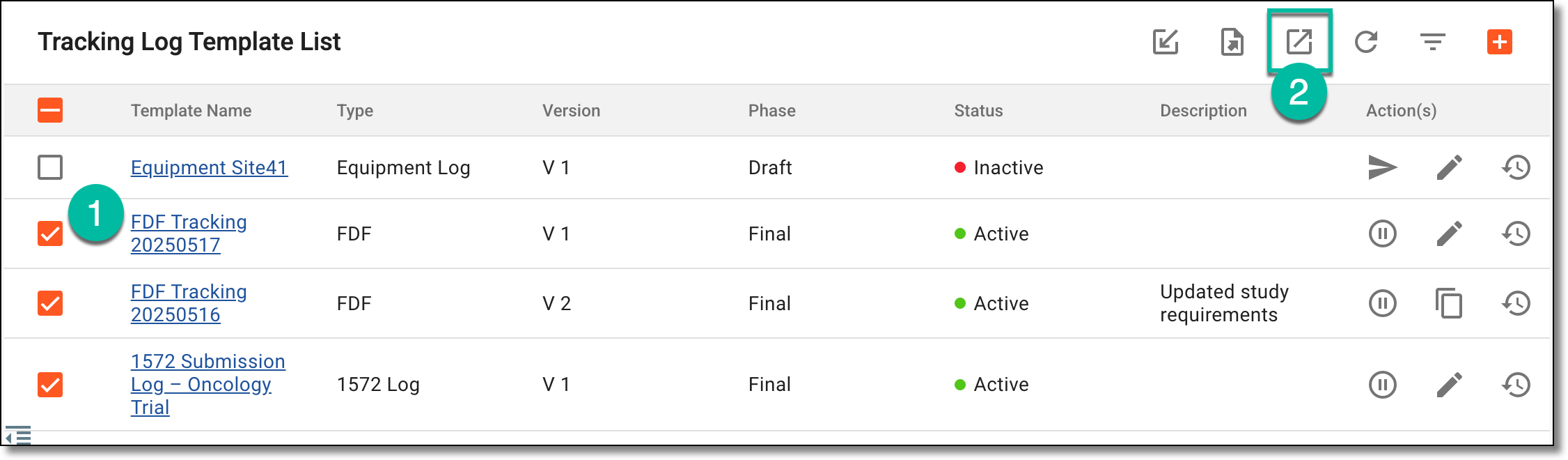 Figure 2. Exporting tracking log template
-
In the dialog that appears, select the data export option as needed:
-
Export current version as Config: to extract a CONFIG file with configurations of the currently effective template version and use this file to import and set up a template in another study.
-
Export current version as PDF: to extract a PDF file with the currently effective template version details.
-
Export all version as PDF: to extract a ZIP folder with the current and all the historical versions of the template, each as a separate PDF file.
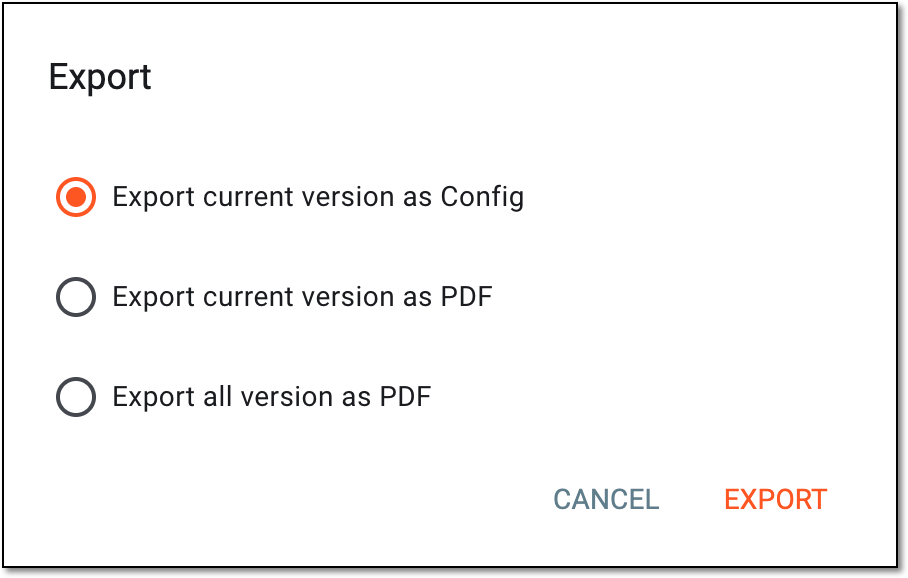 Figure 3. Selecting export option
-
-
Select
 and in the downloads widget that appears, view your download progress. Select the widget to open the My
Downloads dialog.
and in the downloads widget that appears, view your download progress. Select the widget to open the My
Downloads dialog.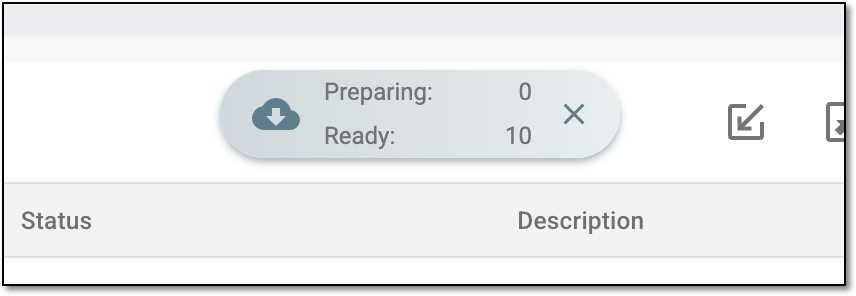 Figure 4. Downloads widget for tracking log template
-
In the My Downloads dialog that opens, you can find the following tabs:
-
Preparing: lists all the files whose export is in progress, and they are not yet ready for download. Wait until the needed file moves to the Download is Ready tab.
-
Download is Ready: lists the files whose export is complete, and they can be downloaded to your computer by selecting
 .
.
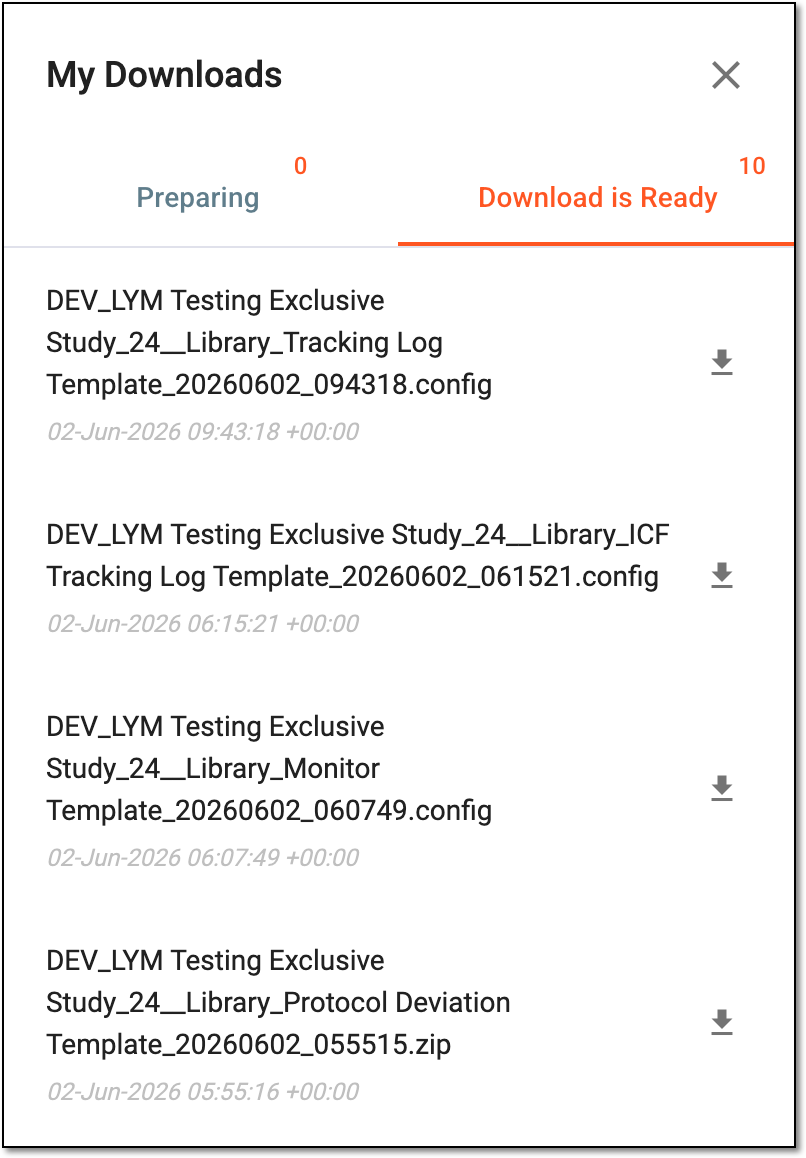 Figure 5. Downloading extracted ICF tracking log template data
-
The tracking log template files now become available on your computer in the selected format and can be managed as needed.