Import tracking log template
In CTMS, you can create a library of tracking log templates that can be reused throughout your studies. A tracking log template is a form used to collect and manage study-related data for regulatory documents such as Form 1572, financial disclosure form (FDF), and others. This section concentrates on how to create such a template by importing a preconfigured file from your computer.
-
In the CTMS application header, select the LIBRARY tab.
-
On the page that opens, from the left pane, select Tracking Log Template.
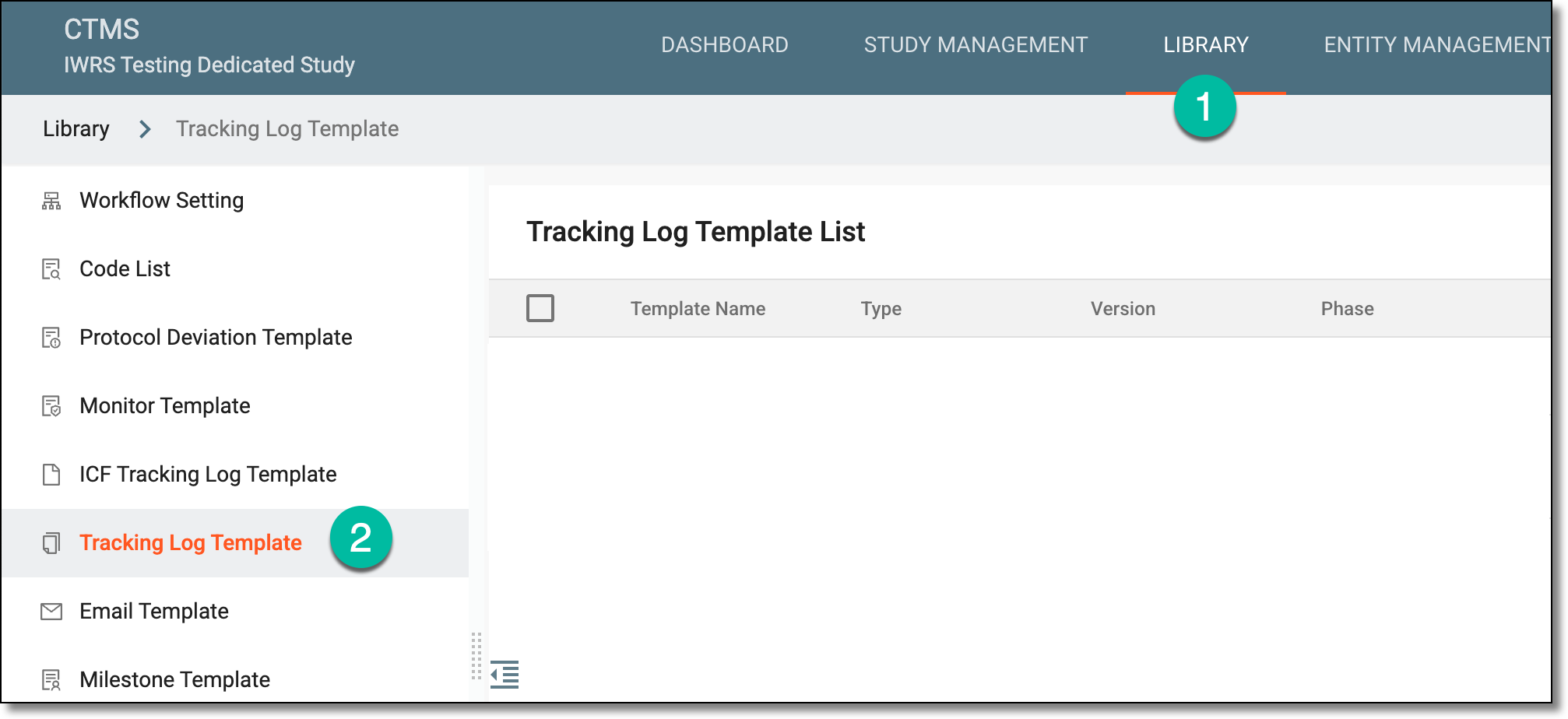 Figure 1. Accessing tracking log template list
-
On the Tracking Log Template List page that opens, from the workspace toolbar, select Import
 .
.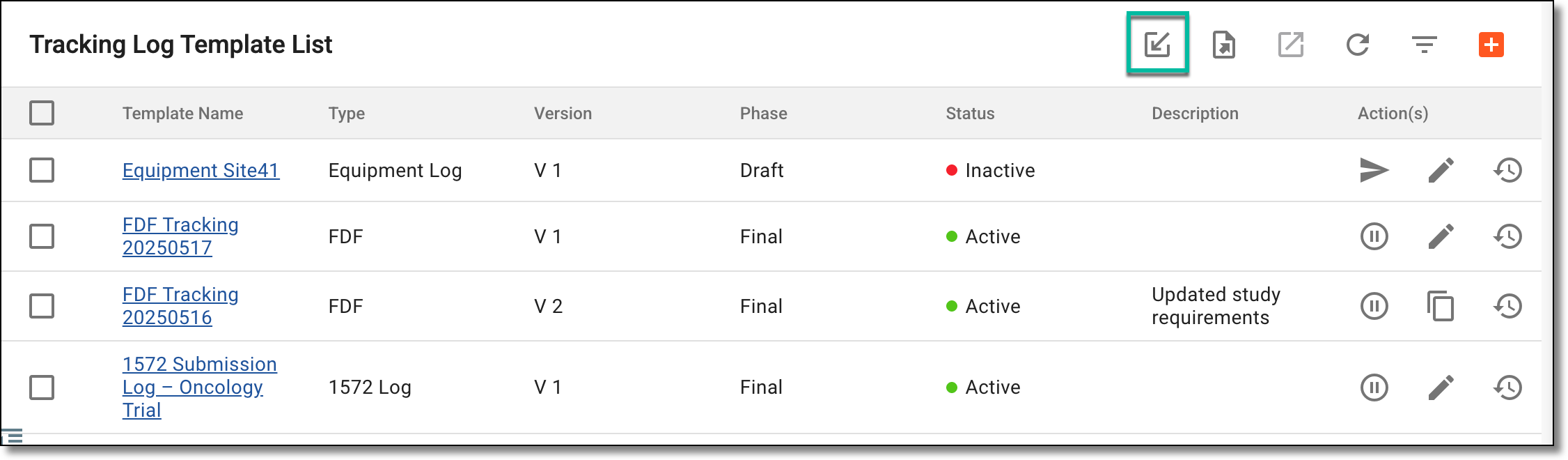 Figure 2. Importing tracking log template file
-
On your computer, locate and select the file in the .config format that you want to import to the system as a tracking log template.
Once the file is imported, you can find it in the Tracking Log Template List table with the import detail added to the template name.