View unblinded subject randomization report
The Unblind Subject Randomization report of the IWRS application helps you analyze information about the randomized subjects in a study. In this report, only the assigned randomization numbers are stored, including some additional information, such as the randomization date, the cohort factor indicating why the subject is assigned to this cohort (because the subject meets the predefined inclusion criteria of the cohort), and the stratum information explaining to which strata (group, subdivision) the subject belongs.
Important
To view this report, you must have the Unblind Subject Randomization permission granted to your user role via the ADMIN application.
-
In the IWRS application header, select the REPORT tab.
-
On the left side of the page, in the navigation panel, select Randomization Report > Unblind Subject Randomization.
-
In the Unblind Subject Randomization table that opens, view the subject randomization details as explained in the following table.
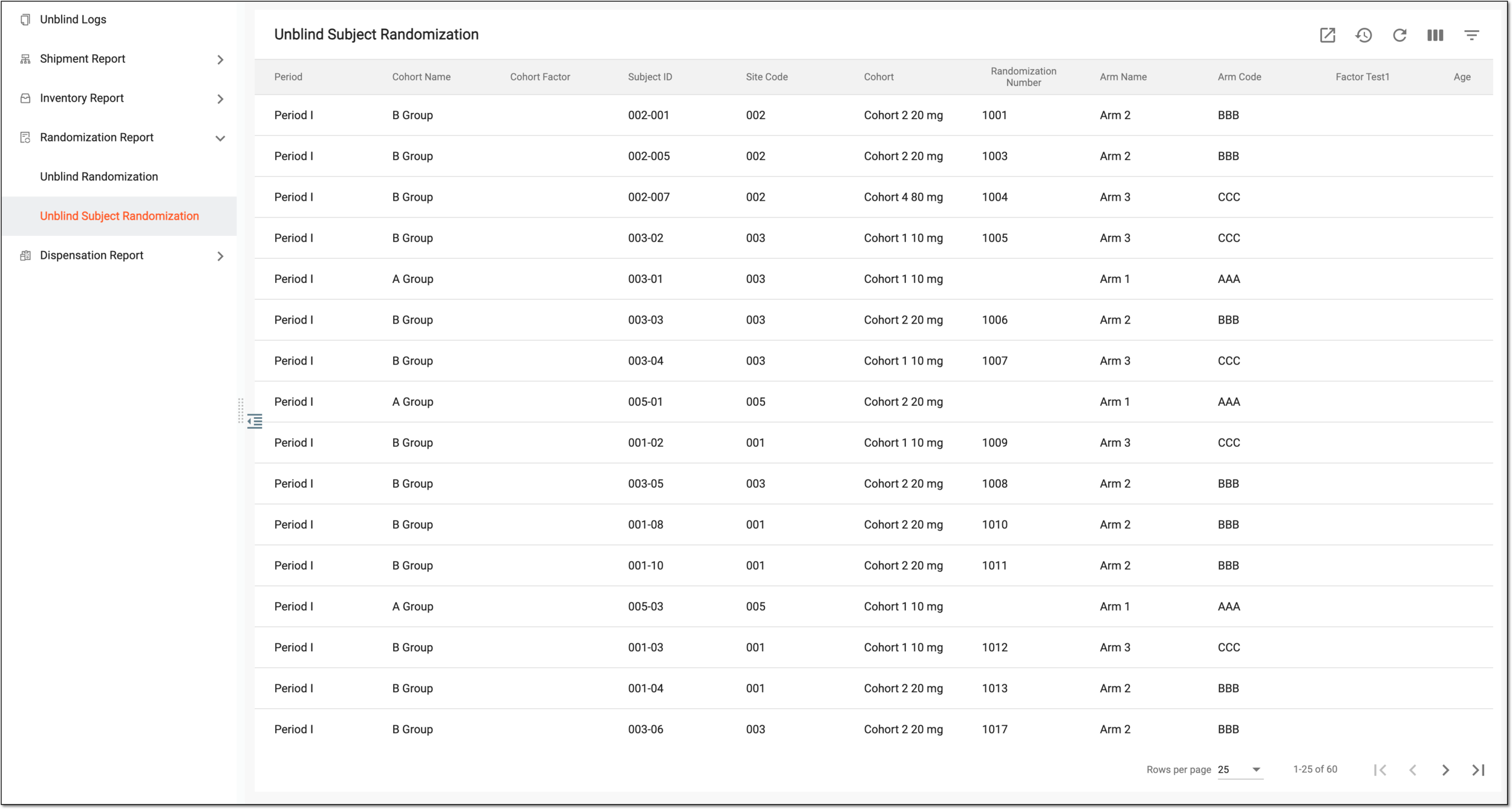 Figure 1. Viewing subject randomization details
Tip
From the workspace toolbar, select Visible Columns
 to choose the columns you want to show or hide
from the report before viewing it.
to choose the columns you want to show or hide
from the report before viewing it.Column
Details
Period
Represents the name of the period in which the subject is randomized.
Cohort Name
Represents the name of the cohort to which the randomized subject is assigned.
Cohort Factor
Represents the name of the factor that serves as a reason for assigning a subject to this cohort.
[Unique ID Label]
Represents the unique identifier of the randomized subject.
The column name depends on the unique ID label configuration of your study.Site Code
Represents the code of the site where the subject is randomized.
Randomization Number
Represents the randomization number assigned to the subject.
Arm Name
Represents the name of the arm to which the subject is randomized.
Arm Code
Represents the identification code of the arm to which the subject is randomized.
[Subject-specific Factor]
Represent the columns named following the configured factors of the subject-specific treatment factor range, that are set to be displayed in reports. There can be as many such columns as configured factors.
The names of such factors can be customized upon configuration. However, if the same factor is used as a randomization factor for a subject (period factor), its original name is displayed in the table instead of a custom alias.
For instance, if the subject's age and sex are configured as subject-specific factors in IWRS, two columns named "Age" and "Sex" are available in the table.
Strata
Represents the strata to which the subject belongs (this strata is used to keep the balance of the randomization result).
Randomization Date
Represents the date and time when the subject has been randomized.
You have viewed the Unblind Subject Randomization report. You can also export the report data to work with it offline.