Period factor
In clinical trials, when subjects need to be divided into different trial procedures based on certain characteristics or data, a set of values should be defined as screening conditions, namely, factors. And the value that is used to divide subjects into different periods or cohorts is called a period factor.
Period factor list
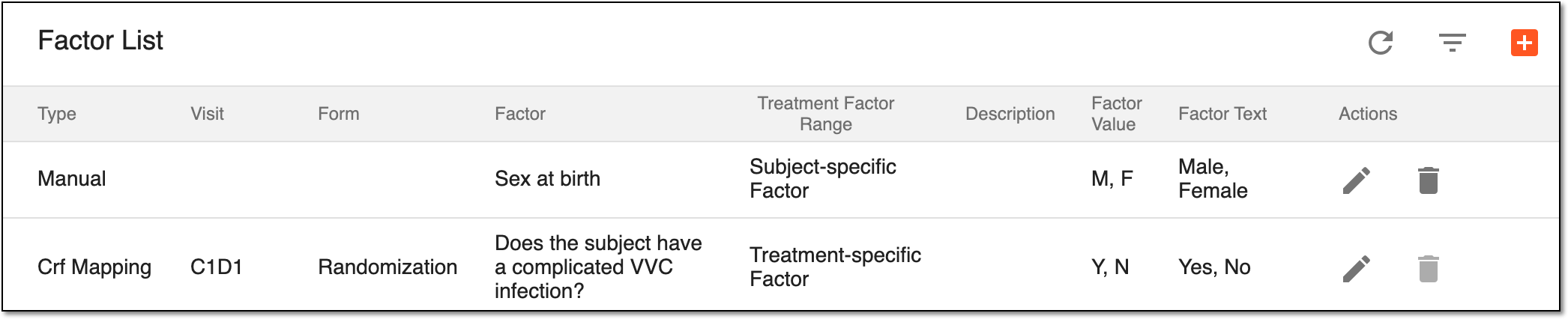
All the factors previously added to your period are displayed in the Factor List table. The period factors have the attributes explained in the following table.
|
Column |
Details |
|---|---|
|
Type |
Represents the factor type and determines how the factor has been created:
|
|
Visit |
Represents the visit name of the mapped factor (only for factors of the CRF Mapping type). |
|
Form |
Represents the form name of the mapped factor (only for factors of the CRF Mapping type). |
|
Factor |
Represents the factor name, namely:
|
|
Description |
Represents a detailed description of the factor (only for factors of the Manual type). |
|
Factor Value |
Represents the code list value of the factor. For example, for the "Yes" factor text, the code list value could be "Y"; for the "No" factor text, the code list value could be "N". |
|
Factor Text |
Represents the text of the factor value to display. For example, for the "Y" or "N" factor value, the text could be "Yes" or "No", respectively. |
The following actions can be applied to the period factors you see in Factor List:
-
Edit a period factor: to change a period factor that influences the subject randomization.
-
Delete a period factor: to delete period factors you no longer need.
Add period factor
Factors influence randomization processes during the trial being the criteria according to which the subjects are placed in one or another group.
-
In the IWRS application header, select the TREATMENT DESIGN tab.
-
On the page that opens, in the left pane, select the Period subtab.
-
In the Period List table that appears, locate the period of your interest. Then in the Period Name column, select the value to open the period configurator.
-
In the period configurator, select the Period Factor subtab.
-
On the page that opens, above the Factor List table, select New Item
 .
. -
In the Add dialog that appears, expand the Factor dropdown list, choose the factor you want to add, and select
 .
.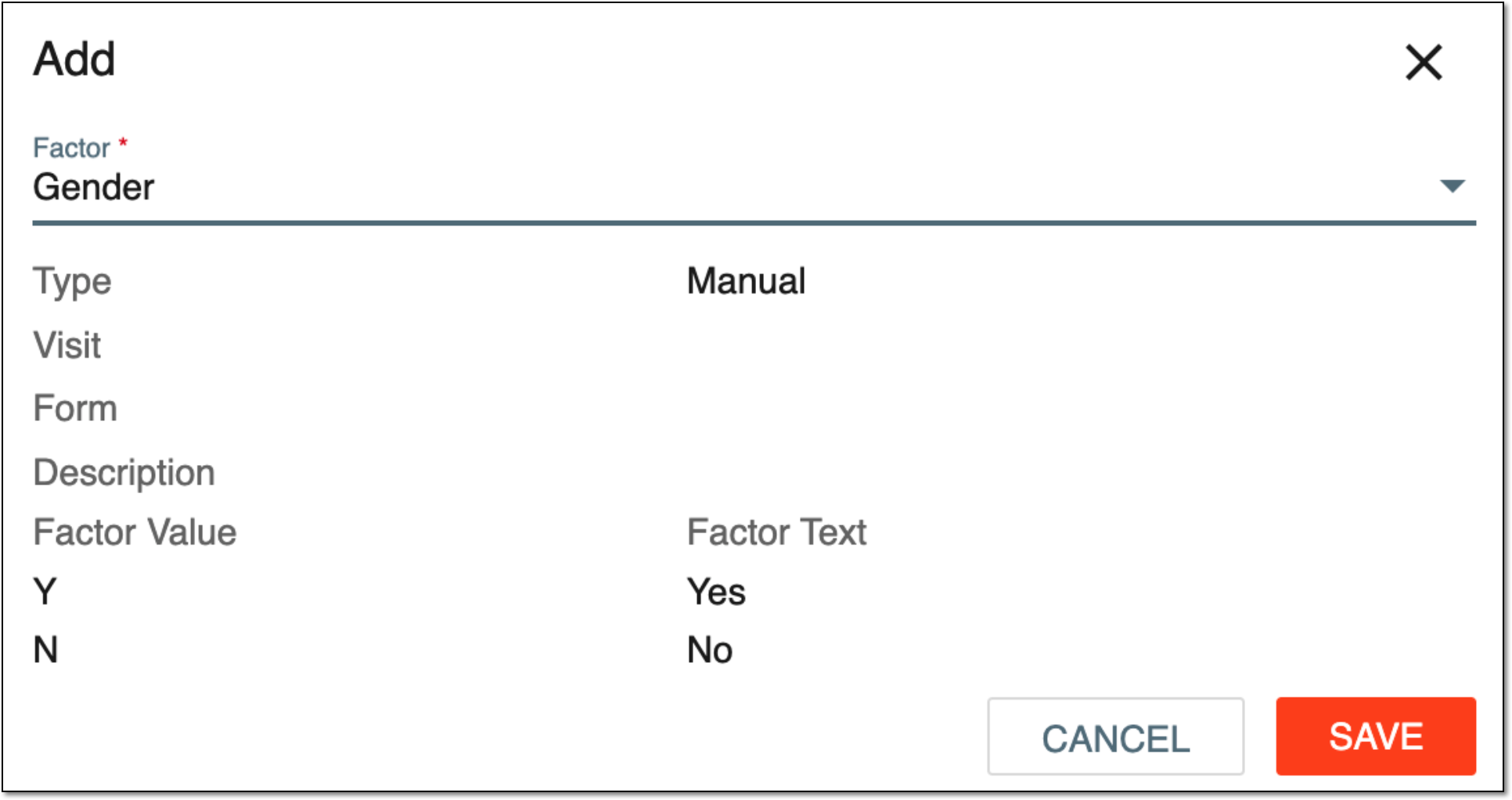 Figure 1. Adding new period factor
Tip
The factors you see in the list are initially created under TREATMENT DESIGN > Factor.
The rest of the fields in the dialog are read-only. They are automatically inherited from the factor you have just added.
Once saved, a new factor is added to your period. You can also edit a period factor.
Edit period factor
At any time, you can change a period factor that influences the subject randomization. However, you cannot edit a period factor if it is referenced by cohort inclusion criteria or stratified factors.
-
In the IWRS application header, select the TREATMENT DESIGN tab.
-
On the page that opens, in the left pane, select the Period subtab.
-
In the Period List table that appears, locate the period of your interest. Then in the Period Name column, select the value to open the period configurator.
-
In the period configurator, select the Period Factor subtab.
-
On the page that opens, in the Factor List table, go to the factor you want to edit and select Edit
 next to it.
 -
In the Edit dialog that appears, expand the Factor dropdown list and select another period factor.
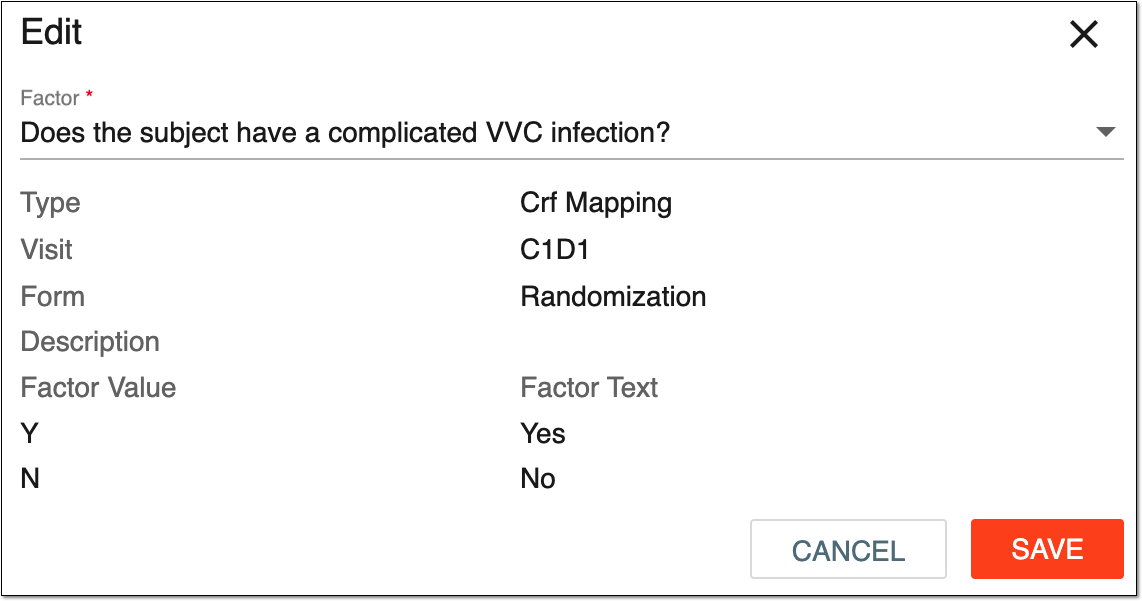 Figure 1. Editing period factor
-
Select
to save the implemented changes.
Once the changes are saved, your period factor is updated. You can also delete period factors.
Delete period factor
You can delete factors that are no longer needed. However, you cannot delete a period factor if it is referenced by the cohort inclusion criteria or stratified factors.
-
In the IWRS application header, select the TREATMENT DESIGN tab.
-
On the page that opens, in the left pane, select the Period subtab.
-
In the Period List table that appears, locate the period of your interest. Then in the Period Name column, select the value to open the period configurator.
-
In the period configurator, select the Period Factor subtab.
-
On the page that opens, in the Factor List table, go to the factor that you want to remove and next to it, select Delete
 .
. -
In the confirmation dialog, select
 to proceed with the period factor deletion.
 Figure 1. Deleting period factor
Once confirmed, your period factor is deleted. You can now add new period factor.