Export query details
In CTMS, the Query Report feature is a comprehensive summary used by data managers (DM) and clinical research coordinators (CRC) to follow query status data collected from various sources in CTMS and pulled from EDC.
For your convenience, all the available reports can be exported to your computer and analyzed offline or shared with third parties.
-
Access the study management page in one of the following ways:
-
In the CTMS application header, select the DASHBOARD tab and then select the study dashboard of your interest.
 Figure 1. Accessing study management from dashboard
-
In the CTMS application header, select the STUDY MANAGEMENT tab. Then from the Study Data List table, select the study name of your interest.
 Figure 2. Accessing study management from study data list
-
-
On the study management page that opens, from the left pane, expand Query Report.
-
From the list of reports, select the one you want to export:
-
Query Aging Summary: the report provides a comprehensive summary of query aging—for how long the queries remain in their respective statuses—depicted in statistical charts.
-
Manual Query Details: the report is built based on EDC data and helps to explore the manually created queries and their details, such as level, status, topic, overdue state, replies, users addressing them, and so on.
-
System Query Details: the report is built based on EDC data and displays all the queries automatically created by the system and their details, such as query status, topic, overdue, replies, users addressing them, and more.
-
All Query Report: the report is built based on EDC data and displays the manually and system-created queries and their details, such as query level, status, topic, overdue, replies, users addressing them, and others.
-
PD Queries: the report comprises all queries opened for protocol deviation records in CTMS.
-
Trip Report Queries: the report comprises all queries opened for completed trip reports in CTMS.
-
ICF Tracking Log Queries: the report comprises all queries opened for ICF tracking log records in CTMS.
-
Action Item Queries: the report displays all the queries opened on an action item data including the query description, its corresponding action item, and the details of when and by whom the query is opened.
-
-
On the report page that opens, from the workspace toolbar, select Export
 .
.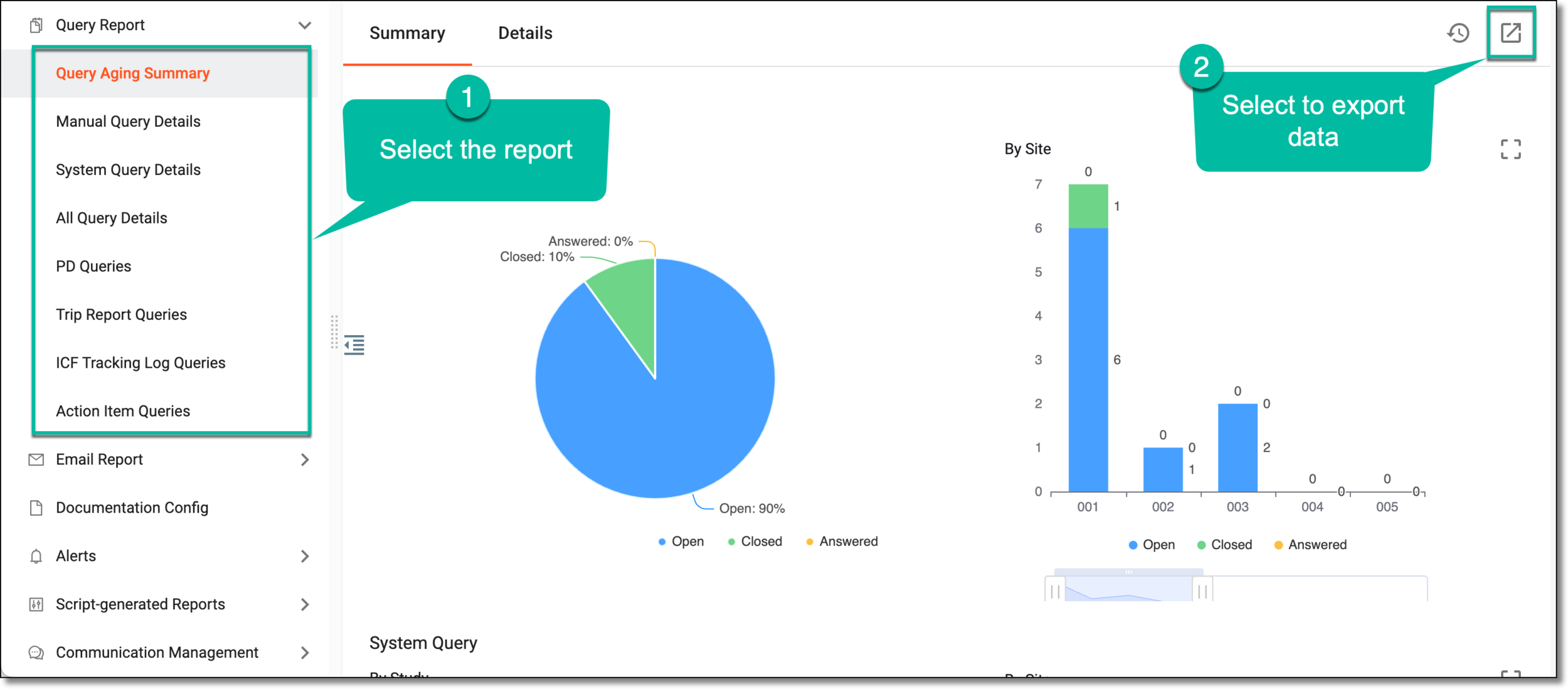 Figure 3. Exporting query details
Important
For PD Queries, Trip Report Queries, and ICF Tracking Log Queries reports, at this point, the exported XLSX file is downloaded to your computer and can be used offline as needed.
-
Based on the query report you are exporting, the next step can be the following:
-
From the Export dialog that opens, select if you want to export all the report data or only the filtered details. Then select
 .
.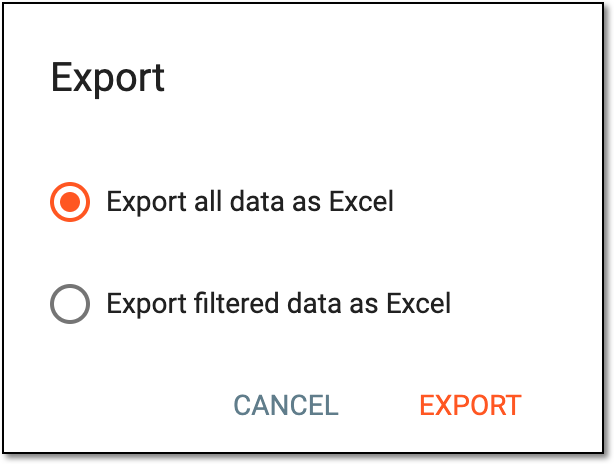 Figure 4. Choosing export options
Important
For master studies only, the dialog has the Export all study data checkbox that you select to export the data for the master study and its respective substudies. If cleared, only the master study data is exported.
-
The dialog appears to notify you that the report export is happening in the background. Select
 to close the dialog.
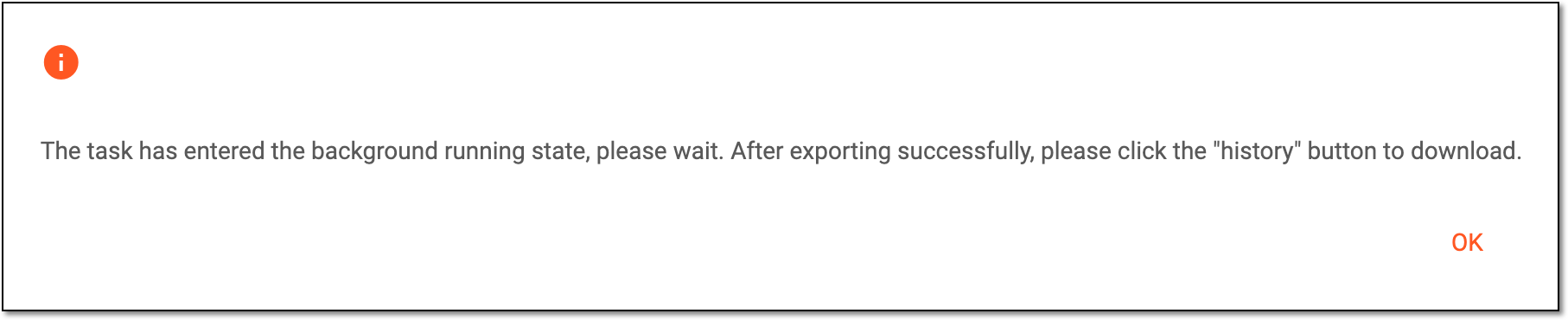 Figure 5. Report export confirmation
-
Once the report is ready, from the workspace toolbar, select Export History
 .
.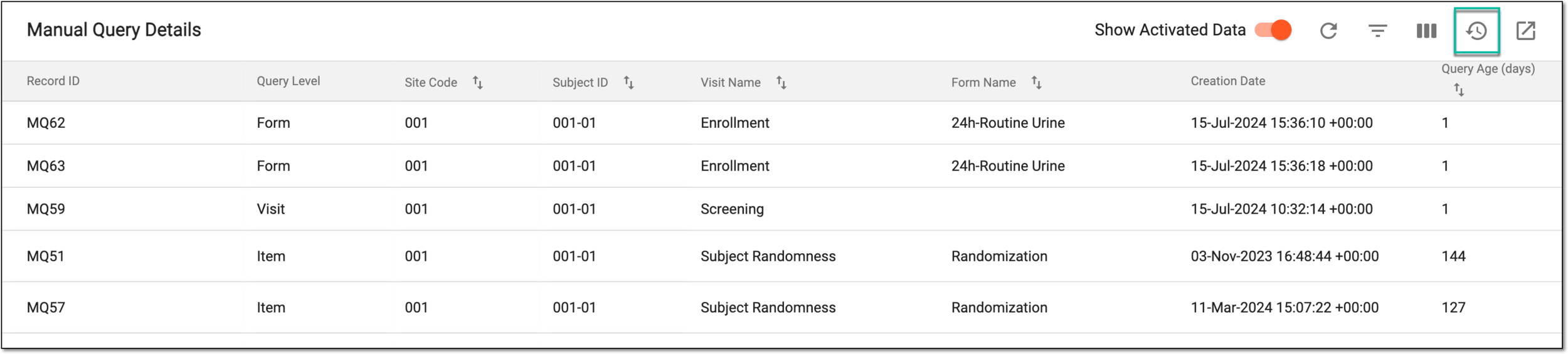 Figure 6. Accessing export history
-
In the Export History dialog that opens, go to the report version that you want to download. Then next to it, select Export
 .
.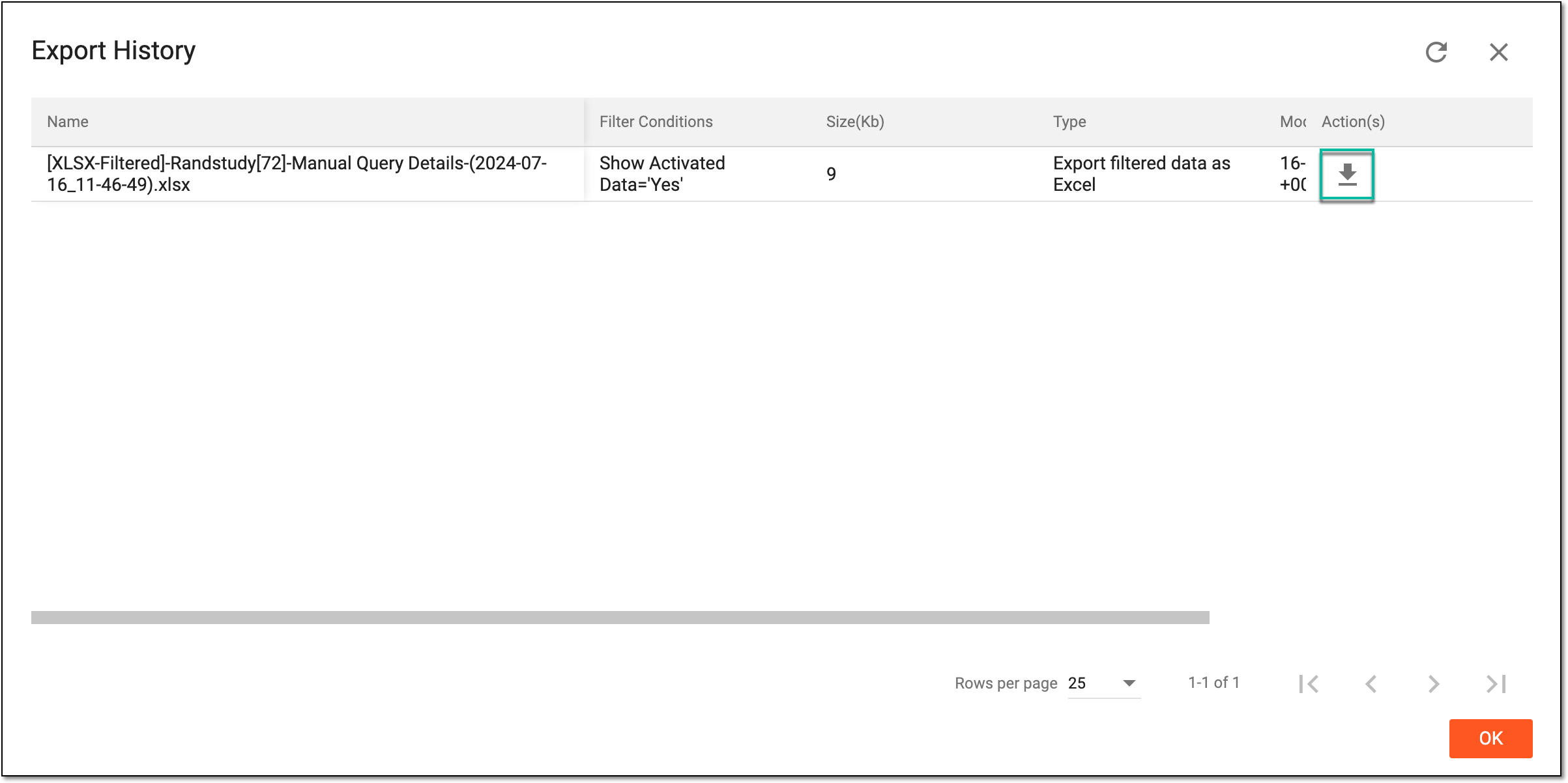 Figure 7. Downloading exported report
Tip
The export history also becomes handy if you want to download some previously generated report versions.
-
The downloads widget appears showing the export progress. Select the widget to access exported files.
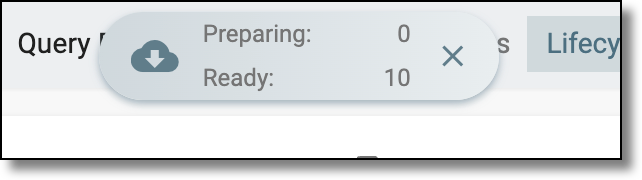 Figure 8. Downloads widget showing queries being exported
-
In the My Downloads dialog that appears, in the Download is Ready tab, select
next to the required exported file.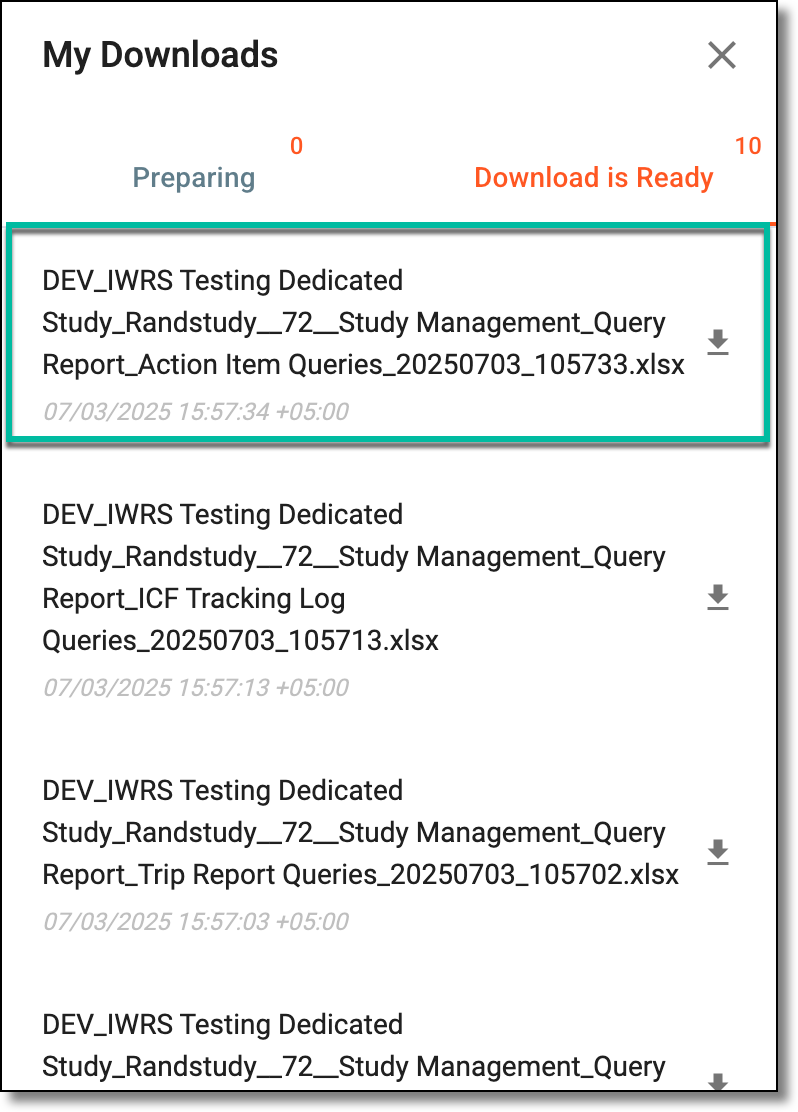 Figure 9. Downloading query report
-
Once the needed action is performed, the query details report of your interest is downloaded to your computer in the XLSX format and can be used as required.