Filter data
The search and filter panel is designed to help you sort a table grid by a specific attribute specified.
To filter the data displayed in the table
-
In the contents panel, from the workspace toolbar, select Filter
 .
.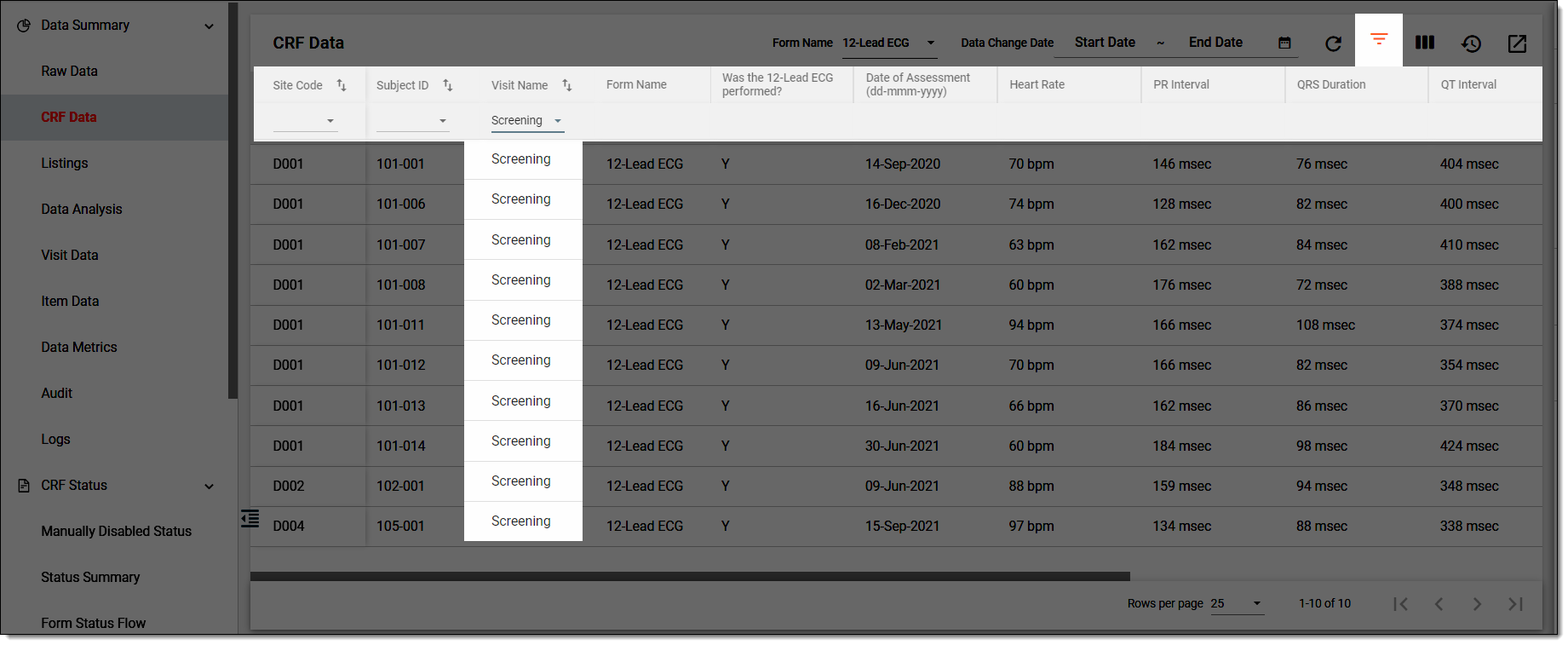 Figure 1. Filtering data
-
In the dropdown list options that appear under certain table columns, expand the needed dropdown list and select an option based on which you want to filter the table data.
Once selected, the data in the table is filtered and displayed as per your requirement. In some applications, such as eTMF, the applied filtering is preserved after you leave and return to the page or log out and back in to the system.