Review PD queries
A protocol deviation query is a request generated mostly by the data managers (DM) for clarification on some data items collected in CTMS upon protocol deviation record completion.
You can review a comprehensive report on all queries opened for PD records of your study in CTMS and track their current status, when they are opened, if they are resolved, and so on.
Tip
You can also export the query details if you prefer to work with the data offline.
-
Access the study management page in one of the following ways:
-
In the CTMS application header, select the DASHBOARD tab and then select the study dashboard of your interest.
 Figure 1. Accessing study management from dashboard
-
In the CTMS application header, select the STUDY MANAGEMENT tab. Then from the Study Data List table, select the study name of your interest.
 Figure 2. Accessing study management from study data list
-
-
On the study management page that opens, from the left pane, select Query Report > PD Queries.
-
On the PD Queries page that opens, review the details of all the PD queries opened in CTMS. The details of all the report columns are explained in the following table.
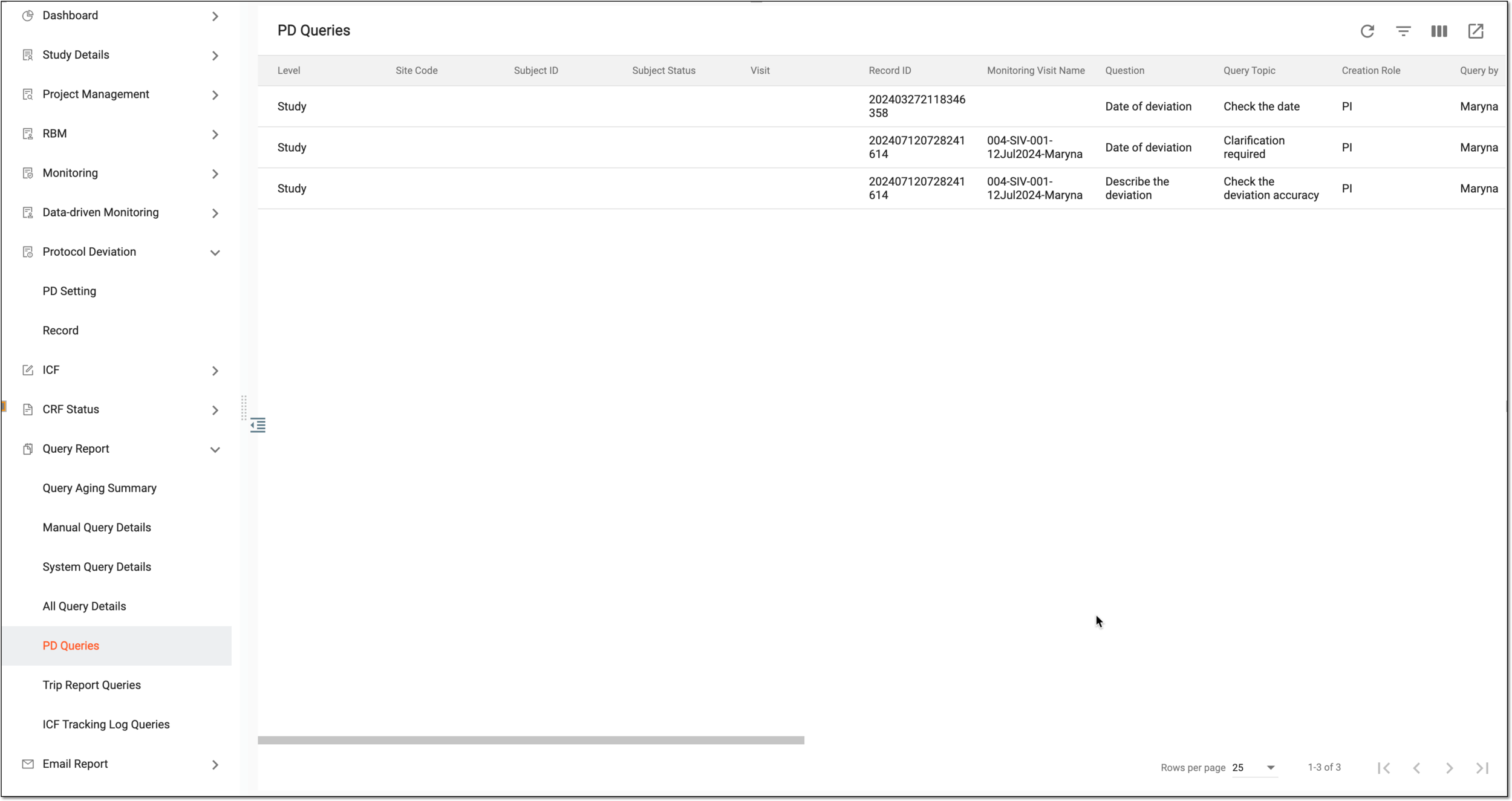 Figure 3. Reviewing PD queries
Column
Details
Level
Represents whether the PD query is at the site, subject, or study level.
Site Code
Represents the code of the site where the data being queried has been collected.
Subject ID
Represents the ID of the subject whose collected data is queried.
Subject Status
Represents the status (phase) of the subject whose collected data is queried.
Visit
Represents the name of the visit during which the PD query occurred.
Record ID
Represents the unique ID of the PD query if it was recorded at the subject level.
Monitoring Visit Name
Represents the name of the monitoring visit of the PD query.
Question
Represents the question text on the CRF to which the created PD query is related.
Query Topic
Represents the topic of the created PD query. The query topic usually explains the reason why the PD query has been added.
Creation Role
Represents the role of the user who created the corresponding PD query.
Query by
Represents the user account of the user who created the query.
Creation Time
Represents the time when the query was created.
Creation Query Age (days)
Represents the number of days since the query was created.
Query Age (days)
Represents the number of days since the query was assigned to the responsible user.
Assign to
Represents whether the query is assigned to Role or Assignee.
Role
Represents the role of the user who is responsible for the resolution of the query.
Assignee
Represents the name of the user who is dealing with the protocol deviation raised in the query.
Query Status
Represents the current status of the PD query.
Overdue
Represents whether the PD query is overdue or not.
Final Reply Text
Represents the last response text of the responsible user of the query.
Final Reply by
Represents the name of the user who last responded to the query.
Closed Time
Represents the time when the query was closed.
Closed by
Represents the name of the user who closed the query.
You have reviewed the details of all PD queries in CTMS.