User group management
A user group is an organizational unit of the ADMIN app that brings together certain users with similar responsibilities, activities, and purposes to conveniently manage their access rights by providing unified permissions to view and interact with selected sites and depots.
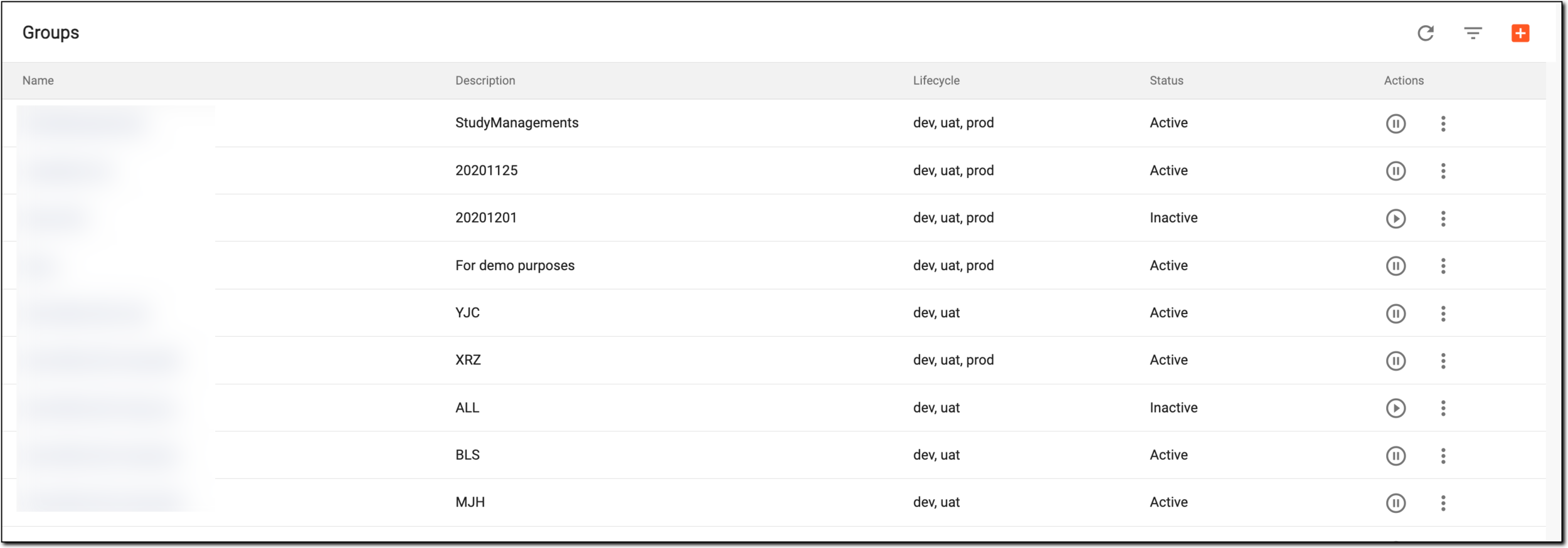
In ADMIN, the USER GROUPS tab lists all the user groups created in the system and their attributes, the details of which are explained in the following table.
|
Element |
Details |
|---|---|
|
Name |
Represents the name of the user group that is also an active link that redirects you to the group details and user list. |
|
Description |
Represents the information on the user group entered upon creation to depict its general purpose or distinguish it from others. |
|
Lifecycle |
Represents whether the user group can be accessed in dev, uat, prod, or all lifecycles. |
|
Status |
Represents whether the user group is activated or inactivated. Only the users of the active groups can access their assigned sites and depots; the inactive user group is prevented from accessing assigned sites and depots. |
In the following sections, you can learn about all the available options of user group management in ADMIN: