Reset password for user
In ADMIN, you can use the Reset Password feature if the user does not remember their password and wants to change it to be able to log in to the system.
As the ADMIN user, there are two ways how you can reset password for another user—to allow them to change their password themselves on their side or reset the password for them.
-
In the ADMIN application header, select the USER tab.
-
In the User Management table that appears, next to the needed user, select More
 >
Reset Password
>
Reset Password  .
.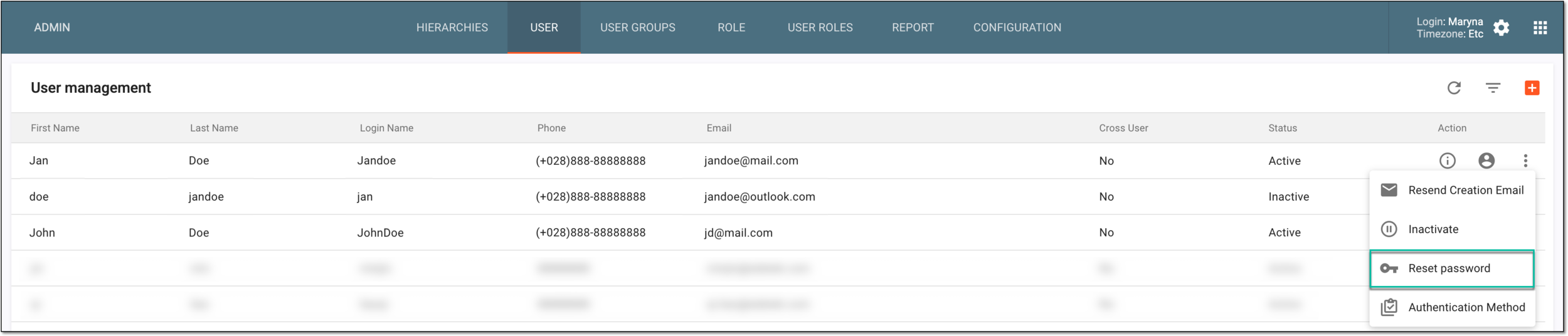 Figure 1. Selecting option to reset password for user
-
In the Reset Password dialog, perform the configurations as follows.
Turn on the Reset to explicit password toggle and complete the fields that appear as explained in the following table.
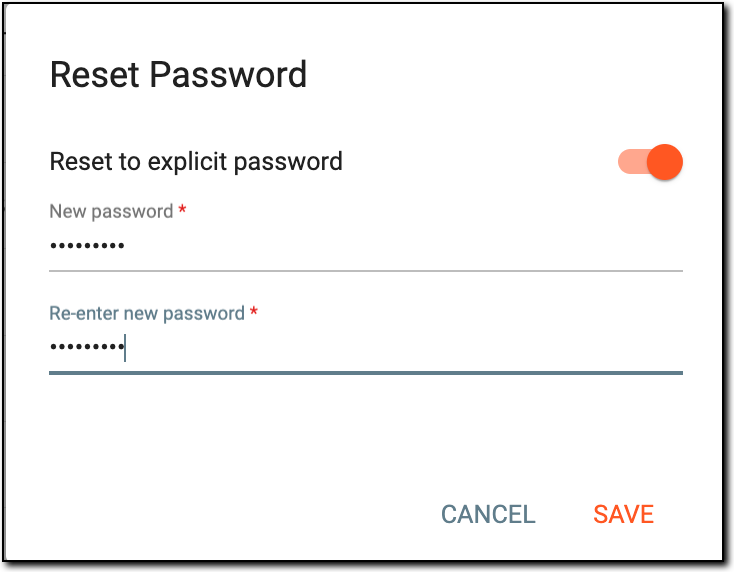 Figure 3. Resetting password details
Tip
In the following table, mandatory elements are marked with an asterisk (*).
Element
Details
New Password*
Enter the new password. This new password overwrites the previous password.
Re-enter new password*
Enter the same password entered in the New Password field.
SAVE
Select
 to save the new password entered.
CANCEL
Select
 to dismiss without saving the new password.

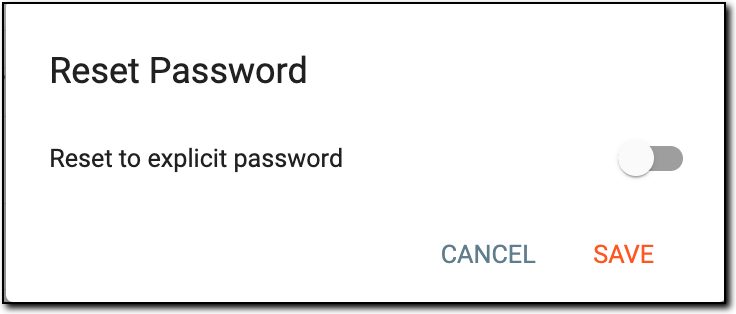
Once completed, based on the action performed the password is reset for the user or the user receives an email to reset the password.