Add user to user group
In the ADMIN app, you can create user groups whenever you need to unite certain users with similar responsibilities, activities, and purposes to conveniently provide them with access rights to managing and reviewing the data and processes related to selected sites and depots. At any time, you can add users to the group to provide them with respective accesses.
-
In the ADMIN application header, select the USER GROUPS tab.
-
On the Groups page that appears, from the Name column, select the user group name.
 Figure 1. Selecting user group name to access details
-
On the user group details page that opens, from the Groups table workspace toolbar, select Import Users
 .
.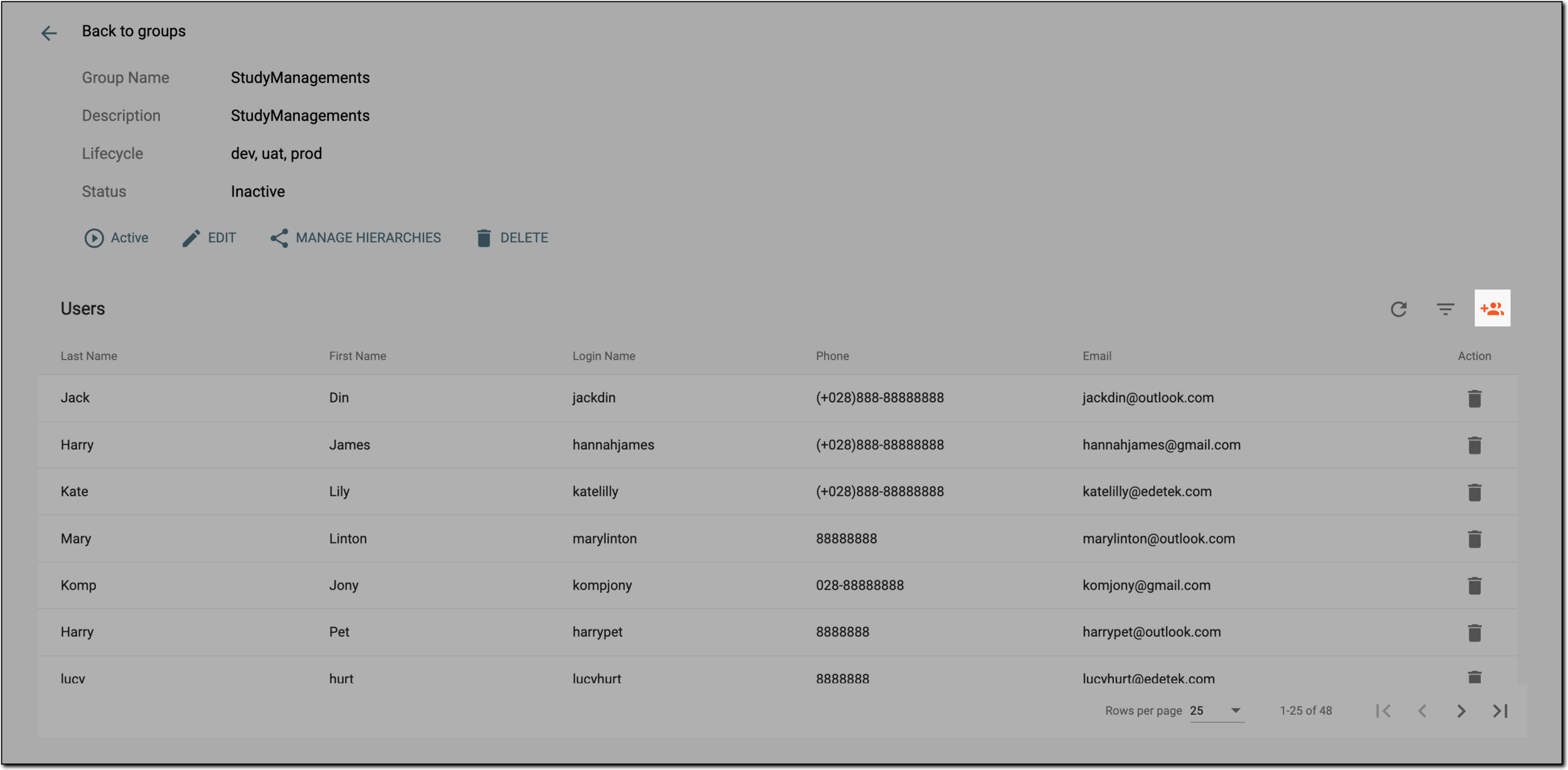 Figure 2. Selecting option to import users
-
In the Import Users dialog that appears, select the checkboxes next to the users you want to add to the user group.
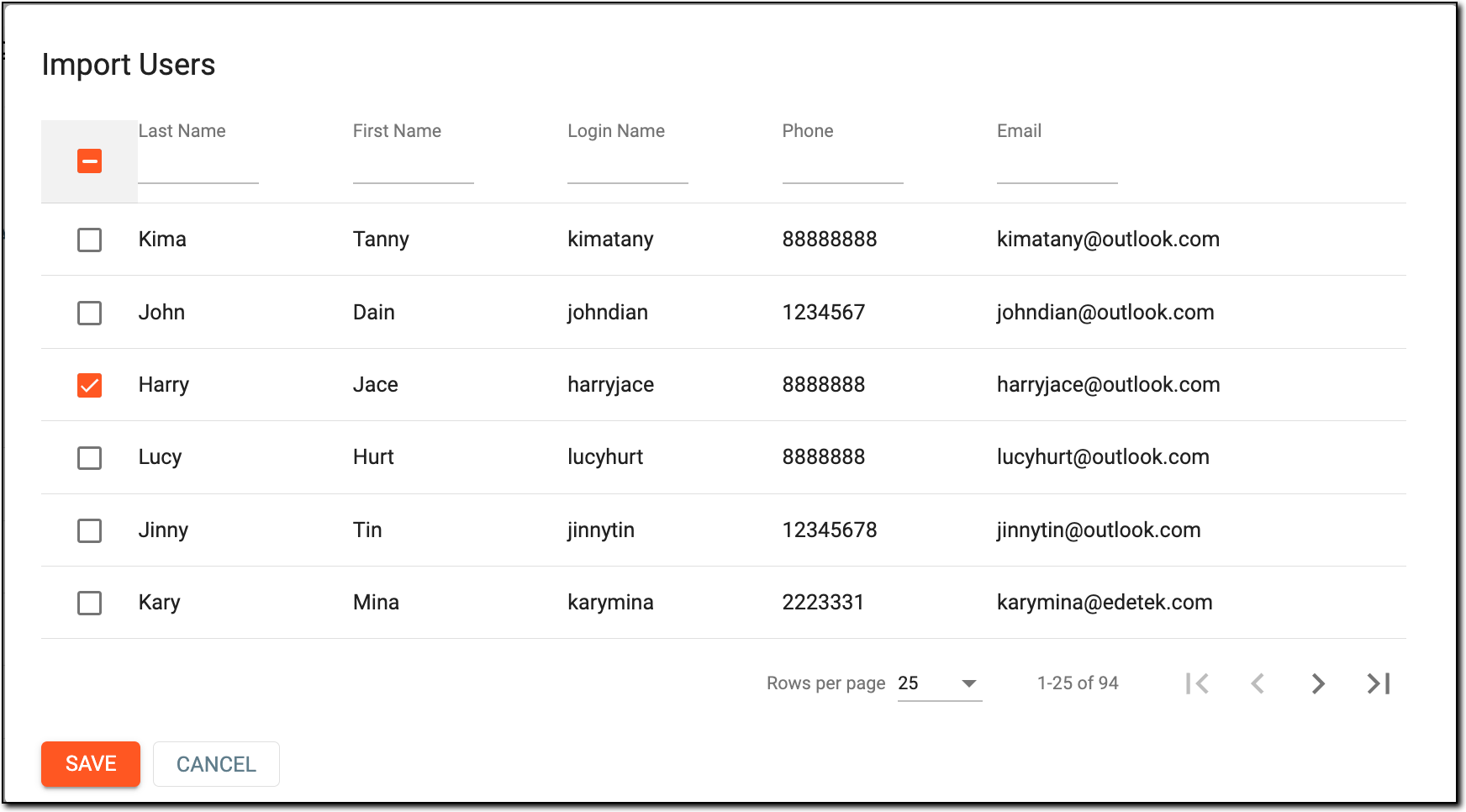 Figure 3. Selecting users to add to group
-
Once all the required users are selected, click
 .
.
Once saved, the selected users are added to the user group and obtain access to all the sites and depots of the user group.