Analyze item data report
The Item Data report is a tool for analyzing each data input for precise items (record lines) of the EDC CRFs. It shows all the item IDs and their details, such as the site, subject, and visit for which the item has been updated, the question of the CRF to which it refers, the value recorded for it, the modification time, the user who updated the data, and more.
-
In the EDC application header, select the REPORTS tab.
-
On the page that opens, in the left pane, select the Data Summary subtab to expand the list of available reports and select Item Data.
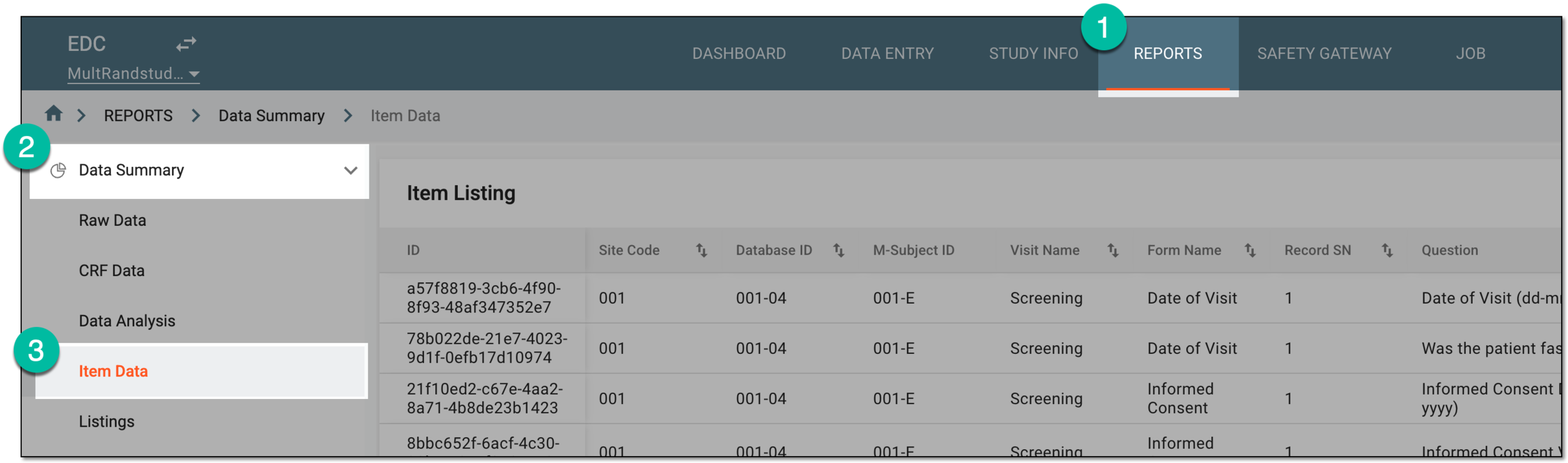 Figure 1. Accessing item data report
-
In Item Listing that opens, analyze the details of item completion in EDC as explained in the following table.
Tip
Using the table filters feature, you can filter the report as needed, for instance, by Subject ID to view the summary of item data for the subject of your interest.
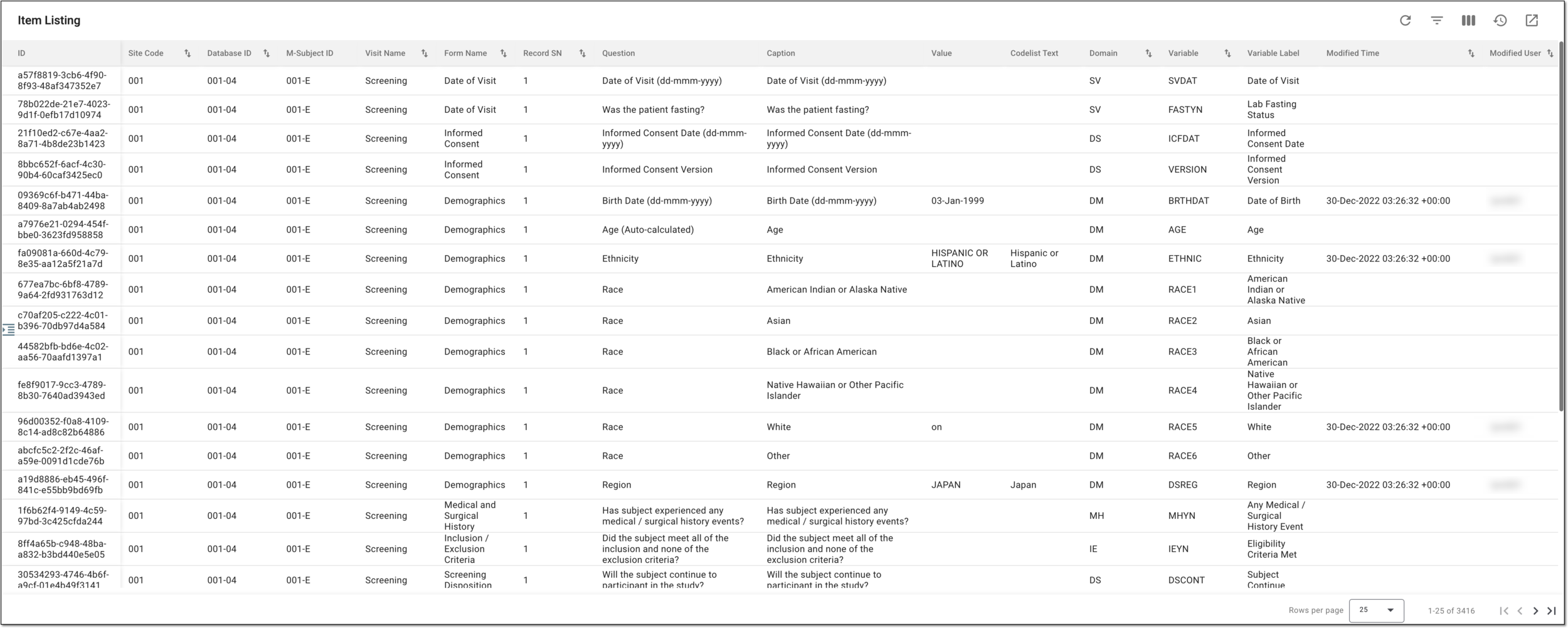 Figure 2. Analyzing item data report
Column
Details
ID
Represents the system-generated unique identifier of the item.
Site Code
Represents the code of the site where the data entry for the item was made.
[Unique ID Label]
Represents the unique identifier of the subject in the study.
The column name depends on the unique ID label configuration of your study in IWRS.If there are additional IDs configured for your study, you see as many such columns as there are IDs.Visit Name
Represents the name of the visit at which data entry for the item was made.
Form Name
Represents the name of the CRF to which belongs the item.
Record SN
Represents the sequential number of the record in a log form to which belongs the item.
Question
Represents the text of the question that is the item in the CRF.
Caption
Represents the caption text if any is set for the item.
Value
Represents the value entered to answer the item's question. This value is recorded in the respective variable.
Codelist Text
Represents the text of the code list value chosen to answer the item's question if this is the question with multiple options available for selection.
Domain
Represents the domain to which the answered value is stored as variable.
Variable
Represents the variable that stores the answered value.
Variable Label
Represents the custom text used as a variable's marker.
Modified Time
Represents the date, time, and time zone indicator when the data was entered to the item or the item data entry was last modified.
Modified User
Represents the name of the user or the system entity (for instance, API sync) who made the latest data entry or modification for the item.
Once the report data is analyzed, you can leave the page or proceed with further suggested actions.