Audit contract
A contract is an agreement between the sponsor and the vendor for certain services to be financially compensated on the established terms.
In CTMS, you can create contracts with counterparties, reflecting different business scenarios and enabling financial operations. To validate the contract and ensure all the details are properly defined, you can enable the contract audit—review and approval process performed by designated personnel.
Tip
The details of the auditing process are defined by the dedicated workflow that you preconfigure via the CTMS library.
The audit is applicable for the following objectives:
-
Auditing the newly created contracts or edited contract versions is intended to validate them and make them eligible for financial operations in CTMS and EDC.
-
Auditing the contract termination is intended to validate the discontinuation of the contract.
-
Access the study management page in one of the following ways:
-
In the CTMS application header, select the DASHBOARD tab and then select the study dashboard of your interest.
 Figure 1. Accessing study management from dashboard
-
In the CTMS application header, select the STUDY MANAGEMENT tab. Then from the Study Data List table, select the study name of your interest.
 Figure 2. Accessing study management from study data list
-
-
On the page that opens, in the left pane, select Financial Management > Contract.
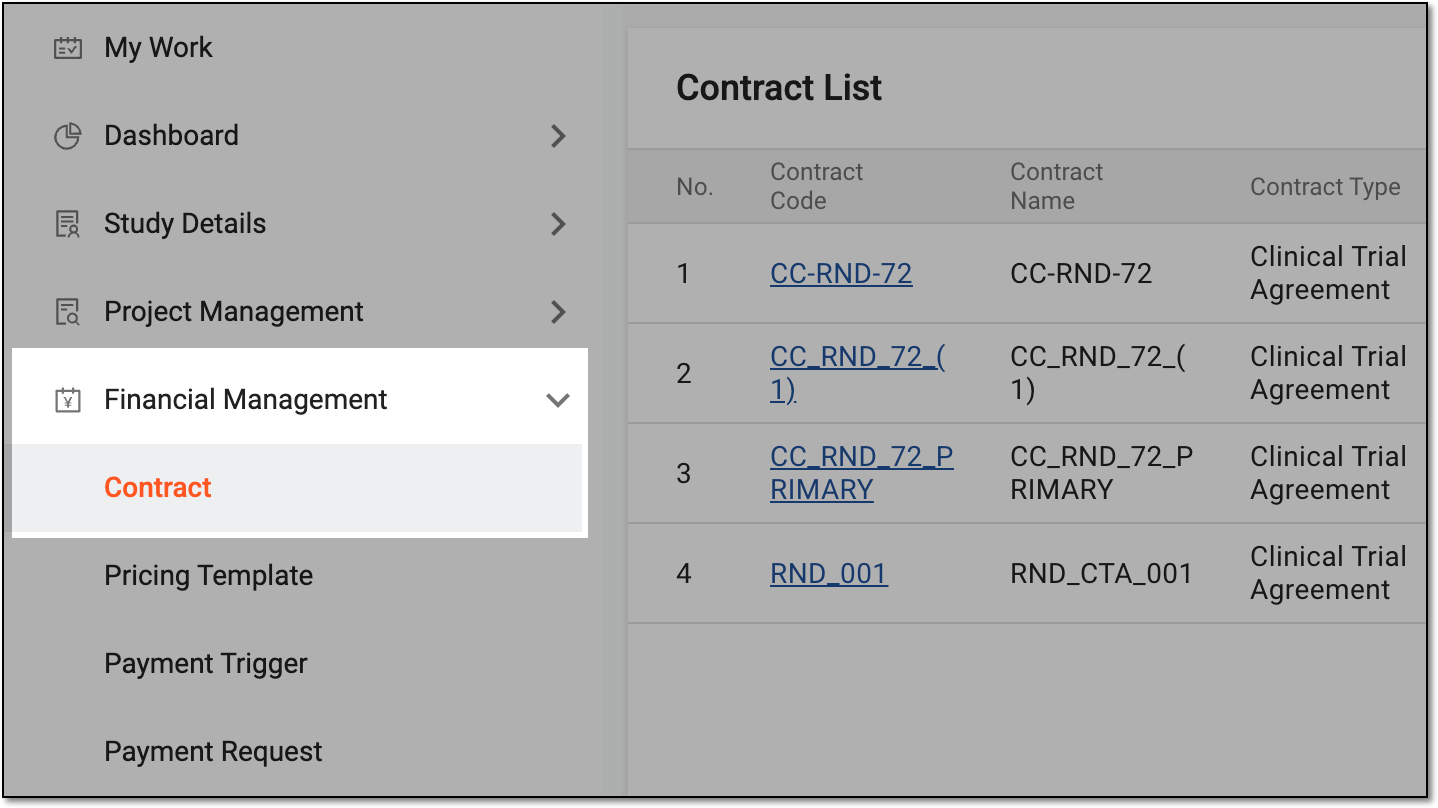 Figure 3. Accessing contract list
-
In Contract List that appears, locate the contract you want to audit. Then from the Action(s) column, select Audit
 .
. Figure 4. Selecting option to audit contract
Tip
Alternatively, open the contract details and on the page that opens, select
 .
. Figure 5. Selecting option to audit contract from details page
-
In the dialog that opens, audit the contract as follows.
Important
You can only withdraw the contract submission before the contract is approved.
To withdraw the contract submission, you must have the Contract > Withdraw permission granted to your user role in ADMIN.
-
Return the contract to the draft state by selecting
 .
.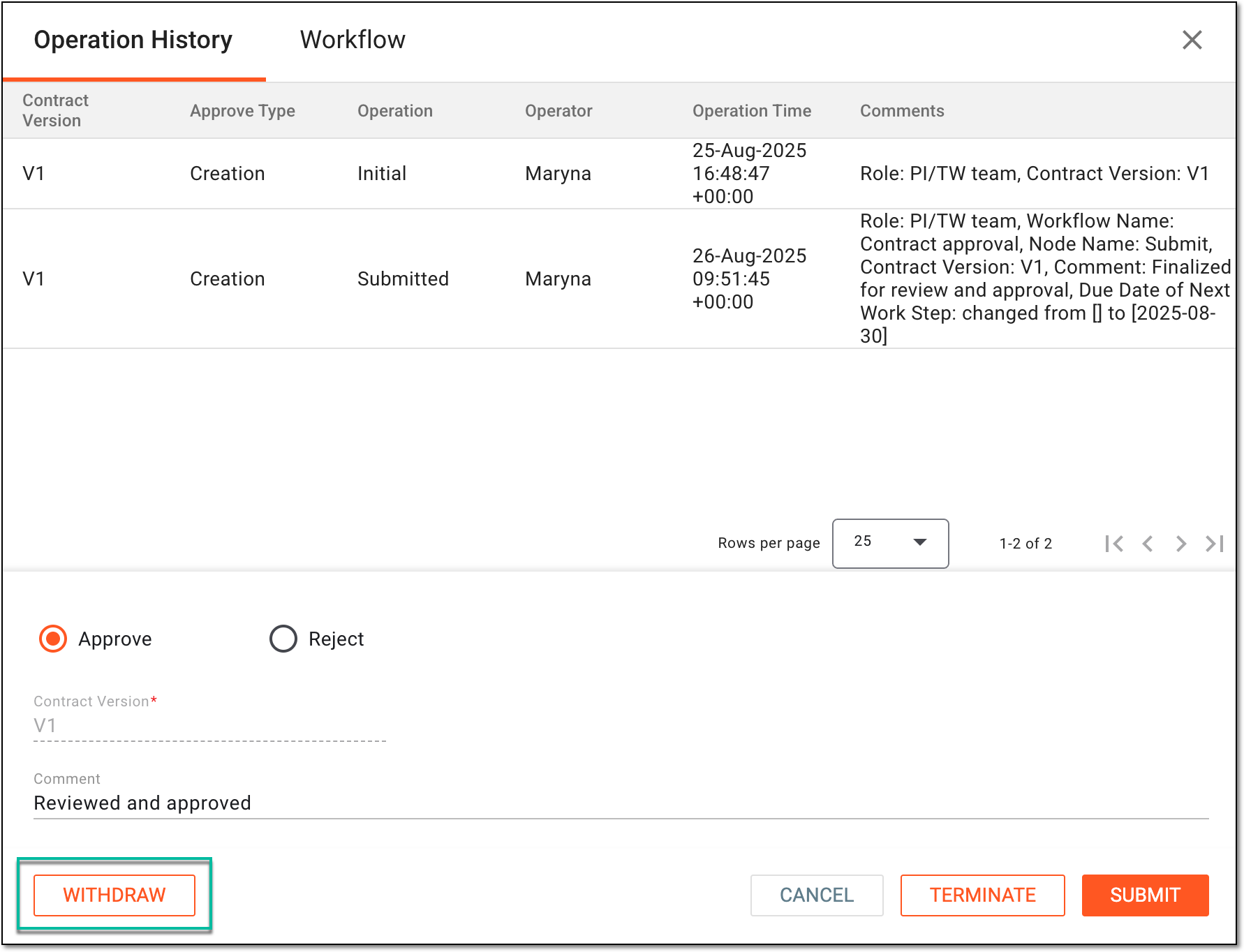 Figure 6. Withdrawing contract submission
-
In the Reason dialog that appears, enter the argument for the contract submission withdrawal. Then select
 .
.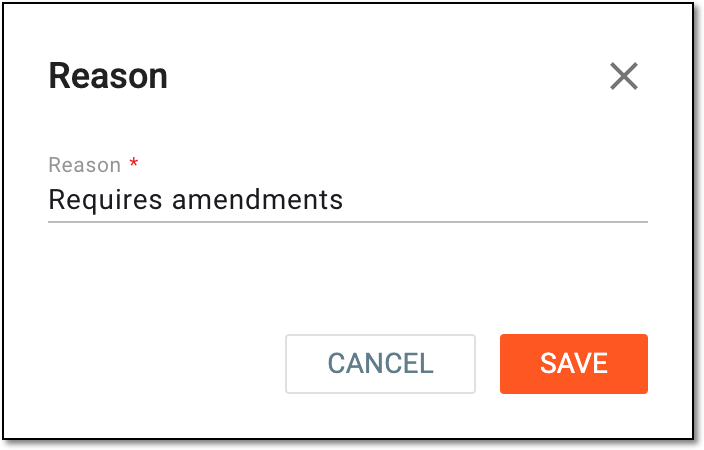 Figure 7. Providing reason for withdrawing contract submission
To approve the contract, complete the details as explained in the following table.
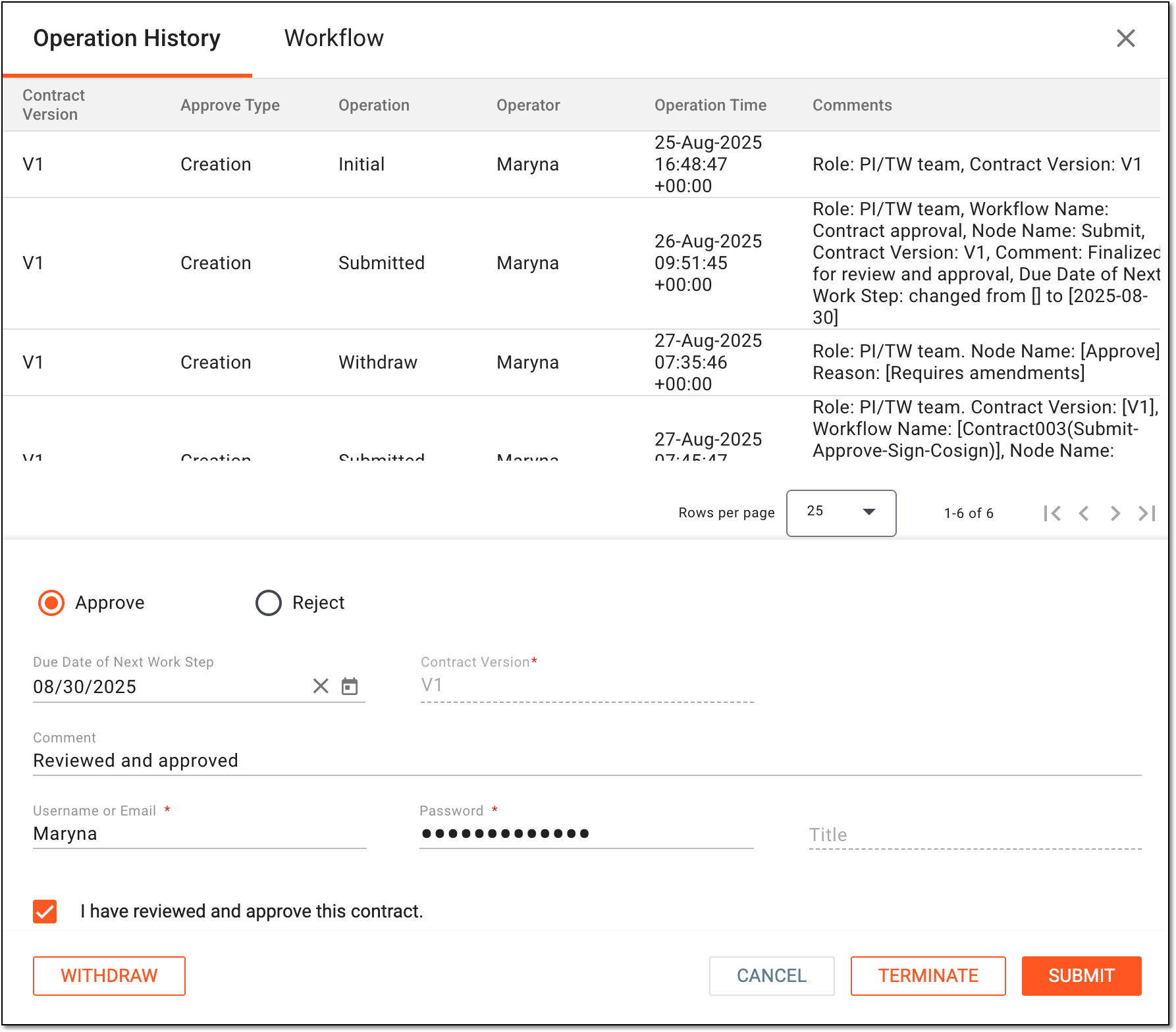 Figure 8. Approving contract
Tip
In the following table, mandatory elements are marked with an asterisk (*).
Element
Details
Operation History
The tab that opens by default represents the complete log of operations performed to the contract from its creation and up-to-date.
Workflow
Switch to this tab to see the workflow according to which the contract audit is performed.
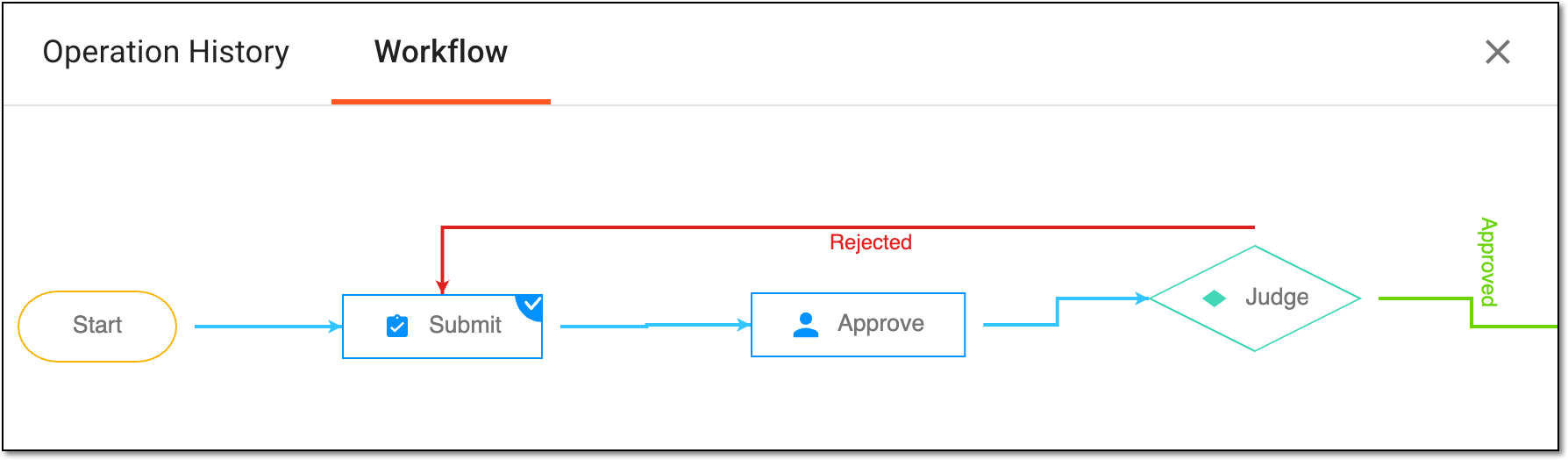 Figure 9. Switching to associated workflow schema
Approve
Select this option to validate the contract.
Due Date of Next Work Step
Select the date before which the next auditing action must be performed before considered overdue.
Contract Version*
Represents the current contract version that is being approved.
Comment
Enter auxiliary details to to support your approval.
Username or Email*
Enter your username or email that you use to log in to the eClinical applications.
The field is only available if the signature is enabled for the Approve node of the associated workflow.Password*
Enter the password that you use to log in to the eClinical applications.
The field is only available if the signature is enabled for the Approve node of the associated workflow and if you use the authorization method by providing your login and password.Send Code
Select
 to send the temporary PIN code to your email for which the SSO method is configured.
The button is only available if the signature is enabled for the Approve node of the associated workflow and if you use the authorization method via SSO.Code*
Enter the temporary PIN code that you received via email.
The field is only available if the signature is enabled for the Approve node of the associated workflow and if you use the authorization method via SSO.Title
Represents the title of the user autopopulated from the ADMIN application based on the selected username or email.
SUBMIT
Select
 to confirm your action.
CANCEL
Select
 to discard the changes without saving and close the dialog.
Important
For security, the system logs you out after three failed attempts to confirm your identity with a password or code.
To sign or co-sign the contract, complete the details as explained in the following table.
Figure 10. Signing contract
Tip
In the following table, mandatory elements are marked with an asterisk (*).
Element
Details
Operation History
The tab that opens by default represents the complete log of operations performed to the contract from its creation and up-to-date.
Workflow
Switch to this tab to see the workflow according to which the contract audit is performed.
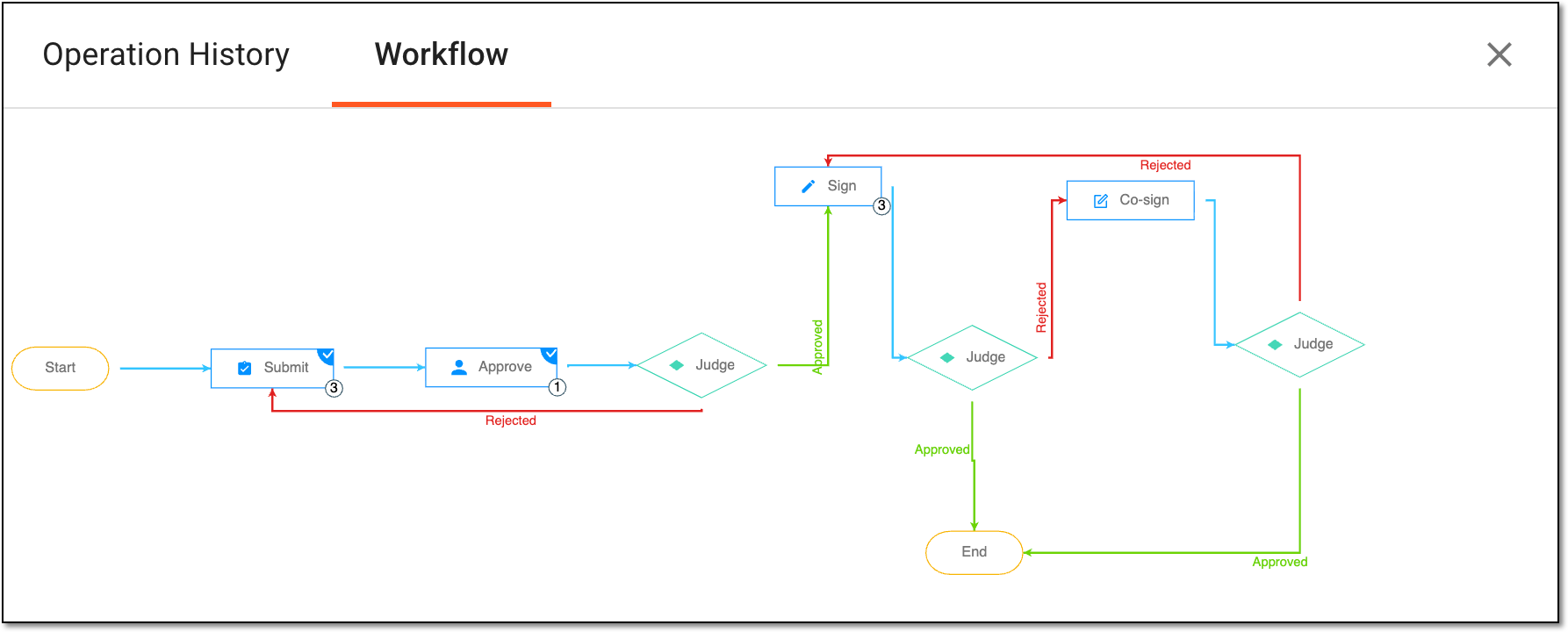 Figure 11. Switching to associated workflow schema for signature
Approve
Select this option to validate the contract.
Due Date of Next Work Step
Select the date before which the next auditing action must be performed before considered overdue.
Contract Version*
Represents the current contract version that is being signed.
Comment
Enter auxiliary details to to support your signature.
Username or Email*
Enter your username or email that you use to log in to the eClinical applications.
The field is only available if the signature is enabled for the Approve node of the associated workflow.Password*
Enter the password that you use to log in to the eClinical applications.
The field is only available if the signature is enabled for the Approve node of the associated workflow and if you use the authorization method by providing your login and password.Send Code
Select
to send the temporary PIN code to your email for which the SSO method is configured.The button is only available if the signature is enabled for the Approve node of the associated workflow and if you use the authorization method via SSO.Code*
Enter the temporary PIN code that you received via email.
The field is only available if the signature is enabled for the Approve node of the associated workflow and if you use the authorization method via SSO.Title
Represents the title of the user autopopulated from the ADMIN application based on the selected username or email.
SUBMIT
Select
to confirm your action.CANCEL
Select
to discard the changes without saving and close the dialog.Important
For security, the system logs you out after three failed attempts to confirm your identity with a password or code.
To reject the contract as an approver or signer, complete the details as explained in the following table.
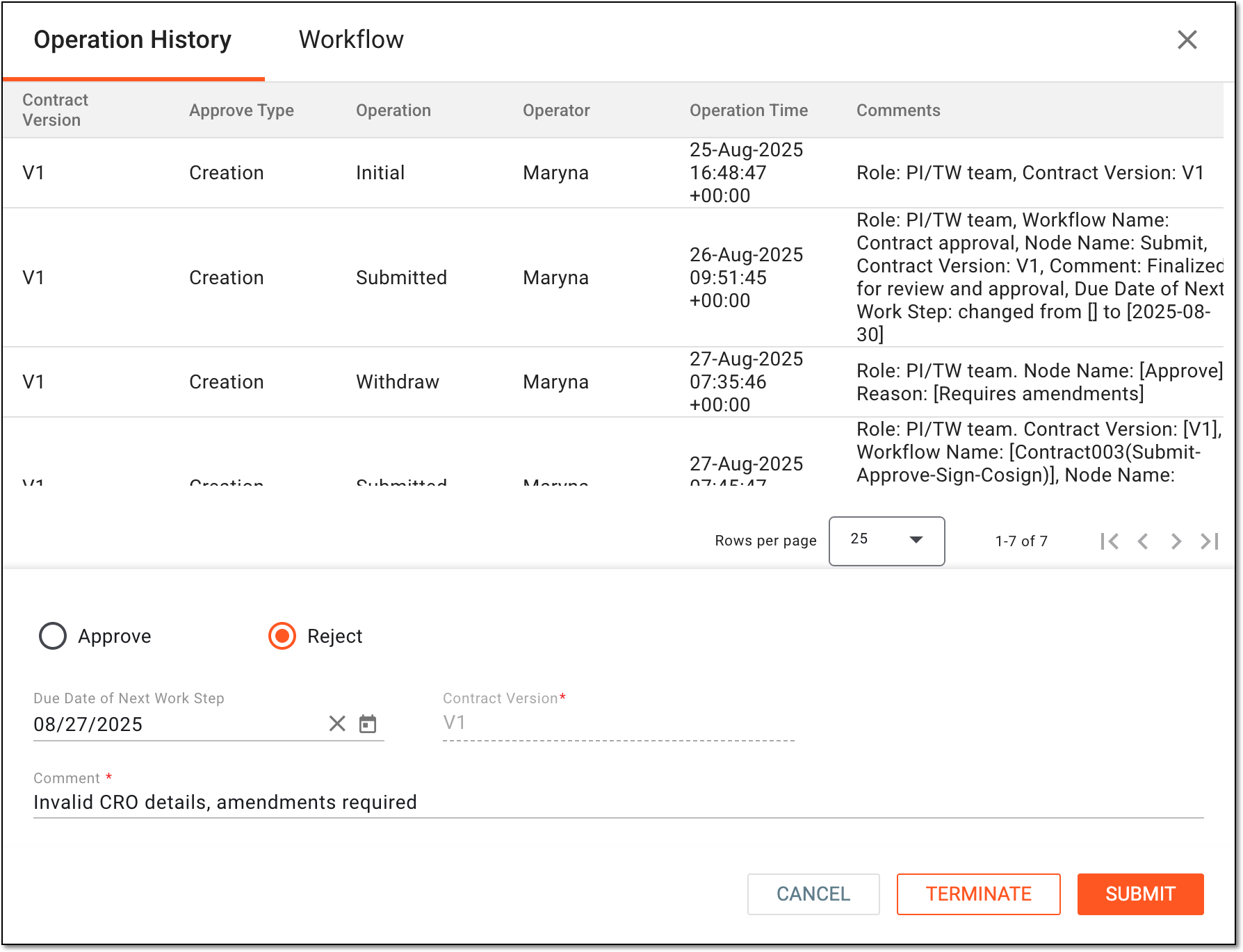 Figure 12. Rejecting contract
Element
Details
Operation History
The tab that opens by default represents the complete log of operations performed to the contract from its creation and up-to-date.
Workflow
Switch to this tab to see the workflow according to which the contract audit is performed.
Figure 13. Switching to associated workflow schema for signature
Reject
Select this option to reject the contract approval or signature based on the current stage of the audit you perform.
Due Date of Next Work Step
Select the date before which the next auditing action must be performed before considered overdue.
Contract Version*
Represents the current contract version that is being rejected.
Comment
Enter auxiliary details to to support your rejection.
SUBMIT
Select
to confirm your action.CANCEL
Select
to discard the changes without saving and close the dialog.Important
To terminate audit for the contract, you must have the Contract > Terminate permission granted to your user role in ADMIN.
-
To terminate the contract audit—prematurely cease the review and approval procedure—select
 .
.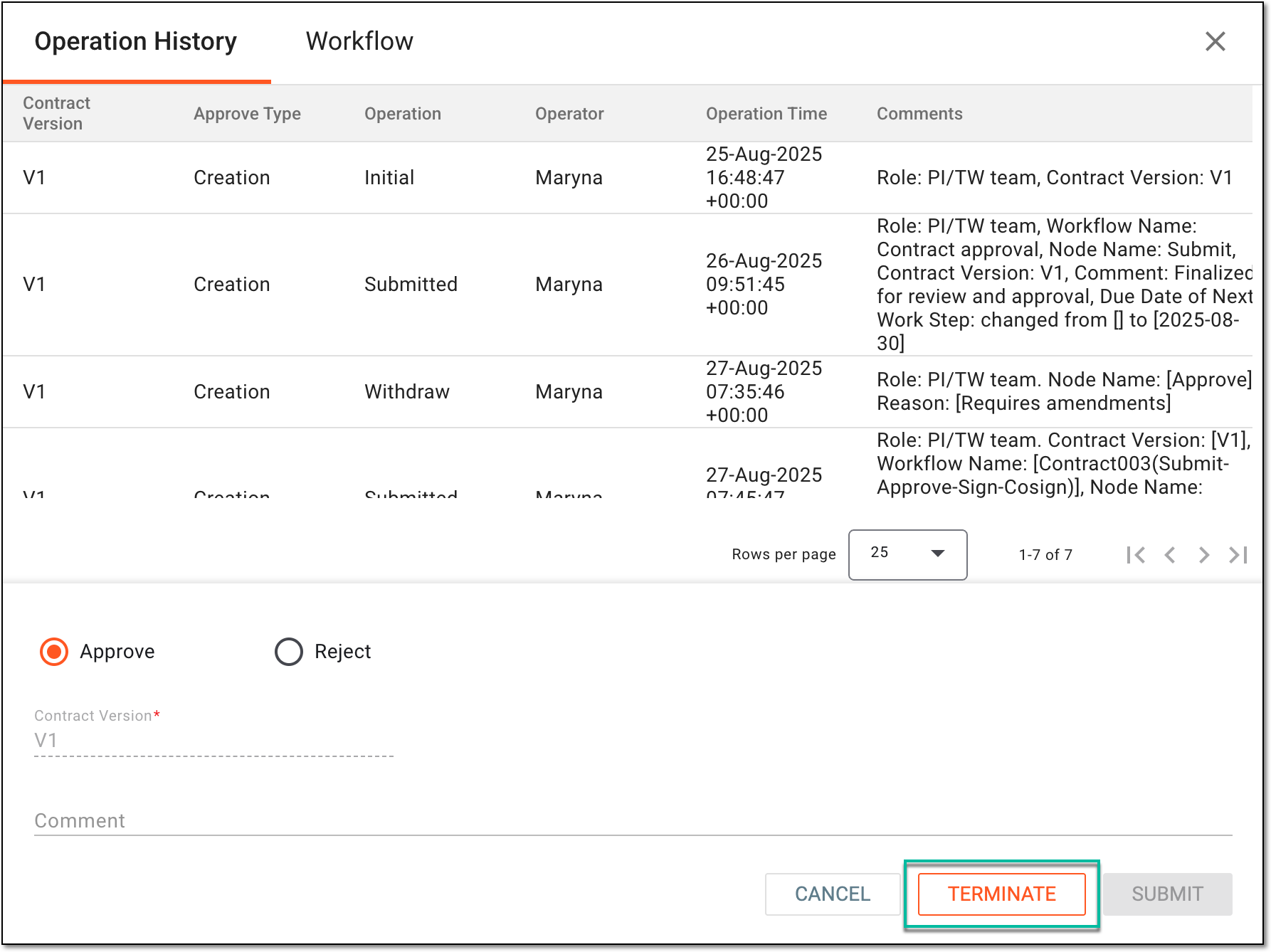 Figure 14. Terminating contract audit
-
In the dialog that appears, enter the argument for the contract audit termination. Then select the checkbox to acknowledge termination and click
 .
.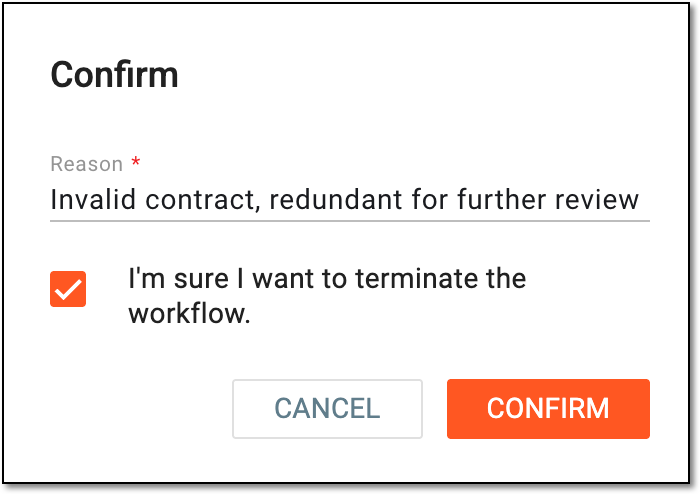 Figure 15. Confirming contract audit termination
-
You have audited the contract. The result differs upon the auditing objective and the performed action:
-
For submission withdrawal, the contract returns to the Draft status and can be edited or deleted.
-
For approval and signature of the newly created or amended contract version, the contract is validated and either moves to the next workflow stage or, once finalized, obtains the Active status. You can now handle payment requests in CTMS and manage site payments in EDC according to this contract.
-
For approval and signature of the contract termination, the action is validated and either moves to the next workflow stage or, once finalized, the contract obtains the Terminated status and is no longer valid for financial operations.
-
For workflow termination, the review and approval procedure is ceased. The contract returns to the Draft status and can be edited or deleted.