Terminate contract
A contract is an agreement between the sponsor and the vendor for certain services to be financially compensated on the established terms.
In CTMS, you can terminate the previously created contracts to cease all contractual financial operations if they are no longer relevant. Termination is usually applied if there is a need to end the contract prematurely due to some reason—breach of contractual agreements, mutual benefit of the counterparties, force majeure, and so on.
Important
You cannot terminate a contract in the Draft or Auditing status.
-
Access the study management page in one of the following ways:
-
In the CTMS application header, select the DASHBOARD tab and then select the study dashboard of your interest.
 Figure 1. Accessing study management from dashboard
-
In the CTMS application header, select the STUDY MANAGEMENT tab. Then from the Study Data List table, select the study name of your interest.
 Figure 2. Accessing study management from study data list
-
-
On the page that opens, in the left pane, select Financial Management > Contract.
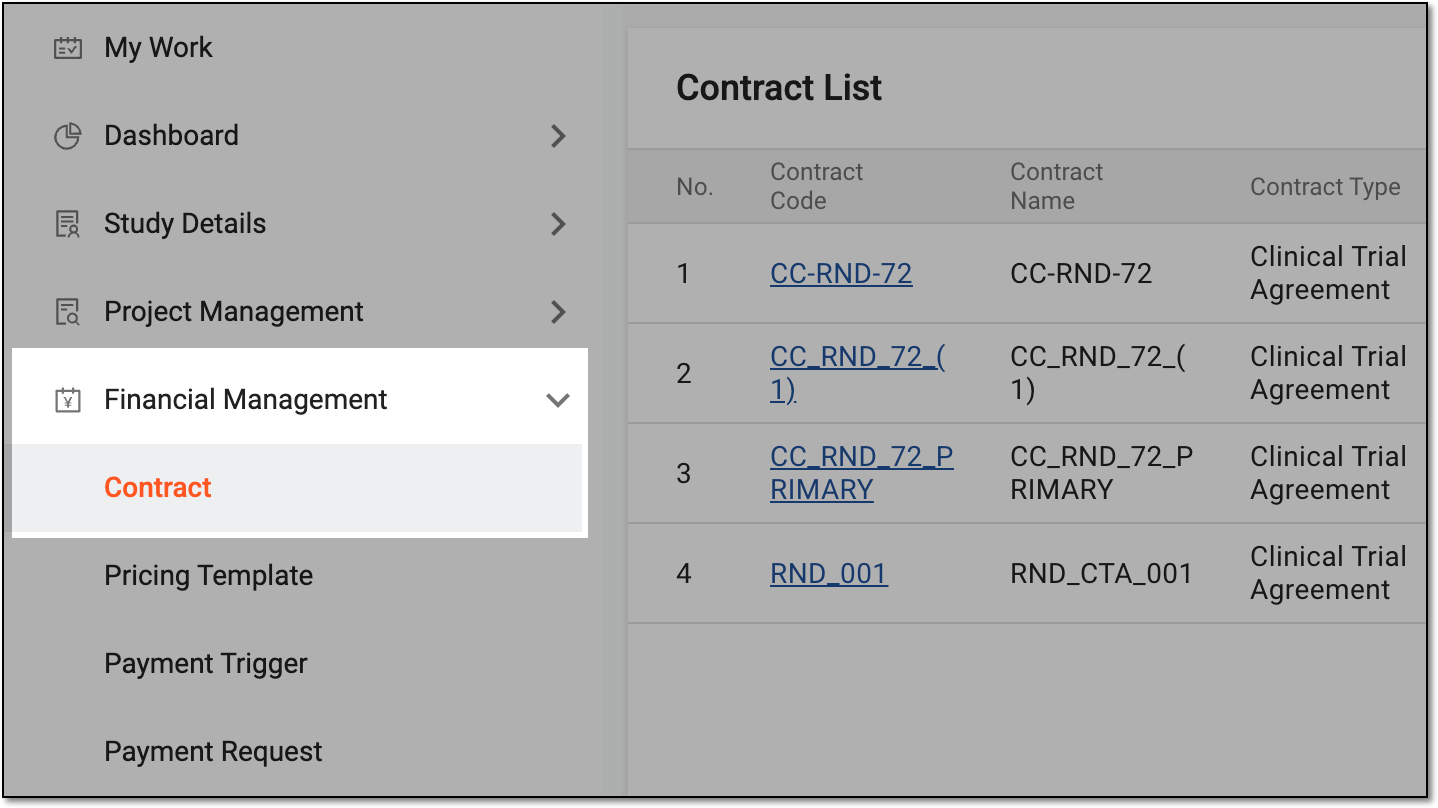 Figure 3. Accessing contract list
-
In Contract List that appears, locate the contract you want to terminate. Then from the Action(s) column, select More
 > Terminate
  .
.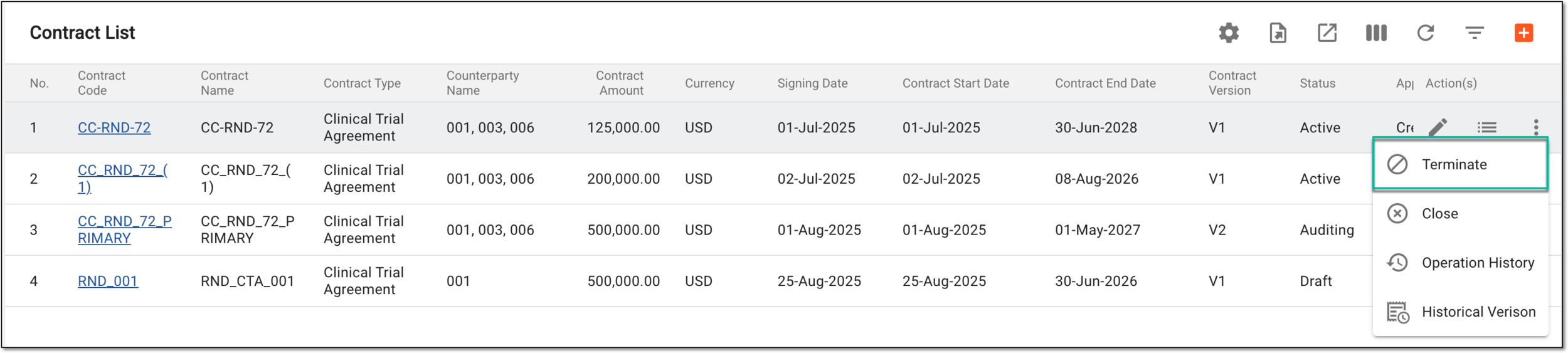 Figure 4. Selecting option to terminate contract
-
In the dialog that appears, confirm the contract submission as explained in the following table.
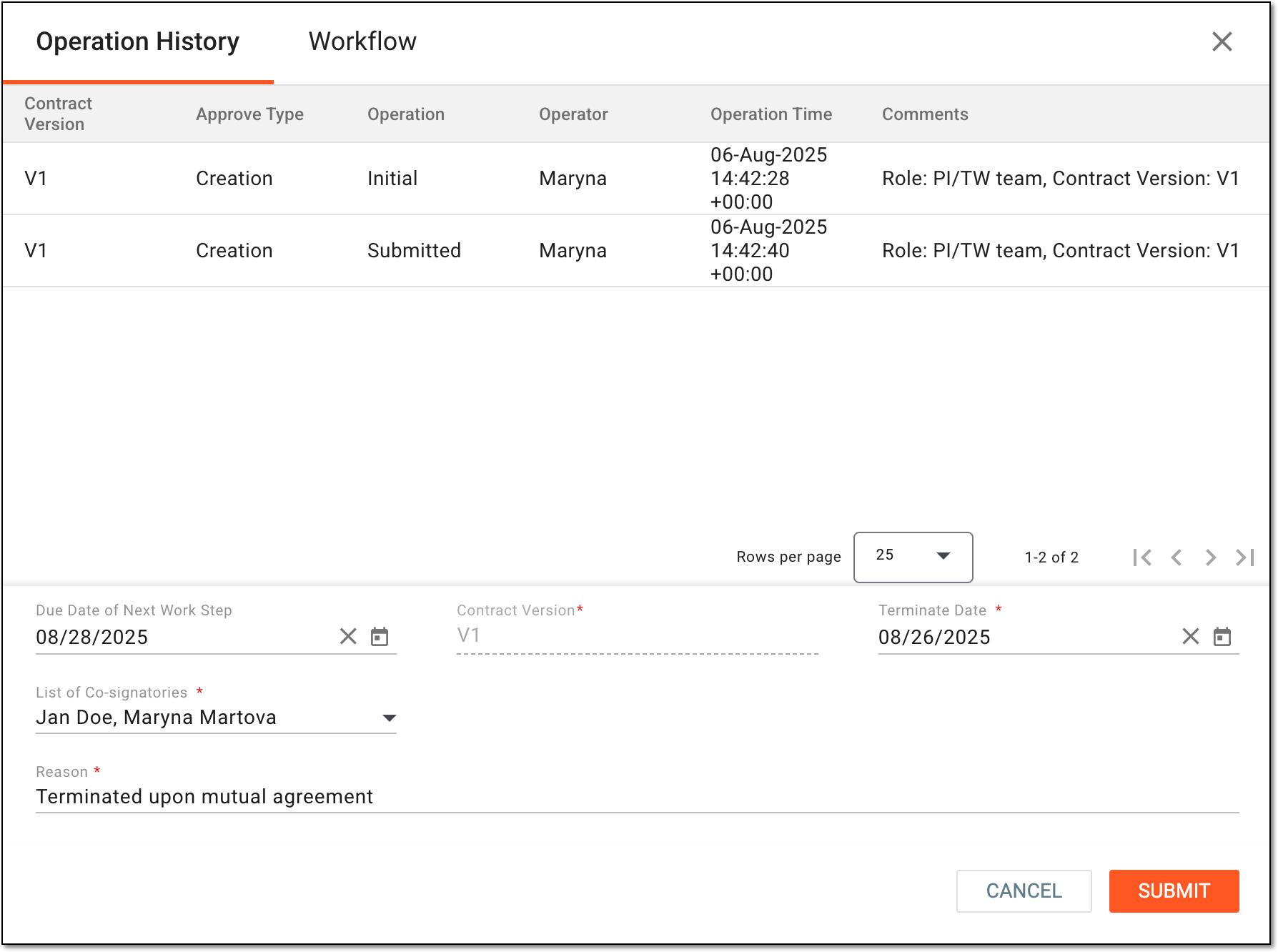 Figure 5. Terminating contract
Tip
In the following table, mandatory elements are marked with an asterisk (*).
Element
Details
Operation History
The tab that opens by default and represents the complete log of operations performed to the contract from its creation and up-to-date.
Workflow
Switch to this tab to see the workflow according to which the contract audit is performed.
Due Date of Next Work Step
Select the date before which the next auditing action must be performed before considered overdue.
Contract Version*
Represents the current contract version that is being terminated.
Terminate Date*
Select the actual date when the contract must be or has been terminated.
List of Co-signatories*
Select the users who have to co-sign the contract audit at the respective workflow step.
This field is only available if the workflow selected when enabling the contract audit has the Co-Sign node.Reason*
Enter the argument for the contract termination.
SUBMIT
Select
 to confirm your action.
CANCEL
Select
 to discard the changes without saving and close the dialog.
Once submitted, the following happens:
-
If the contract audit is enabled for your study, the termination audit is initiated. Now the dedicated personnel can audit this contract termination according to the set workflow. Once termination is validated, the contract ceases its effect on the set termination date.
-
If the contract audit is disabled for your study, the contract ceases its effect on the set termination date; no additional validation is required.