Enable/Disable contract audit
A contract is an agreement between the sponsor and the vendor for certain services to be financially compensated on the established terms.
In CTMS, you can create contracts with counterparties, reflecting different business scenarios and enabling financial operations. To validate the contract and ensure all the details are properly defined, you can introduce an audit—review and approval process performed by designated personnel. The details of the auditing process are defined by the dedicated workflow that you preconfigure via the CTMS library.
Thus, by enabling the audit and assigning a specific workflow, you establish a mandatory and specific procedure for every contract validation of your study. However, if the contracts of your study do not require any review and approval mechanism, you can disable the auditing.
-
Access the study management page in one of the following ways:
-
In the CTMS application header, select the DASHBOARD tab and then select the study dashboard of your interest.
 Figure 1. Accessing study management from dashboard
-
In the CTMS application header, select the STUDY MANAGEMENT tab. Then from the Study Data List table, select the study name of your interest.
 Figure 2. Accessing study management from study data list
-
-
On the page that opens, in the left pane, select Financial Management > Contract.
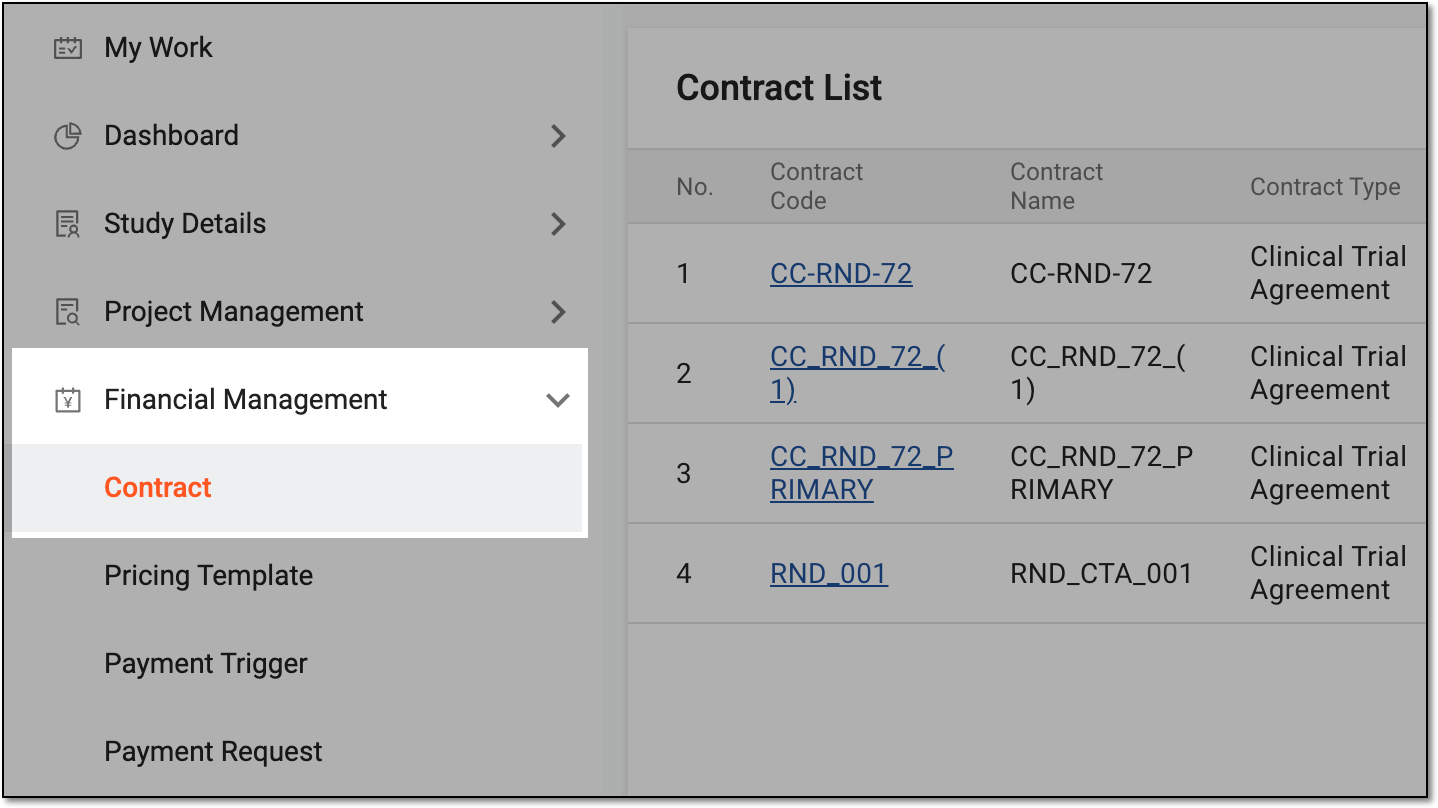 Figure 3. Accessing contract list
-
From the workspace toolbar of Contract List that opens, select Contract Configuration
 .
. Figure 4. Accessing contract audit setting
-
In the Contract Configuration dialog that opens, set up the auditing procedure as explained in the following table.
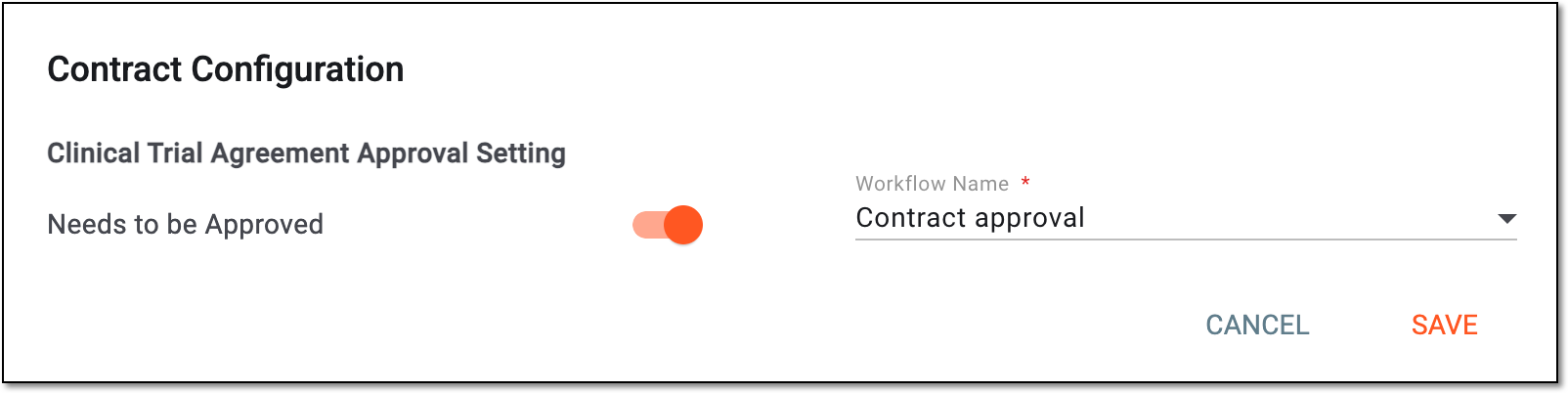 Figure 5. Enabling audit for contracts
Tip
In the following table, mandatory elements are marked with an asterisk (*).
Element
Details
Clinical Trial Agreement Setting
Need to be Approved
Control the toggle as follows:
-
Turn on the toggle to enable the auditing procedure for the contracts of your study.
-
Turn off the toggle to disable the auditing procedure.
Workflow Name*
Select the contract approval workflow according to which all the contracts of your study must be reviewed and approved.
SAVE
Select
 to implement the changes.
CANCEL
Select
 to discard the changes and close the dialog.
 -
Once saved, the auditing procedure for your study is either enabled or disabled based on your performed action.