Close contract
A contract is an agreement between the sponsor and the vendor for certain services to be financially compensated on the established terms.
In CTMS, you can close the contracts that have fulfilled their purpose. Closure is usually applied if there are no more contractual obligations between the counterparties.
Important
You cannot close a contract in the Draft or Auditing status.
-
Access the study management page in one of the following ways:
-
In the CTMS application header, select the DASHBOARD tab and then select the study dashboard of your interest.
 Figure 1. Accessing study management from dashboard
-
In the CTMS application header, select the STUDY MANAGEMENT tab. Then from the Study Data List table, select the study name of your interest.
 Figure 2. Accessing study management from study data list
-
-
On the page that opens, in the left pane, select Financial Management > Contract.
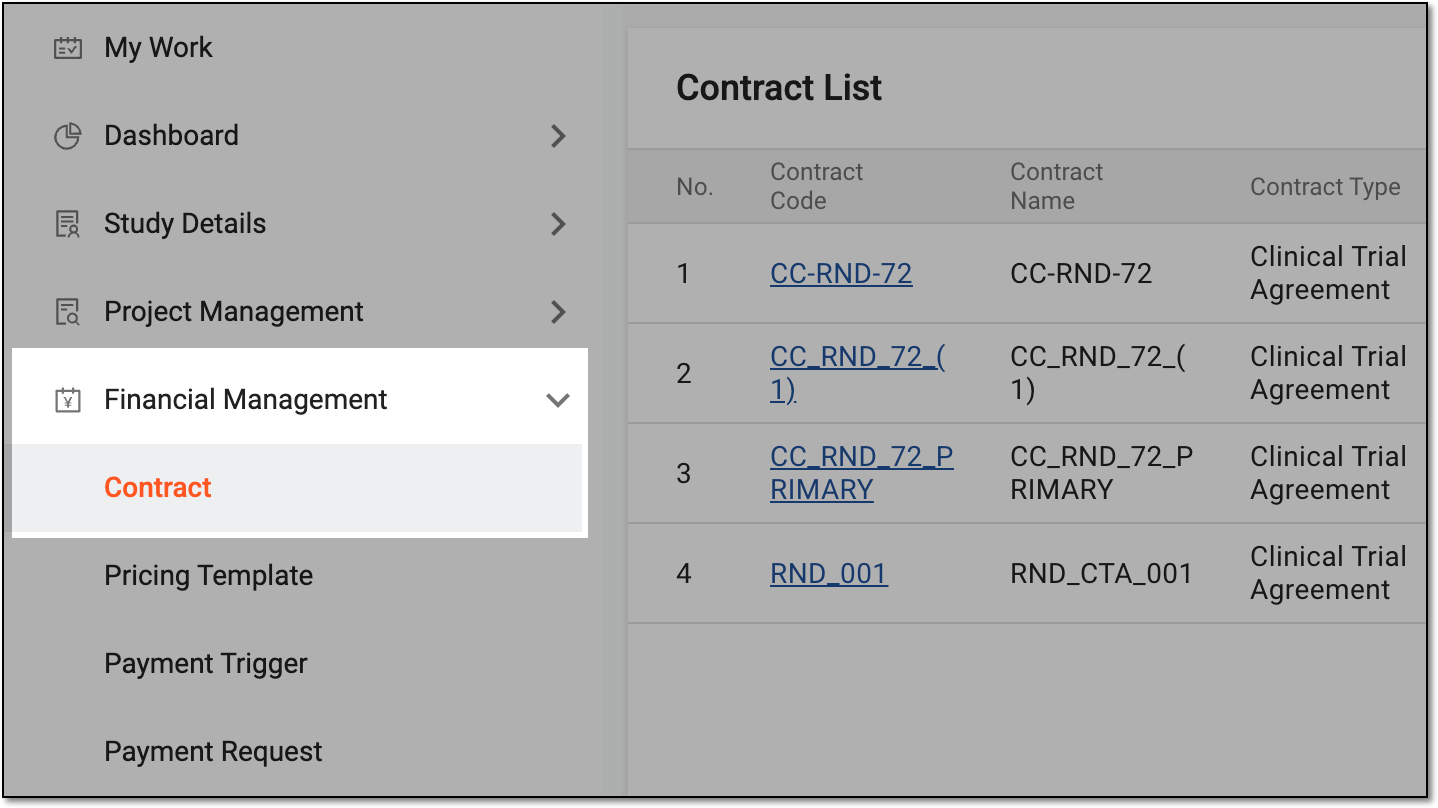 Figure 3. Accessing contract list
-
In Contract List that appears, locate the contract you want to close. Then from the Action(s) column, select More
 > Close
  .
.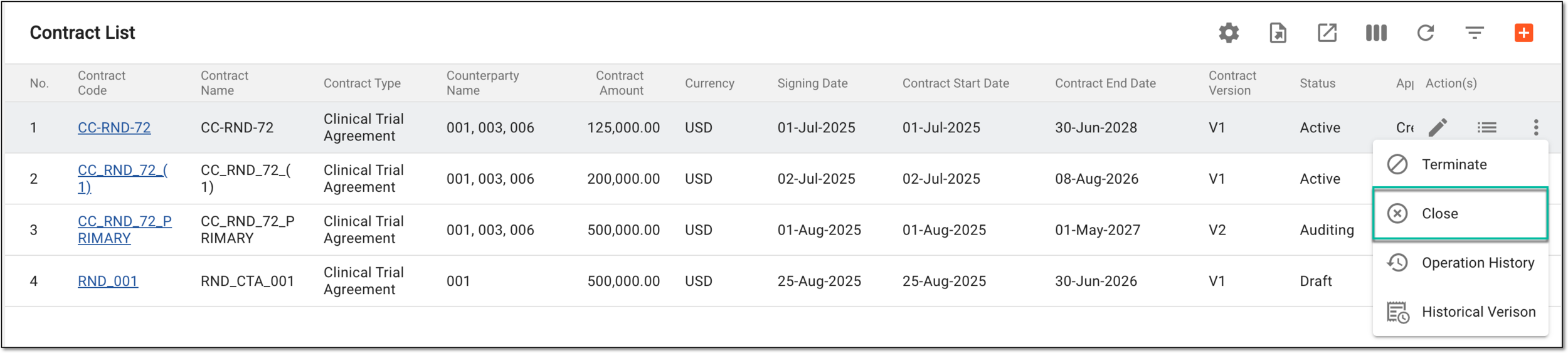 Figure 4. Selecting option to close contract
-
In the Confirm dialog that appears, to acknowledge that the operation is final and ceases all financial operations irrevocably, select
 .
.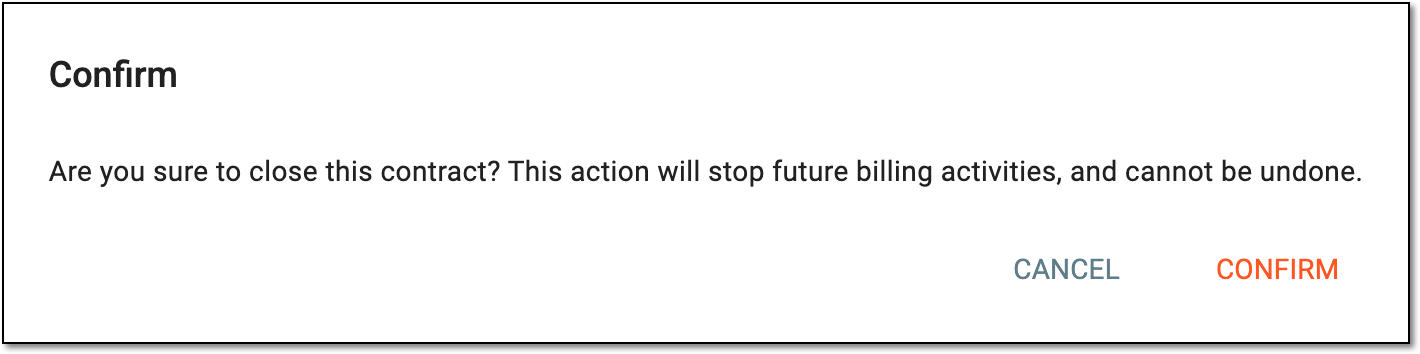 Figure 5. Closing contract
Once confirmed, the contract is closed. You can no longer use it for financial management operations in CTMS or site payments in EDC.