Payment requests
A payment request is an inquiry to perform financial compensation for a service. In a clinical trial, payment requests are created to maintain financial operations between the sponsor and their vendors or other involved parties, such as sites, labs, and research facilities.
In CTMS, you can manage the requests populated from EDC as well as those created internally—in CTMS.
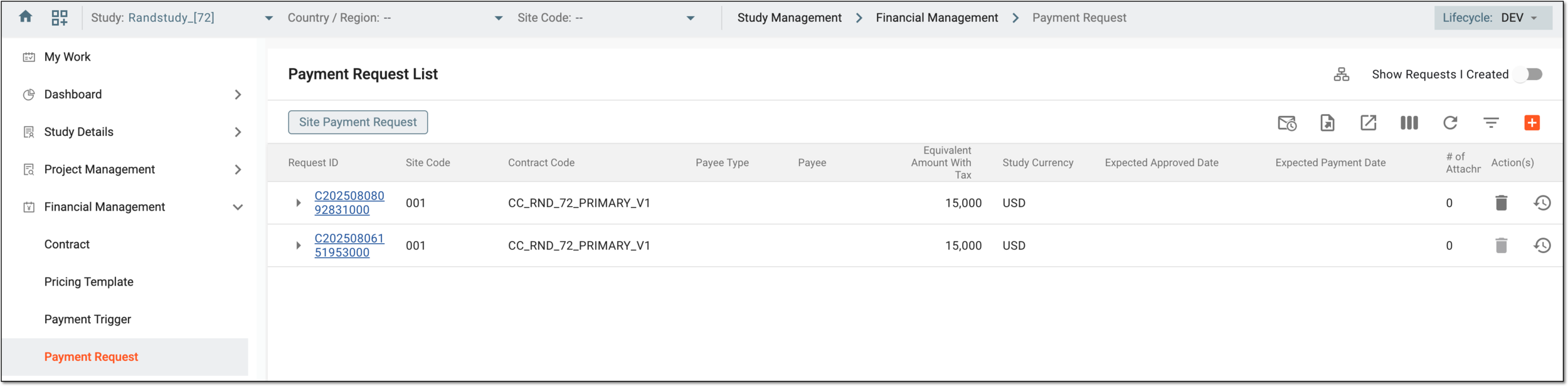
The complete list of all payment requests of your study is available under the Financial Management > Payment Request page. The significance of all the available payment request details you can find in the following table.
Tip
Turn on the Show requests I created toggle to display only the payment requests created by you for easy navigation.
|
Column |
Details |
|---|---|
|
Request ID |
Represents the unique identification number assigned to the payment request upon creation. Select the arrow symbol 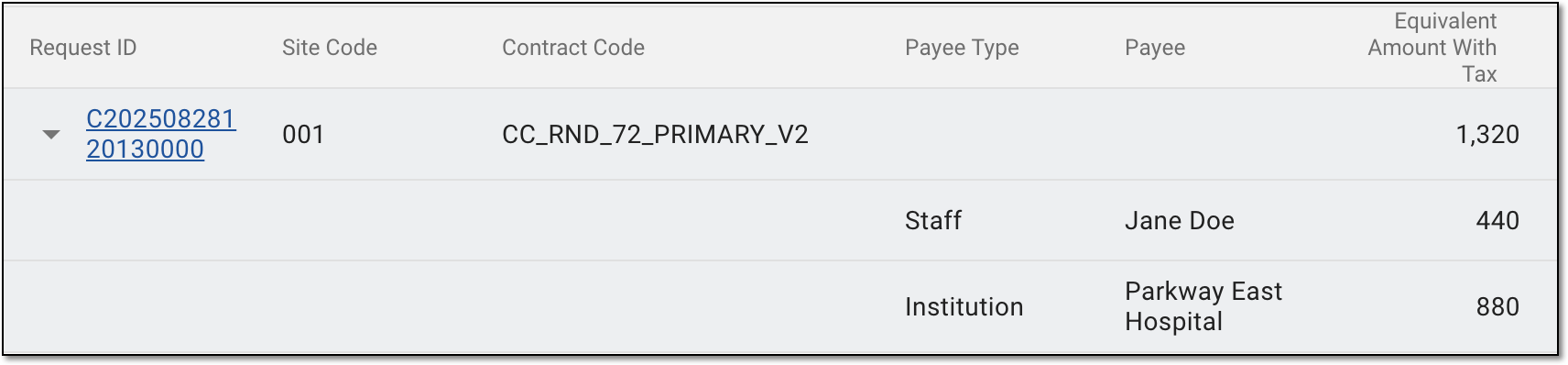
Figure 2. Expanding request details
|
|
Site Code |
Represents the unique identifier of the site to which the payment request relates. |
|
Contract Code |
Represents the unique identifier of the contract with the service provider according to which the payment is made.
|
|
Payee Type |
Represents the classification of the payment recipient, such as staff member, participating organization, or else. |
|
Payee |
Represents the actual payment recipient, such as a role of a staff member getting paid according to this request, a certain person's name, a name of a participating organization, or else. |
|
Equivalent Amount With Tax |
Represents the actual amount of money paid (or to be paid) according to the request after the addition of the tax fees. |
|
Study Currency |
Represents the money currency in which the financial operations of the study are held. |
|
Expected Approved Date |
Represents the date set as the next workflow step due date upon the payment request submission. This outlines the time before which the payment request must be reviewed and approved, otherwise becoming overdue. |
|
Expected Payment Date |
Represents the date set as the next workflow step due date upon the payment request approval or signature (based on which workflow step precedes the payment one). This outlines the time before which the payment request must be paid; otherwise, it becomes overdue. |
|
# of Attachments |
Represents the number of attached files in the payment request. Select the value to open the Attachments dialog and see the complete list of attached files. You can also use Download 
Figure 3. Accessing payment request attachments
|
|
Uploaded Invoice |
Represents if the invoice file is attached to the payment request (Yes) or not (No). |
|
Invoice Number |
Represents the unique identification number of the invoice attached to the payment request. |
|
Uploaded Voucher |
Represents if the voucher file is attached to the payment request (Yes) or not (No). |
|
Paid Date |
Represents the date when the payment request is paid in CTMS to the payee. |
|
Receipt Date |
Represents the date set upon payment receipt confirmation. |
|
Description |
Represents the auxiliary details on the payment request provided upon creation or update of the request. |
|
Status |
Represents the current audit status of the payment request in the CTMS system according to the associated workflow, such as Approved, Signed, or else. |
|
Workflow Status |
Represents the current status of the workflow associated with the payment request, for instance, Review Completed. |
|
Source |
Represents if the payment request was created in the CTMS system or in EDC. |
|
Created by |
Represents the name of the user who created the payment request. |
|
Created Time |
Represents the exact date, time, and time zone indicator of when the payment request is created. |


From the Payment Request List page, you can manage your requests as explained in the following sections:
In a clinical trial, a location where the subject treatment and drug dispensation occur. It can be a hospital, a private laboratory, or other institutions.
A schema, each step of which represents a stage of a specific entity lifecycle in the system.
A workflow can be considered an instrument to help control various actions on system entities for the sake of accountability, as it limits the actions that can be performed on the entity associated with a workflow. This provides an additional tier of scrutiny, and the approval/rejection mechanism reduces the risk of unintended impact on sensitive resources and important information.
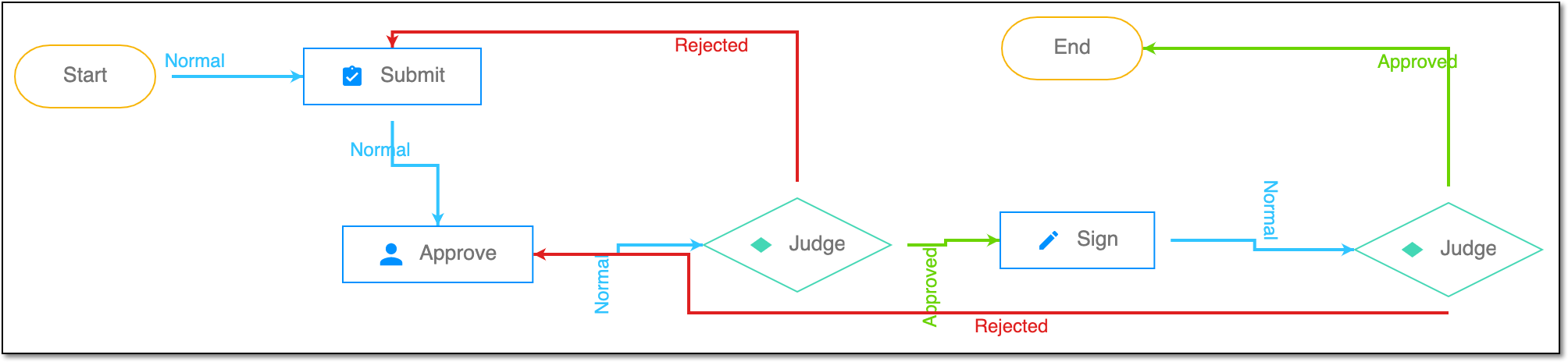 |
For instance, in eTMF, the workflow dictates the procedure of file and folder management from the moment of upload to the approval stage; in CTMS, the workflow controls the process of creation, completion, and approval of a trip report; in EDC, the workflow covers the process of source document handling.
An eClinical application that is mainly used to collect and manage subject data during clinical trials. It integrates with the Study Designer (SD) application and uses preconfigured there case report forms (CRFs) to complete data collection and management. It also provides an audit trail, data alert, source data verification (SDV), payment management, adjudication, and other functions as well as supports data export according to the CDISC ODM standard.
Get to know all the possibilities of the app with the comprehensive EDC User Guide.