Access history of emails sent for payment requests
A payment request is an inquiry to perform financial compensation for a service. In a clinical trial, payment requests are created to maintain financial operations between the sponsor and their vendors or other involved parties, such as sites, labs, and research facilities.
All the payment requests must undergo the audit procedure in CTMS according to the associated workflow. This may include approval, signature, or other operations to ensure the validity of the request before issuing the payment. At each stage of the audit, the assignee of the audit receives an email notification, helping them timely react to the needed actions. For convenience and traceability, you can access the complete history of such emails sent according to the payment request-related workflows.
-
Access the study management page in one of the following ways:
-
In the CTMS application header, select the DASHBOARD tab and then select the study dashboard of your interest.
 Figure 1. Accessing study management from dashboard
-
In the CTMS application header, select the STUDY MANAGEMENT tab. Then from the Study Data List table, select the study name of your interest.
 Figure 2. Accessing study management from study data list
-
-
On the page that opens, from the left pane, expand Financial Management > Payment Request.
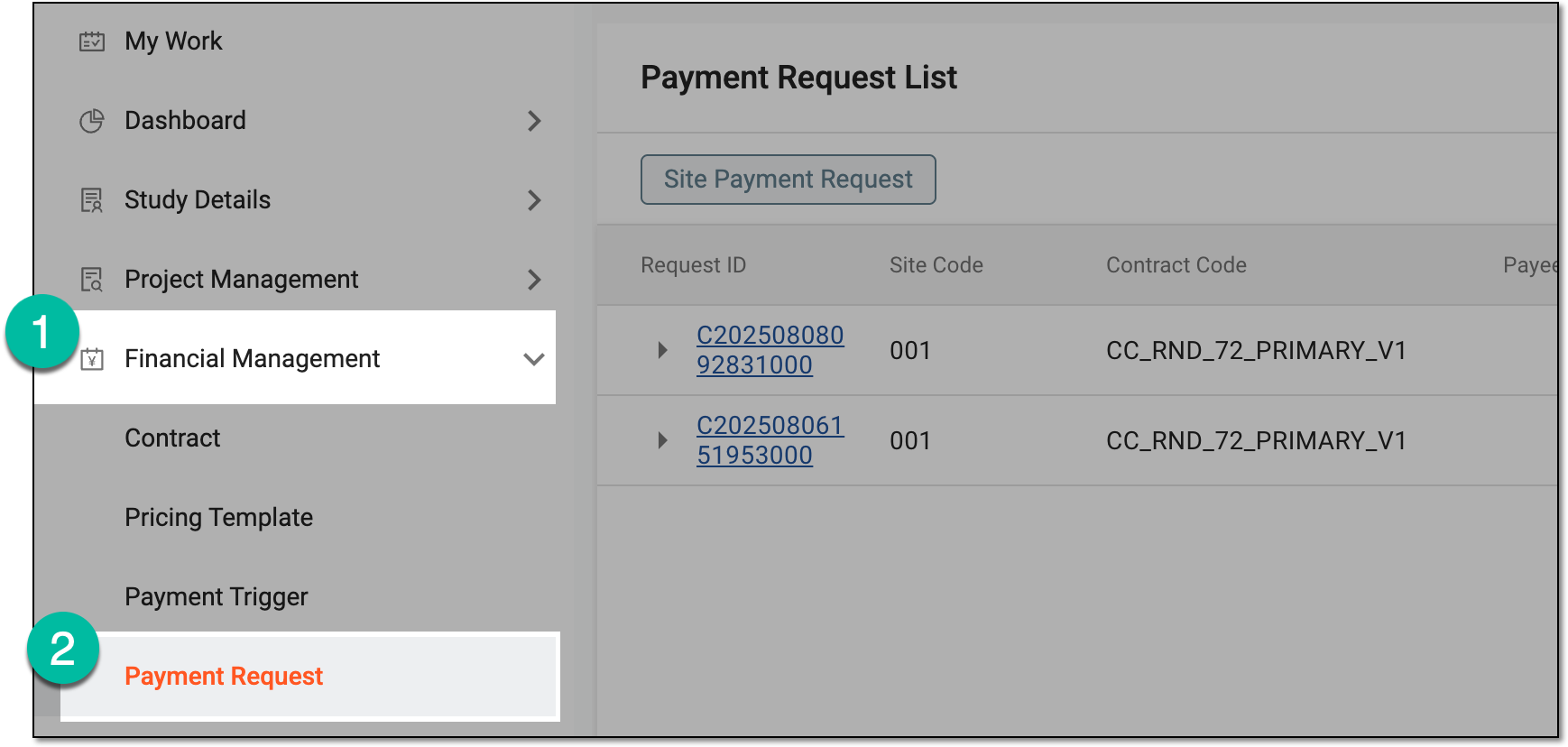 Figure 3. Accessing payment request list
-
On the Payment Request List page that opens, from the workspace toolbar, select Mail History
 .
.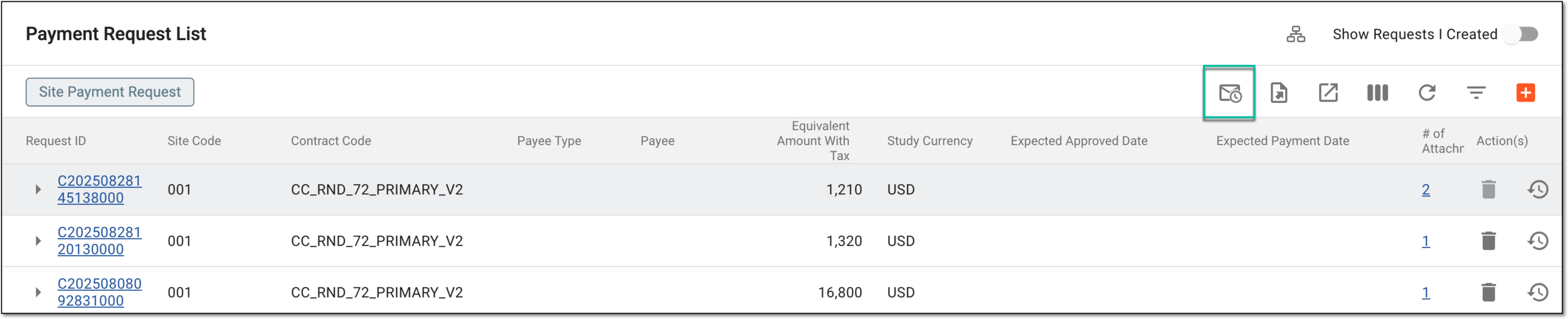 Figure 4. Accessing mail history for payment requests
-
In the Mail History dialog that appears, you have the complete log of emails sent by payment-related workflows.
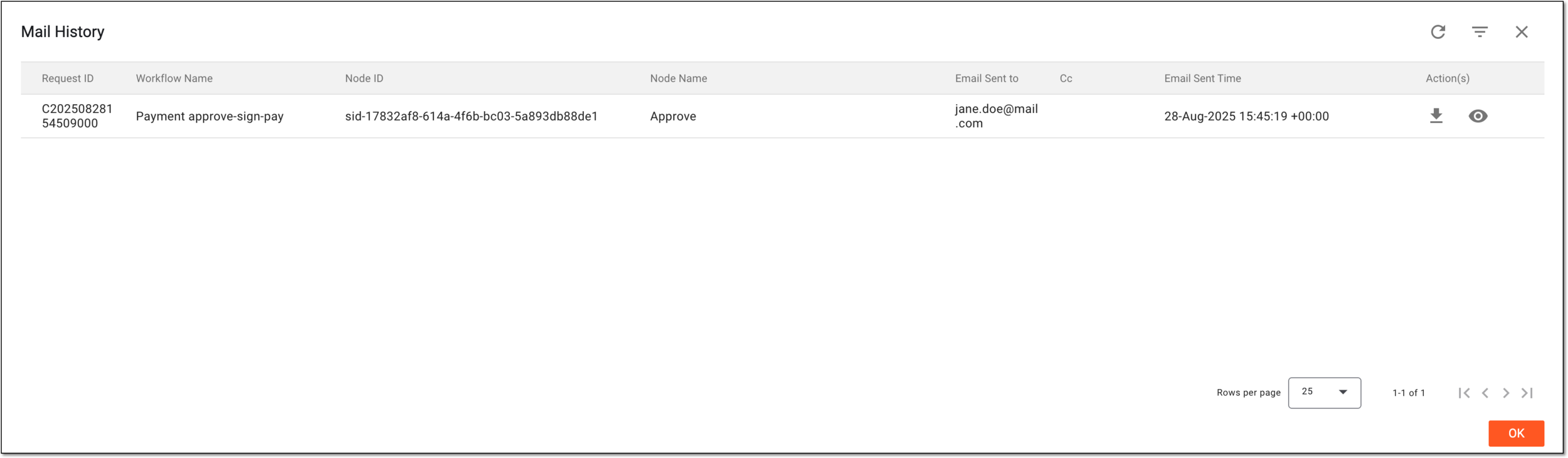 Figure 5. Analyzing history of emails sent for payment requests
You have accessed the history of emails sent by payment-related workflows.
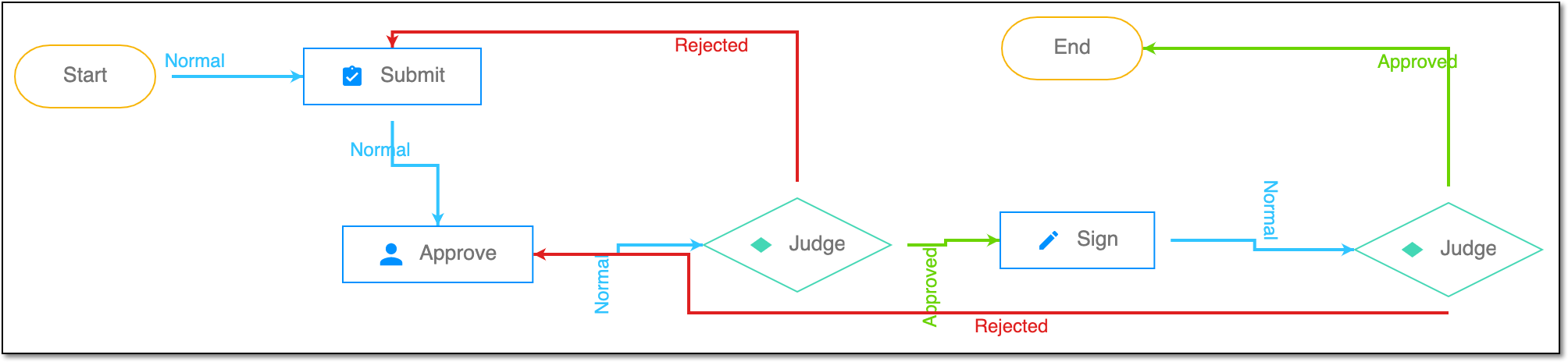
A schema, each step of which represents a stage of a specific entity lifecycle in the system.
A workflow can be considered an instrument to help control various actions on system entities for the sake of accountability, as it limits the actions that can be performed on the entity associated with a workflow. This provides an additional tier of scrutiny, and the approval/rejection mechanism reduces the risk of unintended impact on sensitive resources and important information.
 |
For instance, in eTMF, the workflow dictates the procedure of file and folder management from the moment of upload to the approval stage; in CTMS, the workflow controls the process of creation, completion, and approval of a trip report; in EDC, the workflow covers the process of source document handling.