Delete payment request
A payment request can be interpreted as an inquiry to perform financial compensation for a service. In a clinical trial, payment requests are created to maintain financial operations between the sponsor and vendors and other involved parties, such as sites, labs, and research facilities.
In CTMS, you can delete the following requests from the list:
-
Voided: the request is terminated or withdrawn upon auditing.
-
Access the study management page in one of the following ways:
-
In the CTMS application header, select the DASHBOARD tab and then select the study dashboard of your interest.
 Figure 1. Accessing study management from dashboard
-
In the CTMS application header, select the STUDY MANAGEMENT tab. Then from the Study Data List table, select the study name of your interest.
 Figure 2. Accessing study management from study data list
-
-
On the page that opens, from the left pane, expand Financial Management > Payment Request.
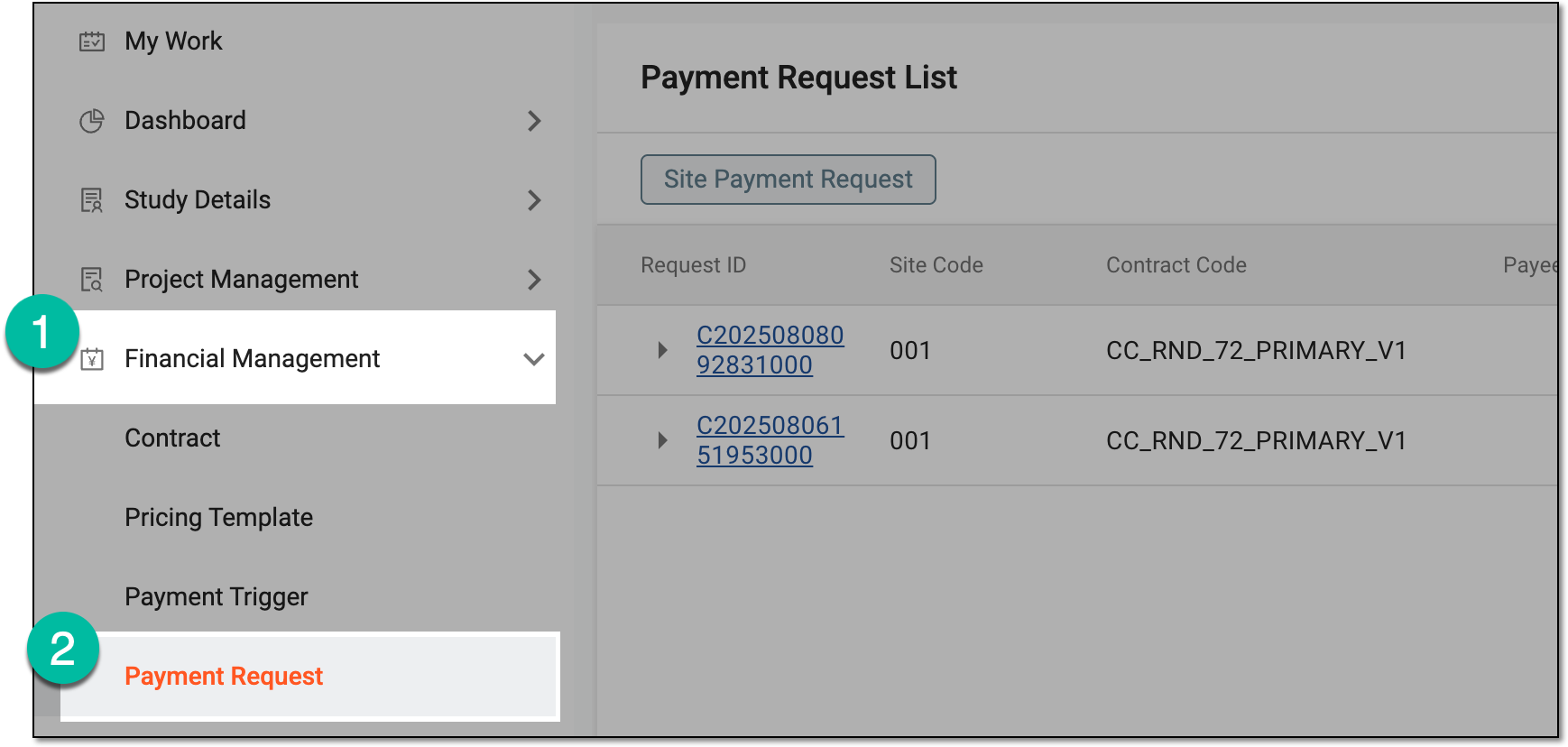 Figure 3. Accessing payment request list
-
On the Payment Request List page that opens, locate the request that you want to delete. Then from the Action column next to it, select Delete
 .
.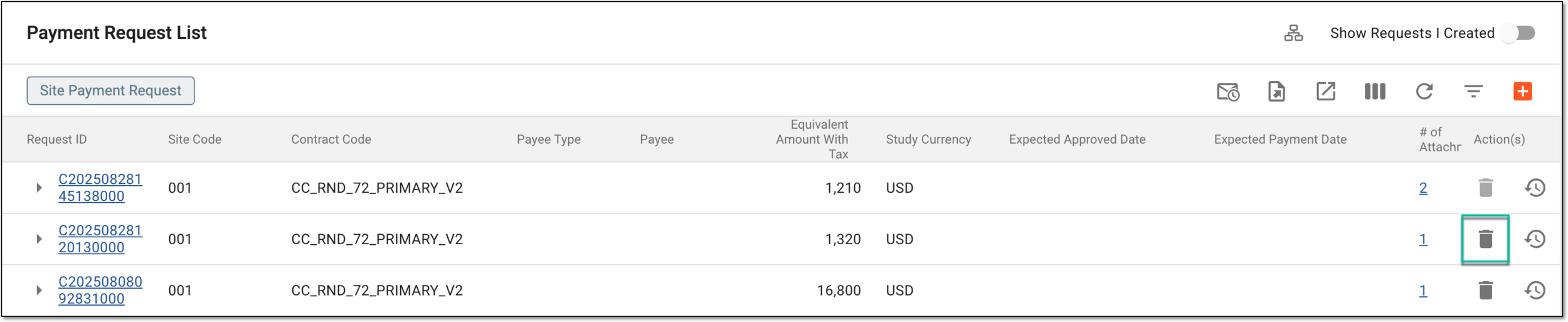 Figure 4. Deleting payment request
-
In the Reason dialog that appears, specify your argument for the payment request deletion. Then select
 to confirm your
action.
to confirm your
action.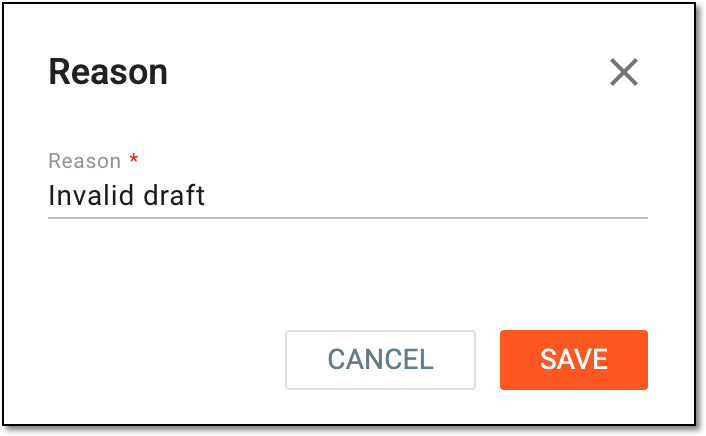 Figure 5. Providing reason for payment request deletion
Once confirmed, the payment request is deleted.