Associate/Disassociate workflow for payment request audit
A payment request is an inquiry to perform financial compensation for a service. In a clinical trial, payment requests are created to maintain financial operations between the sponsor and their vendors or other involved parties, such as sites, labs, and research facilities.
To validate the payment requests of your study and ensure all the details are properly defined, you can introduce an audit—review and approval process performed by designated personnel. The details of the auditing process are defined by the dedicated payment request workflow that you preconfigure via the CTMS library.
Thus, by enabling the audit and associating a specific workflow, you establish a mandatory and specific procedure for every payment request validation. However, if the payments of some specific country or site do not require any review and approval mechanism, you can disassociate the auditing workflow from that location.
Tip
Ensure to create payment approval workflows before proceeding to the following operation.
-
Access the study management page in one of the following ways:
-
In the CTMS application header, select the DASHBOARD tab and then select the study dashboard of your interest.
 Figure 1. Accessing study management from dashboard
-
In the CTMS application header, select the STUDY MANAGEMENT tab. Then from the Study Data List table, select the study name of your interest.
 Figure 2. Accessing study management from study data list
-
-
On the page that opens, from the left pane, expand Financial Management > Payment Request.
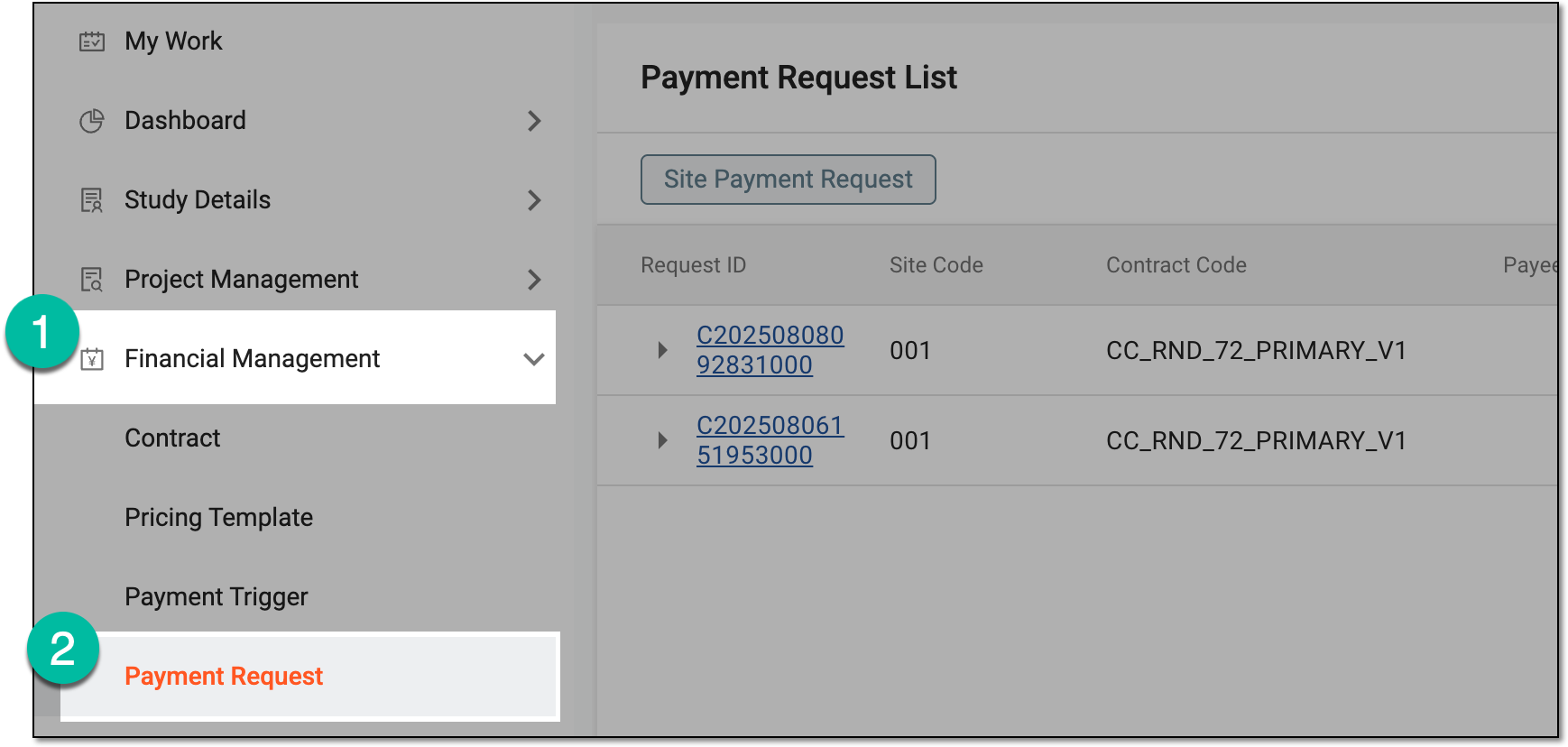 Figure 3. Accessing payment request list
-
On the Payment Request List page that opens, from the workspace toolbar, select Workflow Setting
 .
. Figure 4. Accessing workflow setting for payment requests
-
On the page that opens, manage the payment approval workflows for the countries and sites as follows.
-
From the Hierarchy tree, select the checkboxes next to the sites that have no associated workflow. Then from the workspace toolbar, select Associate Workflow
.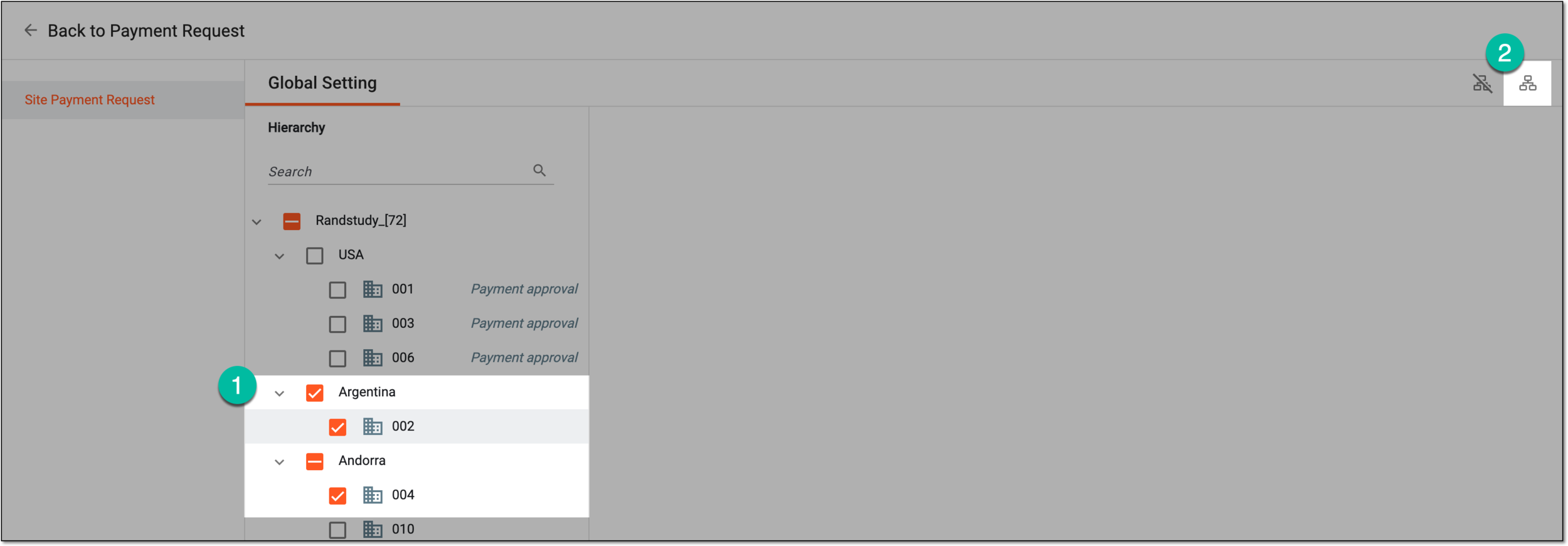 Figure 5. Selecting option to associate workflow with sites
-
On the page that opens, from the left pane, select the workflow to associate with the chosen sites. In the contents panel, preview the selected workflow schema. Then select Save
 .
. Figure 6. Selecting workflow to associate with sites
-
From the Hierarchy tree, select the checkboxes next to the sites that have associated workflow.
Tip
If there is an associated workflow, its name is displayed next to the site code. You can preview the associated workflow by selecting the site code in the tree.
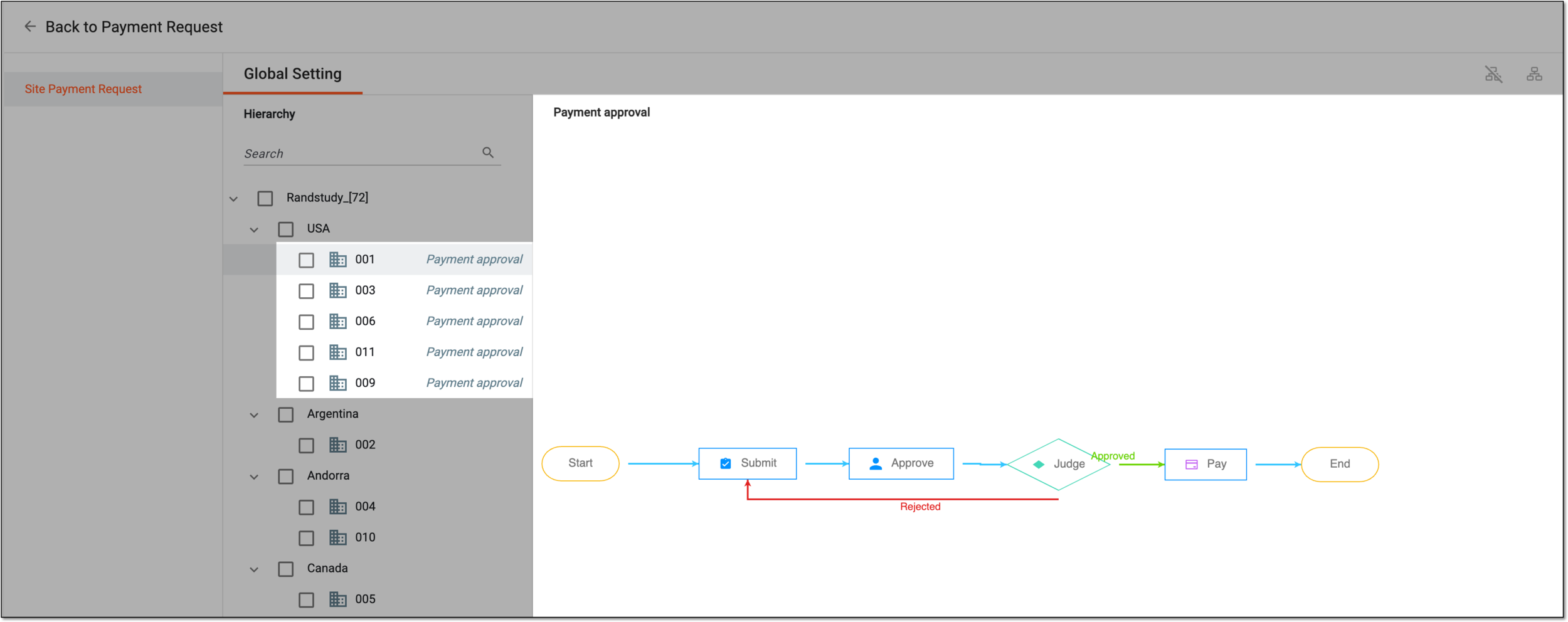 Figure 7. Previewing associated payment approval workflow for site
-
From the workspace toolbar, select Disassociate Workflow
 .
.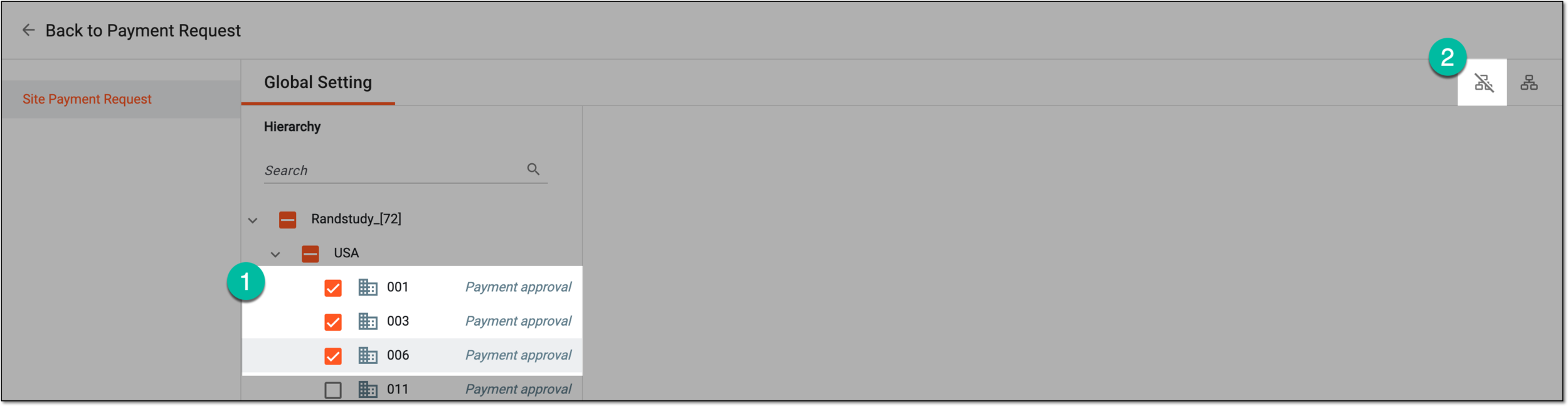 Figure 8. Selecting option to disassociate workflow from sites
-
Once done, the workflow becomes associated with or disassociated from the chosen sites. Upon association, all the payment requests of the site must be audited according to the set workflow.