Confirm payment receipt
A payment request can be interpreted as an inquiry to perform financial compensation for a service. In a clinical trial, payment requests are created to maintain financial operations between the sponsor and vendors and other involved parties, such as sites, labs, and research facilities.
In CTMS, once the payment request is audited and paid, you can confirm its receipt to finalize the operation.
-
Access the study management page in one of the following ways:
-
In the CTMS application header, select the DASHBOARD tab and then select the study dashboard of your interest.
 Figure 1. Accessing study management from dashboard
-
In the CTMS application header, select the STUDY MANAGEMENT tab. Then from the Study Data List table, select the study name of your interest.
 Figure 2. Accessing study management from study data list
-
-
On the page that opens, from the left pane, expand Financial Management > Payment Request.
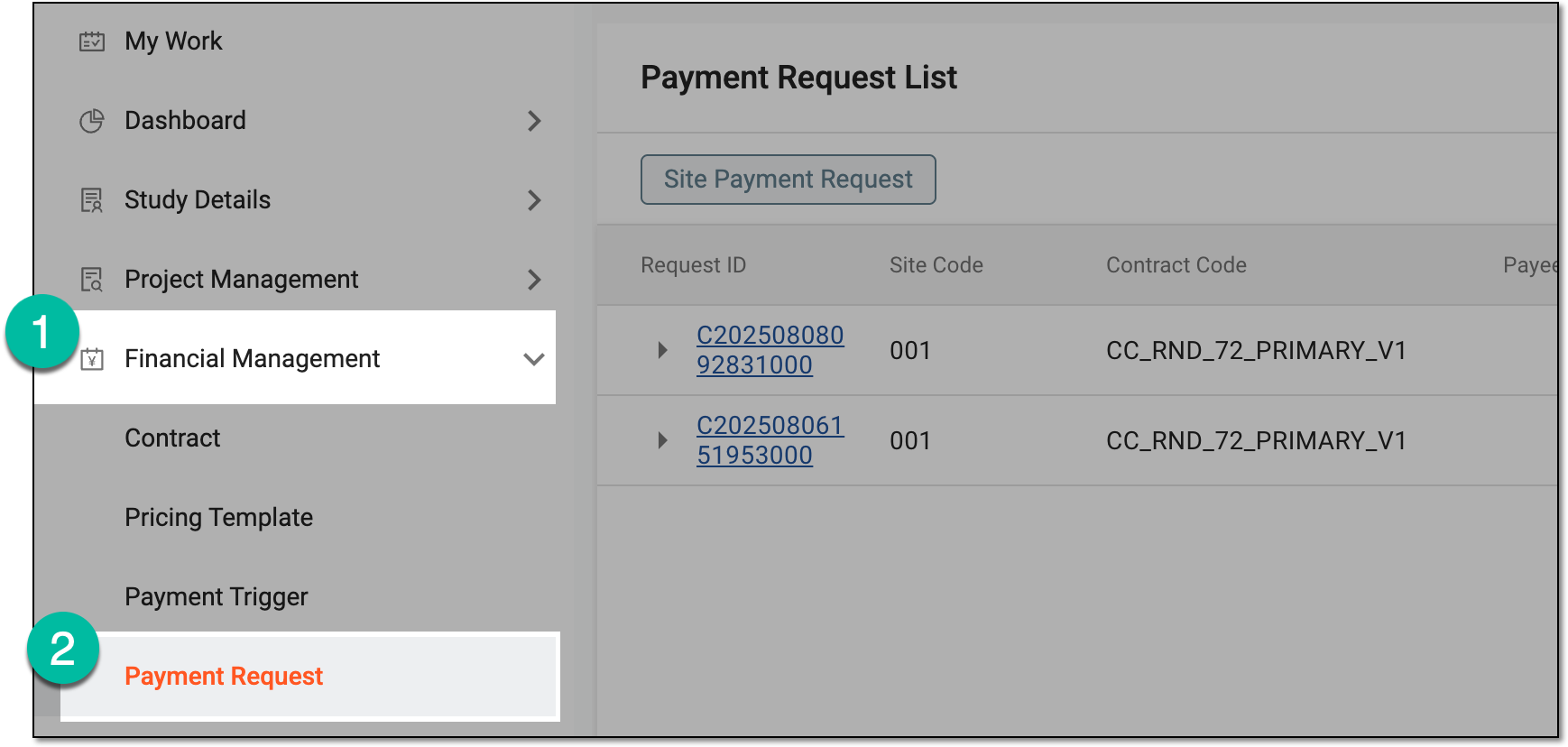 Figure 3. Accessing payment request list
-
In the list that opens, locate the payment request in the Paid status and next to it, from the Action(s) column, select Confirm Receipt
 .
.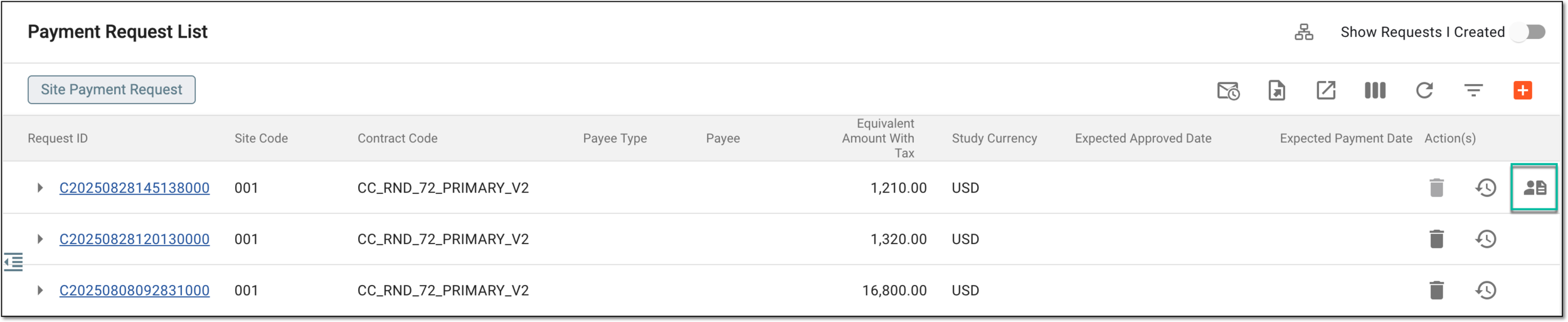 Figure 4. Accessing payment receipt confirmation
-
In the Confirm Receipt dialog, provide the details as explained in the following table.
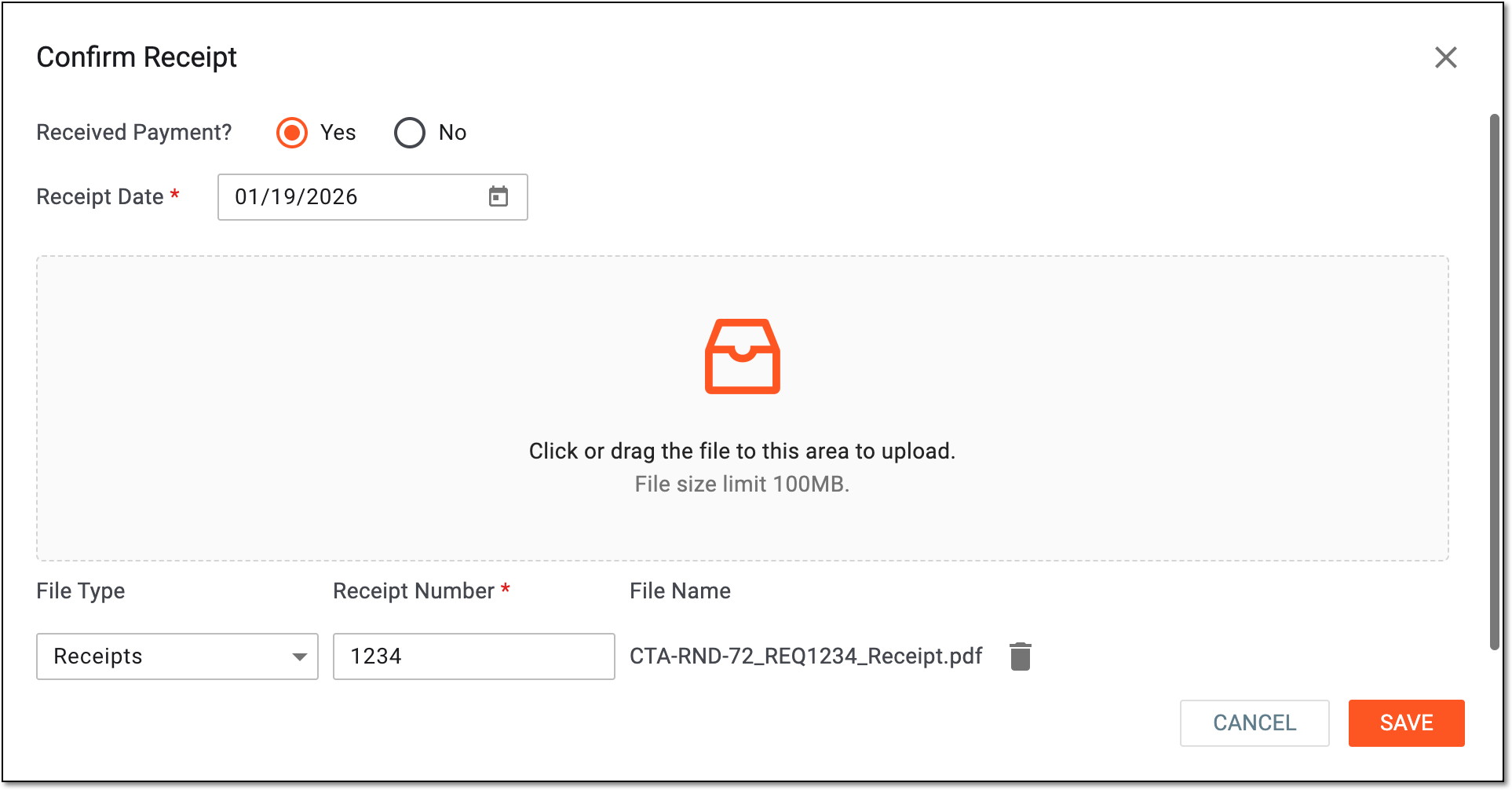 Figure 5. Confirming payment receipt
Tip
In the following table, mandatory elements are marked with an asterisk (*).
Element
Details
Received Payment
Select if you confirm to have received the payment:
-
Yes: the payment is received and you can provide additional details and attach the confirmation documents.
-
No: the payment is not received and you need to provide comment with additional details.
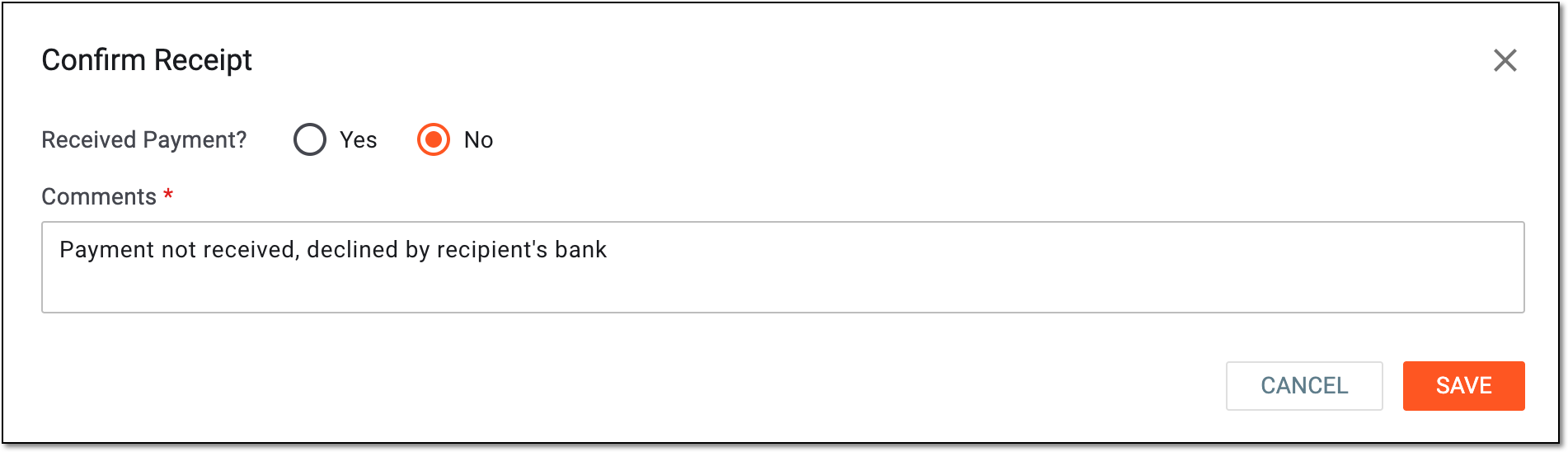 Figure 6. Stating payment not received
Receipt Date*
Select the date when the payment is actually received.
Click or drag the file to this area to upload
Drag the files from your computer to this area or select this area and choose the documents you want to upload from your computer. Multiple files can be uploaded at once.
File Type
Select the type of the uploaded file, such as Receipts or Other.
Receipt Number*
Enter the unique identifier of the attached file.
File Name
Represents the name of the uploaded file.

Select the deletion option next to the uploaded file name in case it needs to be removed from the list.
SAVE
Select
 to implement the changes.
CANCEL
Select
 to discard the changes without saving, close the dialog, and return to Payment Request
List.
to discard the changes without saving, close the dialog, and return to Payment Request
List. -
Once saved, the payment receipt is confirmed and the request is finalized with the status Receipt Confirmed.