Search for duplicates of data extracted from PDF
With the PDF Import functionality, you can import safety data from the unstructured source documents, such as scanned SAE forms in the PDF format. The files can be uploaded manually or you can configure the email intake to pull the files automatically from the predefined mailbox and land them to PV for further processing. Based on the preconfigured template, the system is able to analyze and transcribe the file to retrieve the data and create an ICSR in PV.
Once the data is extracted from the uploaded PDF, you can review it to ensure all is compliant with regulatory and business requirements, make the needed adjustments, and check for duplicate cases existing in the system before finalizing the ICSR creation.
Performing a duplicate search is a vital step to ensure that there are no such previous reports in the system and to avoid creating multiple reports for the same case undermining data integrity.
-
In the PV application header, select the INTAKE tab.
-
From the left pane that appears, select PDF Import.
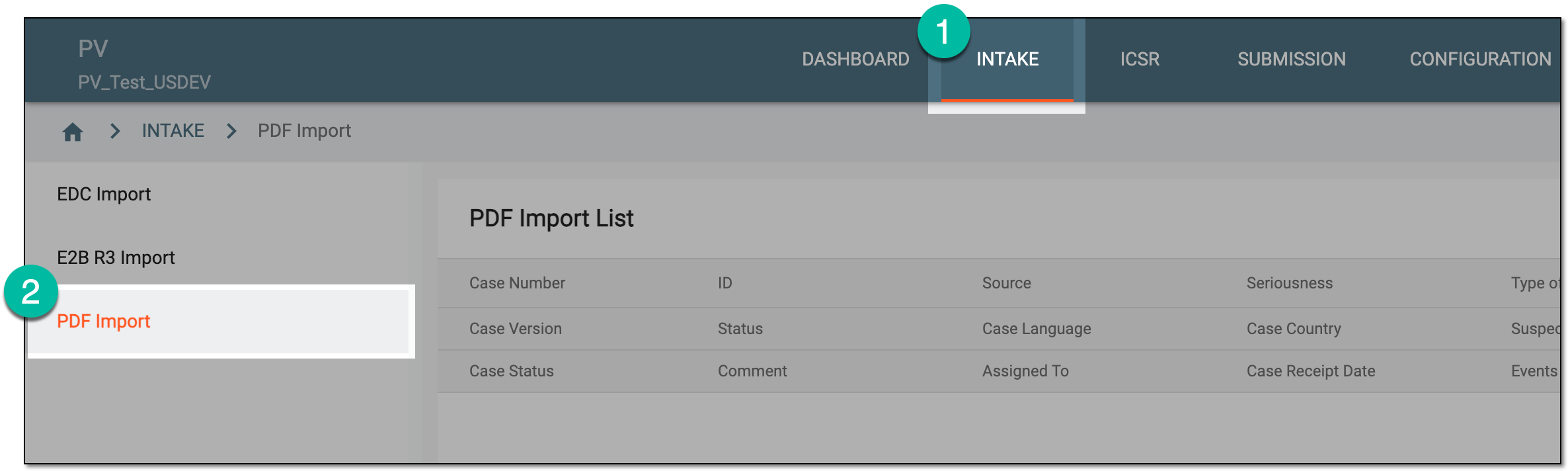 Figure 1. Accessing PDF import
-
On the PDF Import page that opens, locate the record for the extracted safety data that you need to review and check for duplicates. Then from the Actions column next to the record, select Review
 .
. Figure 2. Accessing extracted safety data review
-
On the page that opens, select
 .
.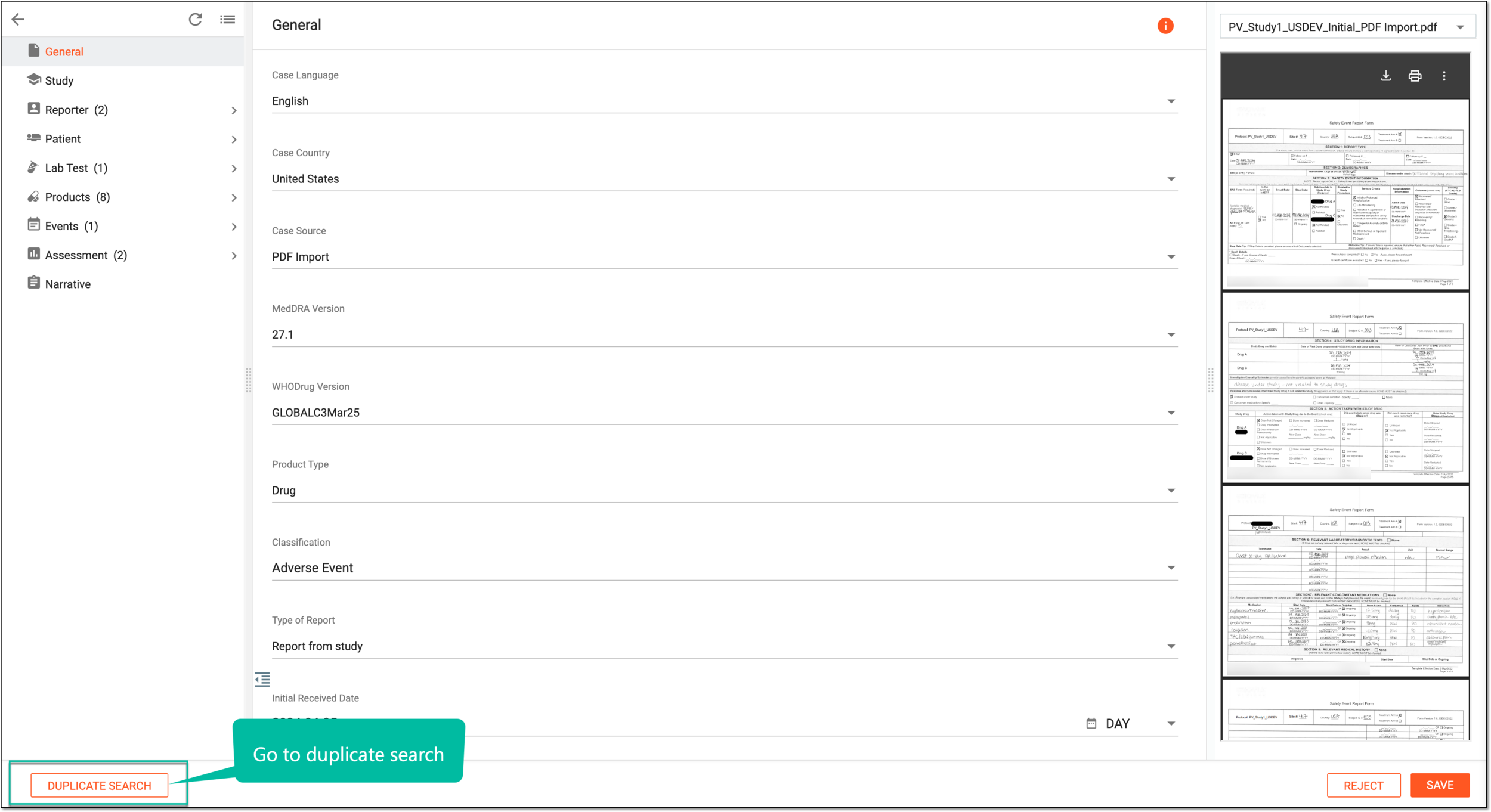 Figure 3. Accessing duplicate search for extracted safety data
-
On the Duplicate Search page that appears, select the checkboxes next to the data elements by which you want to retrieve duplicates and select
 .
.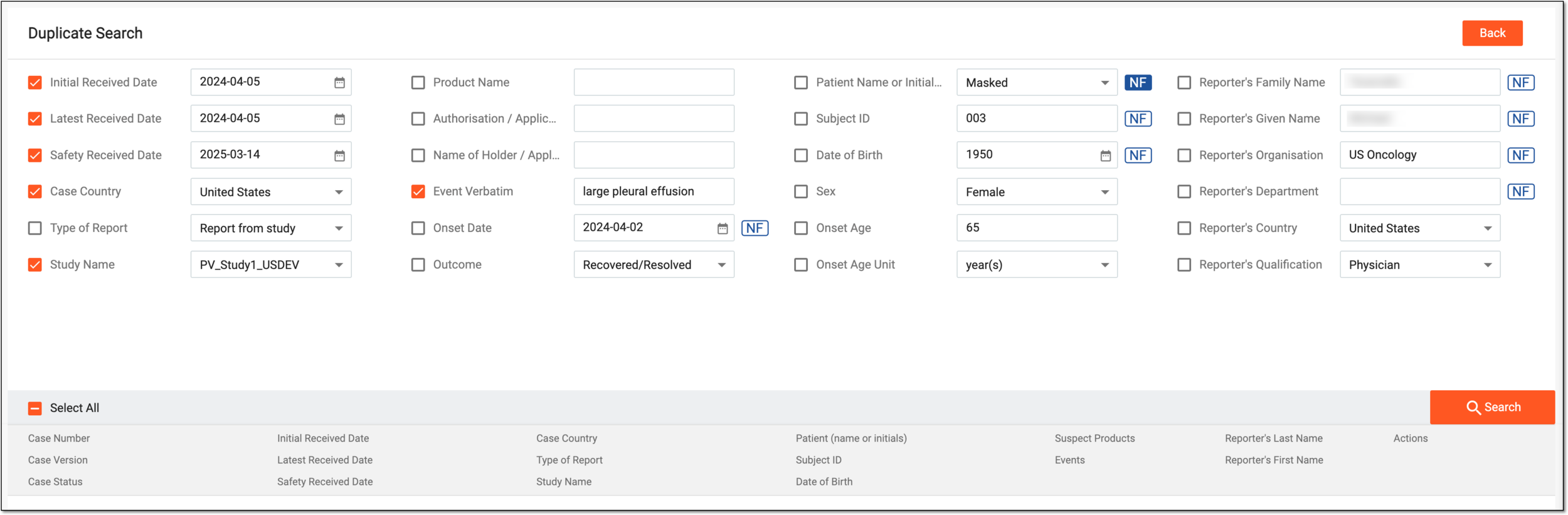 Figure 4. Searching for duplicates by selected parameters
Tip
Use the Select All option to search by all the available parameters.
Select
 to discard duplicate search and return to the safety data review page.
 -
Once the search is completed, proceed based on the outcome as follows.
Tip
The search results are based on the study access permission granted via ADMIN.
-
From the list of duplicate cases, identify the ones you want to examine in more detail. Then from the Actions column next to the case, select Compare
 .
.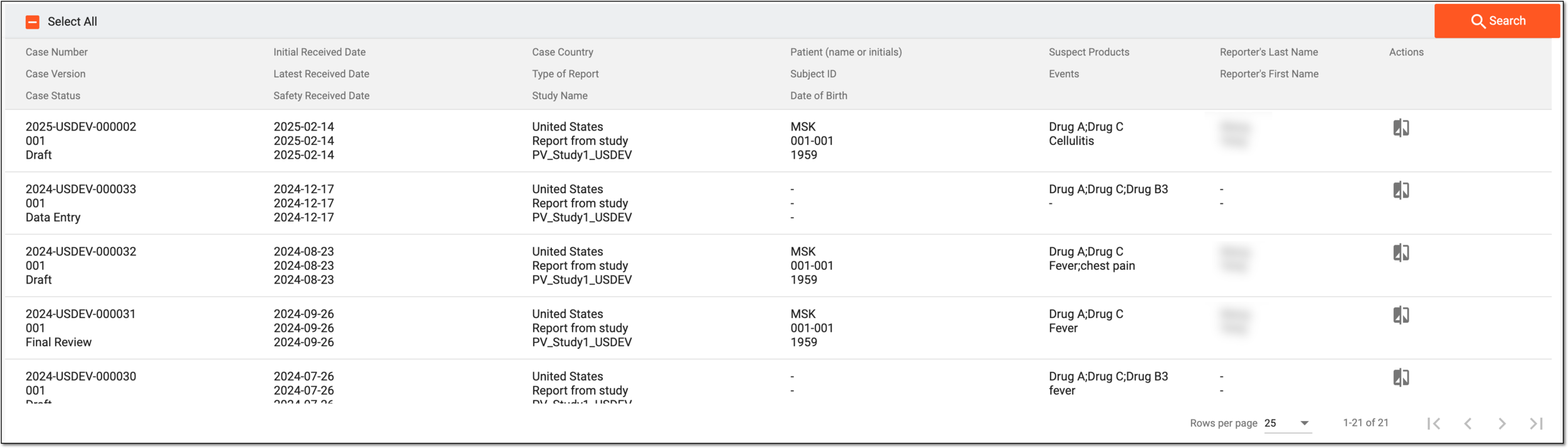 Figure 5. Reviewing duplicate list
-
On the data comparison page that opens, see the duplicated data elements in various forms. Select the checkboxes next to the data with which you want to proceed in your ICSR—the value from the imported PDF file or the one that currently exists in the system.
Tip
If the differences from the previous ICSR version are in the fields intended for review according to your study configurations, once the new version is created in PV, you need to translate such fields individually or using translation review.
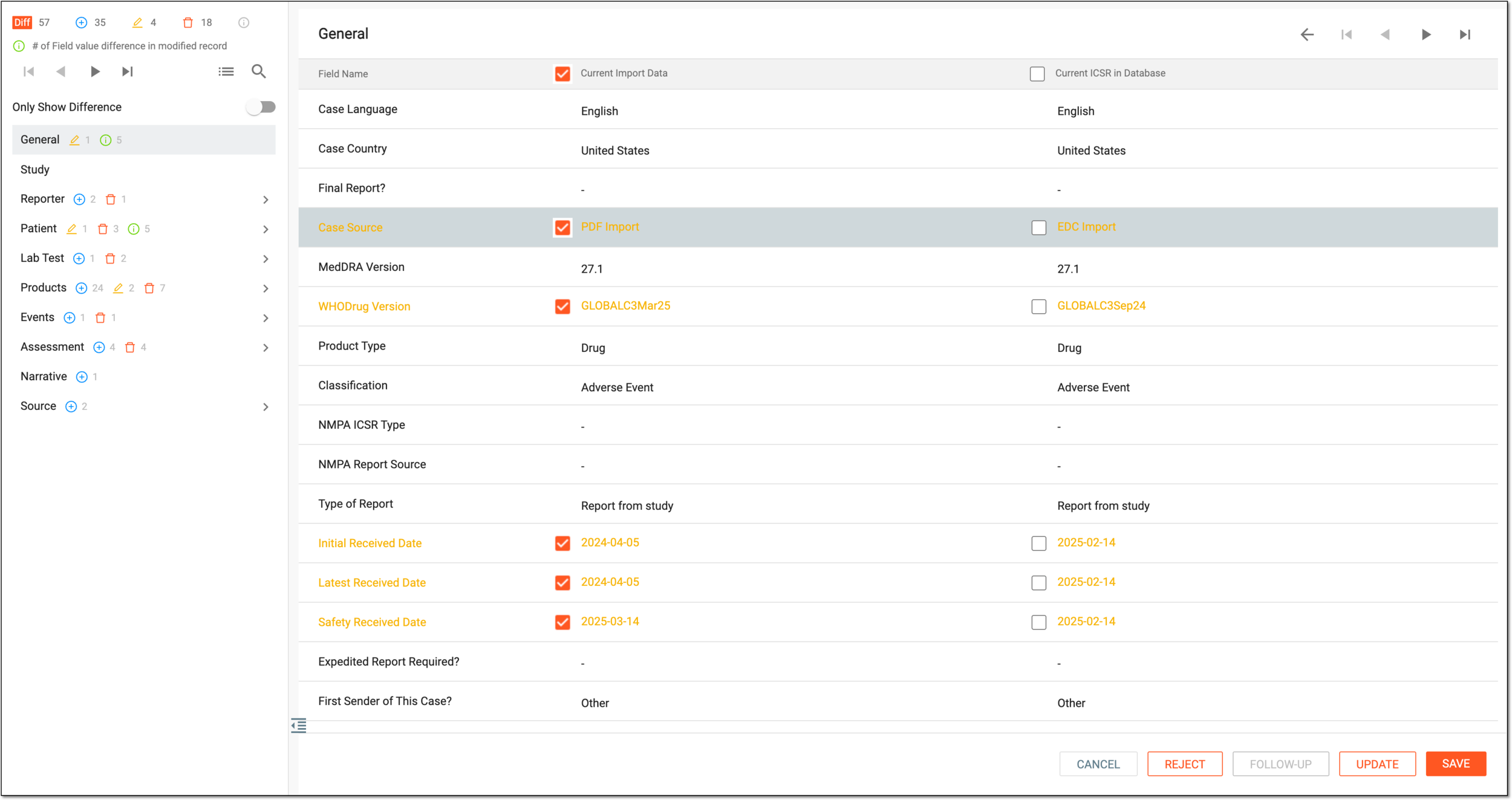 Figure 6. Comparing duplicated data
-
While reviewing, if detecting the records that you want to merge or split, right-click such a record, select Reassociate
 , and do one of the following:
-
To merge the records that were created separately by the system but are supposed to be combined into one, in the resulting dialog, select the record with which you want to merge. Then click
 .
.For instance, the system records “Lung effusion” and “Large pleural effusion” separately. These are verbatim used to record the same event in different reports. To avoid treating them as distinct occurrences, combine them into a single record.
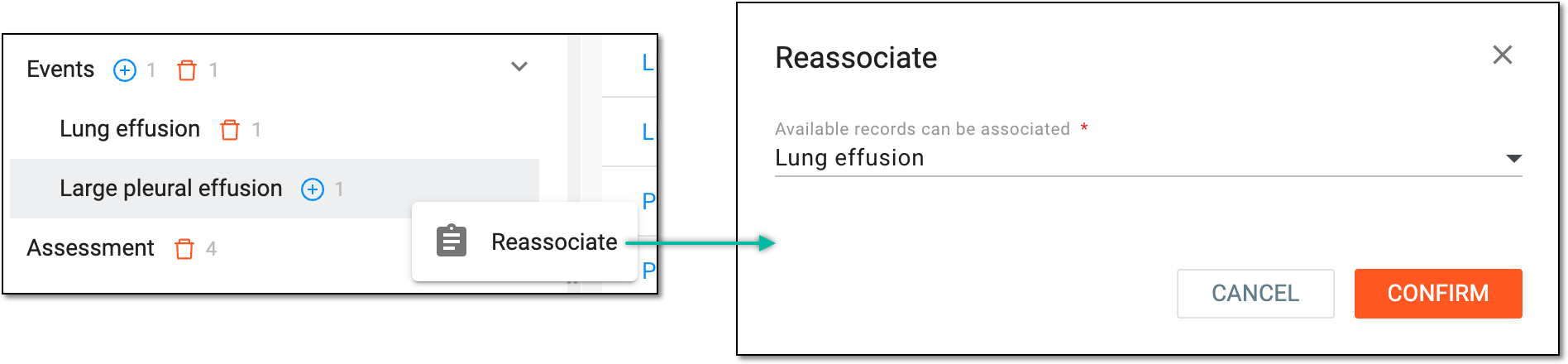 Figure 7. Reassociating similar records
-
To split the records that were automatically merged by the system but must be separated, in the resulting dialog, select the –– option. Then click
.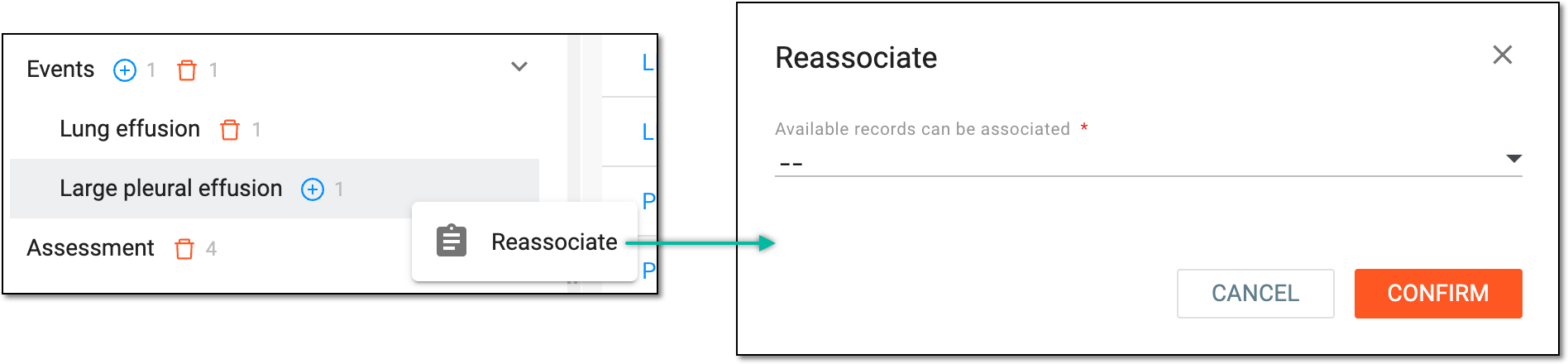 Figure 8. Disassociating merged records
-
-
Once the selection is made, proceed with one of the available options as explained in the following table.
Action
Details

Select this button to save the implemented changes.

Select this button to update the ICSR existing in PV with new data without creating additional follow-up versions. Then proceed to the next step.

Select this button to import the report as follow-up data on the case that exists in the PV system. Then proceed to the next step.

Select this button to reject the imported ICSR. Then proceed to the next step.

Select this button to cancel the duplicate search and return to the case import page.
-
If you are updating, following up, or rejecting the imported ICSR, then in the confirmation dialog that opens, fill in the requested details as explained in the following table.
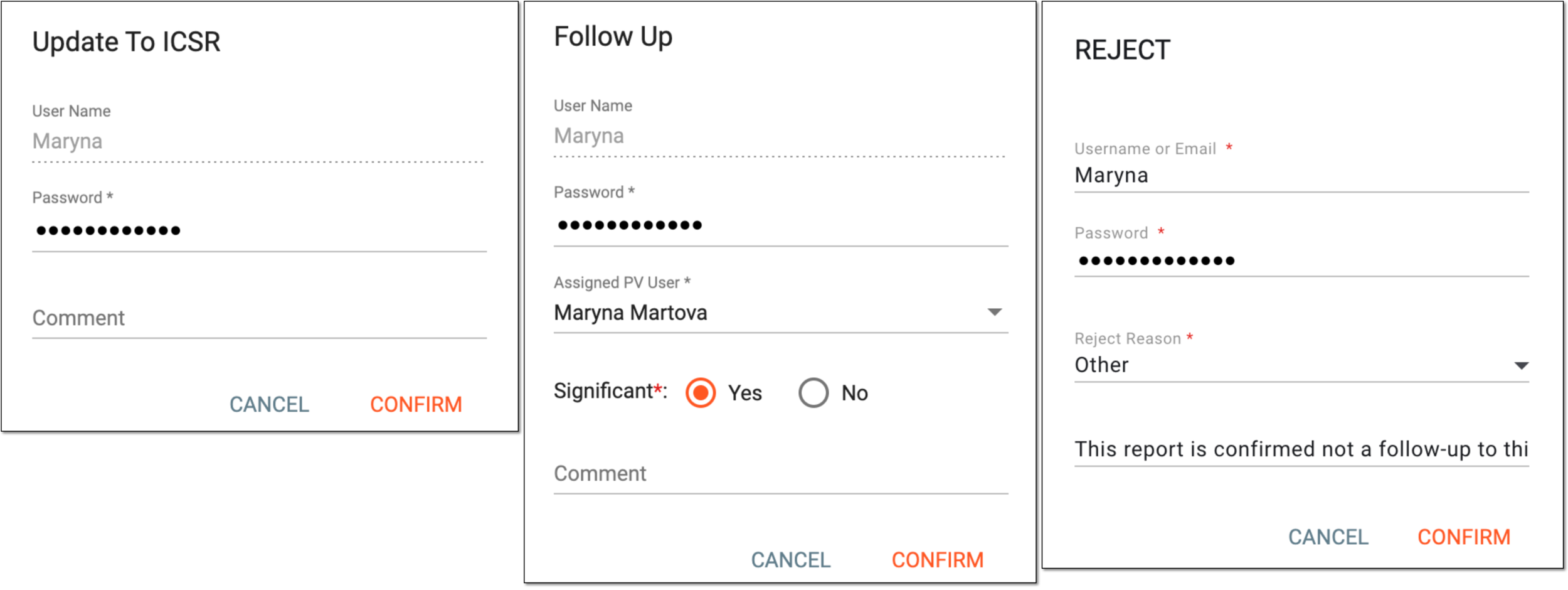 Figure 9. Confirming your action
Tip
In the following table, mandatory elements are marked with an asterisk (*).
Element
Details
User Name
Automatically populates with the user name of the current user and cannot be manually changed.
Password*
Enter the password that you use to log in to the eClinical system.
Assigned PV User*
Select the user to be assigned for the ICSR processing in PV. Upon confirmation, this user gets an email notification to process the new data in PV.
This field is only available for importing data as a follow-up
                                              report.
The list of assignees is based on their study access permission granted via ADMIN.Significant*
Select one of the following options:
-
Yes: if the follow-up report contains new information that needs to be submitted to regulatory authorities.
The definition of clinical significance varies per sponsor, but mostly it requires new information or changes in the previous reports concerning one of the four validity criteria—identifiable reporter, identifiable patient, adverse event, or suspect medicinal product. Other information that may impact the overall clinical significance of the case is any change in causality assessment, study information, concomitant medications, medical history, and so on.
-
No: if the follow-up report does not need to be submitted to regulatory authorities.
For instance, a change of the status of a MedDRA code or term from current to noncurrent due to a MedDRA version change can be considered non-significant as long as it has no impact in the medical context of the case.
This field is only available for importing data as a follow-up
                                              report.
Reject Reason*
Select the reason for the imported data rejection. If no predefined reason suits your business scenario, select Other and enter an ancillary comment.
Comment
Enter a comment to follow your data if needed. This comment is included in the notification email for the assigned user, so you can use it to communicate any specific details to them.
This field only appears for the rejection operation if the Reject Reason is Other.CONFIRM
Select
 to proceed with the intended action.
CANCEL
Select
to discard the implemented changes, close the dialog, and return to the safety data comparison page. -
-
In the dialog that opens, confirm the absence of duplicates, select OK.
 Figure 10. Confirming duplicate absence
-
On the page that opens, select INITIAL to proceed creating the initial ICSR record in the system.
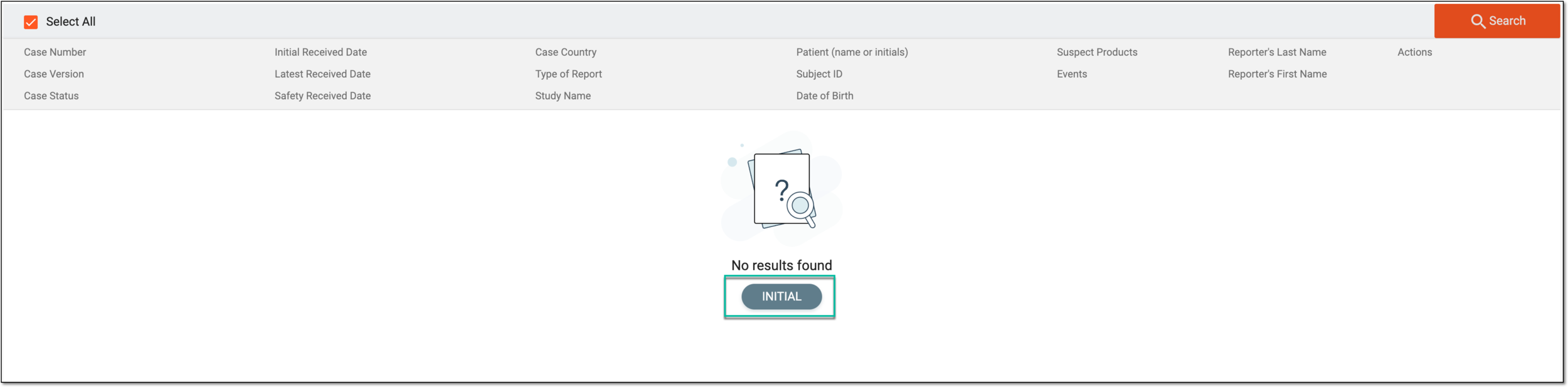 Figure 11. Selecting to create initial ICSR record
-
In the dialog that appears, fill in the requested details as explained in the following table.
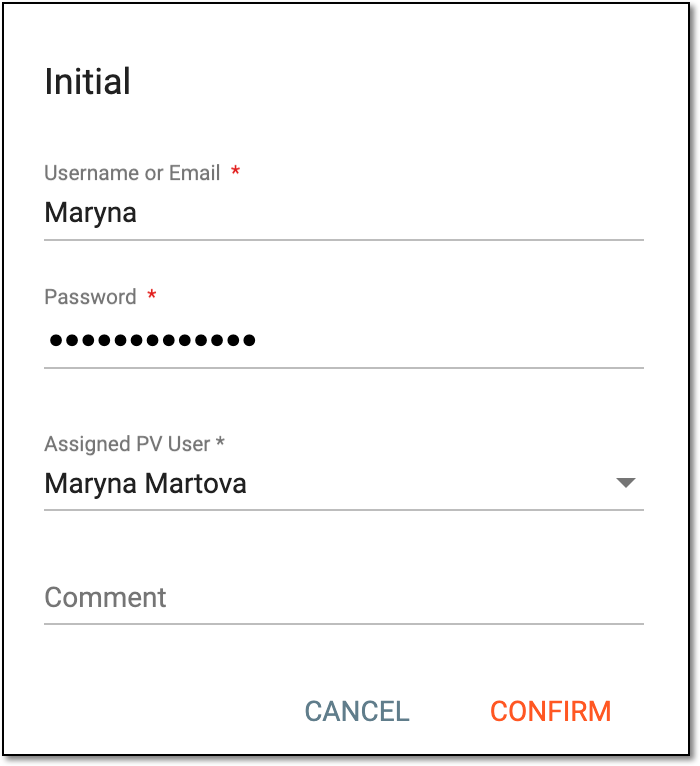 Figure 12. Creating initial ICSR
Tip
In the following table, mandatory elements are marked with an asterisk (*).
Element
Details
Username or Email*
Enter the name or email you use to log in to the eClinical system.
Password*
Enter the password that you use to log in to the eClinical system.
Assigned PV User*
Select the user to be assigned for the ICSR processing in PV. Upon confirmation, this user gets an email notification to process the new data in PV.
Comment
Enter a comment to follow your data if needed. This comment is included in the notification email for the assigned user, so you can use it to communicate any specific details to them.
CONFIRM
Select
to proceed with the intended action.CANCEL
Select
to discard the implemented changes, close the dialog, and return to the duplicate search page.
-
You have completed duplicate search for the imported safety data. If the data is imported, the assigned user can proceed with the resulting ICSR management according to the purpose of the import and the standard operation procedures (SOP) or work instructions (WI) of the company.