View differences for duplicated safety data
When importing data to PV via PDF upload or from email intake, if the duplicate search shows there already is a report for the case in the system, you can use the uploaded data to update or follow-up on the existing case. If any changes were applied to the ICSR based on the uploaded file, it is then possible to review the differences between the file values and the existing values of the ICSR in PV.
For instance, a duplicate is found for a case and the data retrieved from the uploaded PDF is used to update the existing ICSR in PV. By utilizing the differences report, you can see each report form and compare, which data was taken from the uploaded PDF to update the existing values in PV, and which remained intact.
-
In the PV application header, select the INTAKE tab.
-
From the left pane that appears, select PDF Import.
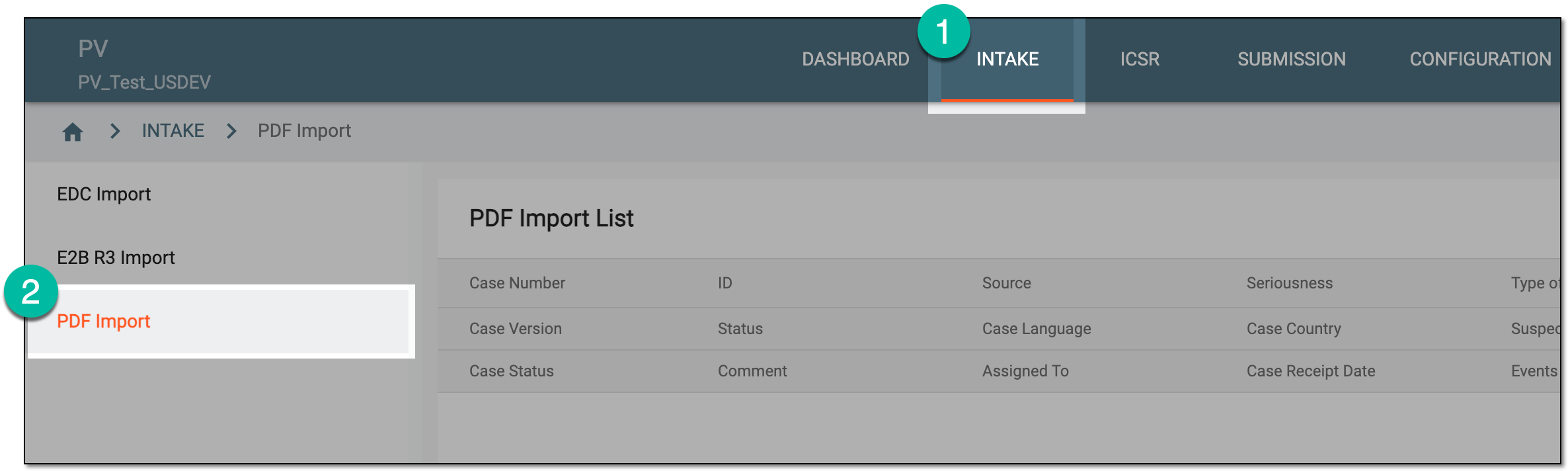 Figure 1. Accessing PDF import
-
On the PDF Import page that opens, locate the record for the extracted safety data for which you need to view the differences. Then from the Actions column next to the record, select View Differences
 .
.Tip
The records on the list are based on the study access permission granted to you via ADMIN.
 Figure 2. Accessing safety data differences review
-
On the page that opens, assess the differences between the uploaded and ICSR data. For this, switch between forms in the left pane and review the details on the contents panel. The values with selected checkboxes are the ones used in the ICSR in PV.
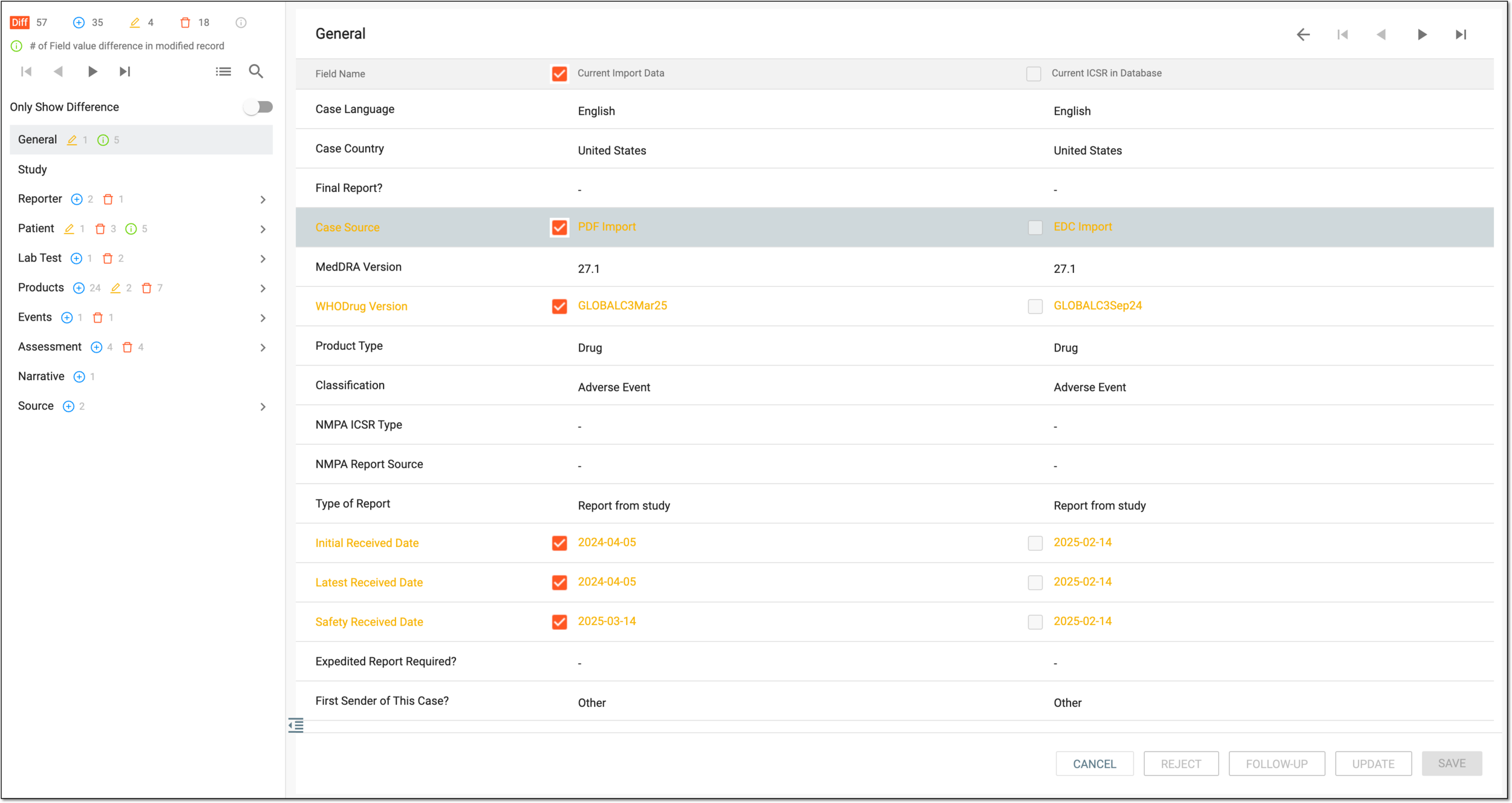 Figure 3. Assessing differences between uploaded and processed data
Tip
All the action buttons except for
 are unavailable when reviewing differences since this is an informative view and no amendments can be
performed.
are unavailable when reviewing differences since this is an informative view and no amendments can be
performed.
You have reviewed the differences of the uploaded safety data and the values used in the ICSR in PV. Select or Back
 to return to the PDF Import List page.