View safety data extracted from PDF
In PV, you can review the details extracted from the safety data PDF file after they are reviewed and used to create an ICSR in the system. This helps you access previously processed files and obtain any needed details.
-
In the PV application header, select the INTAKE tab.
-
From the left pane that appears, select PDF Import.
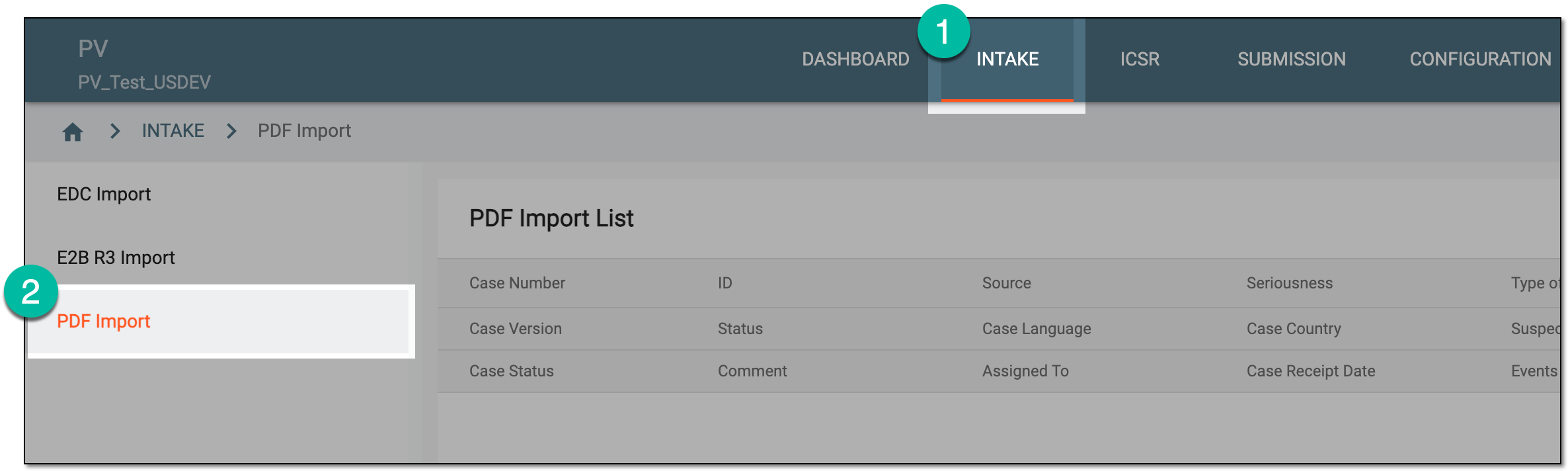 Figure 1. Accessing PDF import
-
On the PDF Import page that opens, locate the extracted safety data that you need to view. Then from the Actions column next to the record, select View
 .
.Tip
You can see the cases based on the study access permission granted via ADMIN.
 Figure 2. Selecting option to view extracted safety data
-
From the left pane of the page that opens, navigate between case forms to review their data. The numbers next to forms indicate how many records there are.
Tip
Select File Preview
or  to open or close the source PDF file panel, respectively. For multiple source files, the one marked as primary is displayed by default. From the dropdown list, switch between all available source files if needed.
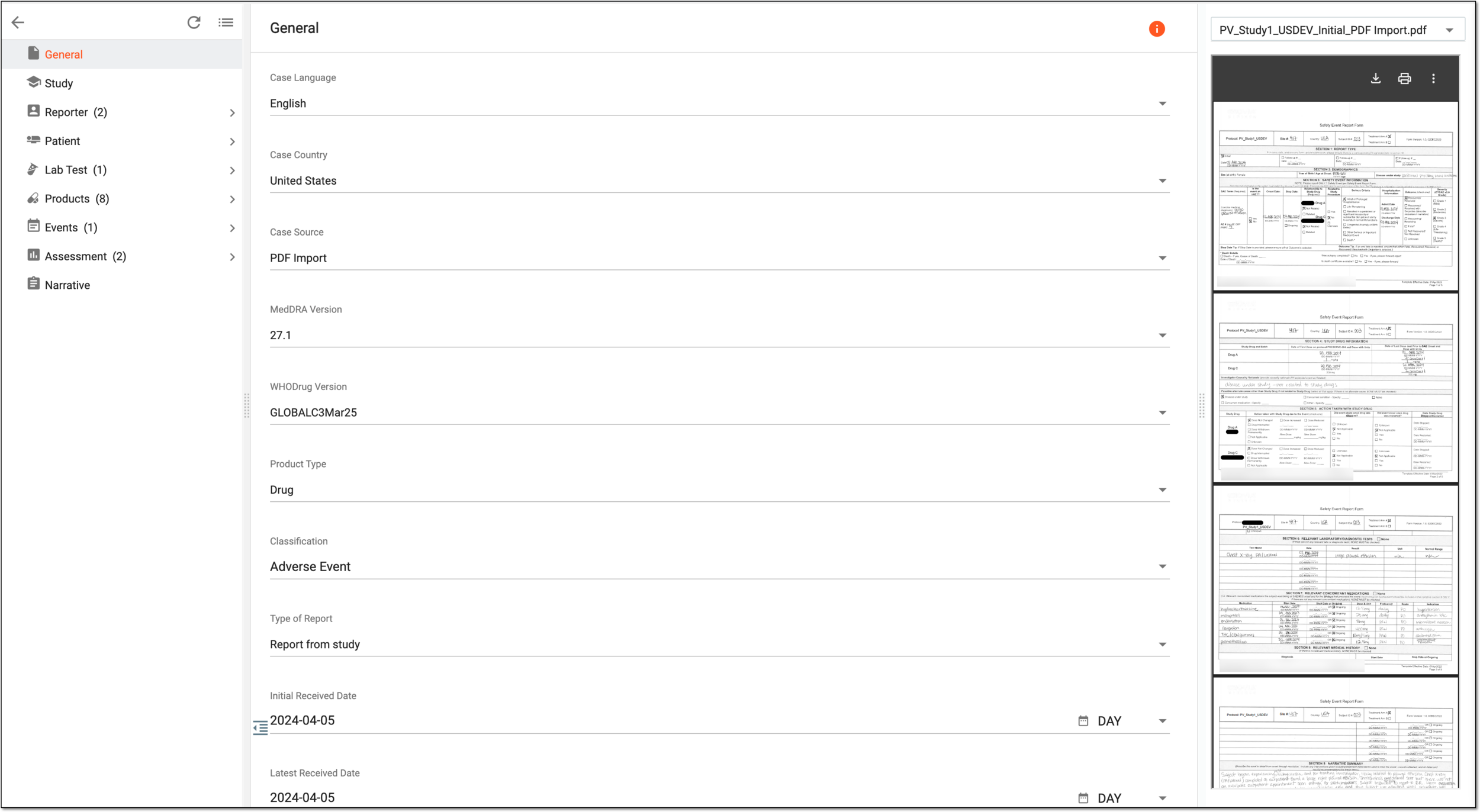 Figure 3. Viewing extracted safety data
You have viewed the extracted safety data. Select Back  to return to the PDF Import
List page.
to return to the PDF Import
List page.