Process uploaded PDF with safety data
With the PDF Import functionality, you can upload your safety data PDF files for the system to transcribe them for you and create new ICSRs in PV accordingly. You can also configure the email intake to pull the files automatically from the predefined mailbox and land them to PV for further processing.
All the uploaded or retrieved from email files must be processed by the dedicated user to confirm their validity for further system transcription into ICSR. Processing also allows files uploaded in bulk to be divided into groups. The system treats each group of files as an individual safety case that results in its own ICSR. Thus, during processing, it becomes necessary to specify the primary document of each group, ensure precise document allocation, and make all the needed adjustments.
-
In the PV application header, select the INTAKE tab.
-
From the left pane that appears, select PDF Import.
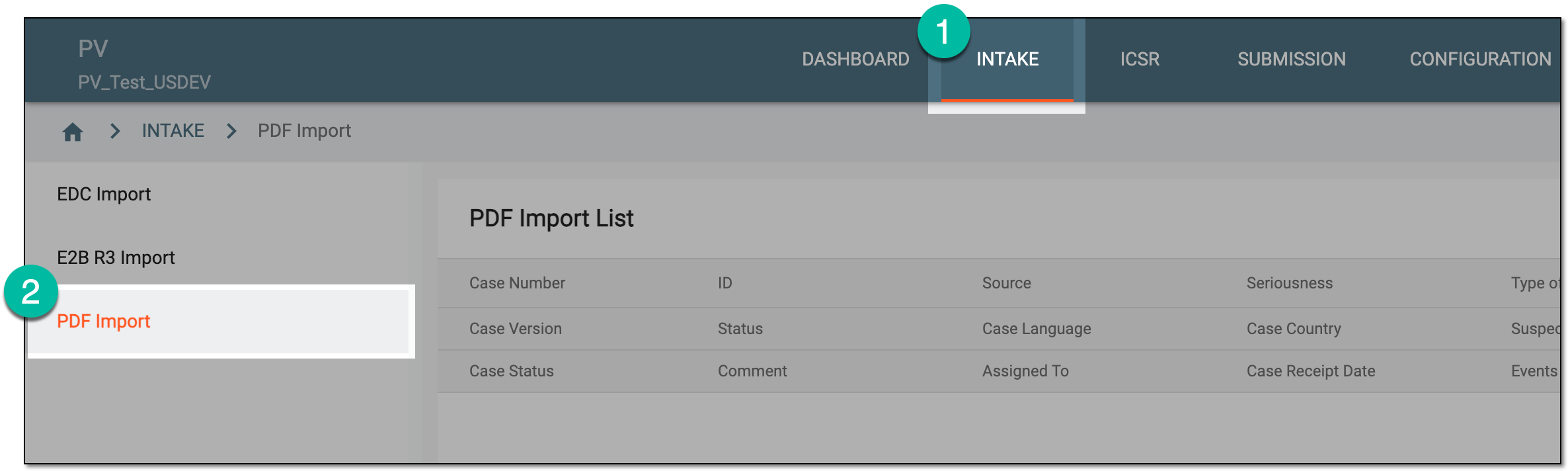 Figure 1. Accessing PDF import
-
On the PDF Import List page that opens, locate the uploaded PDF file group that you need to process. Then from the Actions column next to the file group, select Edit
 .
. Figure 2. Selecting option to process safety data PDF
-
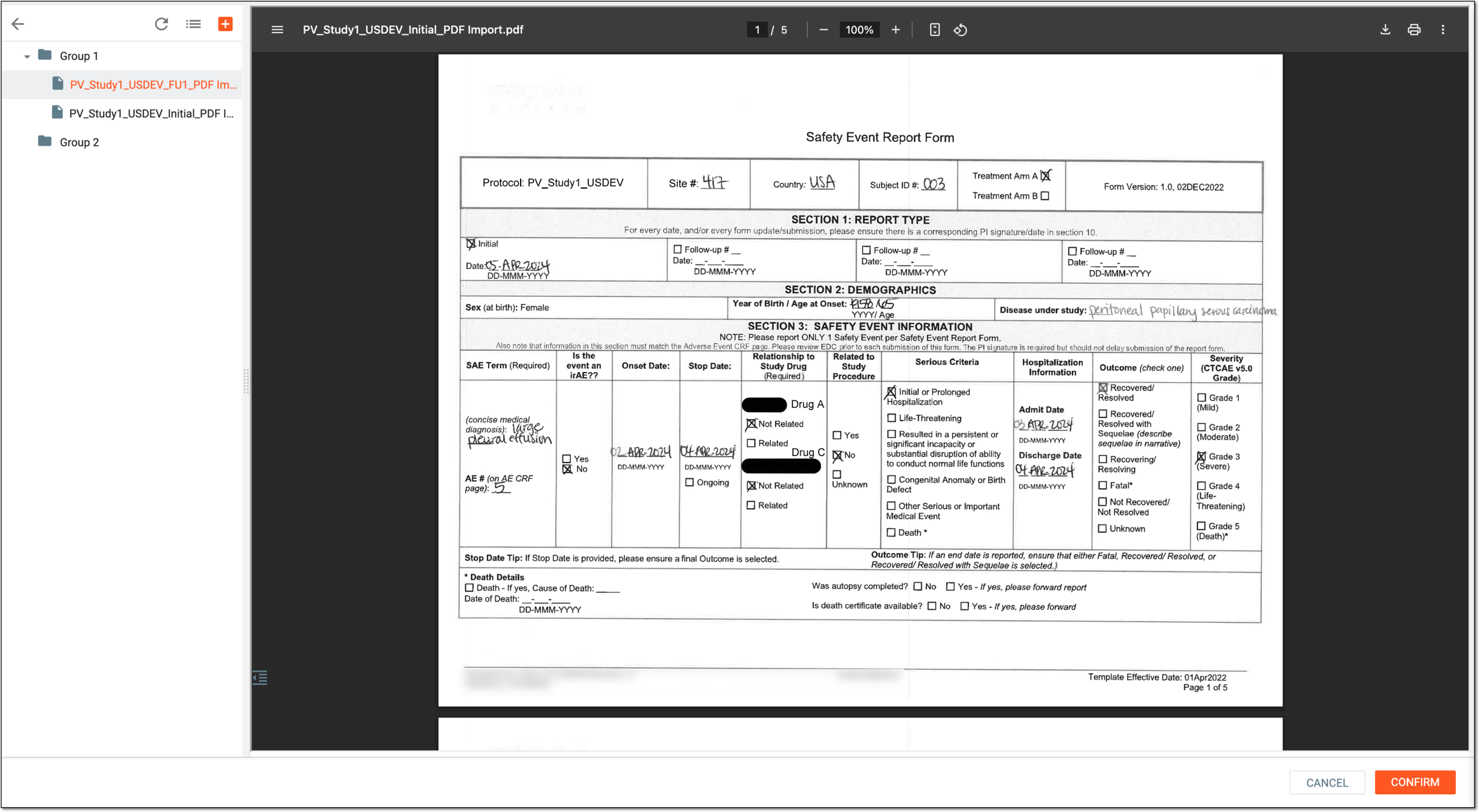
On the page that opens, process the uploaded files by navigating the explorer tree in the left pane and selecting documents to preview their contents.
Expand the group and within, right-click the file to open available management tools explained in the following table.
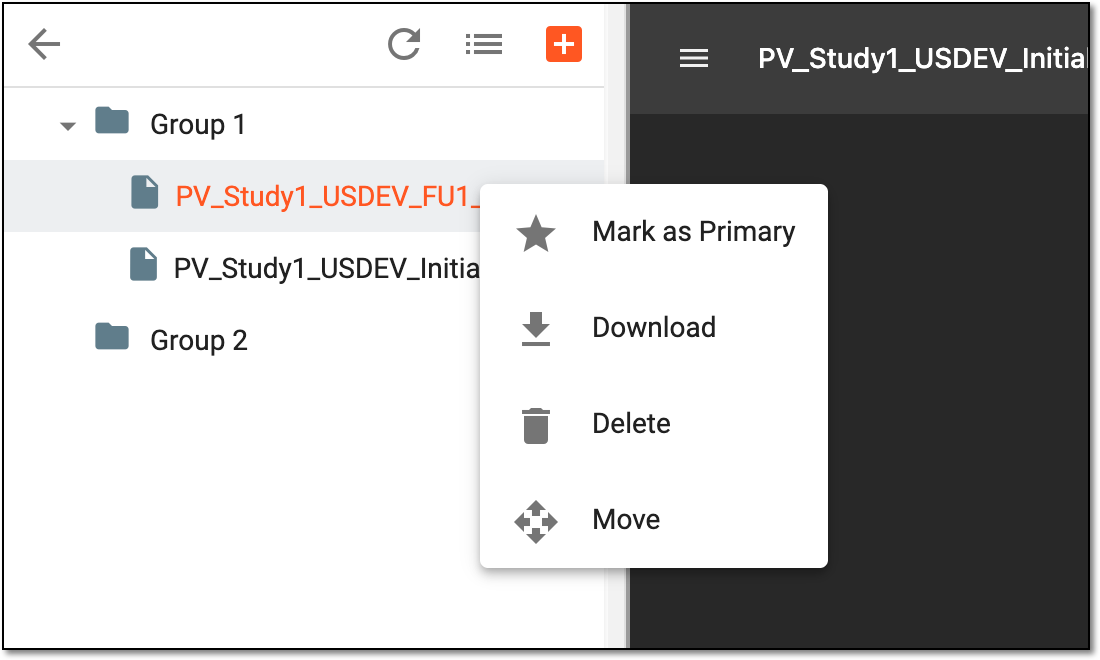 Figure 4. Accessing file management tools
Element
Details
Mark as Primary
Select
 to mark the document as main in the group. The primary document is used by the system to extract data and complete the resulting ICSR forms.
The non-primary documents are uploaded as attachments to the Source form of the resulting ICSR.
to mark the document as main in the group. The primary document is used by the system to extract data and complete the resulting ICSR forms.
The non-primary documents are uploaded as attachments to the Source form of the resulting ICSR.It is mandatory to select the primary file in each group even if it is the only file within.The primary document is marked with the red star symbol
 .
.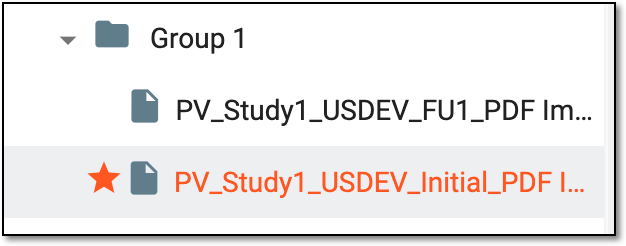 Figure 5. Primary document example
Download
Select
 to download the file to your computer.
Delete
Select
 to remove the file from the group and the system.
Move
Select
 to relocate the file to another group. From the dialog that appears, select the destination group and then click
  .
.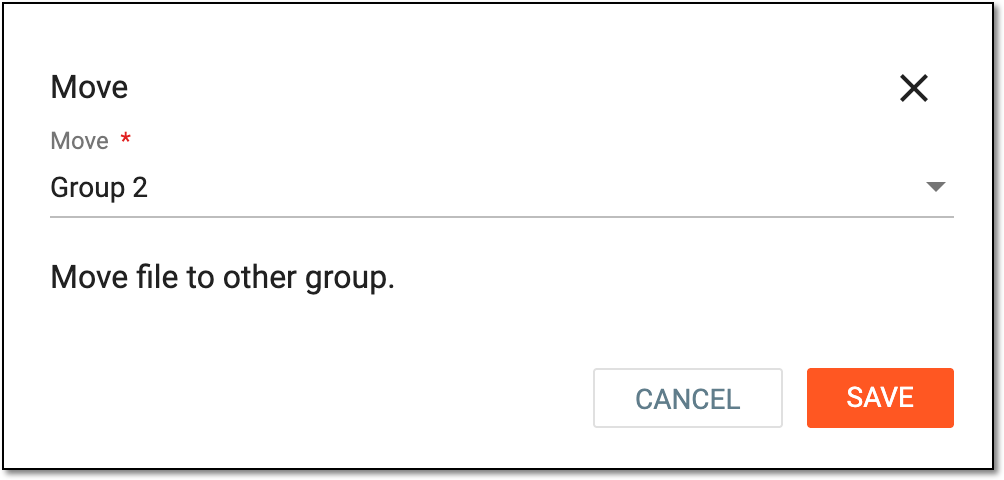 Figure 6. Selecting group to move file
-
Right-click the group to which you want to add files and select Upload
 .
.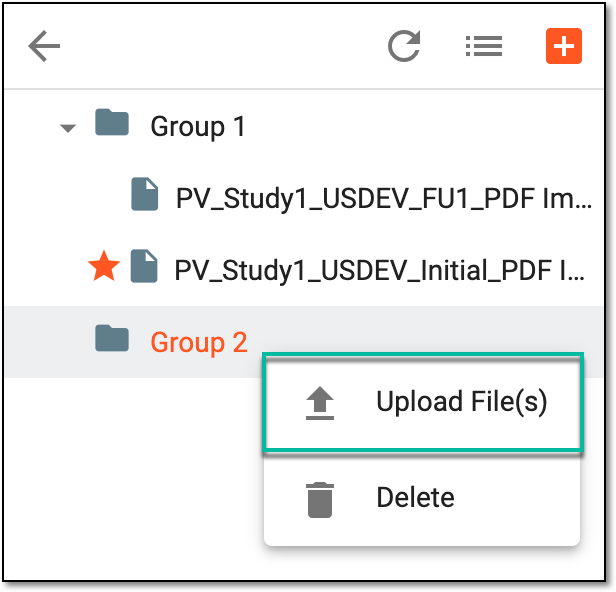 Figure 7. Selecting option to upload file to group
-
In the Upload File(s) dialog that appears, drag the files from your computer to the designated area or select the area to browse your computer and choose the files to upload. Then select
 .
.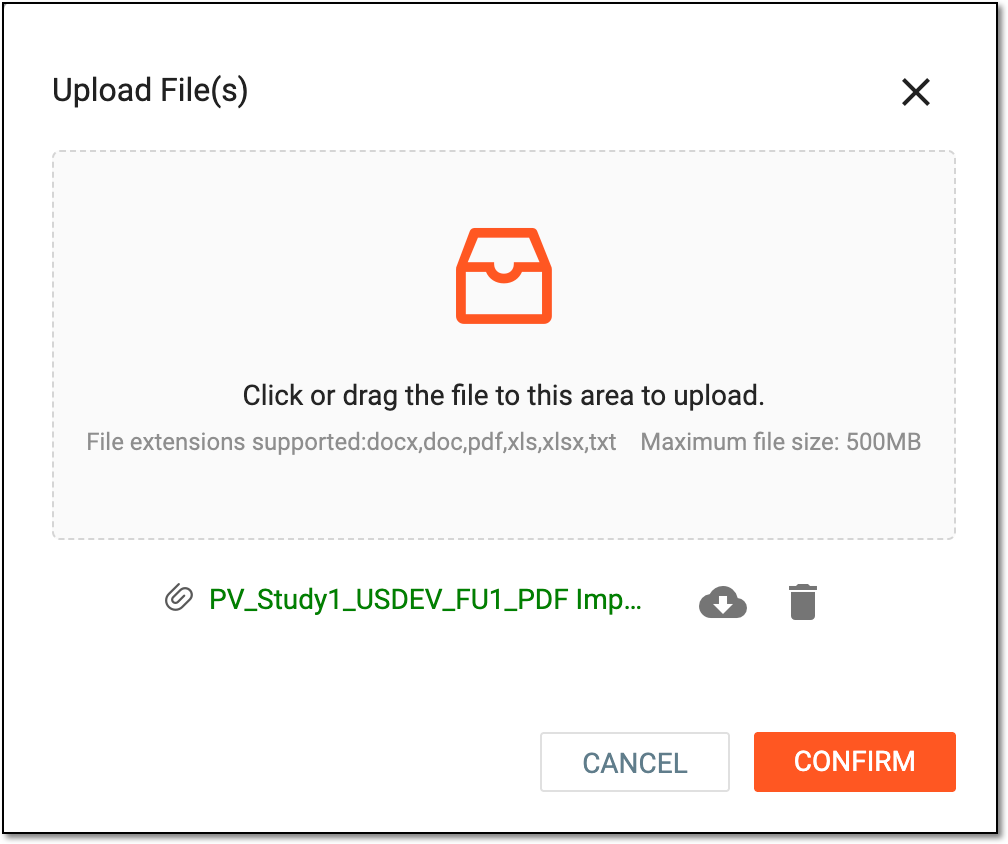 Figure 8. Uploading files to group
Tip
Next to the attached file, select Download
 to save the file on your
computer or Delete to remove the file from the uploads list.
to save the file on your
computer or Delete to remove the file from the uploads list.
Once confirmed, the files are uploaded to the group. For multiple files, remember to mark the primary one.
Important
This functionality is only available when processing files retrieved from emails.
-
Select the VIEW EMAIL button.
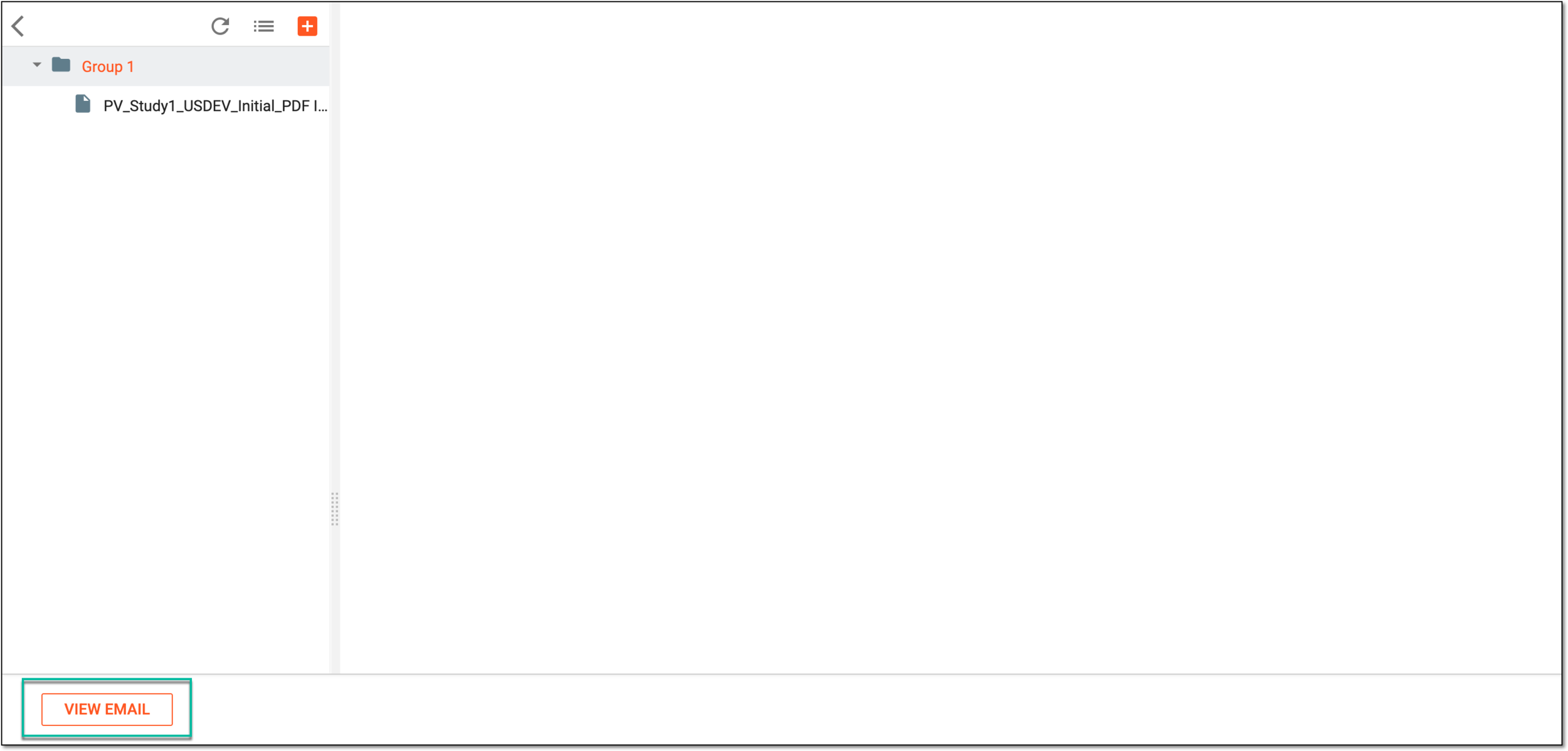 Figure 13. Accessing source email preview
-
In the View Email dialog, preview the contents of the email from which the file with the safety data was retrieved.
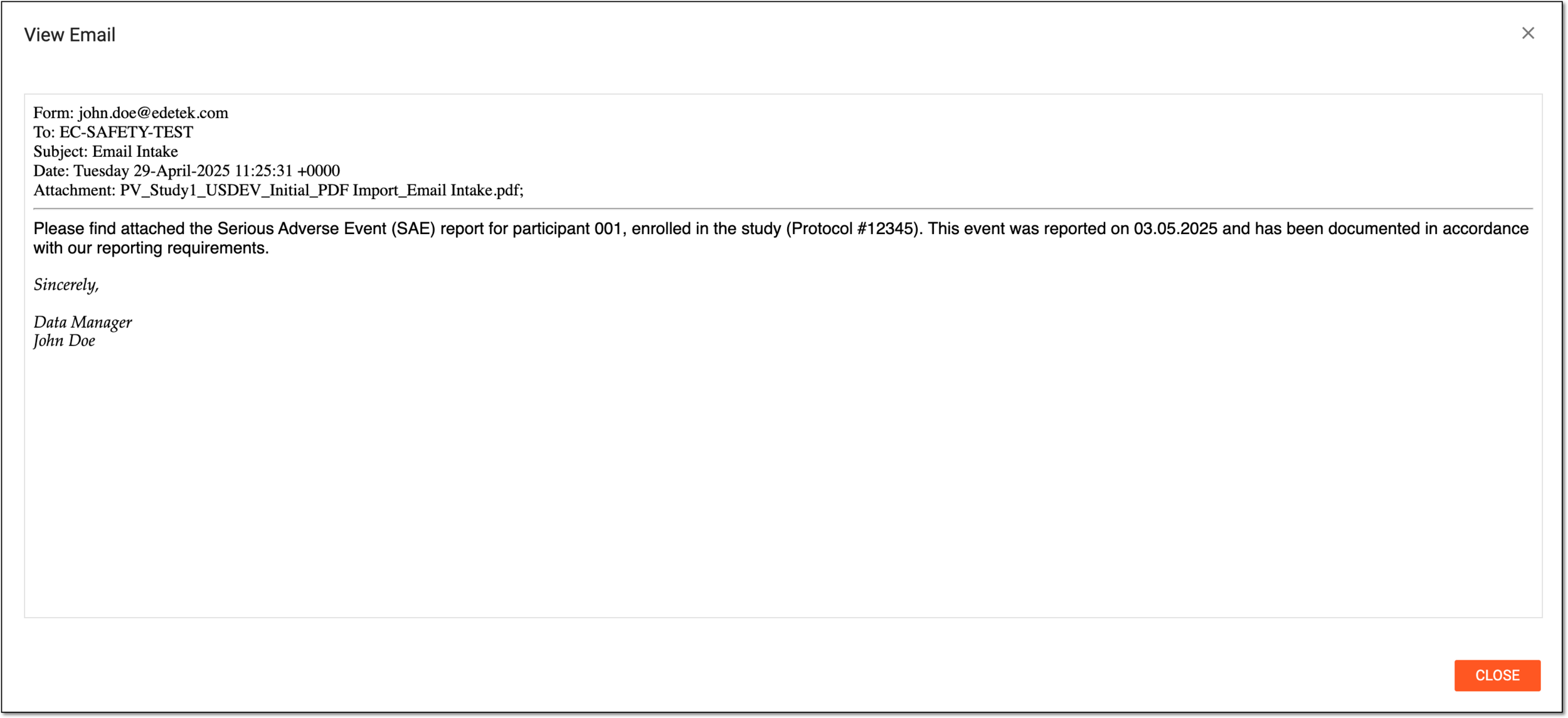 Figure 14. Previewing source email contents
-
-
Select
to implement the changes and initiate the system transcription of your PDF files.



Upon confirmation, the system starts processing uploaded PDFs and extracting data to create respective ICSR records—one ICSR record per each file group. Each case record appears in the PDF Import List with the status In Progress. Depending on the required processing amount, data extraction can take up to 10 minutes.

Important
For files retrieved from emails, upon successful data import to PV, the email sender is automatically notified of the intake success.