Configure ICSR translation for study
In PV, you can configure certain ICSR fields to be translated into a language different from the original if the case is intended for submission in different countries. These settings are done per study to provide flexibility for sponsors to adjust their translations according to the study protocol, regulatory, or business requirements.
-
In the PV application header, select the CONFIGURATION tab.
-
On the page that opens, in the left pane, select the Study Setting subtab.
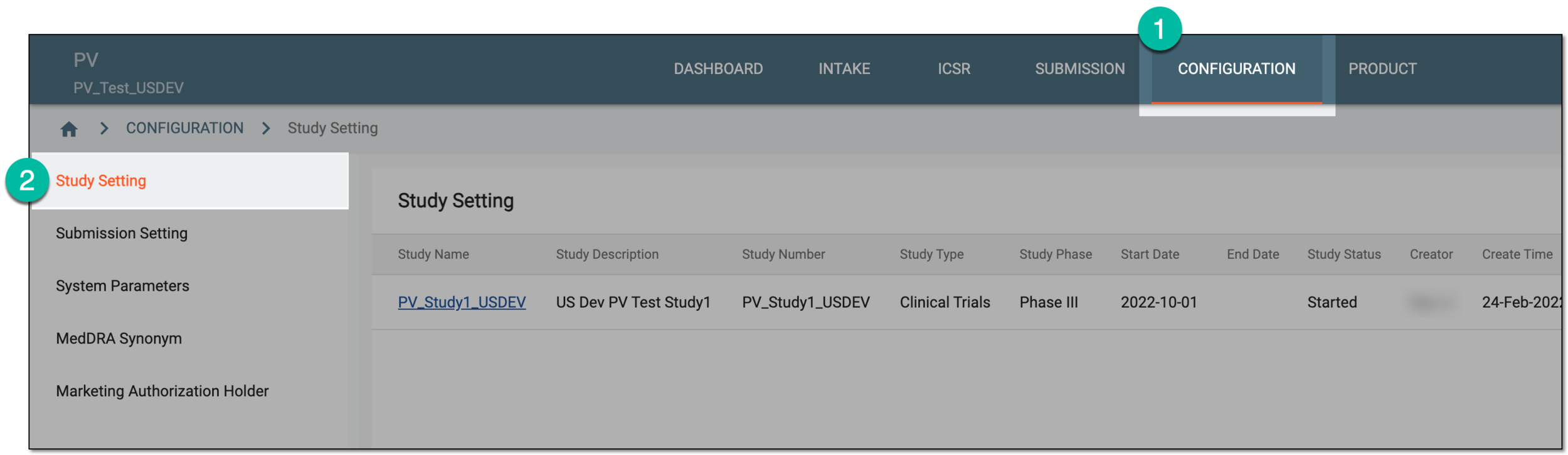 Figure 1. Accessing study setting
-
On the Study Setting page that opens, next to the study whose translation settings you need to configure, from the Actions column, select Translation Setting
 .
. Figure 2. Accessing translation setting for study
-
In the Translation Setting dialog that appears, configure the fields as follows:
-
Select the checkboxes next to the form fields you want to be translated.
-
Clear the checkboxes next to the form fields that are not intended for translation.
-
Clear all the checkboxes (not one checkbox must be selected) to make all the form fields intended for translation.
Tip
Turn on the Show Checked Only toggle to hide all the cleared fields and only see those checked—intended for translation. Turn off the toggle to show both checked and cleared form fields.
Use filtering to find the needed forms or fields faster.
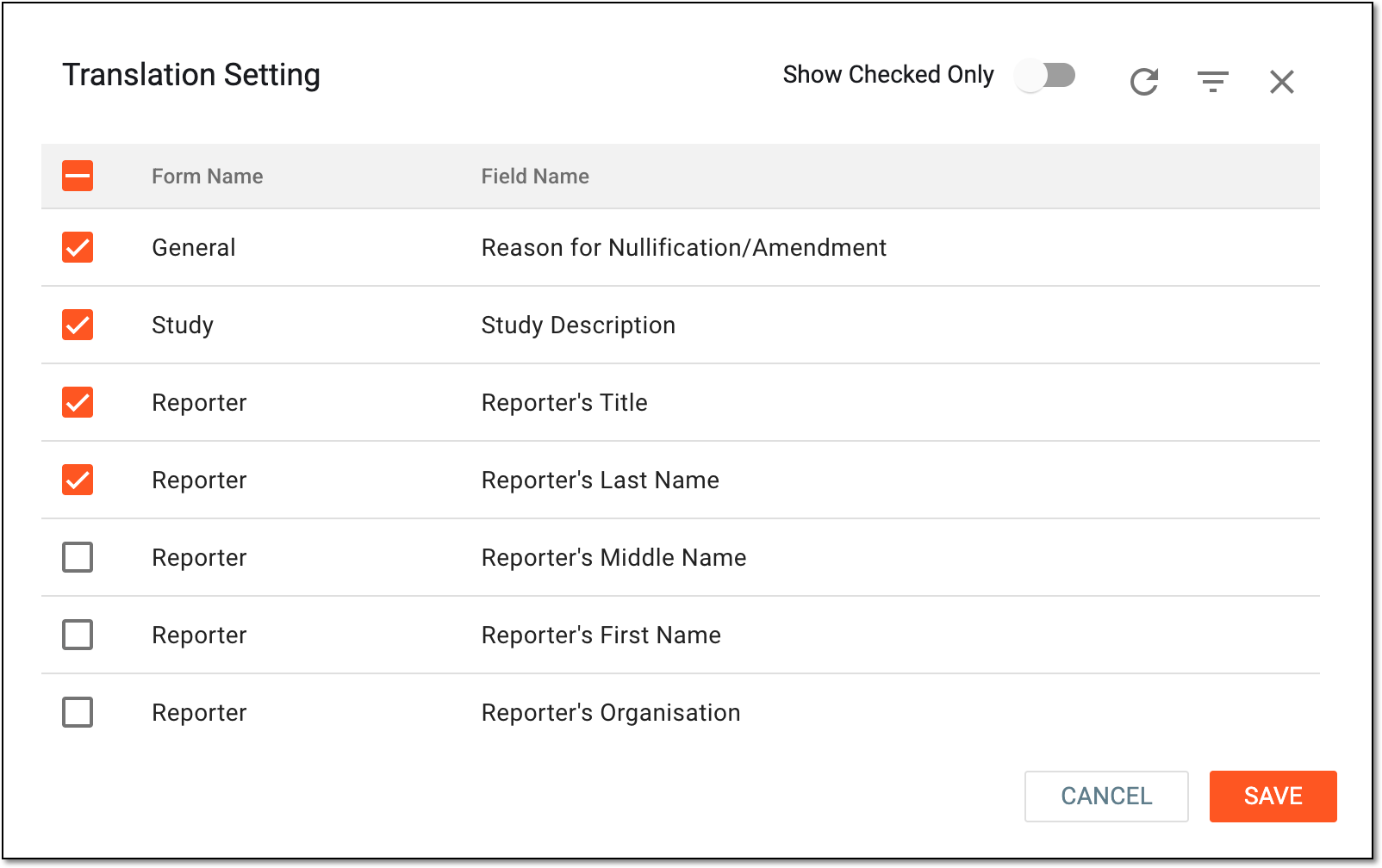 Figure 3. Selecting form fields intended for translation
-
-
Select
 to implement the configurations.
Once saved, the selected form fields are intended for translation in the ICSR. You can review and adjust translations for each report individually.