View study reference audit trail
In PV, the basic information about the study, like its name, timeframe, and such, is automatically pulled from the CTMS application. Nevertheless, there are some manually configurable details. Namely, from the Study Setting tab, you can configure a study reference by type. The essential details of the study configured here, such as the registration information or else, are then referenced by the system when submitting cases pertinent to the study to authorities.
If needed, you can also edit the previously configured study references or delete them. All the operations with the study reference items are recorded and can be traced with the Audit Trail option. This makes it possible to reconstruct the course of events with all the records since they were added to the study.
-
In the PV application header, select the CONFIGURATION tab.
-
On the page that opens, in the left pane, select the Study Setting subtab.
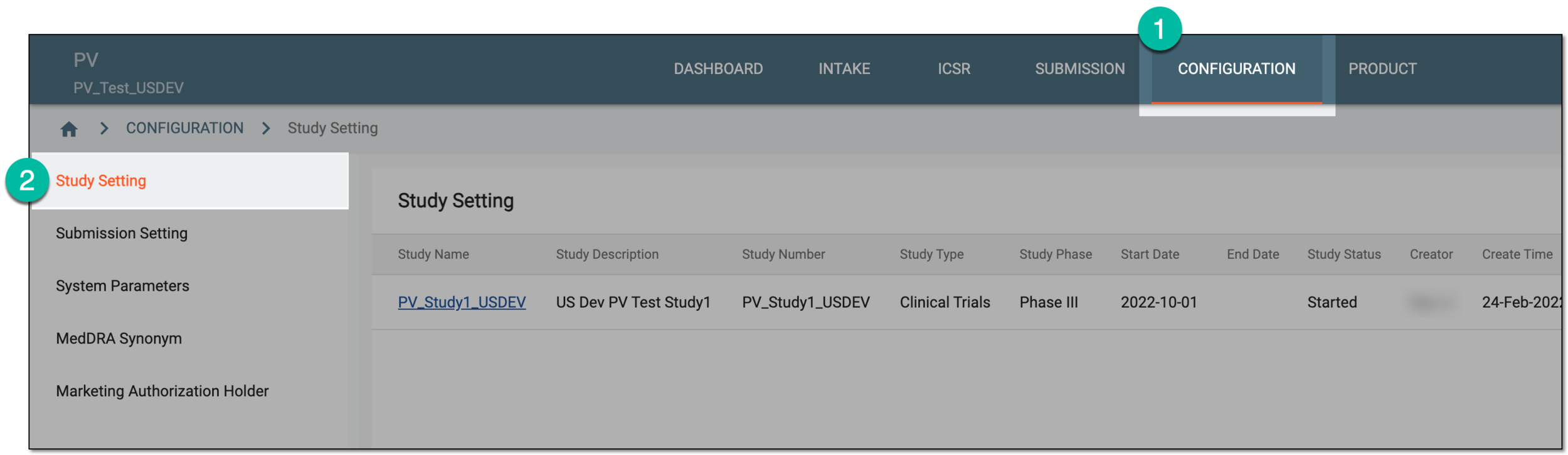 Figure 1. Accessing study setting
-
On the Study Setting page that opens, from the Study Name column, select a particular study.
Important
The list of studies available here depends on the study access permissions granted to your user group via the ADMIN application.
 Figure 2. Selecting study
-
On the page that opens, in the Study References block, locate the reference record for which you want to view the audit trail. Then next to it, from the Actions column, select More
 > Audit Trail
  .
.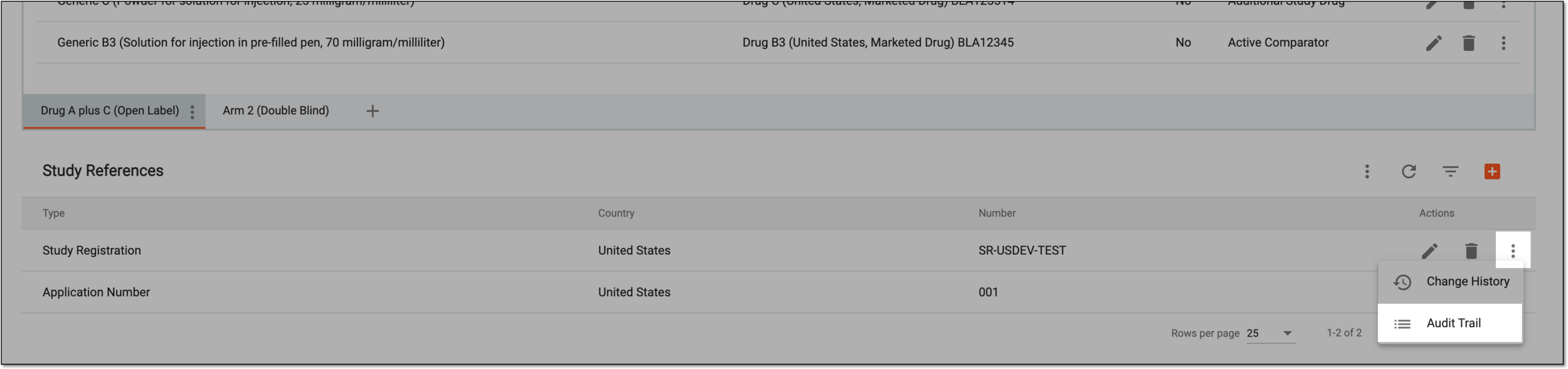 Figure 3. Selecting to view audit trail
-
In the Audit Trail dialog that appears, view the detailed description of actions performed with the specific reference record.
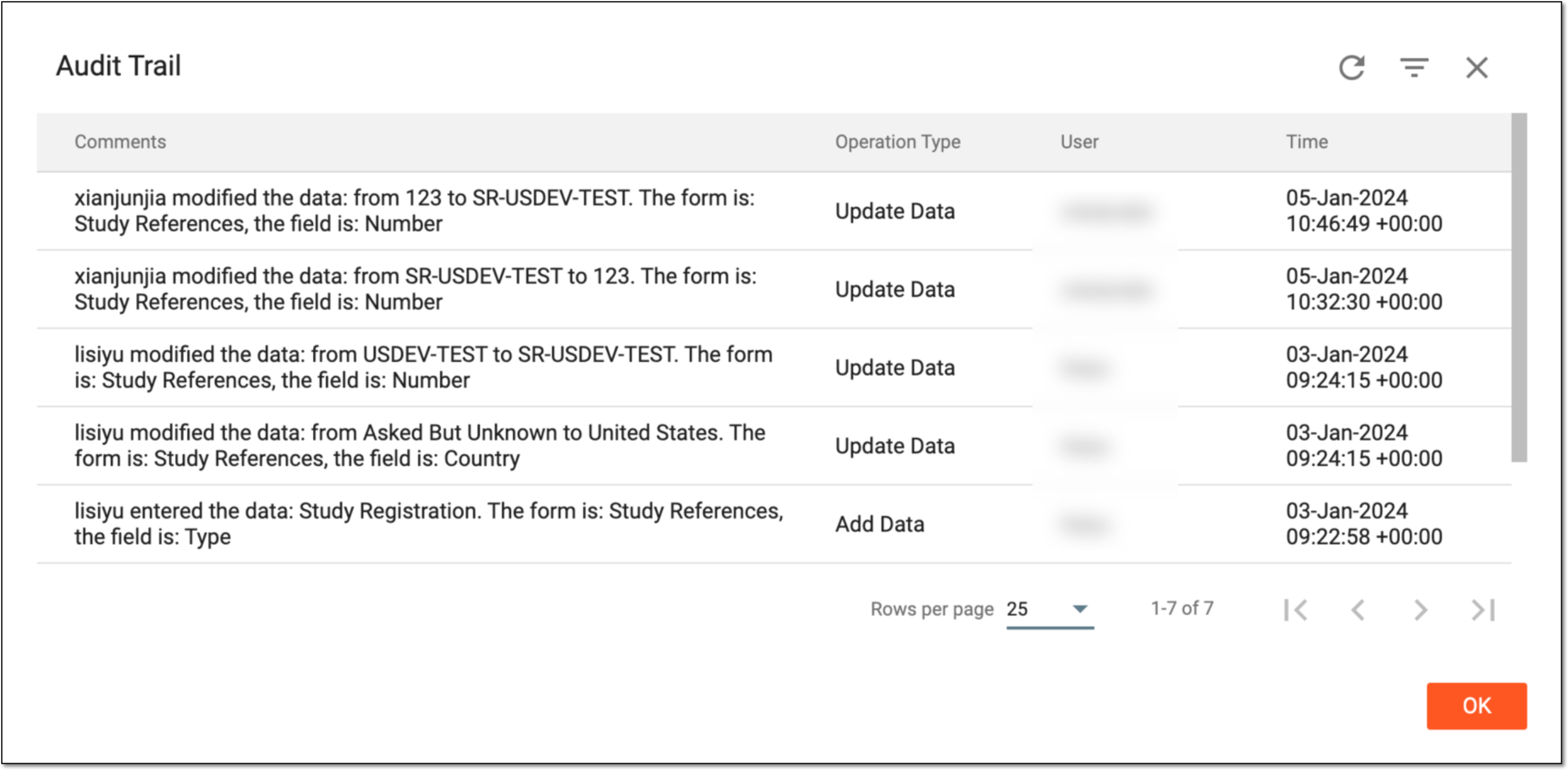 Figure 4. Viewing audit trail
-
Select
 to close the dialog.
You have viewed the audit trail for a specific study reference record.