Edit study reference details
In PV, the basic information about the study, like its name, timeframe, and such, is automatically pulled from the CTMS application. Nevertheless, there are some manually configurable details. Namely, from the Study Setting tab, you can configure a study reference by type. The essential details of the study configured here, such as the registration information or else, are then referenced by the system when submitting cases pertinent to the study to authorities.
Once the study reference is added, you might need to update its details, such as type, country, or number.
Tip
You can switch between different studies directly from the configuration page with no need to return to the Study Setting table. Simply expand the menu from the toolbar and select the study of your interest.

-
In the PV application header, select the CONFIGURATION tab.
-
On the page that opens, in the left pane, select the Study Setting subtab.
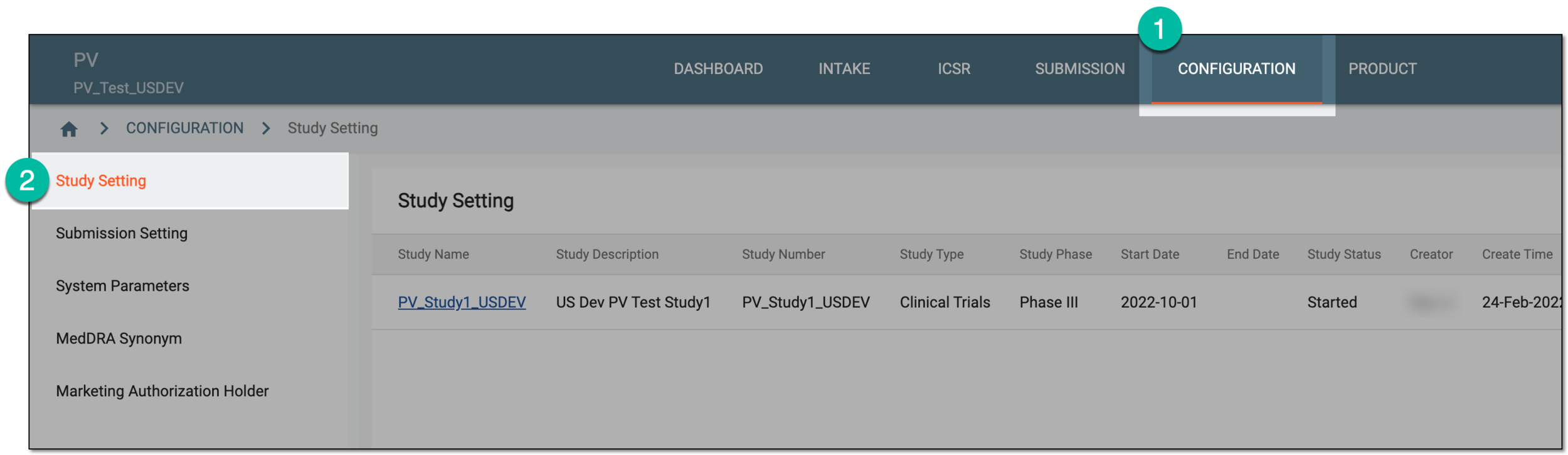 Figure 2. Accessing study setting
-
On the Study Setting page that opens, from the Study Name column, select a particular study.
Important
The list of studies available here depends on the study access permissions granted to your user group via the ADMIN application.
 Figure 3. Selecting study
-
On the page that appears, in the Study References block, locate the reference whose details you need to update. Then from the Actions column next to it, select Edit
 .
.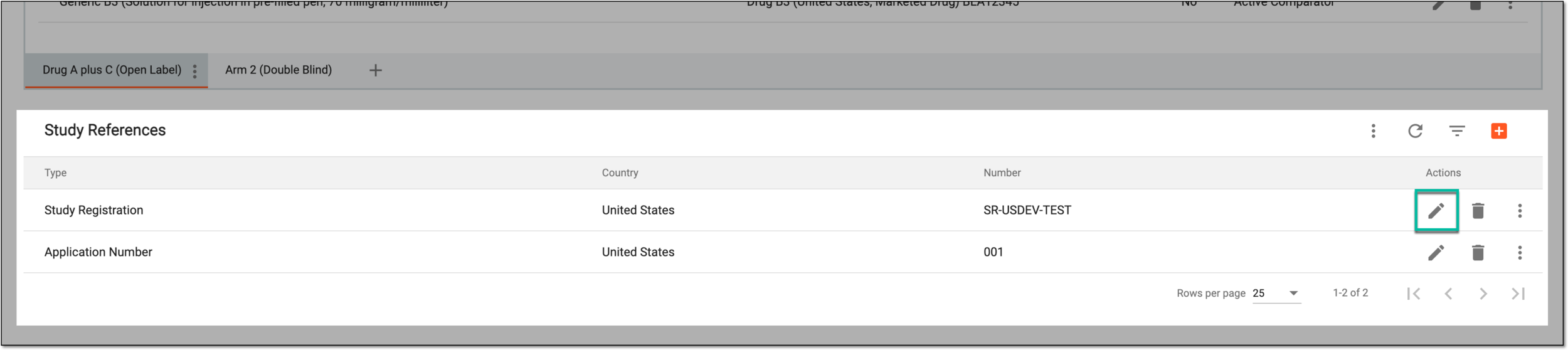 Figure 4. Selecting to edit study reference
-
In the Edit dialog that appears, update the fields as needed. These fields are identical to the ones explained in the table of the Configure study reference by type section.
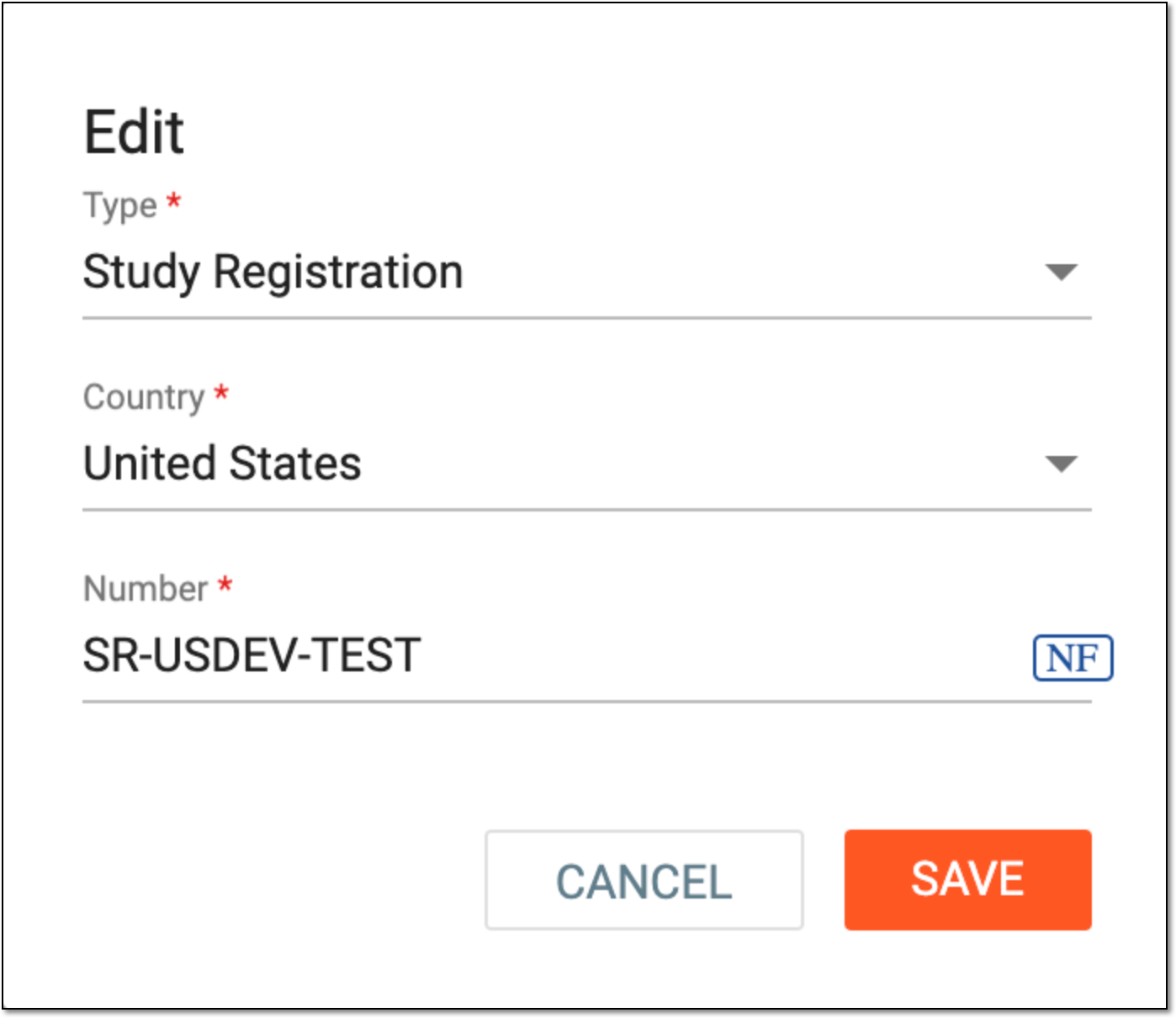 Figure 5. Editing study reference
Once saved, the study reference details are updated.