View dynamic randomization result
The dynamic randomization method adjusts the allocation probabilities based on the current distribution of participants by running the defined arm selector. The arm selector is a component of the randomization algorithm that determines the treatment arm to which a new participant is allocated based on certain predefined criteria or rules.
Once the randomization is ongoing according to your configured scheme, the result per each subject can be tracked via the dedicated page in the IWRS system.
-
In the IWRS application header, select the TREATMENT DESIGN tab.
-
In the left pane of the page that opens, select Period.
-
In the Period List table that appears, select the period within which you want to edit the randomization scheme details.
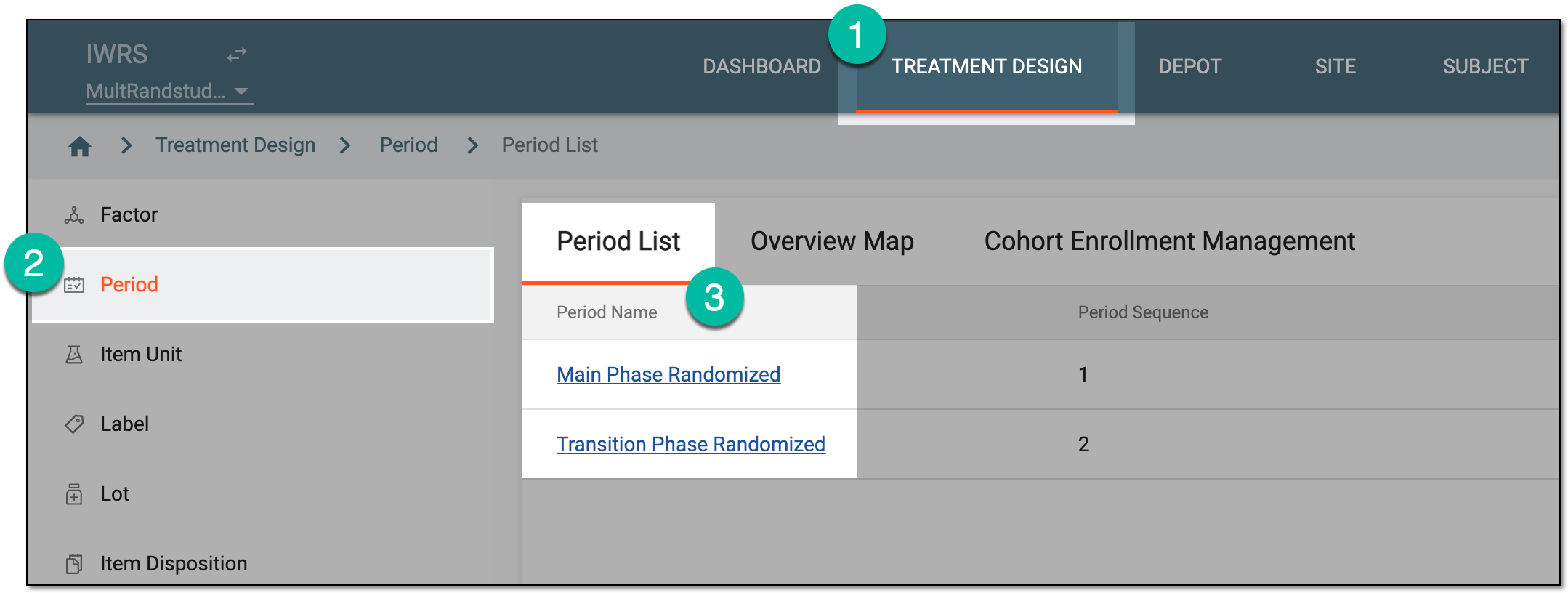 Figure 1. Selecting period to configure
-
In the period configurator tree, drill down and expand the cohort for which the dynamic randomization method is configured. From the expanded cohort menu, select Result.
-
On the Randomization Result page that opens, you can view the details of the occurred randomization as explained in the following table.
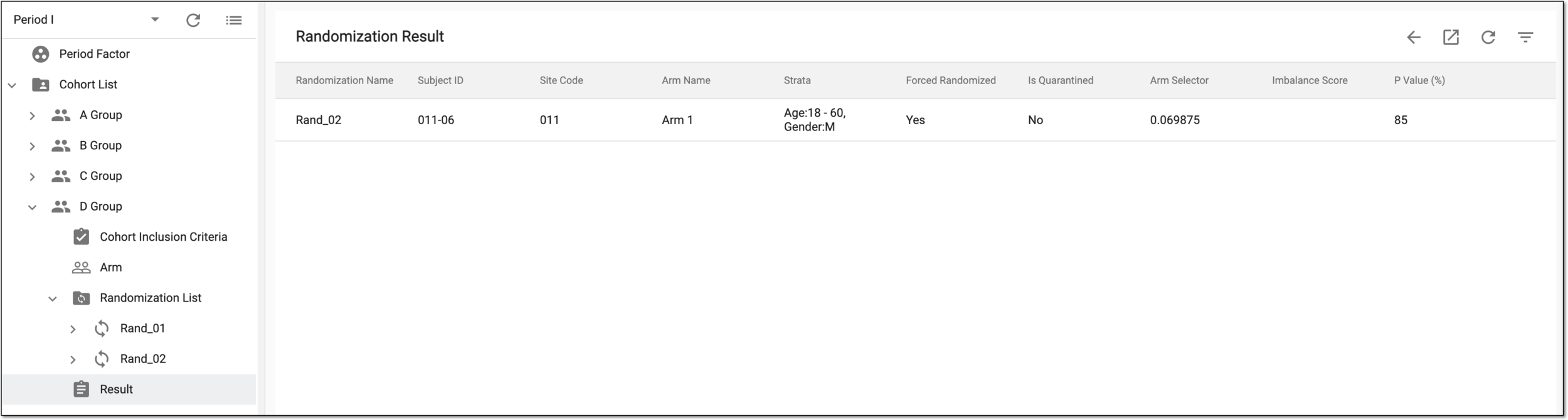 Figure 2. Viewing randomization result
Column
Details
Randomization Name
Represents the name of the randomization scheme used by the system for subject allocation.
Subject ID
Represents the system identifier of the randomized subject.
Site Code
Represents the code of the site to which the subject is allocated as a result of randomization.
Arm Name
Represents the name of the arm to which the subject is allocated as a result of randomization.
[Stratified Factor Name]
Represents an individual stratified factor based on which the subject allocation is performed as a result of randomization.
There can be as many such columns as there are stratified factors involved in randomization. Bringing out the individual factor column makes it easier to filter the
                                  table by a specific factor or to do statistical analysis.
Strata
Represents the stratification factor or a group of factors separated with a semicolon considered for randomization and allocation of the subject.
This value combines the values of all the [Stratified Factor Name] columns.Forced Randomized
Represents if the randomization was forced (Yes) or not (No).
Is Quarantined
Represents if the subject is currently quarantined (Yes) or not (No).
Arm Selector
Represents the arm selector value applied for subject allocation.
Imbalance Score
Represents the imbalance score—the value of balance between treatment groups assessed in the process of subject allocation.
P Value (%)
Represents the P value configured for the system-generated or configured for the manually uploaded randomization scheme.
The P value is a key parameter in dynamic randomization algorithms, as it influences the likelihood of a participant being assigned to a particular treatment arm compared to the other arms.
Removed from Dynamic Randomization
Represents if the subject is removed from the randomization balance calculation (Yes) or not (No).
Reason
Represents the reason specified upon excluding the subject from the randomization balance calculation.
You have analyzed the dynamic randomization result.