Edit dynamic randomization scheme details
The dynamic randomization method adjusts the allocation probabilities based on the current distribution of participants by running the defined arm selector. The arm selector is a component of the randomization algorithm that determines the treatment arm to which a new participant is allocated based on certain predefined criteria or rules.
In IWRS, when you add a new randomization scheme, you specify the details that influence further configuration of its arm selector. You can update these details later on if the scheme is not yet ongoing—used for randomization—or completed.
-
In the IWRS application header, select the TREATMENT DESIGN tab.
-
In the left pane of the page that opens, select Period.
-
In the Period List table that appears, select the period within which you want to edit the randomization scheme details.
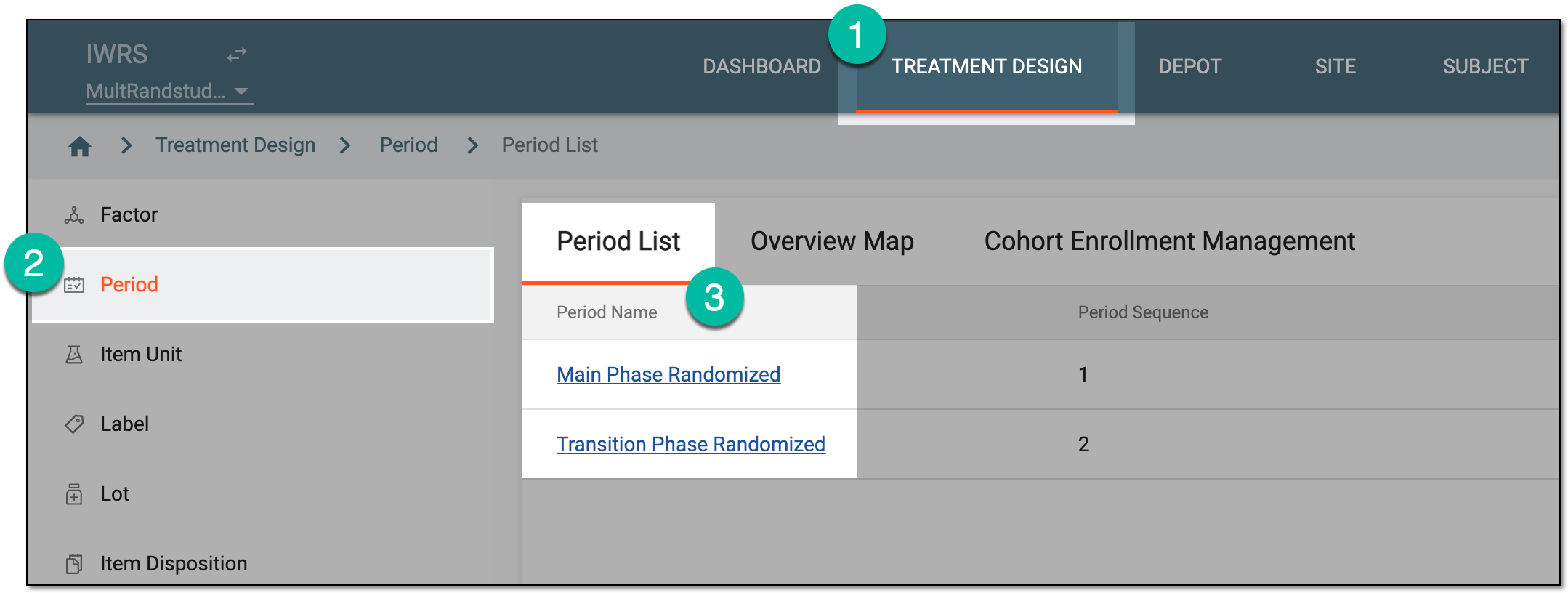 Figure 1. Selecting period to configure
-
In the period configurator tree, drill down and expand the cohort for which the dynamic randomization method is configured. From the expanded cohort menu, select Randomization List.
-
On the Randomization List page that opens, locate the scheme you want to update and from the Action(s) column next to it, select Edit
 .
.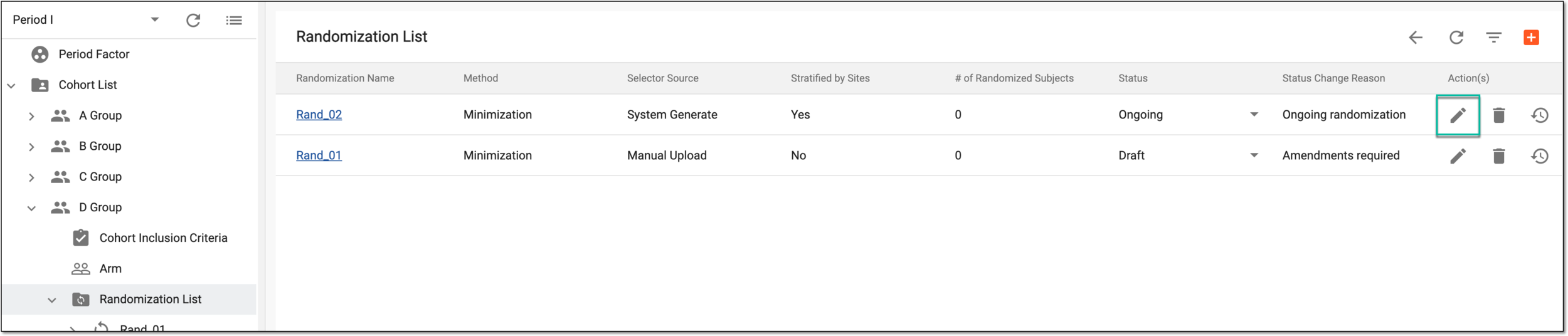 Figure 2. Selecting to edit randomization scheme
-
In the Edit dialog that appears, complete the settings as explained in the following table.
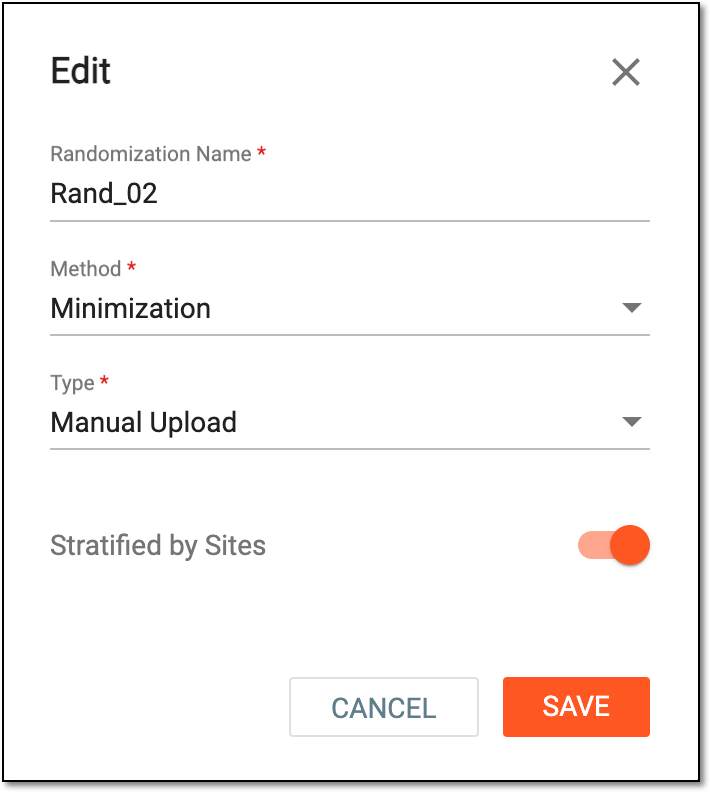 Figure 3. Adding new randomization scheme
Tip
In the following table, mandatory elements are marked with an asterisk (*).
Element
Details
Randomization Name*
Enter a unique name of the randomization scheme you create.
Method*
Select the method of subject randomization. Currently, only the Minimization method is supported by the system. According to this method, when a new subject is randomized, the system considers all the factors and allocates them to the treatment group (arm) that would minimize the imbalance.
Type*
Select how the arm selector for your randomization scheme is to be configured:
-
System Generate: select this option if the arm selector is to be configured by entering all the needed configuration parameters from scratch directly in the IWRS system.
-
Manual Upload: select this option if you want to configure the arm selector by uploading a configuration file from your computer and then mapping the fields in the file to the fields available in the IWRS system.
Stratified by Sites
Turn the toggle on so that the site is automatically used as the stratified factor with the highest priority.
SAVE
Select
 to save the implemented changes.
CANCEL
Select
 to discard the changes without saving.
 -
Once saved, a new randomization scheme is updated and ready to be configured. All the changes performed are recorded by the system and traceable via the operation history.