View randomization scheme operation history
Randomization is a process during which subjects receive their random numbers and are assigned to different arms based on the configured randomization scheme for dynamic or permuted block randomization methods. Once the randomization scheme is configured, it might undergo various amendments. IWRS, you can view the history of all actions performed with the randomization scheme.
-
In the IWRS application header, select the TREATMENT DESIGN tab.
-
On the page that opens, in the left pane, select the Period subtab.
-
In the Period List table that appears, locate the period of your interest. Then in the Period Name column, select the value to open the period configurator.
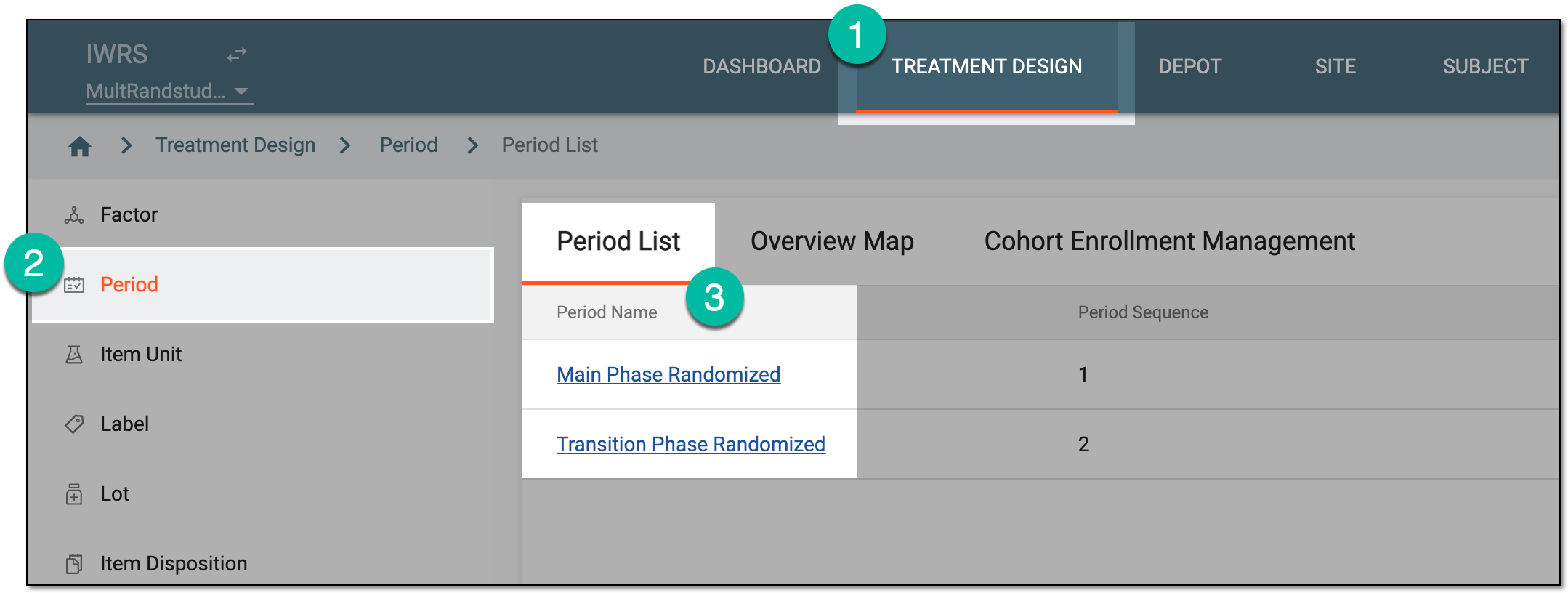 Figure 1. Selecting period to configure
-
In the period configurator, drill down the explorer tree and select Randomization List.
-
In the Randomization List table that appears, go to the randomization scheme whose history you want to track and next to it, select Operation History
 .
. Figure 2. Selecting to view randomization scheme history
-
In the Operation History dialog that appears, view the detailed information on the randomization scheme you need.
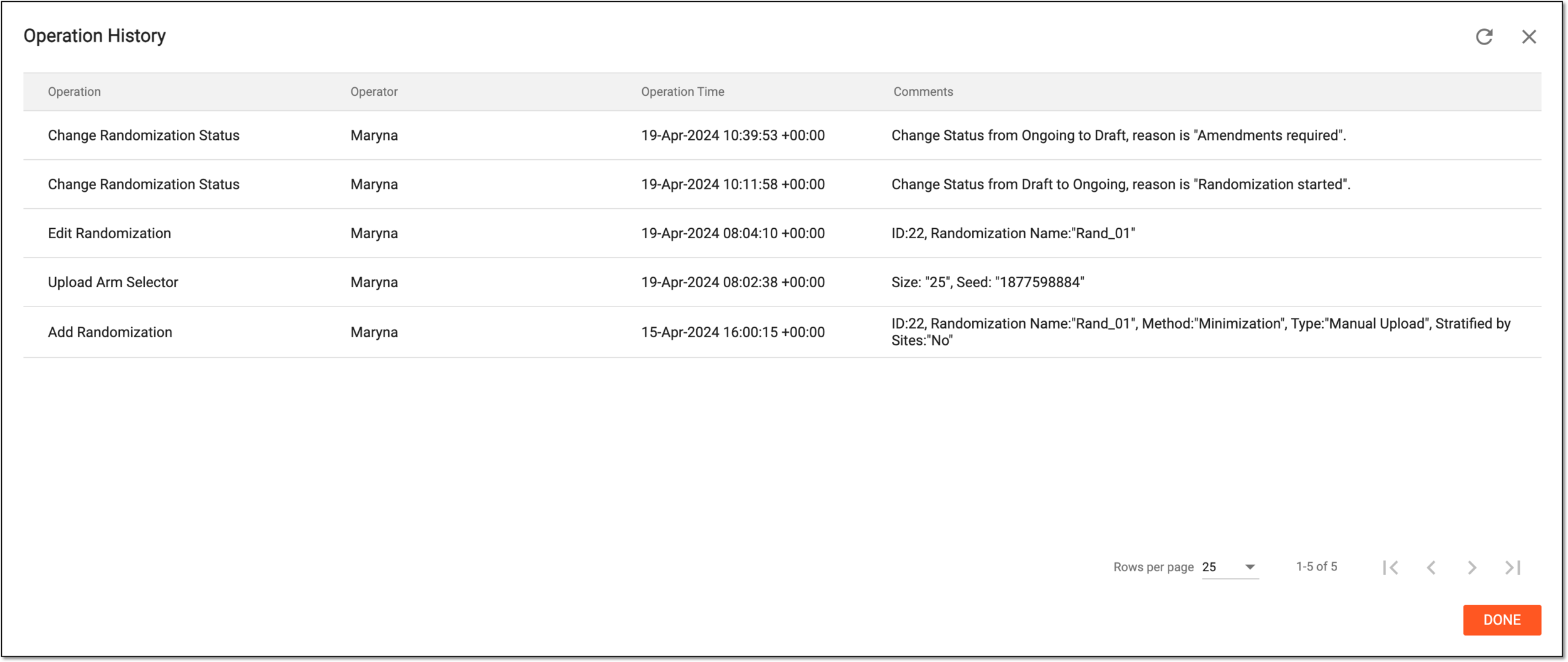 Figure 3. Viewing randomization scheme history
-
Select
 or
or  to close the dialog.
Once the dialog is closed, you are redirected to the Randomization List table.