Scrambled randomization
Scrambled randomization is a set of global randomization numbers present within each period of the multiperiod study that is used to prevent unexpected unbinding.
In IWRS, the scrambled randomization feature is only available for multiperiod studies to mix up the subject randomization numbers in each cohort so that by viewing the randomization number itself user cannot tell to which arm the randomization number belongs.
For instance, for two cohorts, the randomization numbers start with 1000 and up to 2000. Thus, if each cohort has 500 subjects, the first cohort will end up with numbers 1000-1500, and the second one will end up with numbers 1501-2000. This way, by simply looking at the randomization number, one can see to which cohort the patient belongs. This is the risk of unblinding.
With the scrambled randomization, all the numbers between 1000 and 2000 are mixed up before they are assigned to subjects, so you have the most random numbers in both cohorts. Thus, it is impossible to discover to which cohort the subject belongs from their randomization number.
Scrambled randomization is a set of global randomization numbers present within each period of the multiperiod study that is used to prevent unexpected unbinding.
In IWRS, the scrambled randomization feature is only available for multiperiod studies to mix up the subject randomization numbers in each cohort so that by viewing the randomization number itself user cannot tell to which arm the randomization number belongs.
To have the scrambled randomization option available, you need to enable it for your study periods. You can also disable this feature if it is not applicable for any of your periods. This can be done upon editing your period details.
Important
You can enable/disable the scrambled randomization for a period that has no randomization schemes. Once the randomization scheme is generated for a period, you can no longer change the scrambled randomization setting for the period.
Watch this short video and learn how to enable or disable the scrambled randomization for a period in IWRS and proceed to study the detailed instructions as described in the following procedure.
-
In the IWRS application header, select the TREATMENT DESIGN tab.
-
On the page that opens, from the left pane, select Period.
-
On the Period List page, locate the period for which you want to enable or disable the scrambled randomization. Then from the Action(s) column next to it, select Edit
 .
. Figure 1. Selecting to edit period
-
In the Edit dialog that opens, locate the Scramble the Randomization Numbers toggle and turn it on to enable the scrambled randomization for your period, or turn it off to disable the scrambled randomization.
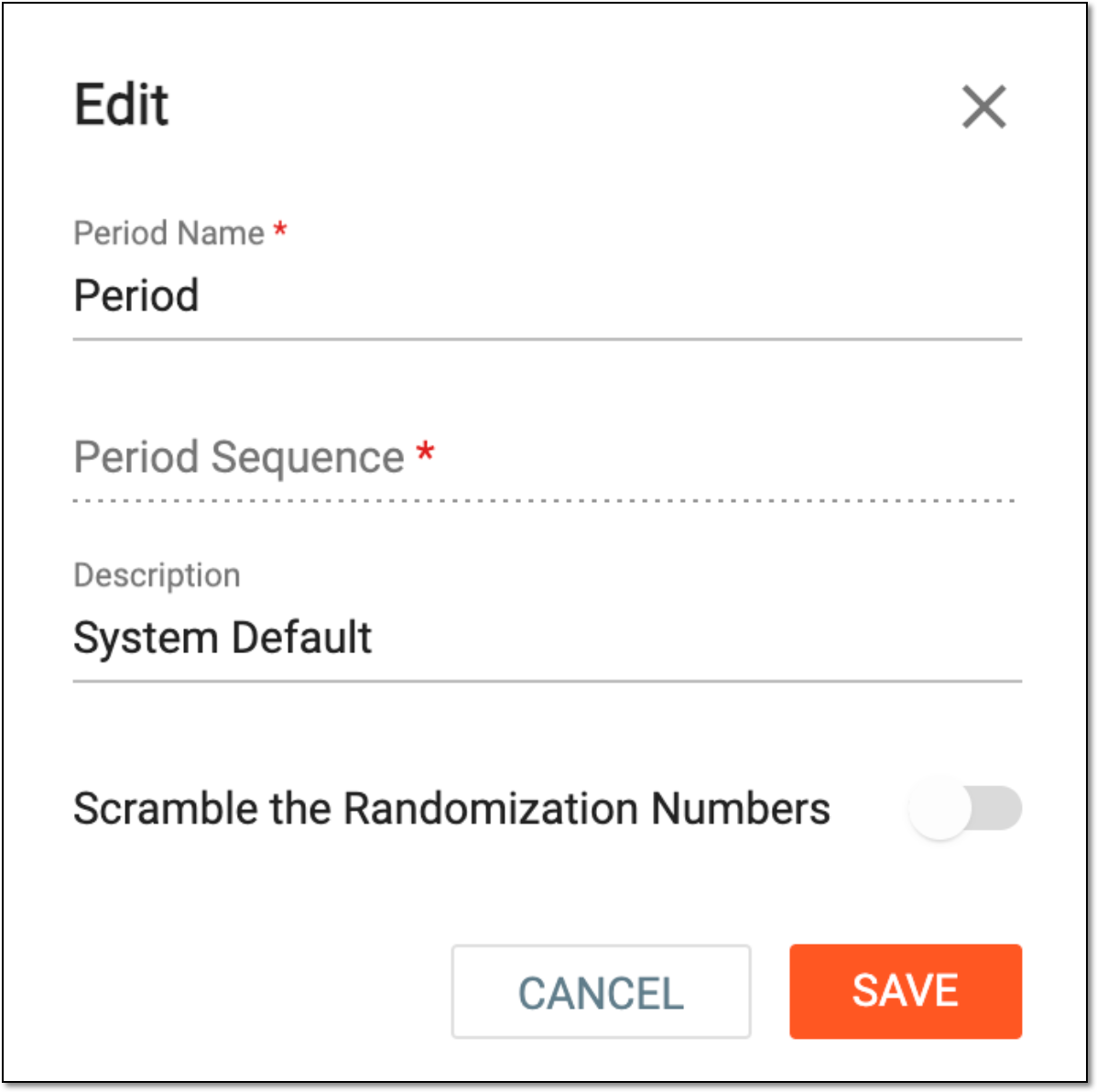 Figure 2. Editing period
Important
The Scramble the Randomization Numbers toggle is disabled for a period if this is a single-period study or if this period already has a randomization scheme.
-
Select
 to save the implemented changes.
Once saved, depending on your action, the scrambled randomization is either enabled or disabled for the period. If enabled, the system scrambles available randomization numbers before assigning them to subjects. If disabled, the randomization numbers are assigned to subjects in sequential order.