Manage factors for dynamic randomization scheme
In IWRS, when configuring the dynamic randomization scheme, you need to manage the factors—such as demographics, disease details, or else—that are considered for subject allocation between arms. Factor management is the same for the randomization schemes configured from scratch in IWRS and from file upload. From this page, you can add, update, and delete factors.
Important
You can only manage factors for the scheme that is in the Draft status. For more details see the Change randomization scheme status section.
-
In the IWRS application header, select the TREATMENT DESIGN tab.
-
In the left pane of the page that opens, select Period.
-
In the Period List table that appears, select the period within which you want to manage factors for a dynamic randomization scheme.
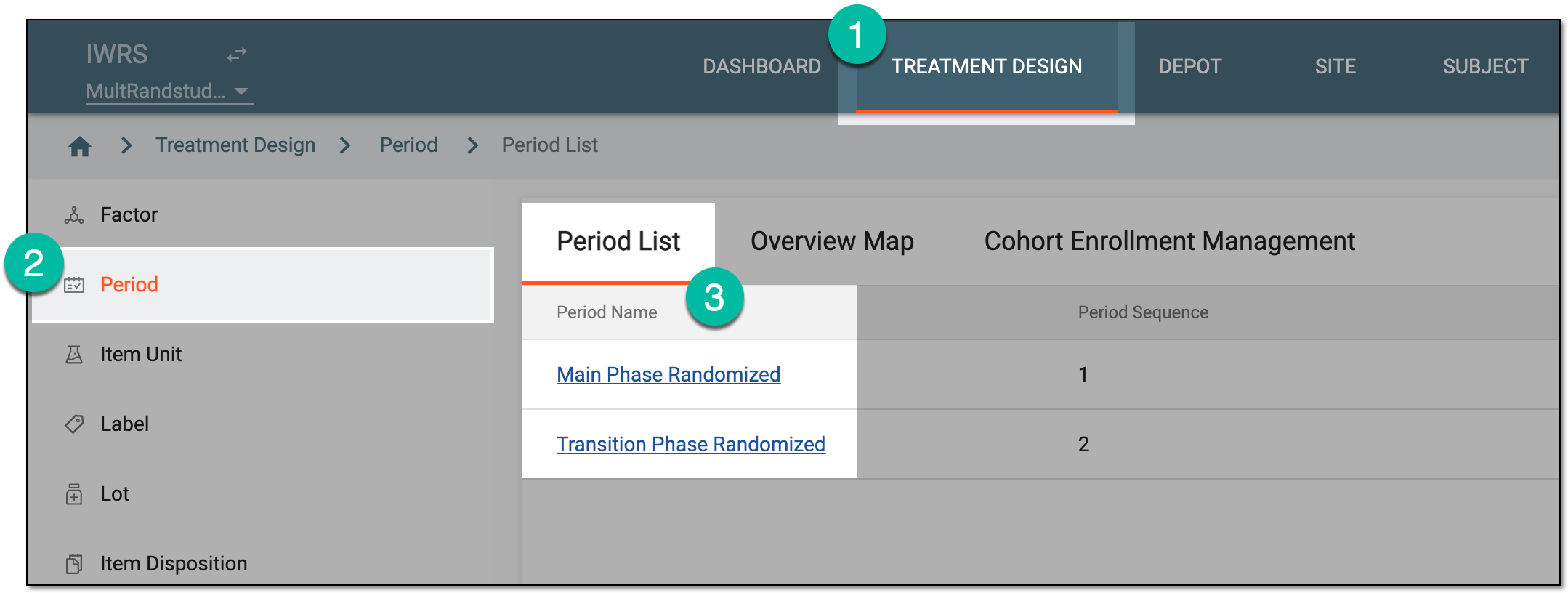 Figure 1. Selecting period to configure
-
In the period configurator tree, drill down and expand the cohort for which the dynamic randomization method is configured. From the expanded cohort menu, select Randomization List.
-
In the Randomization List table that appears, locate the randomization scheme of your interest and select its name.
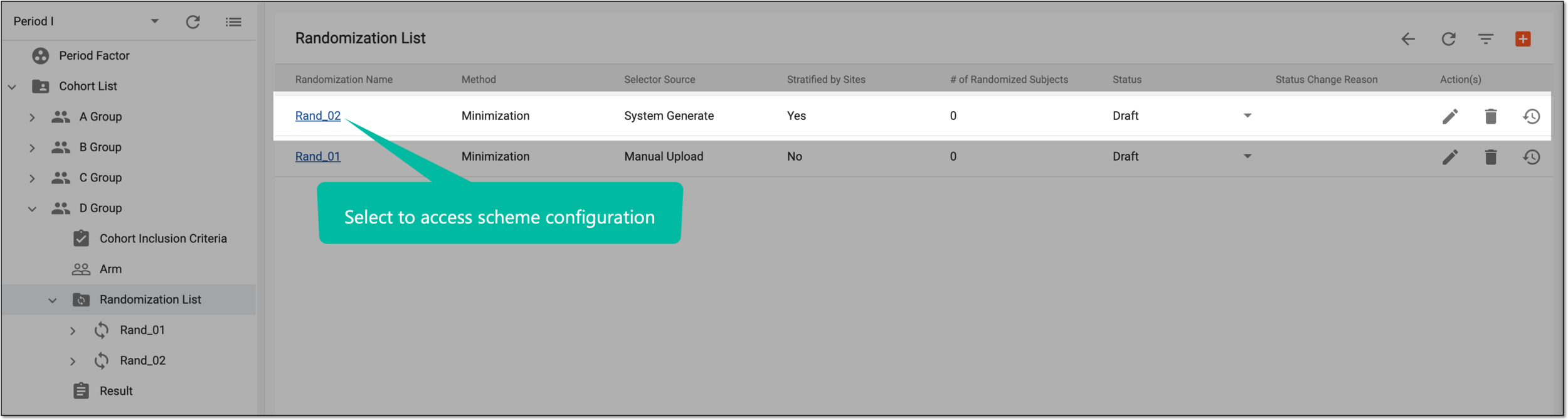 Figure 2. Accessing randomization scheme configurator
Tip
You can also select the Scheme node under the respective randomization scheme in the period configurator tree.
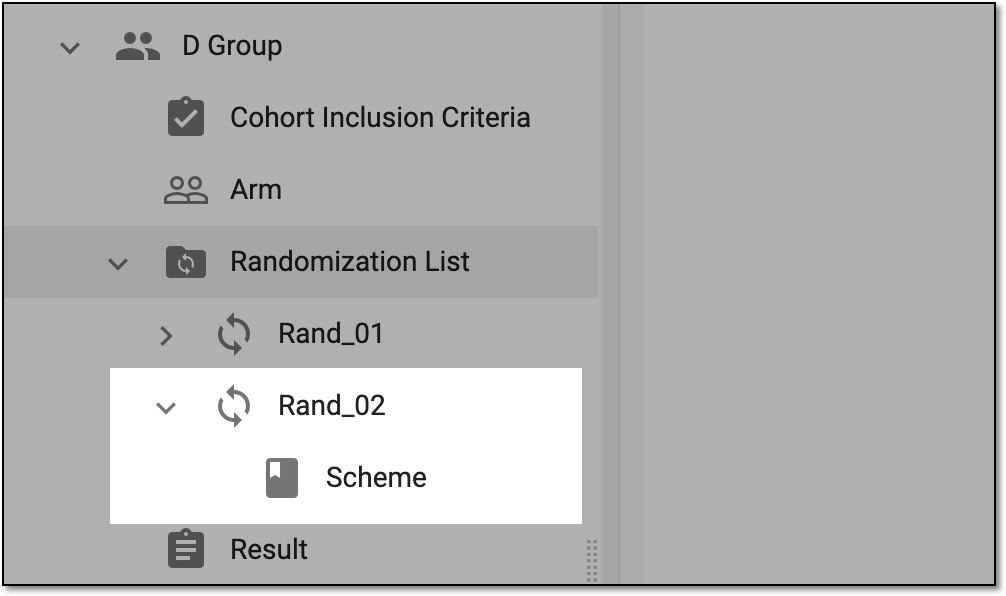 Figure 3. Accessing randomization scheme configurator from tree
-
On the scheme configuration page, select the Factor tab and manage the arms as follows.
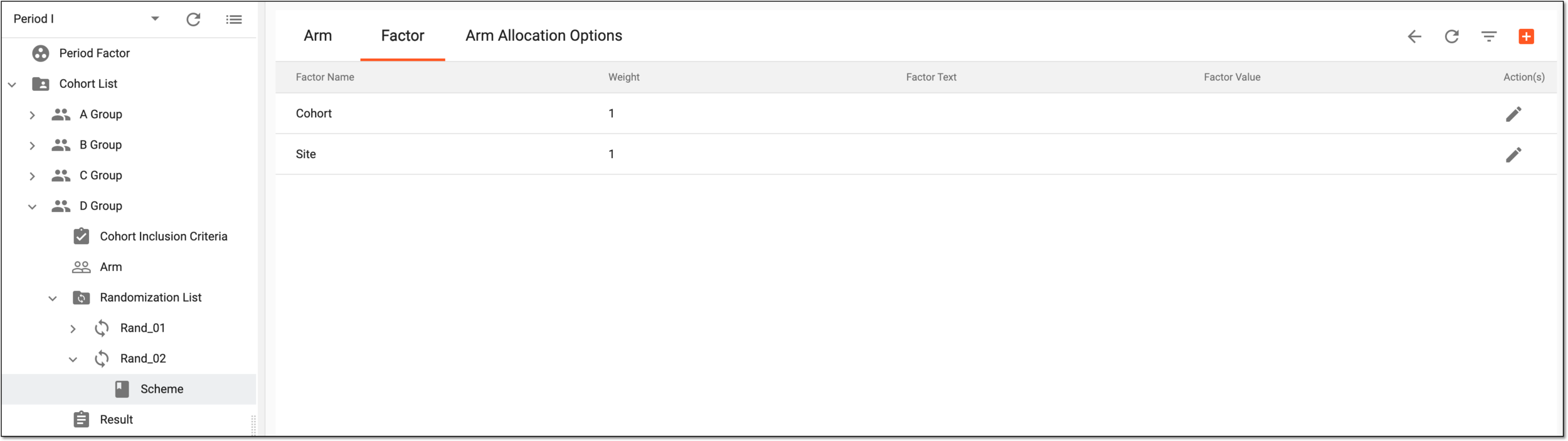 Figure 4. Dynamic randomization scheme factors
-
From the workspace toolbar, select New Item
 to add more factors to your randomization scheme as explained in the
following table.
to add more factors to your randomization scheme as explained in the
following table.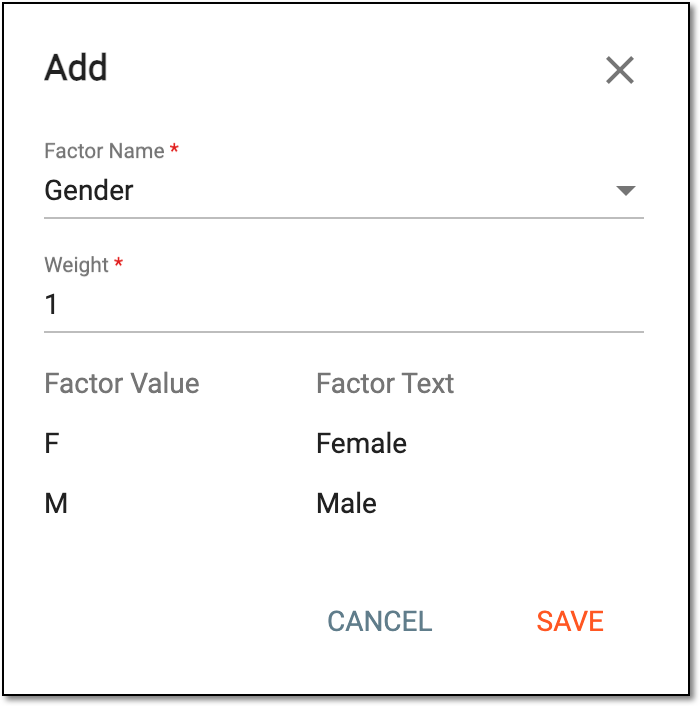 Figure 5. Configuring arm and ratio
Element
Details
Factor Name*
Select the factor that the system must consider in the randomization process. The list of available options here is based on the inclusion criteria added to the cohort.
Weight*
Enter the number to outline the value of this factor compared to other factors for the system consideration when allocating subjects between arms.
For instance, if the weight of all factors is 1, the system gives them equal consideration. However, if one factor has a weight of 2, and the other arms have a weight of 1, then the factor with a higher weight has more influence on the subject allocation probability.
Factor Value
Represents the value of the factor, such as F and M for female and male gender, 18-60 for age, and so on.
Factor Text
Represents the text of the factor value, such as Female for the value F or else.
SAVE
Select
 to save the implemented changes.
CANCEL
Select
 to discard the changes without saving.
 -
Next to the needed factor, from the Action(s) column, select Edit
 to update the
details as explained in the previous table.
to update the
details as explained in the previous table. -
Next to the needed factor, from the Action(s) column, select Delete
 to
remove the factor from the list and exclude it from the randomization process.
to
remove the factor from the list and exclude it from the randomization process.Important
You can update but not delete the Site and Cohort factors as they are essential for dynamic randomization.
You have managed the factor list for your dynamic randomization. Once the randomization starts, the factors added to the list are considered for subject allocation according to the set weight.
-