Change randomization scheme status
Randomization helps you avoid potential bias in the selection and allocation of subjects arising from the predictability of treatment assignments.
In IWRS, you can configure randomization within a cohort according to two methods—permuted block or dynamic randomization. For both these methods, you need to configure a randomization scheme—a plan according to which subjects enrolled in a study are randomized and receive treatment.
Since multiple randomization schemes can exist simultaneously within one cohort, you can manage their statuses to determine which of them is currently ongoing, is being configured (drafted), already closed or terminated, and so on.
-
In the IWRS application header, select the TREATMENT DESIGN tab.
-
On the page that opens, in the left pane, select the Period subtab.
-
In the Period List table that appears, locate the period of your interest. Then in the Period Name column, select the value to open the period configurator.
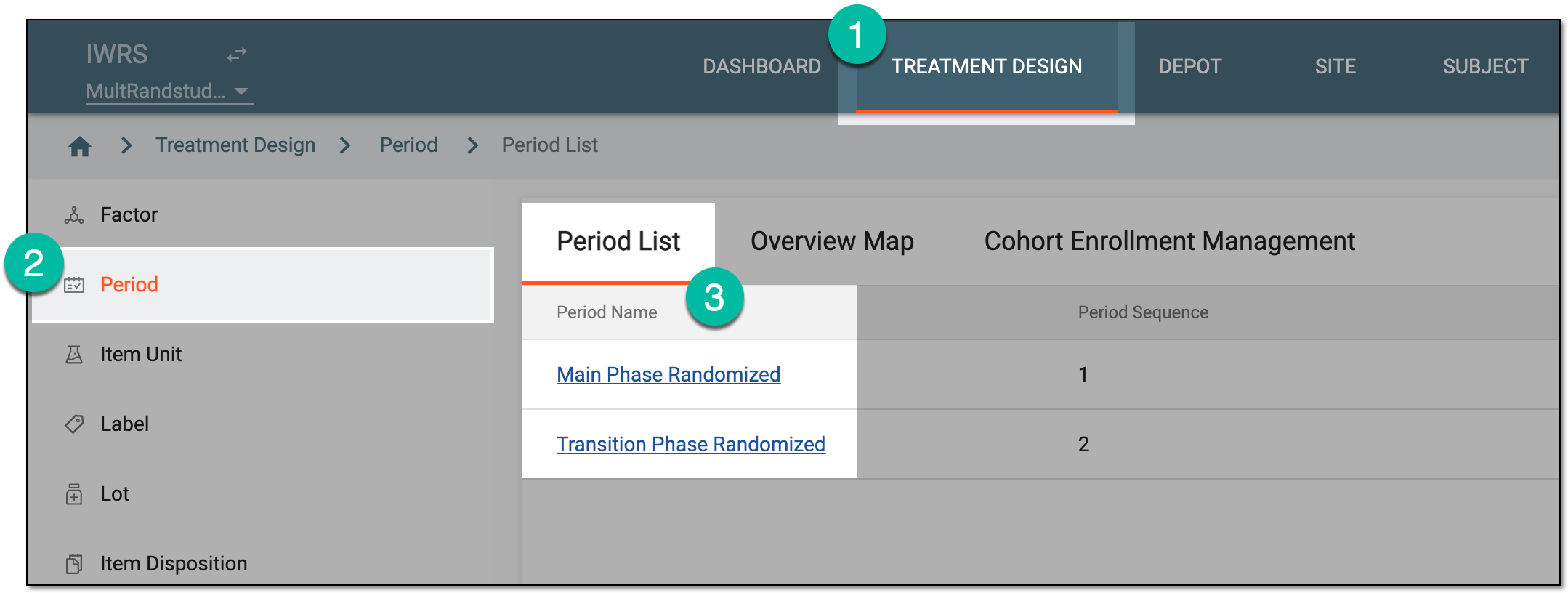 Figure 1. Selecting period to configure
-
In the period configurator, drill down the explorer tree and select Randomization List.
-
In the Randomization List table that appears, locate the scheme for which you want to change status. Then from the Status column, expand the dropdown list and select the needed status as explained in the following table.
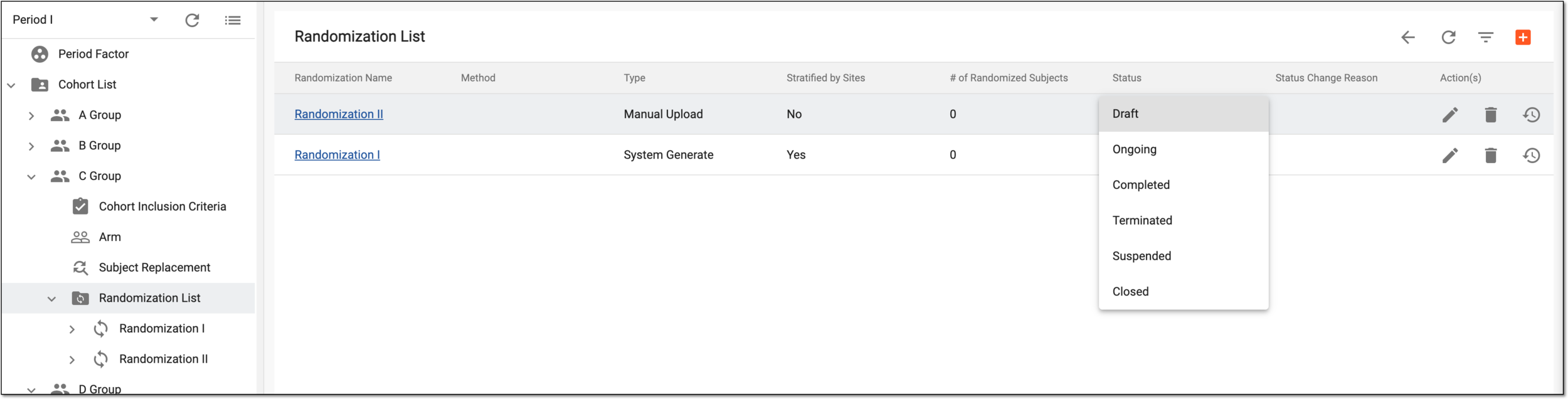 Figure 2. Selecting PB randomization scheme status
Status
Details
Draft
Represents the default status of the added scheme. The schemes with such statuses can be modified in terms of configurations or deleted.
You cannot change the status to Draft if at least one subject is already randomized according to this scheme.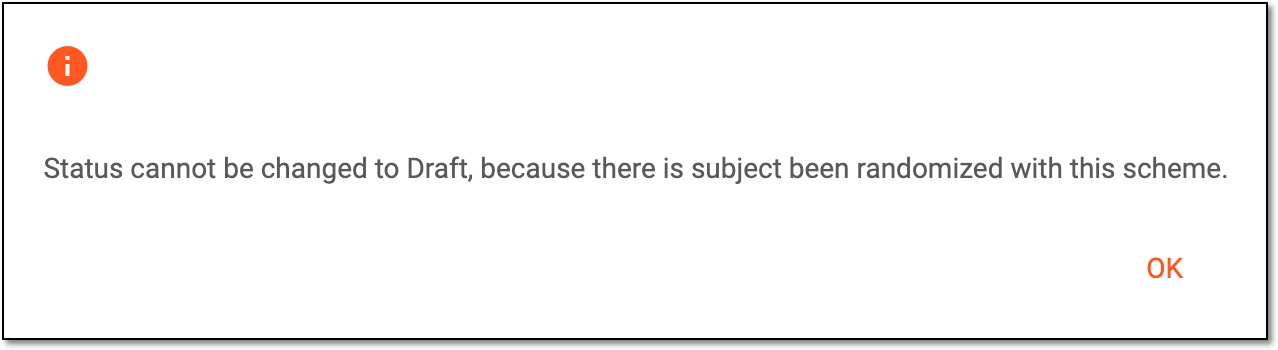 Figure 3. Receiving error for draft status
Ongoing
Represents that the ongoing scheme is currently used for randomization in IWRS and EDC. The schemes with such statuses cannot be modified or deleted.
Completed
Represents that the study for which this randomization has been created is over. The schemes with such statuses can be modified or deleted if no subjects are randomized according to them.
Terminated
Represents that the randomization scheme is terminated. The schemes with such statuses can be modified or deleted if no subjects are randomized according to them.
Suspended
Represents that the randomization scheme is suspended. The schemes with such statuses can be modified or deleted if no subjects are randomized according to them.
Closed
Represents that the randomization scheme is closed as it is no longer needed for some reason. The schemes with such statuses can be modified or deleted if no subjects are randomized according to them.
-
In the Status Change Reason dialog that opens, enter the reason for your action.
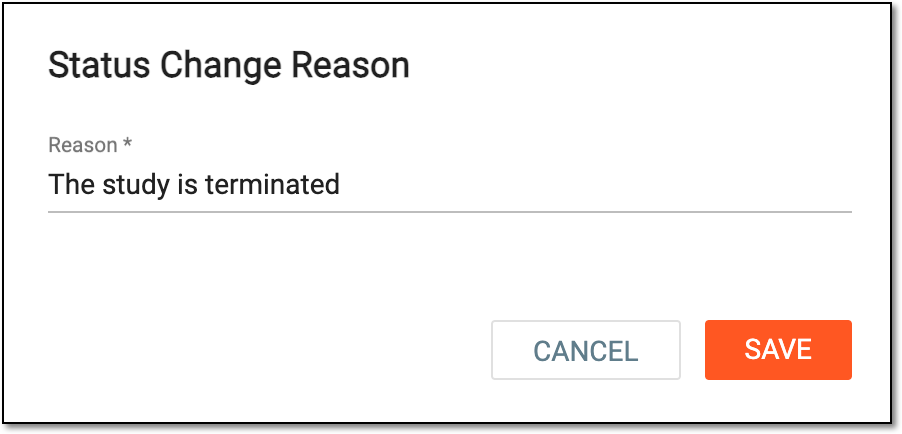 Figure 4. Providing status change reason
-
Select
 to confirm your action.
Once saved, the status of the randomization scheme is updated.