Add new cohort inclusion criteria
Inclusion criteria are the key characteristics of the target population that researchers will use to answer their research questions. Typical inclusion criteria include demographic, clinical, and geographic characteristics.
In IWRS, you can add inclusion criteria to your cohorts so that the subjects are divided into treatment groups based on your predefined factors and following your study objectives.
-
In the IWRS application header, select the TREATMENT DESIGN tab.
-
On the page that opens, in the left pane, select the Period subtab.
-
In the Period List table that appears, locate the period of your interest. Then in the Period Name column, select the value to open the period configurator.
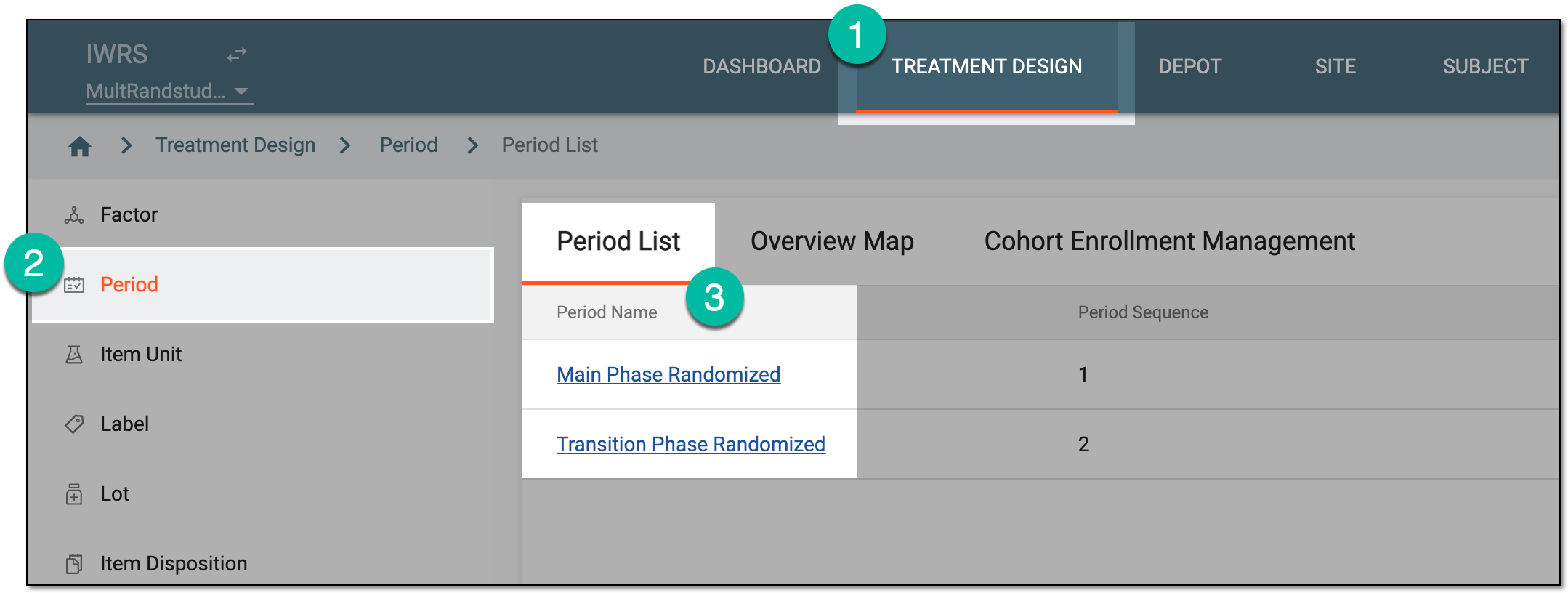 Figure 1. Accessing period configurator
-
In the period configurator, drill down the explorer menu and select the Cohort List subtab.
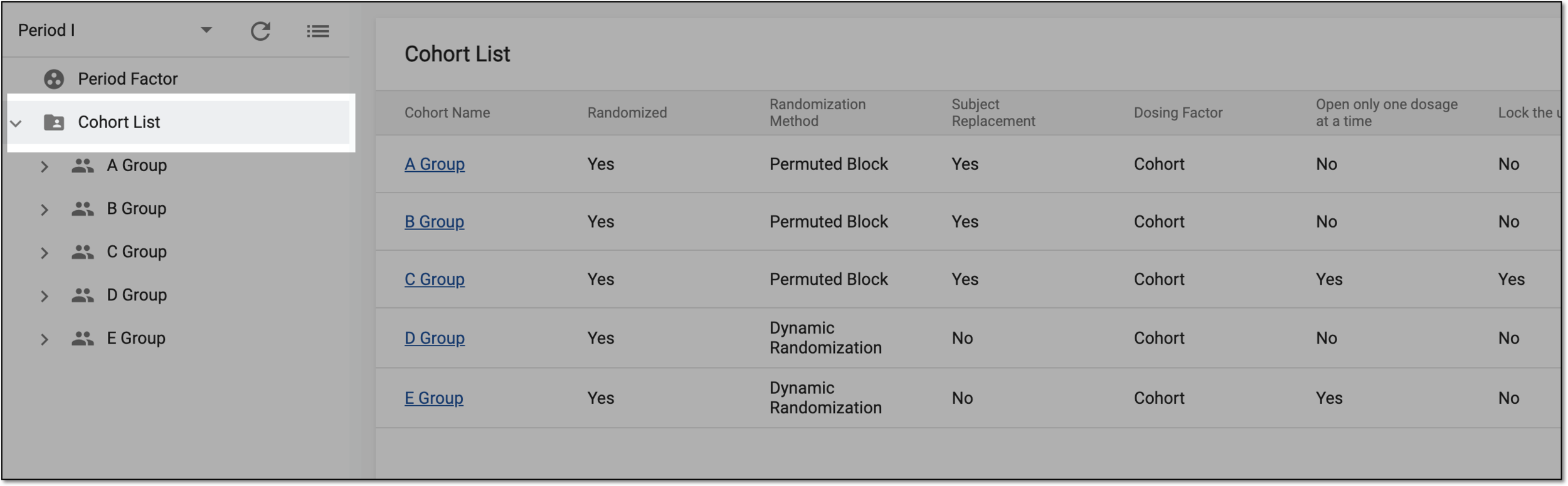 Figure 2. Accessing cohort list
-
From the list of cohorts, expand the one of your interest and select Cohort Inclusion Criteria.
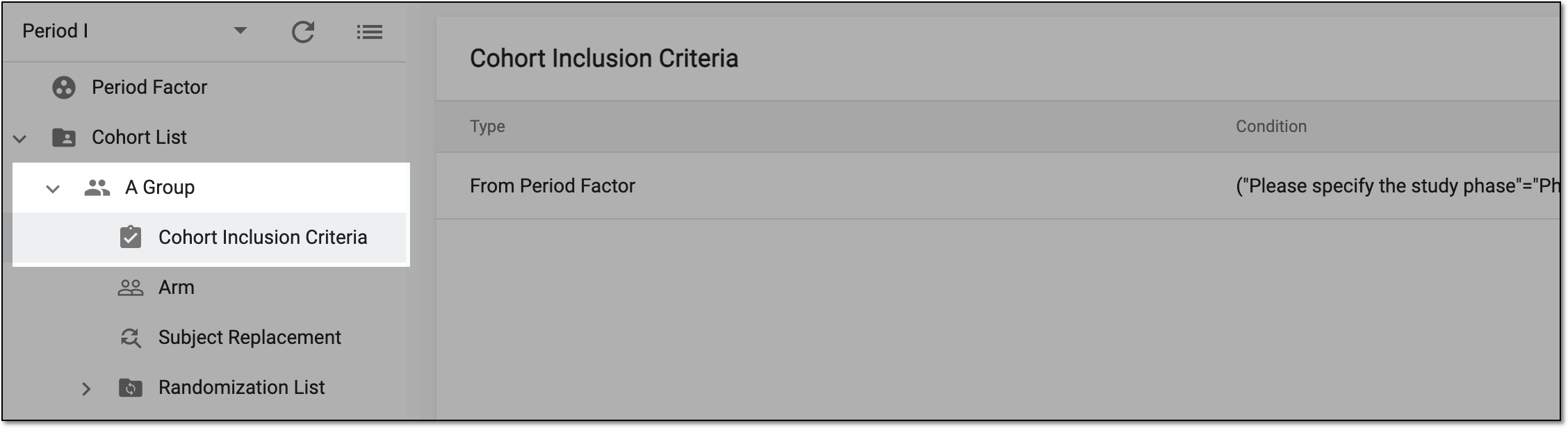 Figure 3. Accessing cohort inclusion criteria
-
On the page that opens, above the Cohort Inclusion Criteria table, select New Item
 .
. Figure 4. Adding new cohort inclusion criteria
-
In the Add dialog that appears, start defining your cohort inclusion criteria by setting the preferences as described in the following table.
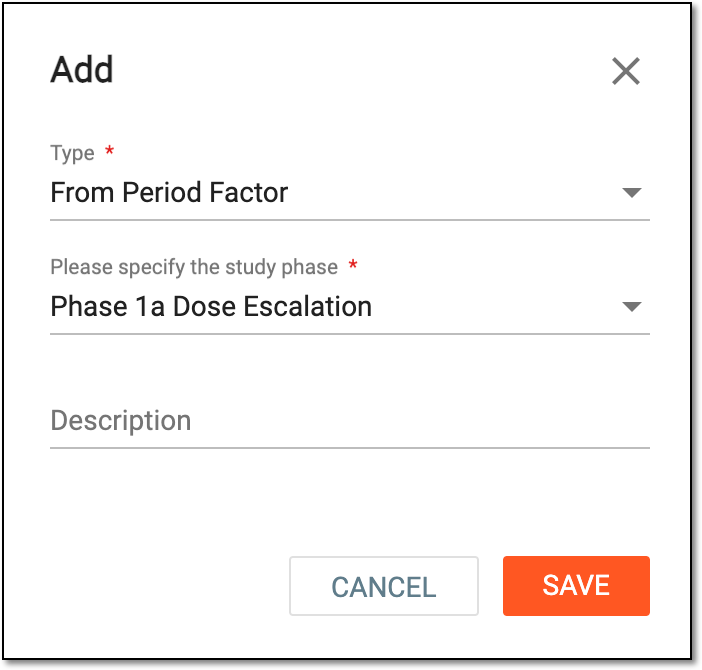 Figure 5. Adding inclusion criteria details
Tip
In the following table, mandatory elements are marked with an asterisk (*).
Element
Details
Type*
Expand the dropdown and select one of the following options:
[Period factor name]*
Expand the dropdown and set the inclusion criteria themselves for subjects to be allocated in a cohort by selecting the corresponding checkboxes.
The field is only available for the From Period Factor type.Previous Period Arm*
Expand the dropdown and select one of the arms from the previous period as an inclusion criterion for subjects in the current period.
The field is only available for the From Previous Period type.Description
Enter a meaningful description of the inclusion criteria you define.
SAVE
Select
 to add your cohort inclusion criteria.
CANCEL
Select
 to stop defining your cohort inclusion criteria, close the dialog without saving the changes, and return to the cohort inclusion
list of the Period configurator.
to stop defining your cohort inclusion criteria, close the dialog without saving the changes, and return to the cohort inclusion
list of the Period configurator.
Once the criteria are added, they are displayed on the cohort card of the overview map.
Now you are ready to add arms to the cohort.