Edit cohort inclusion criteria
At any time, you can make updates and edits to your cohort inclusion criteria and change the source of factors for inclusion criteria, define the other inclusion criteria, or update the criteria description.
-
In the IWRS application header, select the TREATMENT DESIGN tab.
-
On the page that opens, in the left pane, select the Period subtab.
-
In the Period List table that appears, locate the period of your interest. Then in the Period Name column, select the value to open the period configurator.
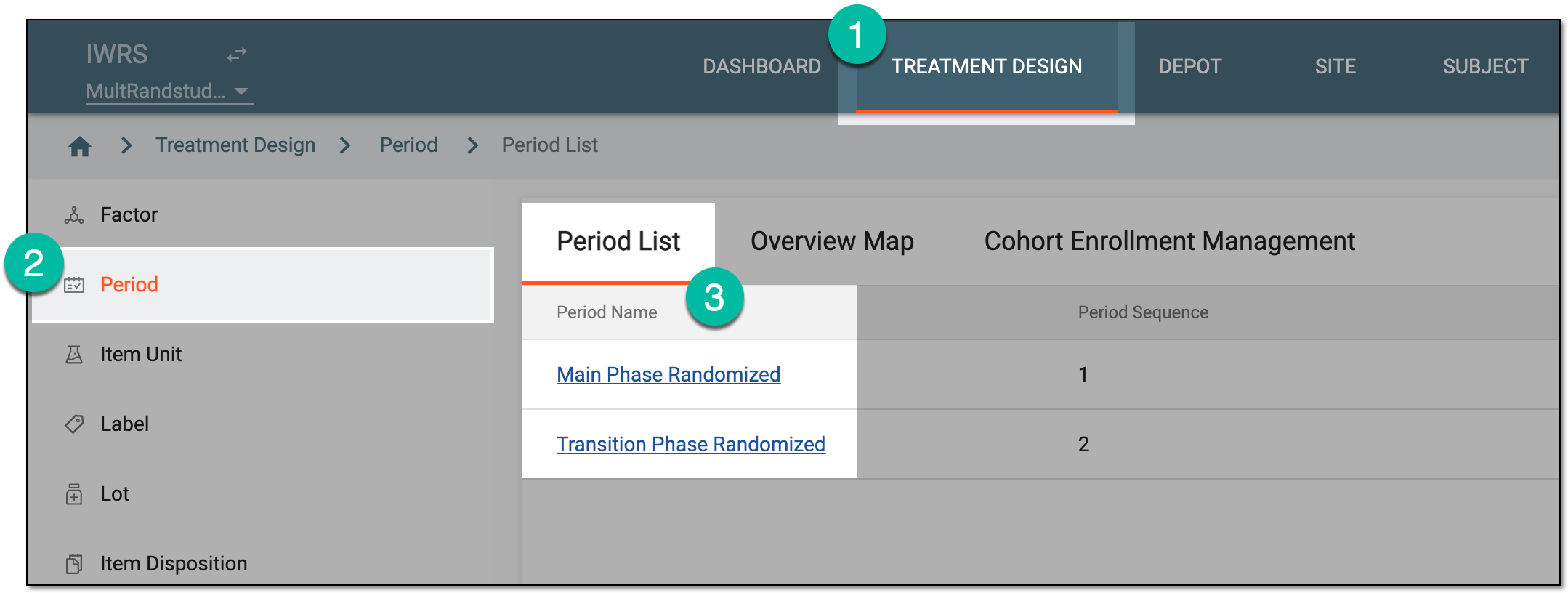 Figure 1. Accessing period configurator
-
In the period configurator, drill down the explorer menu and select the Cohort List subtab.
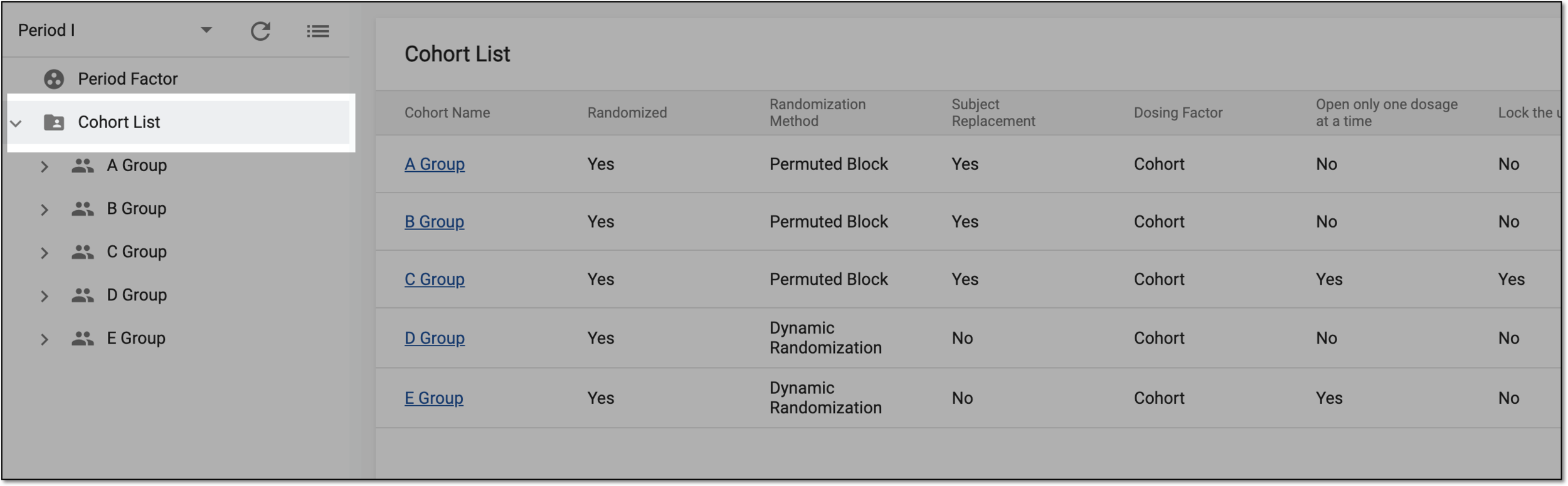 Figure 2. Accessing cohort list
-
From the list of cohorts, expand the one of your interest and select Cohort Inclusion Criteria.
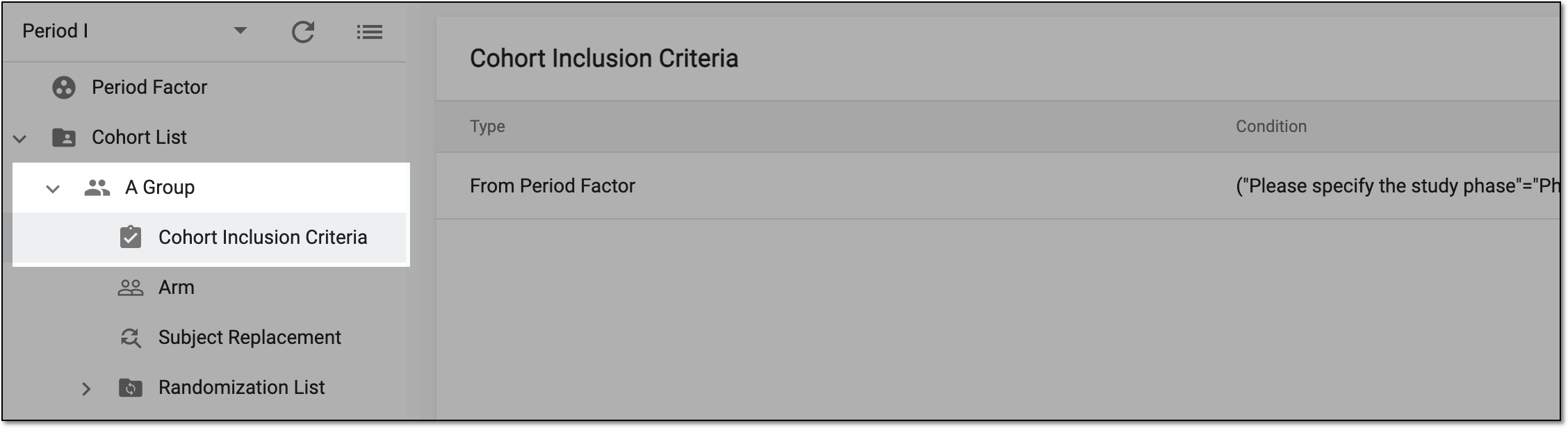 Figure 3. Accessing cohort inclusion criteria
-
On the page that opens, in the Cohort Inclusion Criteria table, go to the inclusion criteria that you want to update and next to it, select Edit
 .
. Figure 4. Accessing cohort inclusion criteria editing
-
In the Edit dialog that appears, update the fields as needed. These fields are identical to the ones explained in the table of the Add new cohort inclusion criteria section.
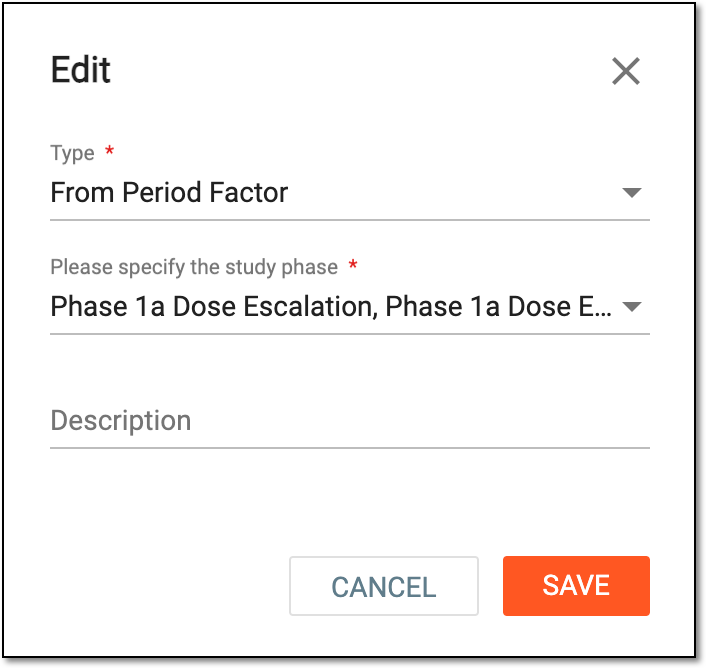 Figure 5. Editing inclusion criteria
Tip
In the following table, mandatory elements are marked with an asterisk (*).
Element
Details
Type*
Expand the dropdown and select one of the following options:
[Period factor name]*
Expand the dropdown and set the inclusion criteria themselves for subjects to be allocated in a cohort by selecting the corresponding checkboxes.
The field is only available for the From Period Factor type.Previous Period Arm*
Expand the dropdown and select one of the arms from the previous period as an inclusion criterion for subjects in the current period.
The field is only available for the From Previous Period type.Description
Enter a meaningful description of the inclusion criteria you define.
SAVE
Select
 to add your cohort inclusion criteria.
CANCEL
Select
 to stop defining your cohort inclusion criteria, close the dialog without saving the changes, and return to the cohort inclusion
list of the Period configurator.
to stop defining your cohort inclusion criteria, close the dialog without saving the changes, and return to the cohort inclusion
list of the Period configurator.
Once the updates are saved, a confirmation message appears at the bottom of the screen. Your cohort inclusion criteria are updated.