Add participating organization to CTMS
In CTMS, you can create and maintain a database of all participating organizations of your research, such as medical centers, laboratories, data providers, and so on. You can add participating organizations one by one whenever needed.
-
In the CTMS application header, select the ENTITY MANAGEMENT tab.
-
On the page that opens, in the left pane, select Participating Organizations.
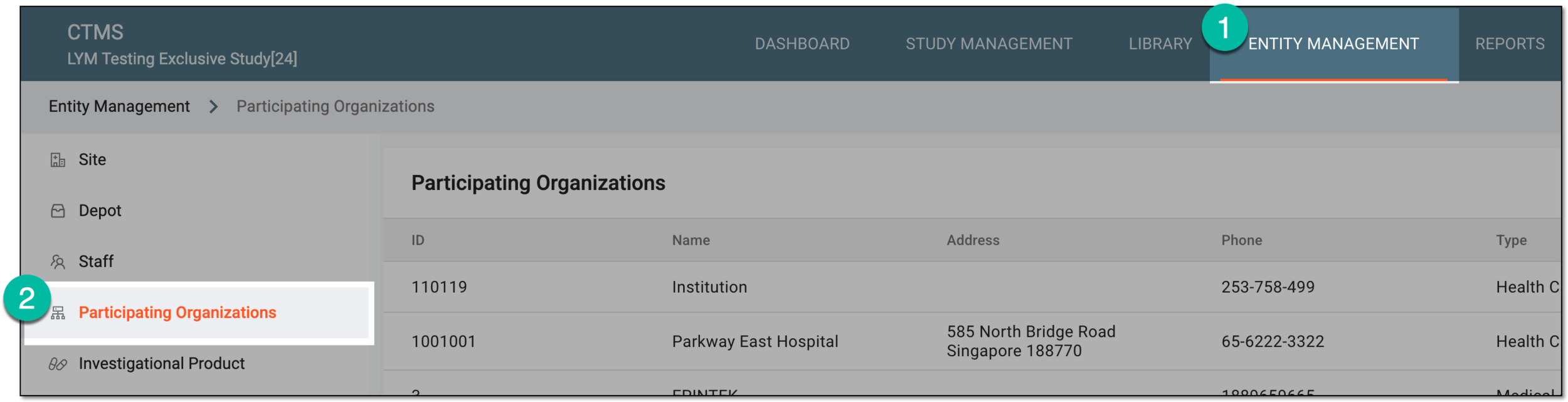 Figure 1. Accessing participating organizations
-
From the workspace toolbar of the Participating Organizations page that opens, select New Item
 .
. Figure 2. Selecting option to add participating organization to CTMS
-
In the New form that opens, fill in the needed information as suggested in the following table.
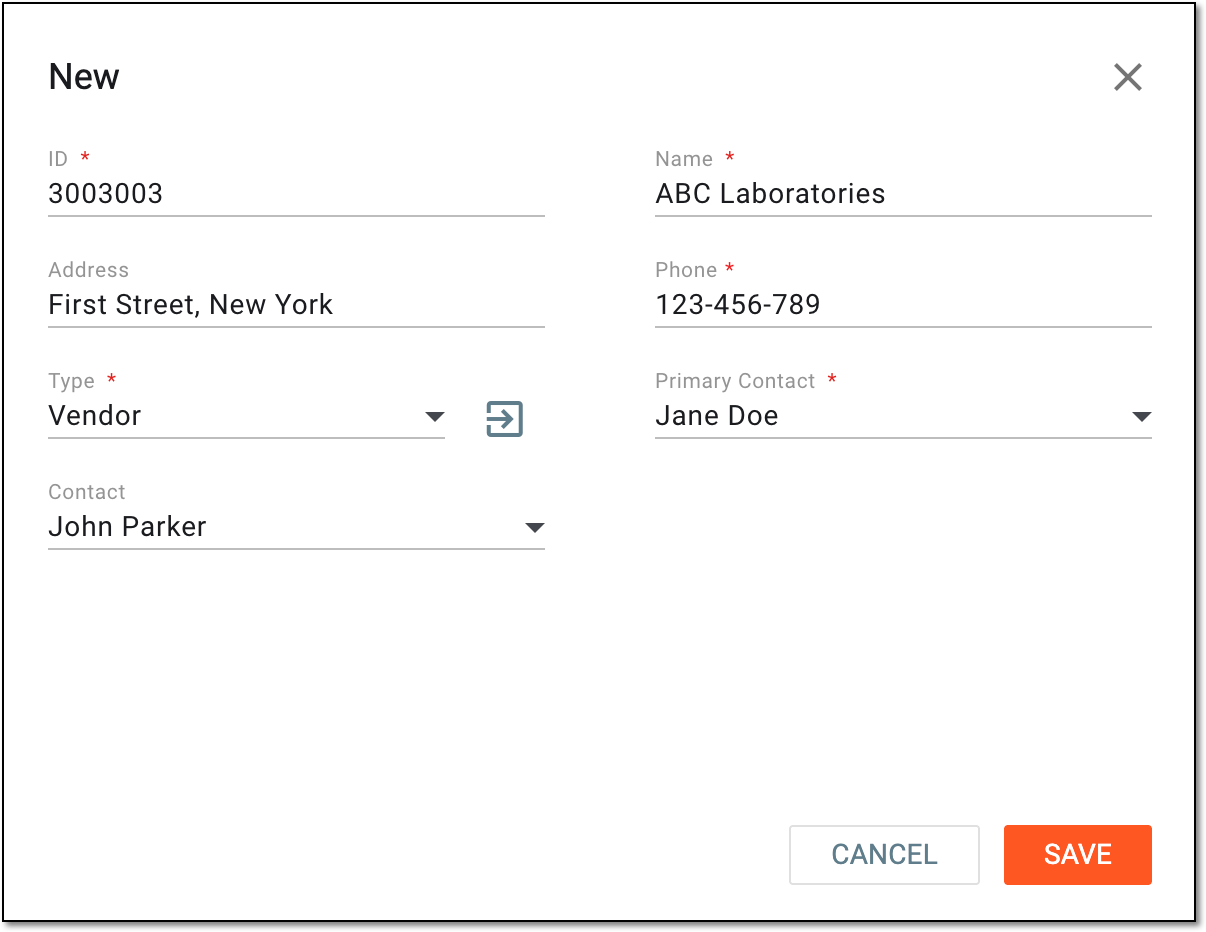 Figure 3. Adding participating organization details
Tip
In the following table, mandatory elements are marked with an asterisk (*).
Element
Details
ID*
Enter the unique identifier of the participating organization.
Name*
Provide the name of the participating organization.
Address
Enter the physical address where the participating organization is located.
Phone*
Enter the phone number of the participating organization.
Type*
Expand the list and select the type of the participating organization.
The participating organization types are defined by adding reference data elements to the CTMS library.Primary Contact*
Expand the list and select the staff member who is the primary contact at this participating organization.
The available options are populated from the staff member list. If the needed person is not on the list, you can add a new staff member to CTMS.Contact
Expand the list and select alternative contacts at this participating organization.
The available options are populated from the staff member list.SAVE
Select
 to implement the changes.
CANCEL
Select
 to discard the changes without saving.
Once saved, a new participating organization record is added to CTMS. You can now add this organization to the studies.